Early Black Friday DealsNew Doorbusters every Friday.Shop now

Main Content

Questions & Answers

Your price for this item is $1,234.99
Clearance
The comparable value price is $1,299.99
Page Showing 121-140 of 226 questions
  • QuestionI’ve had this computer for only 4 days the computer completely shut down while playing a game and the entire light set up turned red and is now staying solid colors along with 2 red lights on what I believe is the Motherboard.

    Asked by Jeb.

    • Answer I had an issue extremely similar to this yesterday, with the same exact computer. I swapped out every single part aside from the processor in the motherboard. Me and two of my friends were able to diagnose that it wasn't a graphics card, the ram was okay, and the processor was functioning the way they're supposed to. It started doing this thing where it would just load Windows for like 30 minutes when you turn the computer on, and then after that, if I try to restart the computer it would just load forever and then I would get a blue screen of death, it would say something about a driver power State failure. I used to safe mode, I did a fresh install of Windows, I swapped out the power supply, tried three different hard drives all with Windows on it. There is no way that I could figure out what was wrong with this computer, I would hope you got a warranty, and you can just take it back and have them fix it or you'll get a new computer.
      Answered by Ckmeister

  • QuestionWhat is the RTX on this

    Asked by EndG.

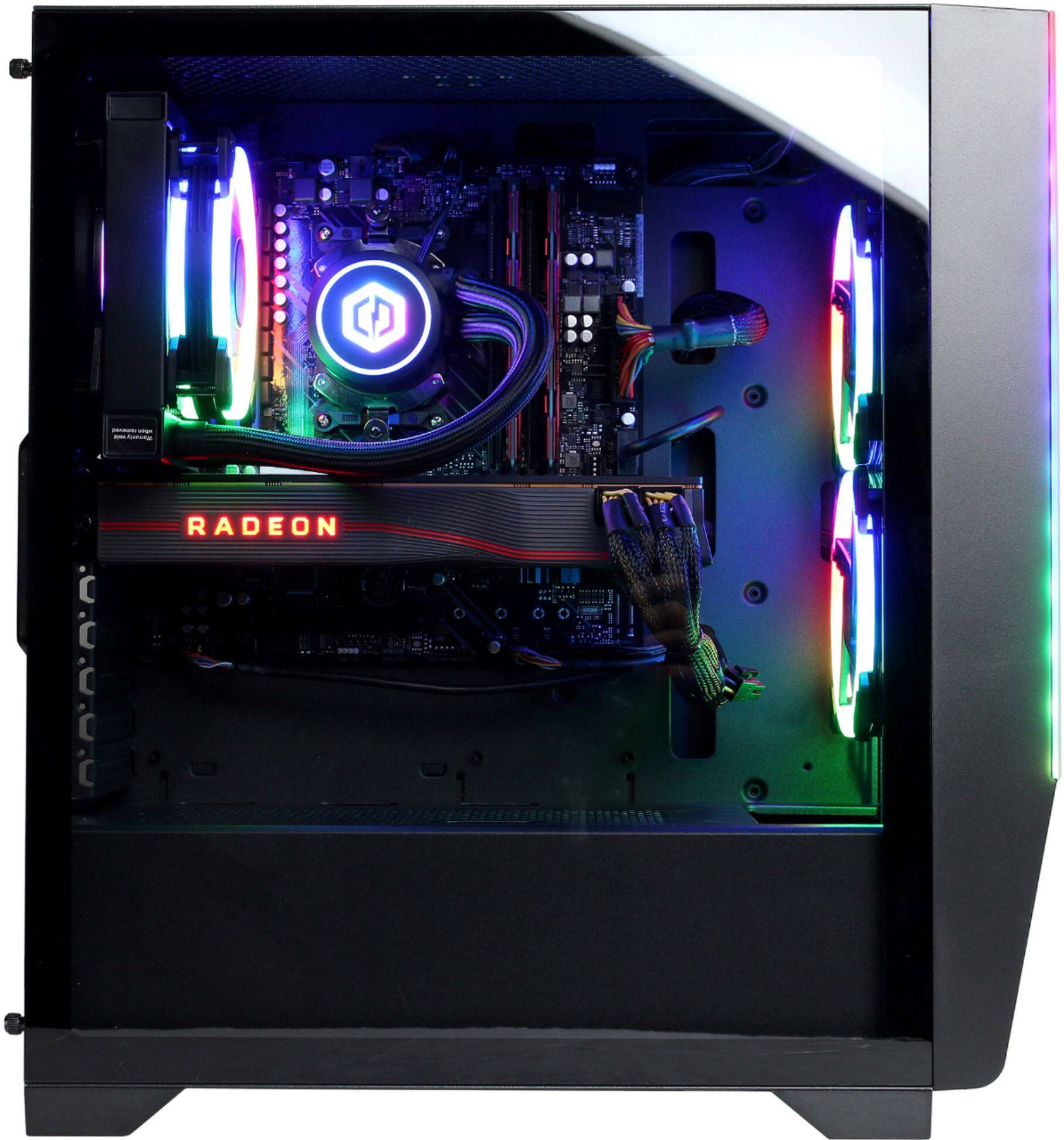
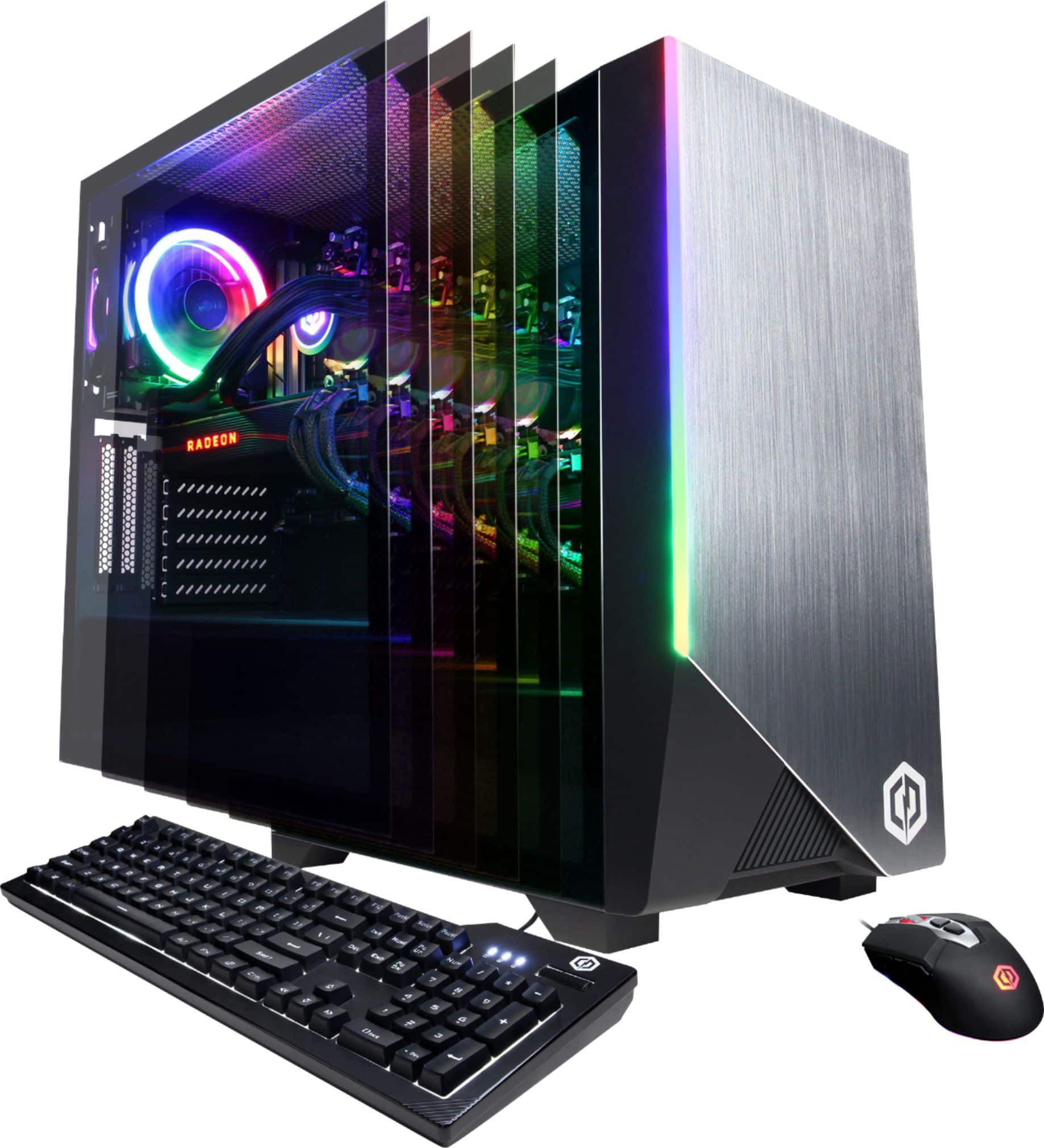
    • Answer Hi EndG, This system does not come with a RTX graphics card. It comes equipped with a Radeon RX 5700 XT. If you have any further questions or concerns, please feel free to contact us.

      Answered by CyberPowerPC Brand Expert

  • QuestionI just bought this pc for my kids xmass. I had it preset up at best buy. When we opened it up, there was no user guide. Should there have been one?

    Asked by Jesse.

    • Answer Thank you for reaching out to us Jesse. Unfortuantely our systems do not come with a manual, however, you may look up each manual online for each component inside of your system. If you have any further questions or concerns then please do not hesitate to give our tech support agents a call for any assistance; we're always happy to help. Tech support: (888)937-5582 -CyberpowerPC Support

      Answered by CyberPowerPC Brand Expert

  • QuestionThe pc came with a cd titled AMD. Where is the cd drive?

    Asked by Jesse.

    • Answer There isn’t one. We live in a streaming world now where everything you need can be downloaded. It would be helpful if there were some instructions telling us where we could find the files, but they don’t seem to bother. Honestly, I don’t remember the CD. It may have had some rudimentary ‘owner’s manual’ and maybe some drivers, but I don’t think it was important.

      Answered by Bikertodd

  • QuestionWhat ddr4 ram speeds are compatible with the motherboard?

    Asked by Ian.

    • Answer Thank you for reaching out to us Ian. Please feel free to contact our tech support team at your earliest convenience for further assistance on this matter, we're always happy to help. Tech Support: (888)937-5582 [email protected] Hours of Operation: Monday - Friday: 8:30AM - 6:00PM PST Saturday: 9:30AM - 3:00PM PST -CyberPowerPC Support

      Answered by CyberPowerPC Brand Expert

  • QuestionCan you add an optical drive to this case?

    Asked by OpticalDrive.

    • Answer No.

      Answered by Mike

  • QuestionAre both cpu and gpu overclockable?

    Asked by Ian.

    • Answer Yes, use Ryzen Master for the CPU and AMD Radeon Software for the GPU.

      Answered by NicF

  • QuestionDoes it have an internal speaker?

    Asked by Solo.

    • Answer Thank you for reaching out to us Solo. Unfortunately this system does not include a built in speaker. If you have any further questions or concerns then please do not hesitate to give our tech support agents a call for any assistance; we're always happy to help. Tech support: (888)937-5582 -CyberpowerPC Support

      Answered by CyberPowerPC Brand Expert

  • QuestionWhere do I find the code for the month of Game Pass and the selection for Borderlands and Outer Worlds?

    Asked by Blane.

    • Answer They should be on your receipt. That is where mine are located. If you purchased online i would check the email.

      Answered by Longman89

  • QuestionDo I have to hardwire the internet or does the PC come with built in wifi, or can it connect to the wifi from a different room?ben

    Asked by Ben.

    • Answer Thank you for reaching out to us Ben. You should be able to connect to the internet through WiFi or an Ethernet cable. If you have any further questions or concerns then please do not hesitate to give our tech support agents a call for any assistance; we're always happy to help. Tech support: (888)937-5582 -CyberpowerPC Support

      Answered by CyberPowerPC Brand Expert

  • QuestionI bought my CyberPowerPC SLC7200BST yesterday and there are 2, 6 pin PCI-E Cables not connected. I don’t know where I need to plug them in or if they are supposed to be like this. Thank You!

    Asked by Bulbakipp.

    • Answer Power supplies will come with multiple pcie cable adapters and plugs. The purpose of this is if you want to put two graphics cards in your computer and then you'll need two additional plugs to go into that card, the only thing that you'll need right now, assuming you have one GPU, is to just make sure that the two pci-e plugs are plugged into the graphics card you have already. You won't need to plug those into anything else other than the graphics card. Or any additional graphics cards you may have

      Answered by Ckmeister

  • QuestionWhat is the exact ram in this system so i can add more Ram.

    Asked by Zach.

    • Answer 2 x 8Gb sticks of DDR4SD RAM, 16Gb total, taking up 2 of the 4 available slots (possible 128Gb), 3000MHz speed. Cannot remember the brand. can check when i get home.

      Answered by John

  • QuestionDoes this pc come with a operating system

    Asked by Stefan.

    • Answer Thank you for reaching out to us Stefan. This system should have Windows 10 preinstalled. If you have any further questions or concerns then please do not hesitate to give our tech support agents a call for any assistance; we're always happy to help. Tech support: (888)937-5582 -CyberpowerPC Support

      Answered by CyberPowerPC Brand Expert

  • QuestionWhat motherboard does it have And does the Rx 5700 xt still overheat?

    Asked by Help.

    • Answer Thank you for reaching out to us. This system should include a B550AM chipset motherboard. Also the temperature of the graphics card may vary depending on ambient temperatures and how much load your system is under. If you have any further questions or concerns then please do not hesitate to give our tech support agents a call for any assistance; we're always happy to help. Tech support: (888)937-5582 -CyberpowerPC Support

      Answered by CyberPowerPC Brand Expert

  • QuestionHow long does this deal last for?

    Asked by Alex.

    • Answer Thank you for reaching out to us Alex. We recommend getting in contact with Best Buy directly for further assistance as they handle the pricing and promotions.

      Answered by CyberPowerPC Brand Expert

  • QuestionWhat PSU does this system have?

    Asked by Jack.

    • Answer Thank you for reaching out to us Jack. This system should include an 800 watt power supply. If you have any further questions or concerns then please do not hesitate to give our tech support agents a call for any assistance; we're always happy to help. Tech support: (888)937-5582 -CyberpowerPC Support

      Answered by CyberPowerPC Brand Expert

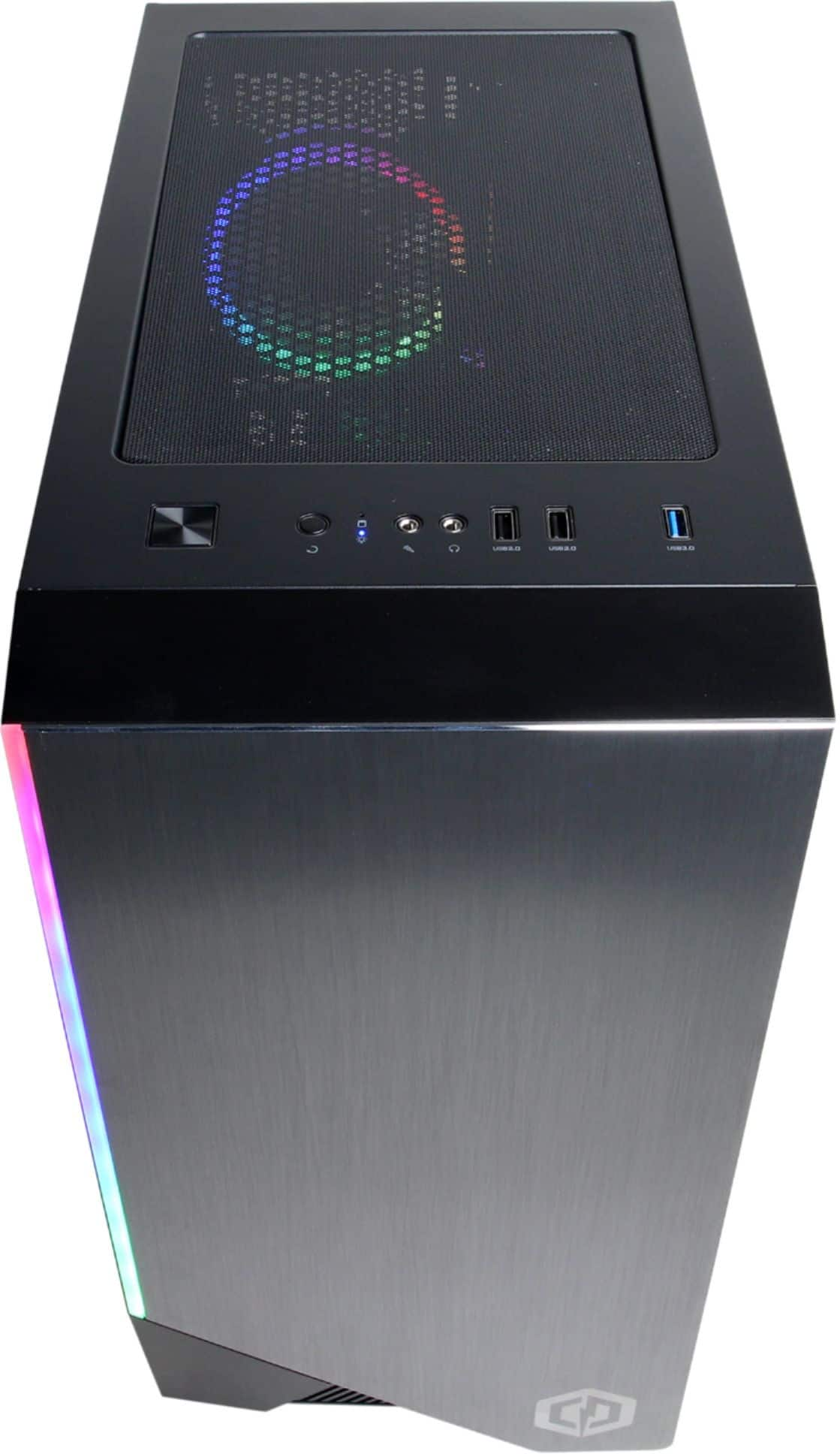
  • QuestionHow do you change it to rainbow lighting? I’ve read to go into BIOS, but where is that?!

    Asked by NewtoCyberPower.

    • Answer The best way to get into BIOS is to go into your settings and find the troubleshoot option. Head in there and find the UEFI settings BUT BE CAREFUL. From there you can access the BIOS or you can simply boot your computer and before it shows the CYBER POWER logo from startup and it's on that black screen for just a second. From the instance you press the power-up button, spam F2 on your keyboard and it should direct you into that panel without messing with the settings. Good luck :)

      Answered by Tymee

  • QuestionWhat is the make/model of the logic board?

    Asked by Albannach.

    • Answer Unfortunately it will be hard for people to answer this for you, the motherboard brand and make will vary slightly from computer to computer. They only use the advertised parts, but not the brands. So you could get an ASRock motherboard with one, and then get a different ASRock motherboard for another one. Same with the graphics cards, same with the ram, they only build the system using the specified parts that are advertised on the website but not the brand of what it is. Ie gigabyte, MSI, Asus, XFX, you get what I mean.

      Answered by Ckmeister

  • QuestionCan you install an SSD on this prebuilt?

    Asked by TRIPLEAAA.

    • Answer Thank you for reaching out to us. You should be able to add additional drives to this system, however, it is always recommended that you check for compatibility before making your purchase on new hardware. If you have any further questions or concerns then please do not hesitate to give our tech support agents a call for any assistance; we're always happy to help. Tech support: (888)937-5582 -CyberpowerPC Support

      Answered by CyberPowerPC Brand Expert

  • QuestionWhy are all 3 of my display ports blocked/covered? The only one not covered is the HDMI port. It looks like I have to take the whole entire back cover off because it’s covering the top part of those caps which makes it close to impossible to take out.

    Asked by June.

    • Answer Thank you for reaching out to us June. Please feel free to contact our tech support team at your earliest convenience for further assistance on this matter, we're always happy to help. Tech Support: (888)937-5582 [email protected] Hours of Operation: Monday - Friday: 8:30AM - 6:00PM PST Saturday: 9:30AM - 3:00PM PST -CyberPowerPC Support

      Answered by CyberPowerPC Brand Expert