Questions & Answers
- Model:
- GXi3800BST
- |
- SKU:
- 6617072
Highly rated by customers for: Overall Performance, Processor Speed, Setup
$1,899.99Your price for this item is $1,899.99
Page Showing 61-72 of 72 questions
Q: QuestionJust bought it. It's barely booting up, but the fans are making a loud crunchy sound. It's my first time ever buying or having a pc of this caliber so I don't know If it's normal or should I be worried
Asked by SAMDC.
- A:Answer We are sorry to hear about your experience and apologize for any inconvenience this may have caused. We always recommend you contact us as soon as you run into any issues with your PC as we are usually able to resolve it over the phone or email. If you haven't already, please contact our tech support agents at your earliest convenience so we can look into the matter further. Tech Support: (855) 888-2039 [email protected] Hours of Operation: Monday - Friday: 8:30AM - 6:00PM PST Saturday: 9:30AM - 3:00PM PST
Answered by CyberPowerPC Brand Expert

Q: Question1) I can't control fan RGB, only the RAM RGB. 2) Does this come with SATA data cables? I saw the power splitters but haven't seen/found data cables.
Asked by JohnV.
- A:Answer Not an answer but im currently having the same problem wifh the fan rgbs, were you ever able to figure it out?
Answered by Neptune
Q: QuestionJust bought this $3000 paperweight. No windows, found a temp usb key, doesn't do anything. Cant get past bios, bios looks fine except no key option in boot list, just the nvme. Tried key in every usb slot. Can see windows on rhe key on x drive, no exe
Asked by Paperweight.
- A:Answer We are sorry to hear about your experience and apologize for any inconvenience this may have caused. We always recommend you contact us as soon as you run into any issues with your PC as we are usually able to resolve it over the phone or email. If you haven't already, please contact our tech support agents at your earliest convenience so we can look into the matter further. Tech Support: (855) 888-2039 [email protected] Hours of Operation: Monday - Friday: 8:30AM - 6:00PM PST Saturday: 9:30AM - 3:00PM PST
Answered by CyberPowerPC Brand Expert

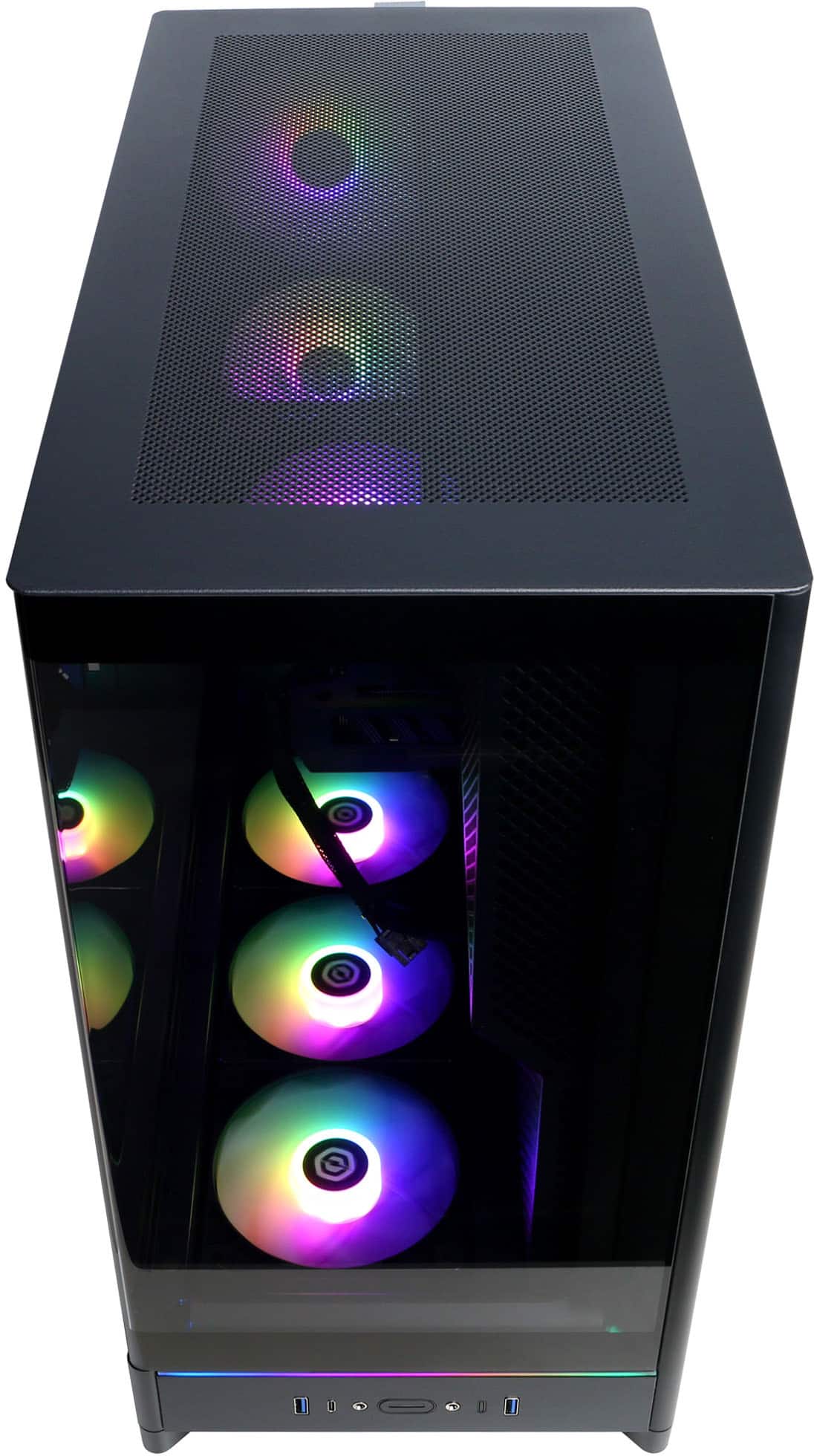
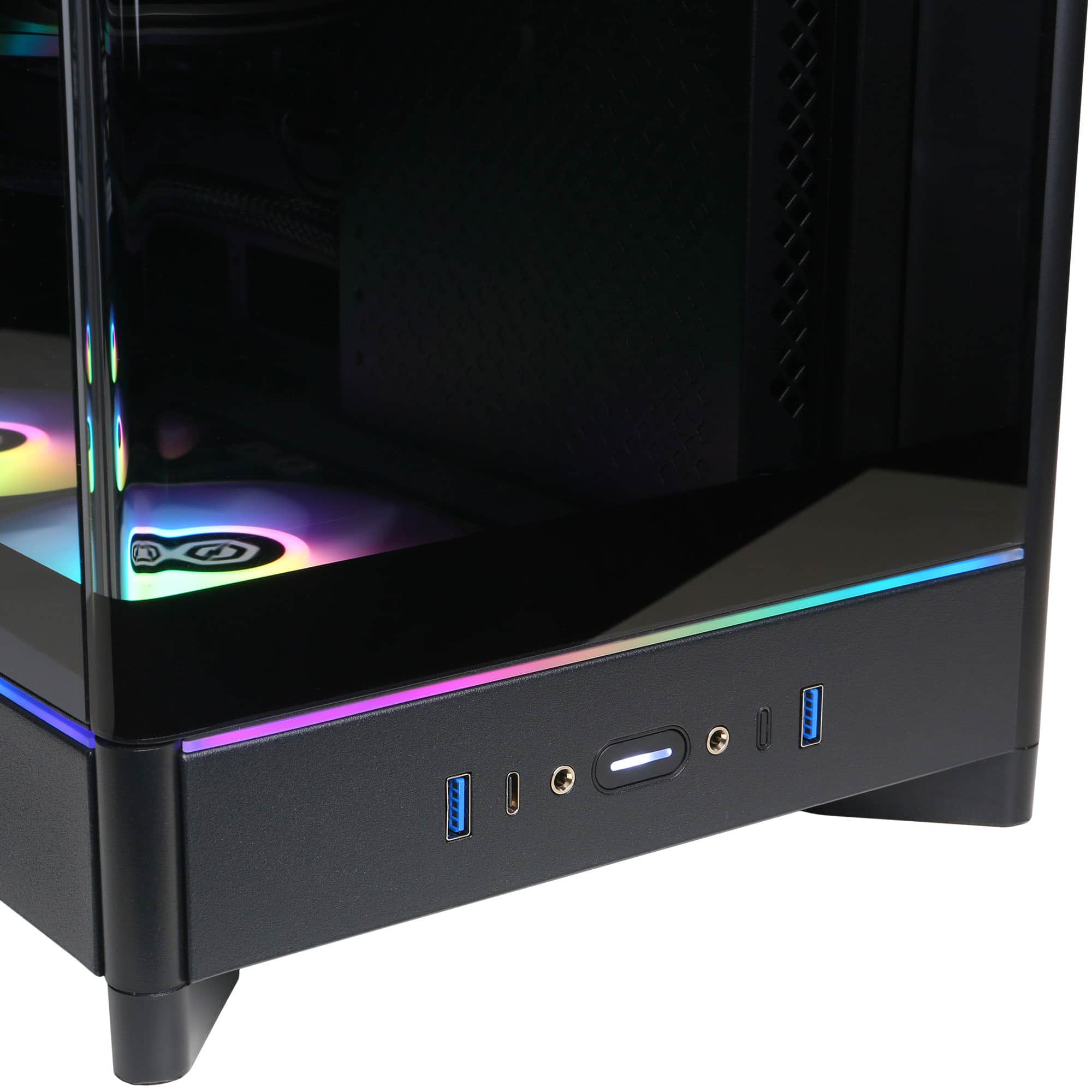
Q: QuestionLights dont change from App but the front USB port when pulled will make a button sound and the lights will change. Is this normal, or is that going to eventually break my usb port?
Asked by Greg.
- A:Answer Thank you for reaching out to us. Please feel free to contact our tech support team at your earliest convenience for further assistance on this matter, we're always happy to help. Tech Support: (855) 888-2039 [email protected] Hours of Operation: Monday - Friday: 8:30AM - 6:00PM PST Saturday: 9:30AM - 3:00PM PST
Answered by CyberPowerPC Brand Expert

Q: QuestionWhy is it so slow just got it today and have Verizon fios 5G….
Asked by Greg.
- A:Answer We are sorry to hear about your experience and apologize for any inconvenience this may have caused. We always recommend you contact us as soon as you run into any issues with your PC as we are usually able to resolve it over the phone or email. If you haven't already, please contact our tech support agents at your earliest convenience so we can look into the matter further. Tech Support: (855) 888-2039 [email protected] Hours of Operation: Monday - Friday: 8:30AM - 6:00PM PST Saturday: 9:30AM - 3:00PM PST
Answered by CyberPowerPC Brand Expert

Q: QuestionDoes this PC come with a charger and if it does then how many watts is it?
Asked by Kale.
- A:Answer It's a desktop. You plug it into the wall. Charger? That's funny.
Answered by Anonymous
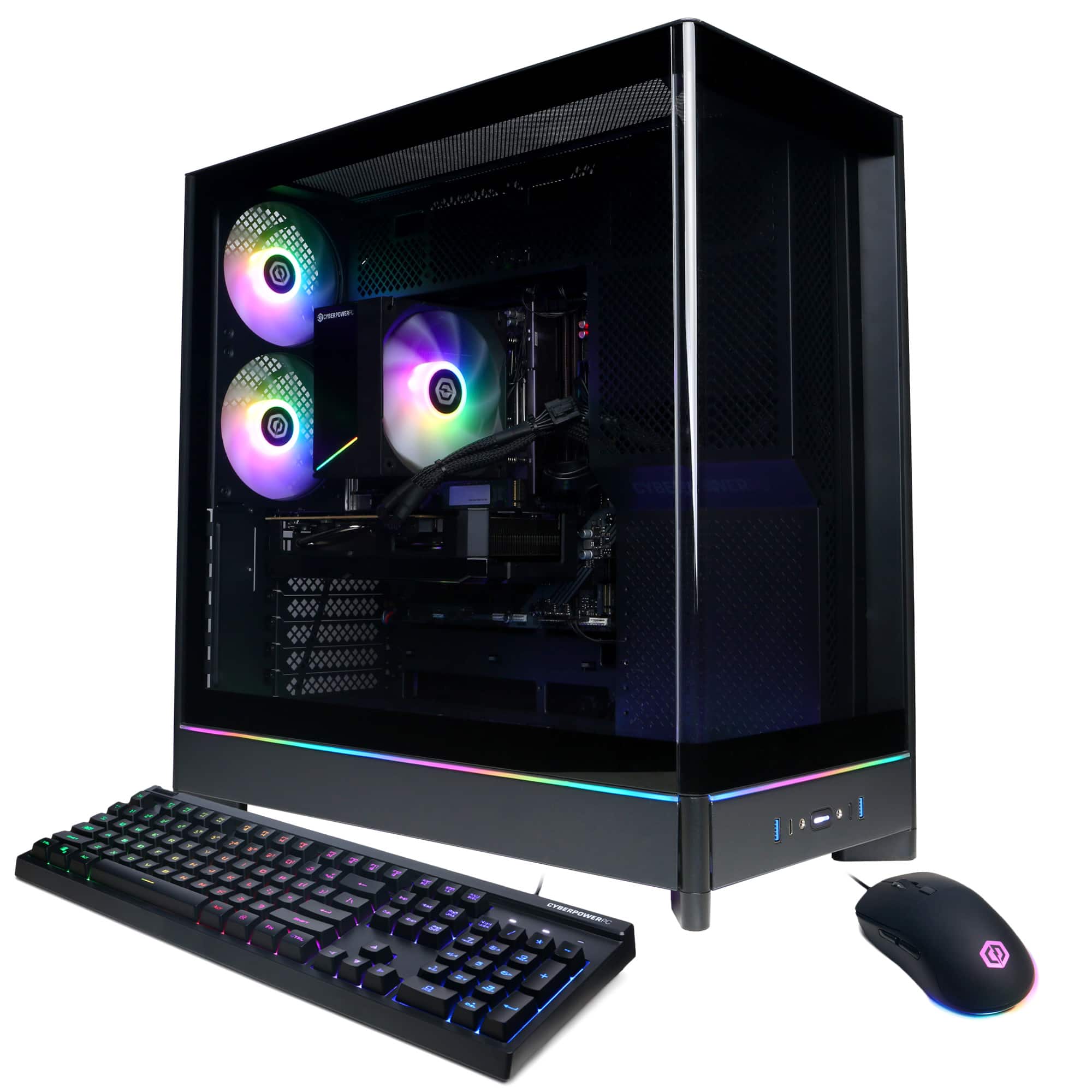
Q: QuestionWondering what type of ram I should use if I want to upgrade? I tried installing 2, 16gig 6000mhz sticks with the 2 sticks from the factory and the computer would not load. Any help would be greatly appreciated. Thanks
Asked by ConcernedGamer.
- A:Answer Thank you for reaching out to us. The manufacturer, model, and specifications of the components included with this system may vary depending on what was currently available at the time the PC was built.
Answered by CyberPowerPC Brand Expert
Q: QuestionHow do I access bios for this pc? ive tried del and all the f keys and it dosent allow me to get to it.
Asked by Jess.
- A:Answer Thank you for reaching out to us. Please feel free to contact our tech support team at your earliest convenience for further assistance on this matter, we're always happy to help. Tech Support: (855) 888-2039 [email protected] Hours of Operation: Monday - Friday: 8:30AM - 6:00PM PST Saturday: 9:30AM - 3:00PM PST -CyberPowerPC Support
Answered by CyberPowerPC Brand Expert

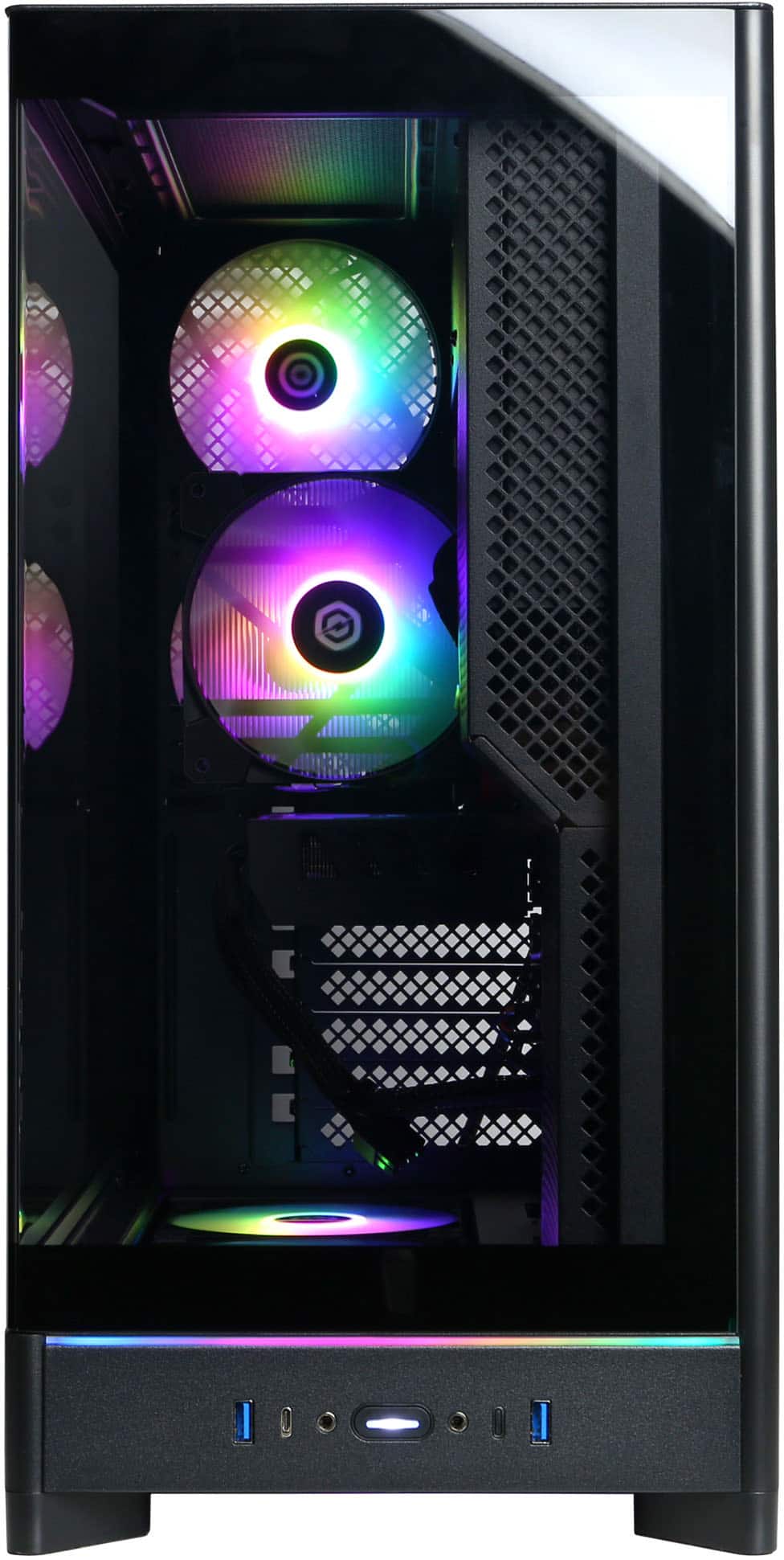
Q: QuestionWhich audio jacks in the front are for in and out? neither have identification marks.can i plug a headset and talk and hear the audio or does it need a two way split?
Asked by MatthewPerea.
- A:Answer A two-way split is only going to duplicate the port that it's plugged into. Do you need two audio out ports? Do you need two audio in ports? No? Then you're going down the wrong river. Have you tried simply plugging your speakers into one of the ports to see if you get sound? That's your best bet. If I remember correctly, mine came with a big poster that had all the ports labeled. You should have one too, unless you just powered it up and never checked the included bag of stuff.
Answered by JonH
Q: Questionwill this computer support 4 monitors?
Asked by jeff.
- A:Answer Thank you for reaching out to us. The manufacturer, model, and specifications of the components included with this system may vary depending on what was currently available at the time the PC was built.
Answered by CyberPowerPC Brand Expert

Q: QuestionWhat kind of WiFi card/adapter is installed on this laptop? What are the specifications (dual band, connection speeds)?
Asked by whq7169.
- A:Answer Thank you for reaching out to us. The manufacturer, model, and specifications of the components included with this system may vary depending on what was currently available at the time the PC was built.
Answered by CyberPowerPC Brand Expert

Q: QuestionCan this motherboard support a Wifi 6e PCIe card?
Asked by Anonymous.
- A:Answer Thank you for reaching out to us. Unfortunately the manufacturer, form factor, specifications, and number of M.2 slots available on the motherboards included with this system may vary depending on what was currently available at the time the PC was built.
Answered by CyberPowerPC Brand Expert
Top Rated
- Winter Sale Deal$1,519.99Your price for this item is $1,519.99
- $779.99Your price for this item is $779.99
- Winter Sale Deal$1,149.99Your price for this item is $1,149.99
- $1,599.99Your price for this item is $1,599.99
- $1,099.99Your price for this item is $1,099.99
- Winter Sale Deal$969.99Your price for this item is $969.99
- $2,449.99Your price for this item is $2,449.99
- $1,499.99Your price for this item is $1,499.99
- Winter Sale Deal$1,499.99Your price for this item is $1,499.99
- $1,879.99Your price for this item is $1,879.99
- $999.99Your price for this item is $999.99$1,199.99The comparable value for this item is $1,199.99
- $1,899.99Your price for this item is $1,899.99
- $1,879.99Your price for this item is $1,879.99
- $1,049.99Your price for this item is $1,049.99$1,299.99The comparable value for this item is $1,299.99
- $1,299.99Your price for this item is $1,299.99
- $1,199.99Your price for this item is $1,199.99
- $999.99Your price for this item is $999.99$1,249.99The comparable value for this item is $1,249.99
- $989.99Your price for this item is $989.99
- $2,549.99Your price for this item is $2,549.99