“I just bought this model and I'm trying to figure out how to attach speakers. I see no jacks except for one output. I checked the Dell site for speakers and none seem to be compatible. How would I attach speakers?”
Answer This Question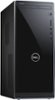
1-2 of 2 Answers
After previously having an all-in-one computer with built-in speakers, I was disappointed to learn I would have to purchase a set of speakers for my new Dell computer. However, since I don't need anything earth-shattering, I was able to purchase a small, but sufficient set (Logitech Z130) for less than $20. I am totally NOT tech-savvy, but the IT consultant who set up my computer gave me these instructions -- On the back of the computer, at the top, are three jacks. From left to right, they are red/orange, light green and light blue. When you buy speakers, the cord that plugs into your computer should have a green tip. Plug it into the middle (green) jack. That's all I had to do. Since the speakers I purchased are small, I put them one on either side of the monitor, and arranged the wires to be as out of the way as possible. Hope this helps.
Sorry, there was a problem. Please try again later.I agree with PattieB 100% that inserting your cord into the green hole will solve the problem and one should receive pretty good service. I bought my new Inspiron 3670 3 weeks ago and working well with my old speakers that came with my old Inspiron 530 that I purchased in 2006.All is well.
Sorry, there was a problem. Please try again later.