A:AnswerRang easly way beyond line of site.
With phone yes
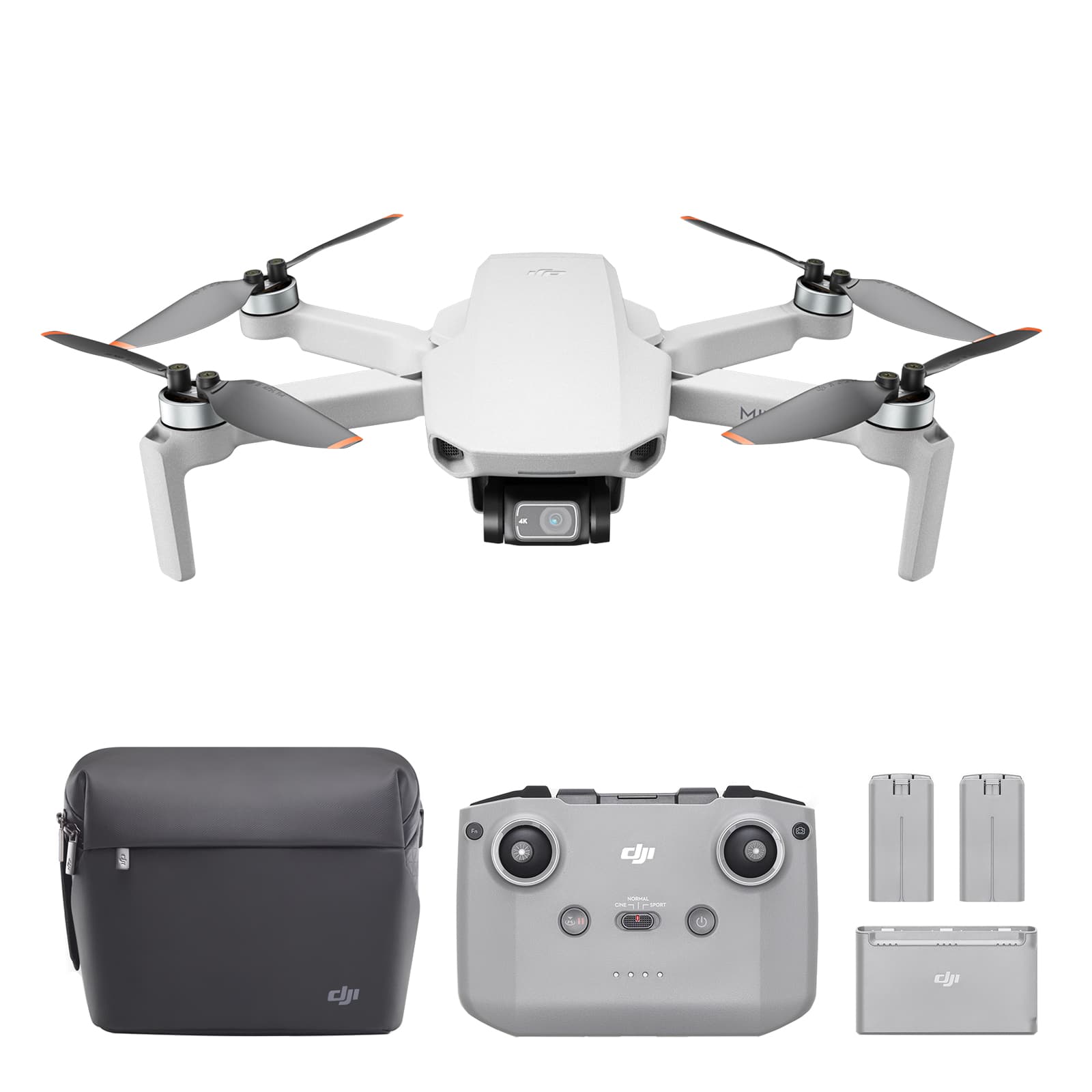
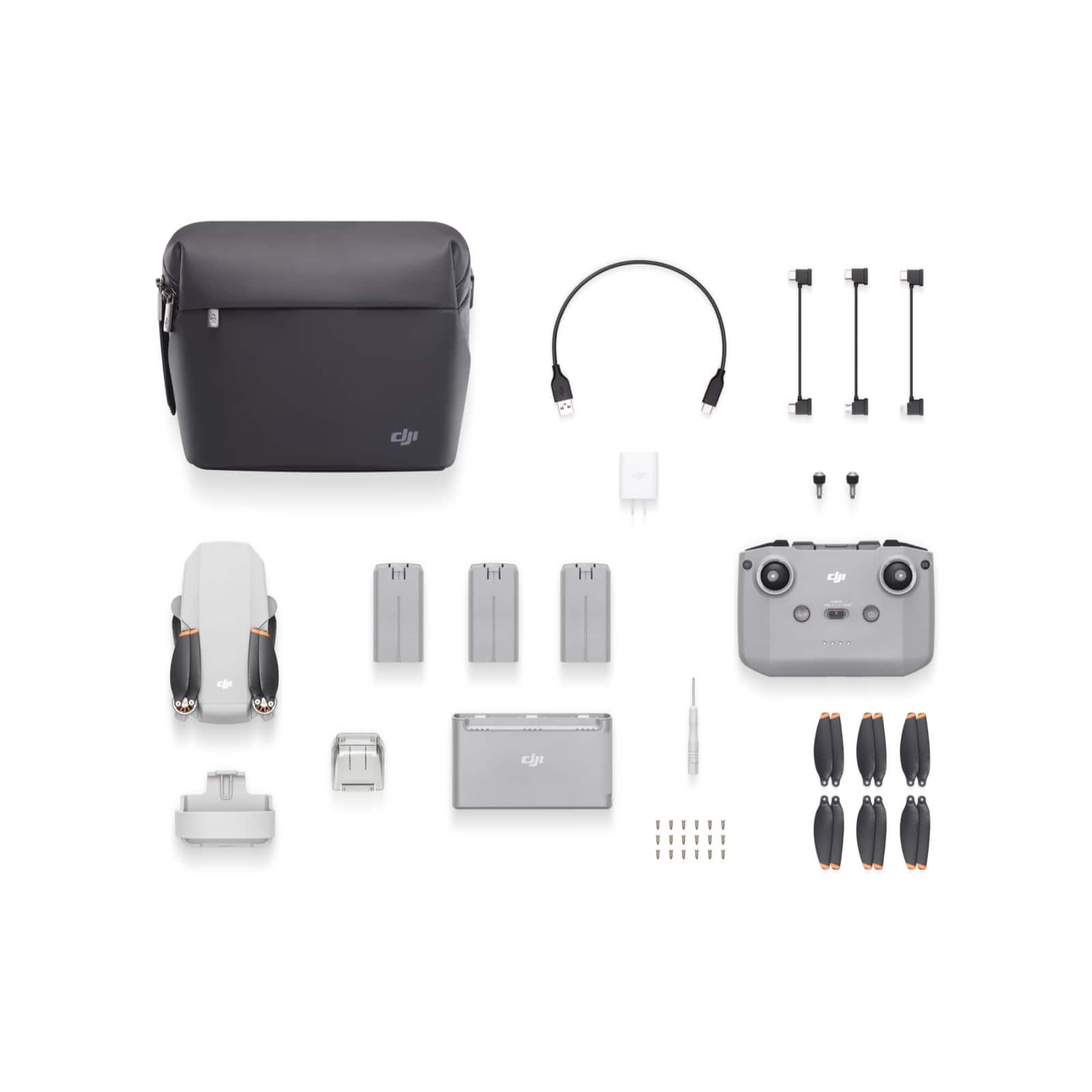
Controller included yes
Video is not on the controller but you don't have to use a phone there other ways
A:AnswerAs it falls within the FAA ceiling of 400 feet (121 meters) for all drones yes as long as you are not in controlled air space. Always check with the FAA or other regulating authorities regarding drones for the air space near you.
A:AnswerThe DJI Mini 2 uses a battery with a capacity of 2250 mAh at a voltage of 7.7V. To calculate the watt-hours (Wh) of the battery, you can use the formula: Wh = Ah (Ampere hours) × V (Voltage). Let's calculate the Wh for the DJI Mini 2 battery:
\[ Wh = 2.25 \, Ah \times 7.7 \, V \]
Let's do the math.
The batteries of the DJI Mini 2 are 17.325 Watt-hours (Wh). According to the International Air Transport Association (IATA) guidelines, passengers are allowed to carry batteries with up to 100 Wh in their carry-on luggage without needing approval from the airline. Since the DJI Mini 2 batteries are well below this limit, you can take them on an airplane in your cabin luggage.
However, it's always a good practice to check with the specific airline you're flying with, as airlines might have their own regulations and limits on the number of batteries and the way they must be packed.
i would also recommend putting the batteries in a fire proof sealed bag made for carrying lithium type batteries.
A:AnswerDear customer, Thank you for your inquiry.
Are you asking about the AC power supported by the RC-N1 remote control of DJI Mini 2? If yes, you can refer to the following information: The USB socket on the official charger can charge the remote control of DJI Mini 2. The charger has a step-down function, and the standard voltage is 5V. No matter the AC power is 100V/110/220/240V, the voltage output through the traditional USB port is the same: 5V, so it can be charged normally through the remote control charging cable of DJI Mini 2. (Be sure to use the official charger to charge the remote control, if you use a third-party charger without step-down function, it may damage the remote control) If you have more questions or needs, you can also contact our support, here is the link: https://www.dji.com/support/repair
Best Regards,
DJI Support
A:AnswerDear customer,
Thanks for your inquiry. DJI Mini 2 is not only suitable for newbies but also for the different groups with diverse needs. You may refer to our official website for more details.
Best regards,
DJI Support.
A:AnswerYou will need to find out which location you are wanting to fly-in. For the most part you will still want to adhere to FAA requirements on flying a drone. The app will also notify you if you are within a restricted airspace and you might have to change your flying parameters to maybe 100-200ft as opposed to 400ft range.
You may also have to do research on FAA site to make sure that you are legally flying the drone even though you technically do not have to register it with them.
A:AnswerIn English:
"I think you must use the remote control that came with the unit since they are linked together. I am not sure if you can just buy a remote control and connect it or not."
In French:
"Je pense que vous devez utiliser la télécommande qui est livrée avec l'appareil car elles sont liées ensemble. Je ne suis pas sûr que vous puissiez simplement acheter une télécommande et la connecter ou pas."
A:AnswerYes, the DJI Mini 2 works with iPhones. You can connect your iPhone to the DJI Mini 2 via the DJI Fly app, which is compatible with iOS devices. The app allows you to control the drone, capture photos and videos, and access various flying features. Ensure your iPhone meets the app's minimum iOS version requirement and is compatible with the app for optimal performance.
A:AnswerThe DJI Mini 2 drone uses a lithium-ion battery with a capacity of 2250 mAh (milliamp hours). This battery is specifically designed for the DJI Mini 2 and provides a maximum flight time of up to 31 minutes under ideal conditions.
A:AnswerFlying a drone like the DJI Mini 2 at very cold temperatures can lead to several performance issues:
1. **Battery Performance:** Cold temperatures can significantly reduce battery life because chemical reactions within the battery slow down, leading to decreased efficiency. You may notice shorter flight times than expected.
2. **Battery Voltage Drops:** In cold conditions, the battery voltage might drop temporarily, potentially leading to power warnings or even causing the drone to initiate an automatic landing or return to home.
3. **Condensation:** Flying from a warm indoor area to cold outdoor temperatures can cause condensation to form on both the drone and its camera lens, which could affect visibility and sensor functionality.
4. **Material Brittleness:** At very low temperatures, materials can become more brittle. This primarily affects the plastic components of the drone, potentially making them more susceptible to damage if the drone crashes or is mishandled.
5. **Motor Lubrication:** The lubricants used in the drone's motors might thicken at cold temperatures, causing additional resistance and potentially affecting motor performance.
To mitigate these issues, it's advisable to keep the drone and its batteries warm before use, monitor the battery level closely during flight, and avoid flying in temperatures below the manufacturer's recommended range. DJI provides guidelines for operating temperatures, usually suggesting a minimum operating temperature of 0°C (32°F) for most of their drones. Always refer to the specific user manual for your drone model for the best practices and safety measures when flying in cold weather.
A:AnswerFlying drones like the DJI Mini 2 in very cold temperatures can lead to performance issues. Batteries are particularly affected by cold weather, as low temperatures can result in reduced battery life and decreased performance. This can lead to shorter flight times and reduced power available for the drone to maintain stable flight. Additionally, the materials of the drone and its components may become more brittle in cold conditions, potentially affecting durability.
Regarding your specific questions:
1. **Ambient Temperature and Altitude:** The DJI Mini 2 is recommended to be operated in temperatures ranging from 0°C to 40°C (32°F to 104°F). As for altitude, while DJI doesn't specify a maximum operating altitude for the Mini 2, the drone is capable of flying up to 4,000 meters (13,123 feet) above sea level. However, performance can degrade at higher altitudes due to thinner air. Skiing shooting is possible, but keep in mind the temperature and altitude limitations. Ensure the environment is within the recommended operating range for the best experience.
2. **Follow Me Function:** The DJI Mini 2 does not have a dedicated follow-me function as some other drones do. It lacks the ActiveTrack feature found in some of DJI's other models. However, you can manually control the drone to follow a subject or use pre-programmed flight modes like QuickShots for dynamic shots. For activities like skiing where you might want the drone to automatically follow you, this could be a limitation.
When flying in cold weather, especially for activities like skiing, it's important to keep the drone and its batteries warm before flight, monitor battery levels closely during flight, and be prepared for reduced flight times. Always ensure to follow safety guidelines and regulations when flying the drone.
A:AnswerYes, the DJI Mini 2 works with iPhones. You can connect your iPhone to the DJI Mini 2 via the DJI Fly app, which is compatible with iOS devices. The app allows you to control the drone, capture photos and videos, and access various flying features. Ensure your iPhone meets the app's minimum iOS version requirement and is compatible with the app for optimal performance.