A:AnswerIt works very well with cable provided internet, but you will need to have a modem as well. The modem receives the signal from your cable provider then transmits it to the EERO mesh System. The EERO Mesh System provides Wifi throughout your house. You will have to attach one of the EERO Beacons to your modem, then set up the remaining beacons throughout your house, and they are wireless.
We had our system set up quickly, just follow the instructions. Call your cable provider if you need to provision your modem.
A:AnswerMay I suggest to do a speed test first, and see what improvement or issues that your trying to resolve? Eero Pro 6 can help in many situations, network speed, dead spots, more devices, etc. I’m not familiar with a Hitron model code 4582, but if it has an Ethernet cable connection, you should be able to use the Eero as your Wi-Fi router. You may also need to turn off your existing routers Wi-Fi radios to prevent any interferences.
A:AnswerNot sure about your issues? Eero pro 6 is a Wi-Fi 6 router, not at all compatible with cellar signal/technology. Are you referring to your Wi-Fi signal on your phone being weak when connected to your Wi-Fi network? For your fire stick, you’ll need to check your Wi-Fi settings/configuration, and perhaps do a network reset or factory reset.
A:AnswerDisable your Wi-F from your ATT fiber optic router settings and use only you Eero pro 6 for your Wi-Fi needs. Should work fine, that’s what I did with my ATT fiber router and it works great.
A:AnswerI would use the eero 6 as a stand alone . If the settings are set right (ie band steering, IPV6, Smart opp, and local DNS caching) the the camer's would have no issues
A:AnswerI contacted support regarding a Zigbee setup issue. They worked tirelessly to get the issue resolved. I’ve had ZERO network/WI-FI problems. The support team was amazing and the follow up after the call was great!
A:AnswerYou’ll always need a Internet Provider. If Spectrum is your provider then you will need one of their modems but call and check if they have newer modem. If your using their router then send it back to them and purchase a good one.
A:AnswerTri band uses a third frequency on the 5Ghz channel (5.8 GHz), which typically has less traffic. This band is usually used in Wi-Fi 6 mesh system between mesh point devices. Tri band 5 and 6, I guess is what you’re referring to Wi-Fi tri band? similar concept, except newer standards, ax vs ac chips, with faster connection, more devices, etc, and better for “home automation” I think.
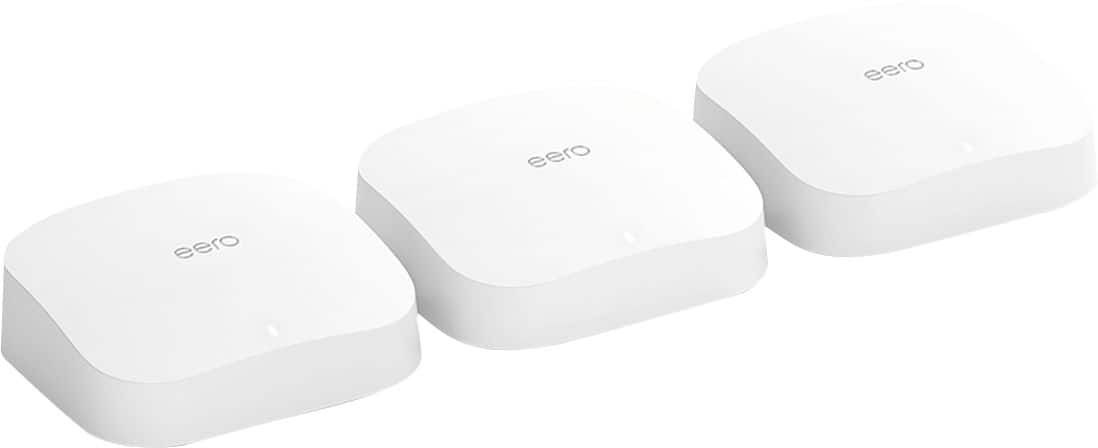
A:AnswerYou can buy as many as you see fit and connect them all but Honestly look at buying the one 2 pack of good eero Tri Band routers like the 6 Pro or another good recommended router. First look to see if you can buy a separate one by itself if needed. If the first 2 isn’t enough and internet is lagging then purchase a third and add it. If the 2 are good enough then you’ll save a couple hundred dollars. My house is 13,000 square feet upstairs and the 3 are outstanding but we bought the 3 pack in case we need to set one up downstairs. My internet provider modem and router gets 450 Mbps download and 20 Mbps download. Which for us is outstanding but speed has a lot to do with your provider. If you upgrade router call and get a newer modem from provider. I hope this helps
A:AnswerYou first Eero must be connected by an ethernet cable to your router. My suggestion would be to run that ethernet cable from the basement to the main floor ( 1 straight cable)
If ypu need to purchase a long cable, make sure to get a round one, not a flat Ethernet cable