

Questions & Answers
- Model:
- V11HA73020-N
- |
- SKU:
- 6594702
Highly rated by customers for: Picture Quality
$799.99Your price for this item is $799.99
Comp. Value: $1,099.99
The comparable value price is $1,099.99
Page Showing 1-13 of 13 questions
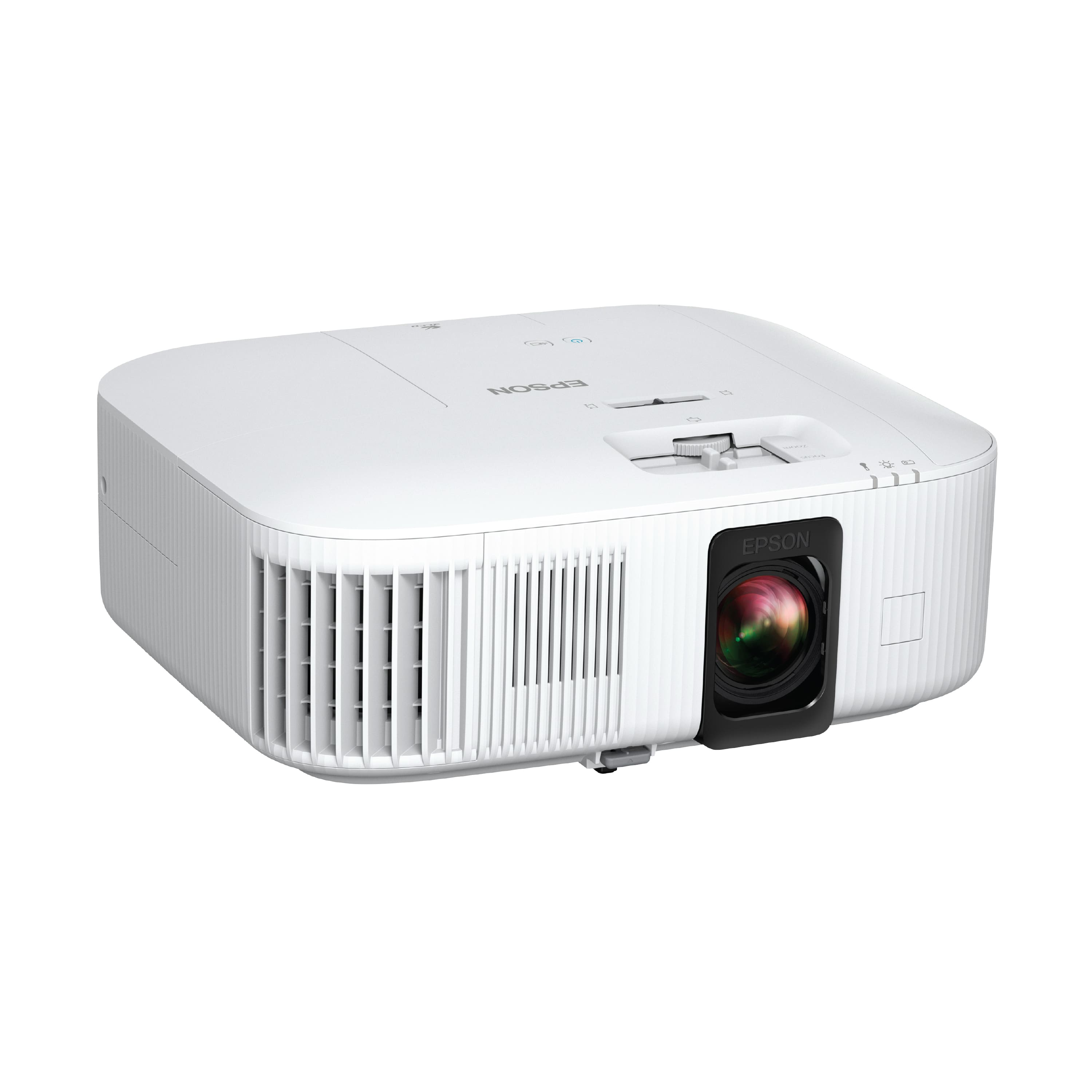
Q: QuestionWhat is the contrast ratio of the Home Cinema 2350 projector?
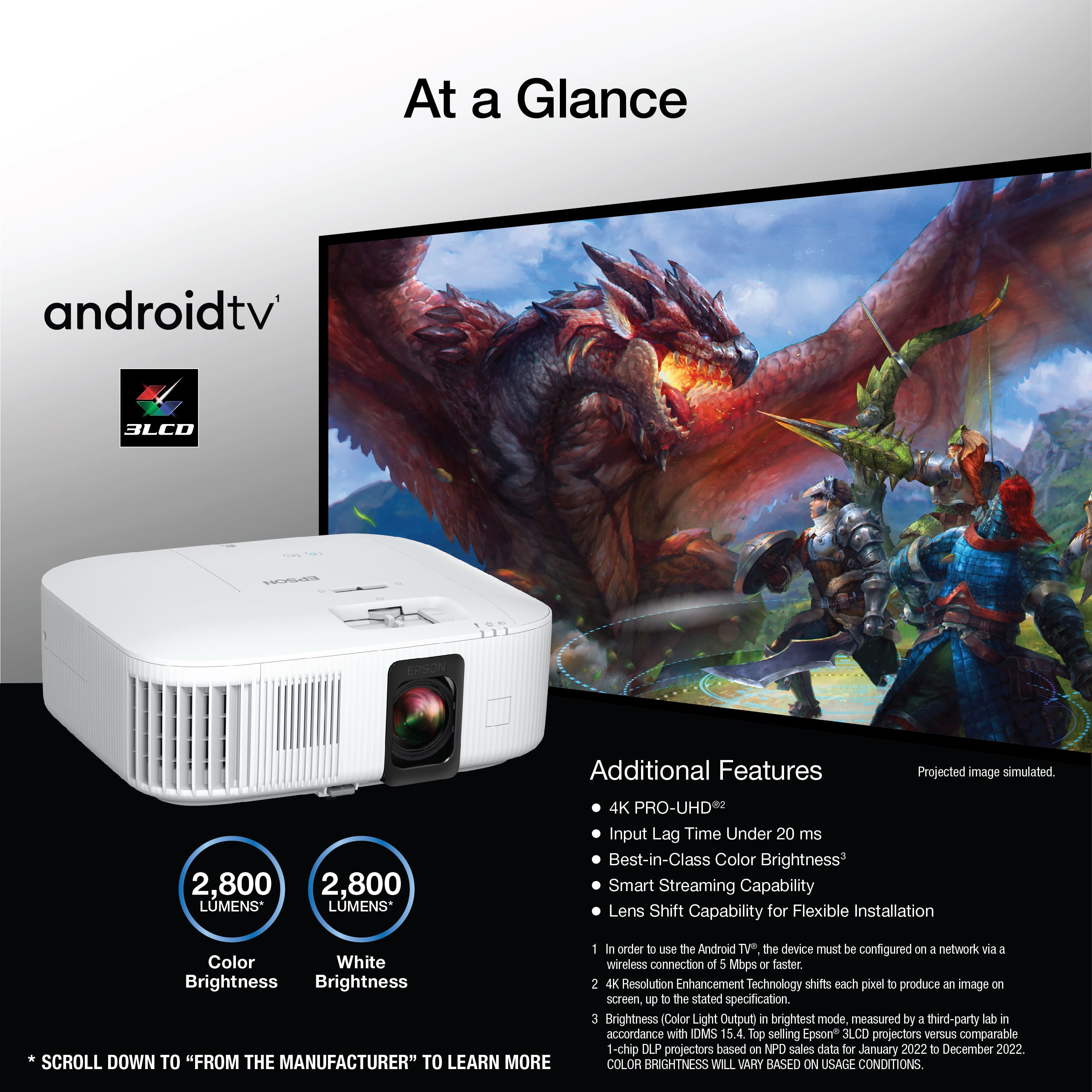
- A:Answer This projector has a contrast ratio of 35,000:1.
This question and answer was generated by AI based on customer and product data.Q: QuestionDoes this projector have a built-in speaker?
- A:Answer Yes, this projector has a built-in 10W bass reflex speaker.
This question and answer was generated by AI based on customer and product data.Q: QuestionDoes the Epson Home Cinema 2350 projector support HDR?
- A:Answer Yes, the Home Cinema 2350 supports HDR10 and HLG.
This question and answer was generated by AI based on customer and product data.Q: QuestionHow long is the lamp life on this projector?
- A:Answer The lamp life is approximately 4500 hours in normal mode and 7500 hours in economy mode.
This question and answer was generated by AI based on customer and product data.Q: QuestionWhat is the maximum viewable screen size for this projector?
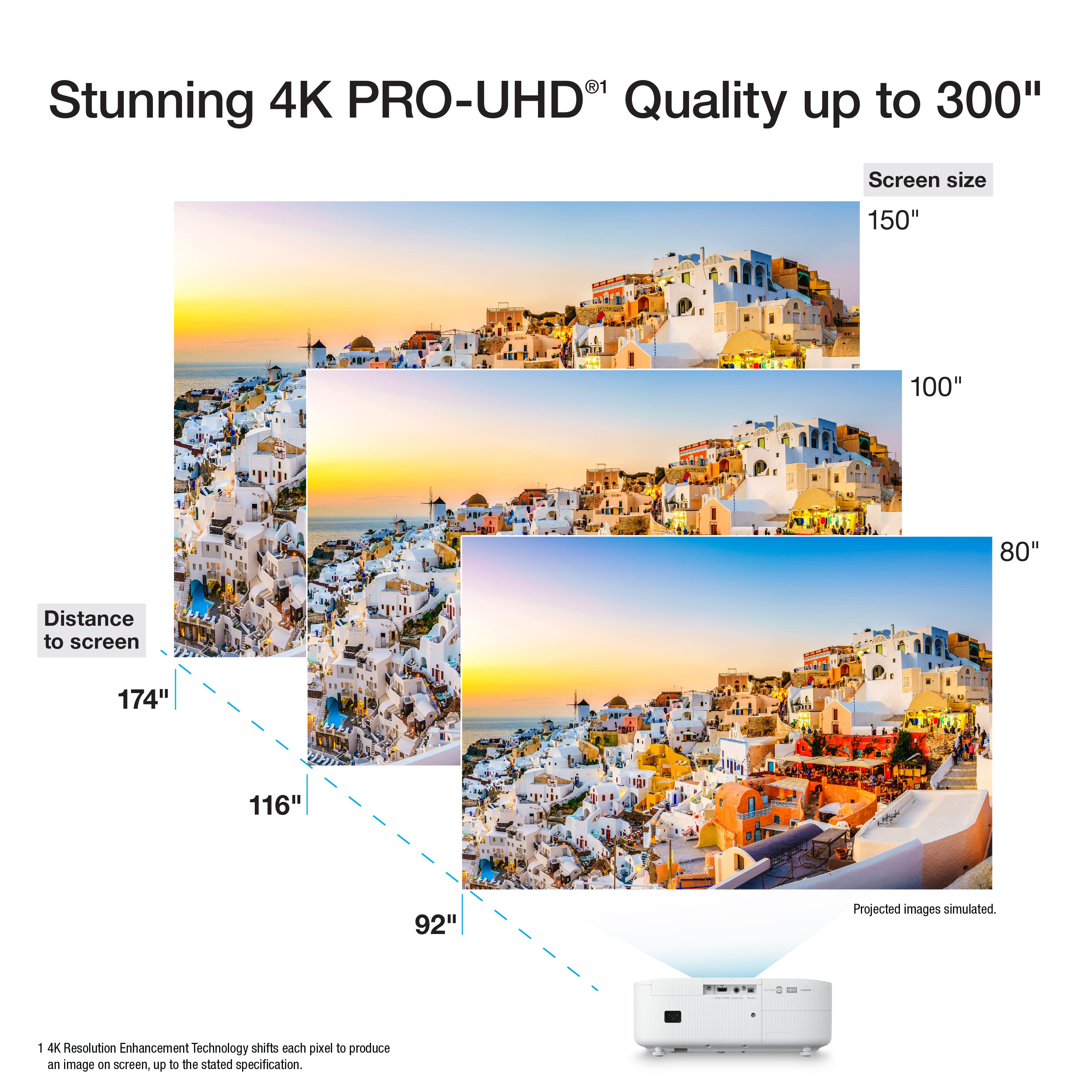
- A:Answer The maximum viewable screen size for this projector is 500 inches.
This question and answer was generated by AI based on customer and product data.Q: QuestionHow to connect from iphone or android wirelessly? Cant use airplay or mirror (apple) or smartview (android)
Asked by Glenard.
- A:Answer Hell Glenard. To mirror an Apple device on the Home Cinema 2350 you would need to use a product like Apple TV. The projector includes Android TV, so you should be able to mirror your Android device using Google Home. Regards, Kevin - The Epson Team.
Answered by Epson

Q: QuestionHi, Does this projector come with the screws needed to connect it to a pre-existing Epson universal ceiling mount interface plate
Asked by AnaB.
- A:Answer Hello AnaB. The mounting screws are not included with the projector. They come separately with the Universal Epson ceiling mount. Regards, Kevin - The Epson Team.
Answered by Epson

Q: QuestionWhat kinds of screens can be used
Asked by Larry.
- A:Answer Hello Larry. Depending on the room size, lighting, and budget, different screen types can be used with the Home Cinema 2350. We recommend starting with a conventional unity gain (1.0 gain) white screen, and you can upgrade from there. While some screens are rated for 4K images, this projector may not require one, as it’s not a dedicated home theater-level projector. If your room has a lot of ambient light, a gray screen could be a good option. However, this may reduce contrast in darker rooms, especially at night, so it's best to use room lighting with a gray screen. Epson projectors work with different screen manufacturers; consider the projector model specs, screen type, and room lighting when choosing a screen. For additional assistance, feel free to consult a Best Buy Associate in-store. Regards, Kevin - The Epson Team.
Answered by Epson

Q: QuestionCan it be connected to a surround sound system?
Asked by Eenie.
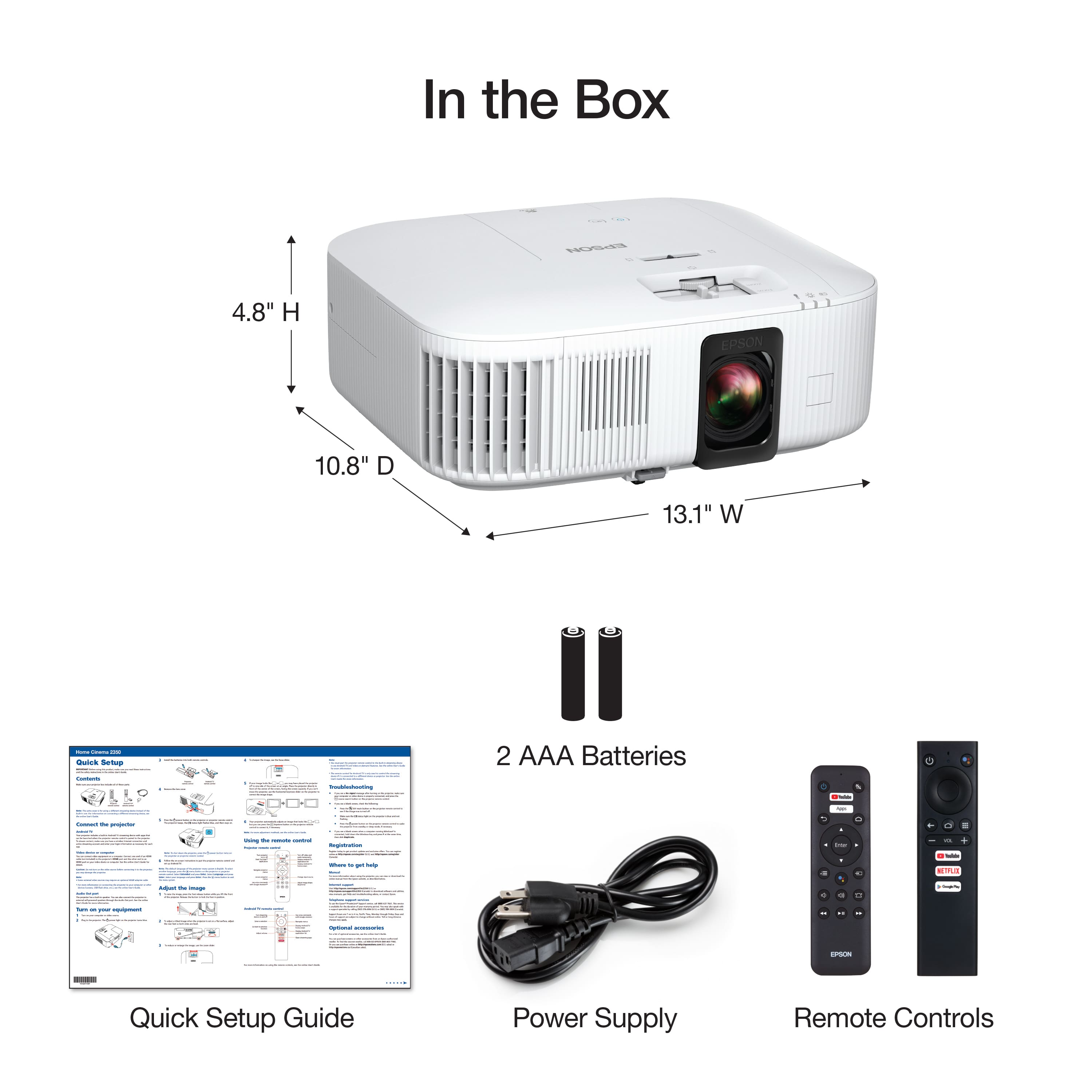
- A:Answer Hello Eenie. Yes, you can connect external self-powered speakers by using the Audio L/R output on the back of the projector. To do this, you would need an RCA or stereo mini-jack-to-pin-jack cable. If your system supports it, you can also use surround sound speakers via HDMI ARC. Regards, Kevin - The Epson Team.
Answered by Epson

Q: QuestionCan this be used in cold tempuratures like a garage? What about storage
Asked by DK.
- A:Answer Hello DK. For locations up to 7500 ft in elevation, we recommend using the projector with temperatures ranging from 41 to 95 °F (5 to 35 °C). For areas between 7500 ft (2286 m) to 10000 ft (3048 m) we recommend temperatures of 41 to 86 °F (5 to 30 °C). If you keep the projector in storage, optimal temperatures should range from 14 to 140 °F (–10 to 60 °C). Regards, Kevin - The Epson Team.
Answered by Epson

Q: QuestionWhat year is this?
Asked by Glenard.
- A:Answer Hello Glenard. This Home Cinema 2350 was released in 2022. Regards, Kevin - The Epson Team.
Answered by Epson

Q: QuestionCan this be used with a ceiling mount
Asked by Mistermike54.
- A:Answer Hello Mistermike54. Yes, the Home Cinema 2350 can be ceiling mounted. We recommend using the Epson Universal Projector Mount. The part number is ELPMBPJG. Regards, Kevin - The Epson Team.
Answered by Epson

Page 1, Showing 1-13 of 13 questions
Most-viewed items
- $69.99Your price for this item is $69.99$199.89The comparable value for this item is $199.89
- Black Friday Deal$329.99Your price for this item is $329.99
- Black Friday Deal$599.99Your price for this item is $599.99
- Black Friday Deal$199.99Your price for this item is $199.99
- Black Friday Deal$129.99Your price for this item is $129.99
- No contentBlack Friday Deal$999.99Your price for this item is $999.99
- Black Friday Deal$1,499.99Your price for this item is $1,499.99
- Black Friday Deal$249.99Your price for this item is $249.99
- Black Friday Deal$199.99Your price for this item is $199.99
- Black Friday Deal$849.99Your price for this item is $849.99
- $99.99Your price for this item is $99.99$199.99The comparable value for this item is $199.99
- Black Friday Deal$2,699.99Your price for this item is $2,699.99
- No contentBlack Friday Deal$169.99Your price for this item is $169.99
- Black Friday Deal$749.99Your price for this item is $749.99
- No contentBlack Friday Deal$4,999.99Your price for this item is $4,999.99
- Black Friday Deal$2,999.99Your price for this item is $2,999.99
- Black Friday Deal$1,869.99Your price for this item is $1,869.99
- Black Friday Deal$2,799.99Your price for this item is $2,799.99
- Black Friday Deal$549.99Your price for this item is $549.99
- Black Friday Deal$2,299.00Your price for this item is $2,299.00