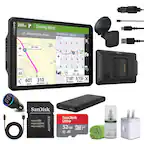
A:AnswerCity Navigator® Europe maps can be purchased and added to this device. There are two options for adding these maps to this device: Purchase a pre-programmed microSD™/SD™ Card or Purchase downloadable maps to be installed with the Garmin Express program. More info can be found here: https://bit.ly/3b8NdoT
A:AnswerNo, this model is designed for passenger vehicles and doesn’t include any truck specific routing. The Garmin dēzl™ series includes detailed maps for North America that include truck-related restrictions – like bridge heights, sharp curves, weight limits and more – and related information for most major roads and highways.
A:AnswerNo, unfortunately, this model is not compatible with any type of TOPO or off-road maps. You may want to check out the Garmin Overlander, our new rugged, all-terrain navigator with on- and off-road navigation.
A:AnswerYes, this model can search for locations along your route. Once you have selected the new destination, the device will ask if you want to add the stop to your existing route.
A:AnswerI have mine plugged into a power outlet in my truck. It's just like a lighter except it they call it a power outlet My last one was plugged into a car cigarette lighter outlet!
A:AnswerWhen a device won’t power on, a soft reset often resolves the issue. Connect the device to power with the vehicle power cable or an AC adapter. Press and hold the power button for 20 seconds. Once the device powers on I would suggest fully charging the battery.
A:AnswerThis model is designed for passenger vehicles and doesn’t include any truck specific routing. The Garmin dēzl™ series includes detailed maps for North America that include truck-related restrictions – like bridge heights, sharp curves, weight limits and more – and related information for most major roads and highways.