A:AnswerThis model does have music controls, and they work well. You just have to find them in the Garmin Connect app settings, and activate this option in "widgets" section.
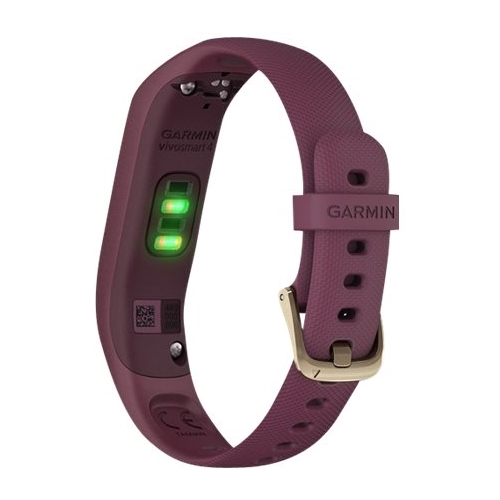
A:AnswerThe device reads optical heart rate as long as you are wearing the device. You can go to support.garmin.com for FAQ's and video's on Pulse OX.
Debbie with Garmin
A:AnswerYes, to turn it on out of the box you need to plug it into a power source. It must be setup using a smart phone or computer.
Debbie with Garmin
A:AnswerYou do not have to pay for anything additional to access all the functions of the band. And yes, there are multiple exercise functions, including lap swimming. You do need to get the free app to access all the data on a smart device. The band has an optional alert to remind you to get moving again if you turn that function on.
A:AnswerNo, it will not pick up your steps if you are keeping your hand still while pushing a shopping cart. And unfortunately you won’t get much credit for steps while on a bicycle.
A:AnswerGo into the activity in your Garmin Connect account on your phone. Select the activity and select Edit. At the bottom of the page select Distance. You can change the distance to the correct distance and miles. If you still need assistance please go to support.garmin.com where you'll find many helpful FAQ's and video's on the functions of the device. As well, if you still need assistance you can reach out directly to a product support associate from that link.
A:AnswerIf the phone meets our Bluetooth compatibility it should pair. You can read messages on the device if you have notifications set up.
TEXT RESPONSE/REJECT PHONE CALL WITH TEXT (ANDROID™ ONLY)
Android:
7.0 Android Operating System or higher
Compatible with phones and tablets
Android device must natively support Google Play Store
NOTE: Phones that feature Android (Go edition) will list the Garmin Connect app as incompatible in the Play Store due to limitations making it incompatible.
The following phone models did not pass internal tests with some of our devices. The phone and device may work together, but may require continued Garmin Connect App Bluetooth Troubleshooting.
Huawei phones
For further information on Huawei phones see, - Huawei Smartphone Bluetooth Troubleshooting With a Garmin Fitness Device.
Lenovo Vibe X S960
Meizu MX4
Samsung J3 Model J320FN
A:AnswerYou use the GPS from your phone to track outdoor activities with this device. Please go to support.garmin.com where you'll find many helpful FAQ's and videos on the functions of the device. As well, if you still need assistance you can reach out directly to a product support associate.
Debbie with Garmin
A:AnswerMyFitnessPal is compatible with Garmin Connect. You will need to tell the MFP app to sync with Garmin Connect for the data to be shared.
Debbie with Garmin