A:AnswerMy TV showed a excellent picture until 2 years after I purchased it then it just stopped working and I couldn't get no refund or nothing so I bought a new one and it's been working just fine excellent picture so I don't know what's wrong with your TV
A:AnswerHello Hisense Customer, Thank you for your interest in the 50R7E. This is a breakdown of what the model means:
“50” designates size
“R” designates “Roku” smart platform
“7” designates feature package
“E” designates model year (“E” = 2018)
If you have any further questions please give us a call at 1-888-935-8880 or email us at [email protected].
Thanks Again,
We look forward to hearing from you!
Harley with the Hisense Support Team
A:AnswerHello Hisense Customer, Thank you for your interest in the Hisense 50R7E. Yes the Xfinity app can be downloaded from Roku TV app store. If you have any further questions or concerns please give us a call at 1-888-935-8880 or email us at [email protected]. Thanks Again, Harley with the Hisense Support Team
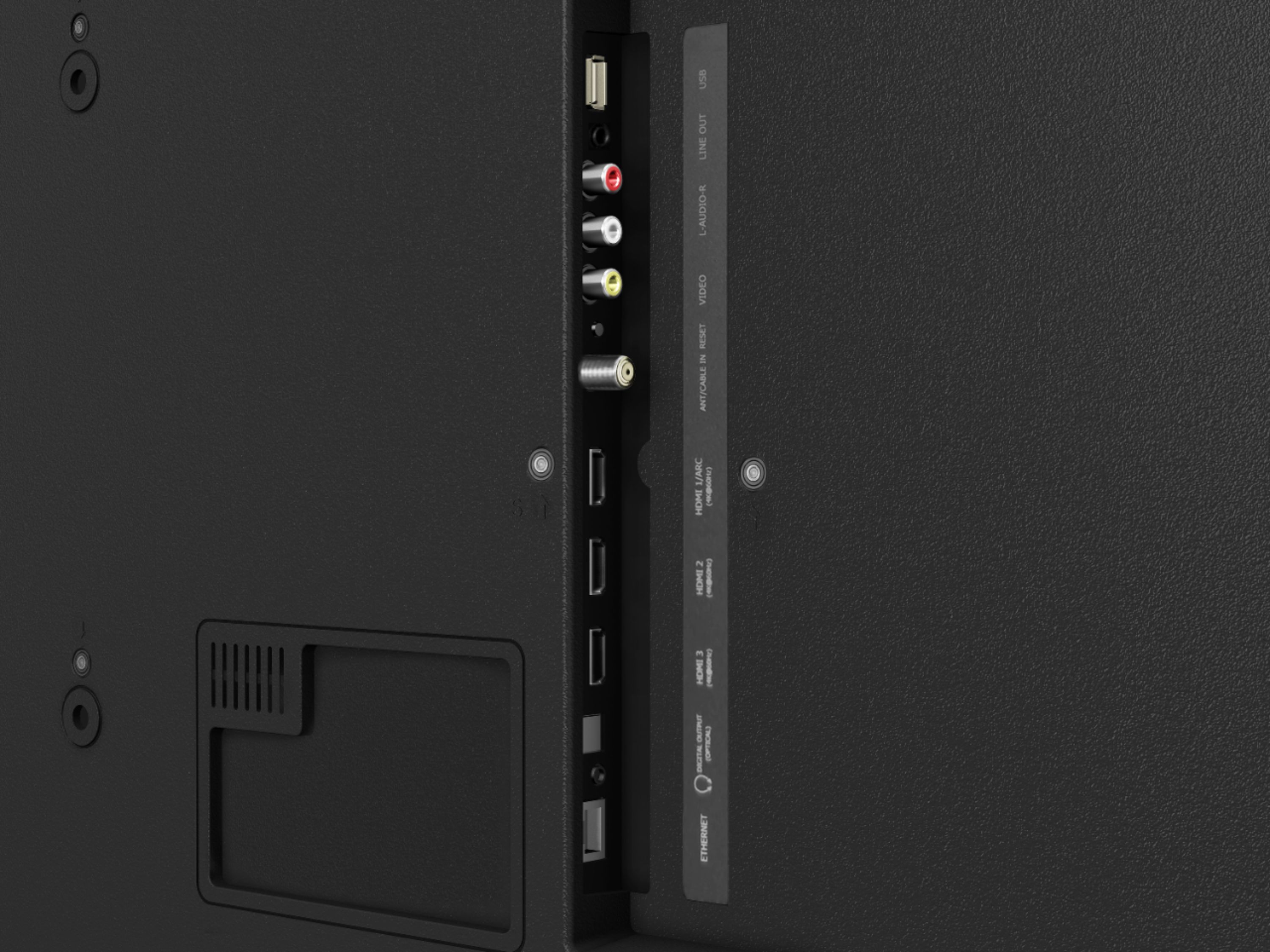
A:AnswerHello Ed, Thank you for your interest in the 50R7E. Yes the television does support mp$ via USB. If you have any further questions please give us a call at 1-888-935-8880 or email us at [email protected].
Thanks Again,
We look forward to hearing from you!
Harley with the Hisense Support Team
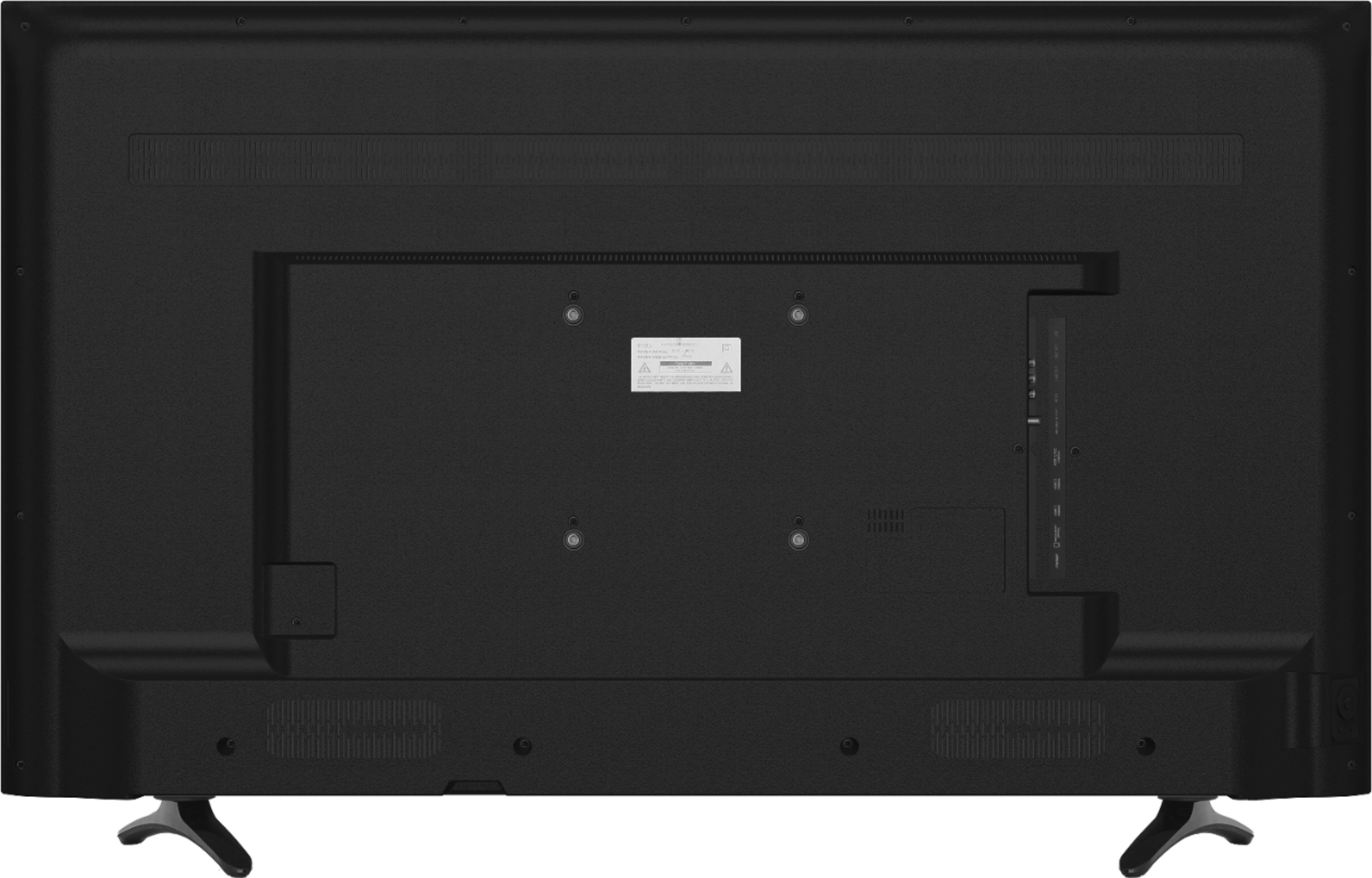
A:AnswerHello Johanna, Thank you for your interest in the 50R7E. The screws required to wall mount this television are M6 that are 9.5 - 11.5mm in length. If you have any further questions please give us a call at 1-888-935-8880 or email us at [email protected].
Thanks Again,
We look forward to hearing from you!
Harley with the Hisense Support Team
A:AnswerHello Hisense Customer, Thank you for your interest in the 50R7E. We're sorry to hear that you are having issues with the remote on your television. Not to worry we will be more than happy to assist. At your earliest convenience, please reach out directly to our support team at [email protected], 1-888-935-8880, so we can find the appropriate solution.
We look forward to hearing from you!
Harley with the Hisense Support Team
A:AnswerHello Hisense Customer, thank you for your interest in the 50R7E. Yes you are able to connect a soundbar to the television using the HDMI ARC connection or by using a optical audio cable. If you have any further questions please give us a call at 1-888-935-8880 or email us at [email protected].
Thanks Again,
We look forward to hearing from you!
Harley with the Hisense Support Team
A:AnswerThank you for your interest in the 50R7E. We are sorry to hear that you are having issues with the sound on your television. Please try adjusting the audio settings. You can also try performing a factory reset. To perform a factory reset, navigate to Settings > System > Advanced system settings > Factory reset, and then highlight Factory reset everything. Read the information on the screen to make sure you understand what this reset operation does. To proceed with the full factory reset, use the on-screen number pad to enter the code displayed on the screen, and then select OK to proceed. When the factory reset operation completes, the TV restarts and displays the first Guided Setup screen. If none of these troubleshooting tips fix the issue, please reach out directly to our support team at [email protected], 1-888-935-8880, so we can find the appropriate solution.
We look forward to hearing from you!
Harley with the Hisense Support Team
A:AnswerHello Mina, Thank you for your interest in the Hisense 50R7E. The length of the Ethernet cord is based on how far away your internet router is from your unit, you would use the standard Ethernet cable for our television, in most cases customer uses up 25 FT. cable. Thank you for your interest in Hisense USA if you have any further questions or concerns please give us a call at 1-888-935-8880 or email us at [email protected].
Thanks Again, Harley with the Hisense Support Team
A:AnswerHello Hisense Customer, Thank you for your interest in the Hisense 50R7E. This television is only built to a 120V. We are unsure if it will work on a 220V, as it is not recommended. If you have any further questions or concerns, please reach out directly to our customer support team at 1-888-935-8880 or email [email protected]. We look forward to hearing from you! Thanks Again, Harley with the Hisense Support Team
A:AnswerHello Artie, Thank you for your interest in the 50R7E. Yes you are able to download the Sling app on this television. If you have any further questions please give us a call at 1-888-935-8880 or email us at [email protected].
Thanks Again,
We look forward to hearing from you!
Harley with the Hisense Support Team
A:AnswerThank you for your interest in the Hisense 50R7E. Unfortunately this unit does not have the Web browser. However, you can download some of your favorite apps such as Hulu and Disney Plus. We take pride in making sure we produce high-quality, reliable televisions, If you have any questions or concerns please reach out directly to our support team at 1-888-935-8880 or email us at [email protected]. We look forward to hearing from you!
Thanks Again, Harley with the Hisense Support Team
A:AnswerThank you for your interest in the Hisense 50R7E. Yes you can mirror cast from your phone but you will need to download a Roku mirror cast app on your phone. We take pride in making sure we produce high-quality, reliable televisions, If you have any questions or concerns please reach out directly to our support team at 1-888-935-8880 or email us at [email protected]. We look forward to hearing from you! Thanks Again, Harley with the Hisense Support Team
A:AnswerThank you for your interest in the Hisense 50R7E. This television supports Xfinity Stream Beta. If you have any further questions or concerns, please reach out directly to our support team at 1-888-935-8880 or email us at [email protected]. We look forward to hearing from you!
Thanks Again, Harley with the Hisense Support Team
A:AnswerThank you for your interest in the Hisense 50R7E. Yes the legs are removable. If you have any questions or concerns, Please contact our customer support team at 1-888-935-8880 or email us at [email protected]. We look forward to hearing from you!
Thanks Again, Harley with the Hisense Support Team
A:AnswerThank you for your interest in the Hisense 50R7E. The television refresh rate is 60Hz. Thank you for your interest in Hisense USA if you have any further questions or concerns please give us a call at 1-888-935-8880 or email us at [email protected]. Thanks Again, Harley with the Hisense Support Team
A:AnswerThank you for your interest in the Hisense 50R7E. No there is not a sleep timer button, However you can go into the television settings to set the sleep timer option. Thank you for your interest in Hisense USA if you have any further questions or concerns please give us a call at 1-888-935-8880 or email us at [email protected]. Thanks Again, Harley with the Hisense Support Team