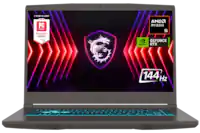
A:Answer Yes, you can swap out your current hard drive with a solid state hard drive (This is true for practically every laptop, and the hard drive bay is usually very accessible). No, you cannot "add" internally a second hard drive.
To swap your current drive you would want to use free or paid cloning software which will copy your whole current drive to the new one. Then, you may physically swap out the drives and presto, your computer is now lightening fast. I HIGHLY recommend SSD, it's literally the biggest performance upgrade for ANY modern computer still running on...*shudders*... disc platter hard drives.
Out of the box my new computer started up in about a minute, after the SSD it starts up under 15 seconds, that massive speed increase is translated in all activities on the computer because the read and write times are hundreds of times faster. You also have the added benefit of removing the only moving parts (old hard drive) of your computer which will help prevent data corruption and failure should you ever say, drop it accidentally. Good Luck!