“Is the computer supposed to come with a "case" fan?. The one I have has an opening for one, but there isn't a fan mounted.”
Answer This Question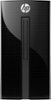
1-1 of 1 Answer
The power supply inhales warm air which rises inside the case and exhausts it out the back. The "grate" that looks like a fan location is actually an air intake. The i7-7700T processor is a mobile processor ordinarily designed for a laptop and specially manufactured to be very efficient. It takes only 36 watts from the 180 watt power supply. I've had a mobile processor as a replacement processor in a computer for many years. Do not think they are weaker. They are very well designed. I doubt the computer will have any overheating problem unless you use it sitting in the sun on a hot day in a 95F room. If ever needed, you can add a 120 MM case fan (they are pretty quiet and move a lot of air) but have it suck air into the case. It would be best if there was a dust catching screen over that large hole. If you add a video card, the best card would be one that exhausts air out of the computer just like the power supply. Many video cards just circulate air but do not exhaust it. Be careful: the space is tight for a PCI-e video card. Looks like anything longer than about 7 inches may not fit. Stick with SFF (small form factor) or ITX sized card that are short in length. The PCIe slot is capable of providing up to 75 watts of power to a video card and you should stick with cards that run off the PCIe slot power. Do not be concerned with recommendations to use a 300 watt power supply. The PCI-e technical specification REQUIRES that the slot provide 75 watts of power. The 300 watt suggestion by card manufacturers applies to older less efficient cards and users who abuse their systems by running too high a resolution in difficult games. Its important to reduce resolution from 1920X1080 to 1290X720 or even 1024x768 when playing motion intensive games.
Sorry, there was a problem. Please try again later.