“Hello, I have noticed that this PC has a rather limited BIOS, and I can't seem to find the option to enable my dedicated GPU. It doesn't give any video output when plugged in to the PCIe x16 slot. How can I get it to work?”
Answer This Question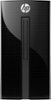
1-1 of 1 Answer
You have to turn on the PCIe slot in the bios for the video card to be recognized. Look up the BIOS name and ID and type it on the address line of your browser to see what instructions are out there from the BIOS manufacturer or are on the HP website. It is VERY important to allow Microsoft to download ALL of its updates before you attempt to make hardware changes to a new computer. Some BIOS can be a maze to activate. You also have to download the video card driver (or run a DVD/CD that was provided with the card). Not unusual to require some assistance to get it working. Hope you chose a card that can run off the PCIe slot which is REQUIRED to supply 75 watts of draw. GTX 750 TI SFF, GTX 1050 or 1050TI or GTX 1650 in ITX size should work. With the exception of AMD 550, their cards appear to be too large and power demanding but I could be wrong. The Best Buy technical staff is very knowledgeable and can assist you. Stay with lower power demand cards that run off the PCIe slot. Buy the best card that will work and keep your resolution below 1920X1080 (for example 1280X720 works great) to improve frame rates and performance.
Sorry, there was a problem. Please try again later.