Questions & Answers
- Model:
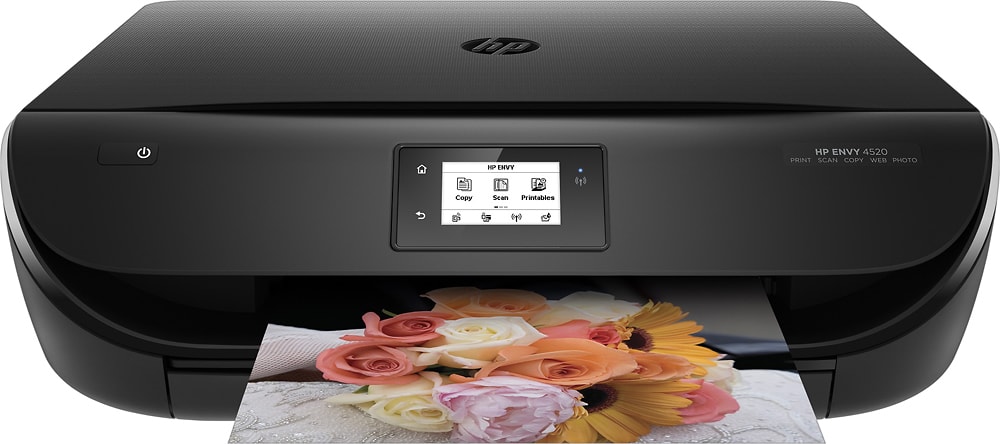
- F0V69A#B1H
- |
- SKU:
- 4363404
Highly rated by customers for: Ease of use, Print Quality, Wireless
Page Showing 281-300 of 487 questions
Q: QuestionWill this printer work well with Apple Mac book pro?
Asked by KRC62.
- A:Answer I use it with my MacBook Air and it works great.
Answered by linhen
Q: QuestionDoes this printer work with the iPad, iPhone and other tablets.... can you print directly from google docs without windows etc.... Do you need an app to print?
Asked by Tina.
- A:Answer I use it with my apple products, phone, tablet, desktop. I believe you can use with or without an app.
Answered by Momlb
Q: QuestionDoes this printer have the ability to print bottle labels that are 3 inch wide by 2 inch tall if you have the correct label paper
Asked by Bledzepplin.
- A:Answer yes
Answered by Mel2902
Q: Questionthis all in one printer. is it compatible with Microsoft Surface Laptops?
Asked by Anonymous.
- A:Answer Yes, it is an all in one printer. Print, scan and copy. Don't know for sure if it is compatible with the Surface, but I don't see why it would not be. It can be used wired or wireless if that helps.
Answered by Tptr1
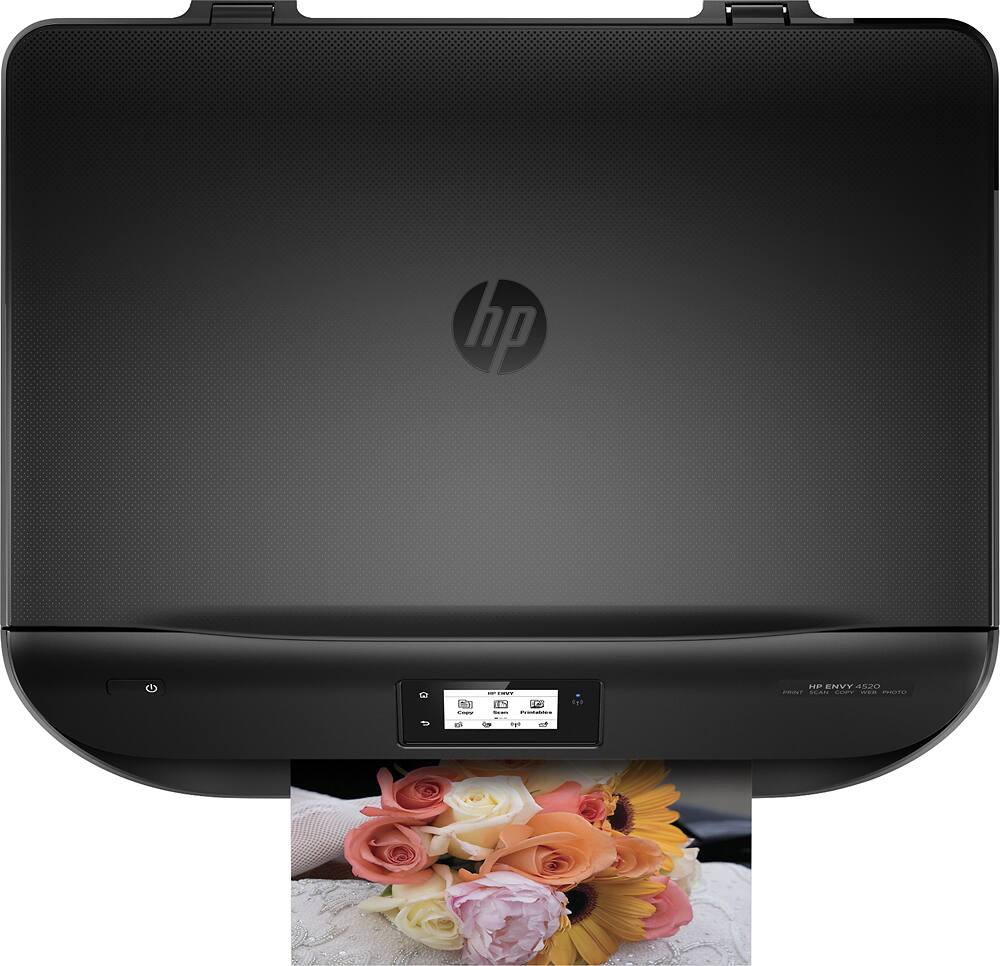
Q: QuestionWhat are the external dimensions of this printer?
Asked by Beth.
- A:Answer 17.5”w x 14”d x 4.75h
Answered by Pepperdal
Q: QuestionIs it in stock at Frisco Tx Preston Rd location?
Asked by D.
- A:Answer Wouldn't know, you can check on-line or call the store. I don't lI've in TX.
Answered by Gramma2three
Q: Questioncan it be used also non wireless
Asked by skyn61rd.
- A:Answer Yes, I believe so.
Answered by Gramma2three
Q: QuestionWill this work other than wireless
Asked by LadySam.
- A:Answer Yes. It doesn't come with the USB cable but you can connect one.
Answered by dolphinsc66
Q: QuestionIs this considered AirPrint?
Asked by Fran.
- A:Answer If you mean WiFi print capable. Then yes.
Answered by 2print
Q: QuestionHow much does the USB a A to B and the Ethernet cable cost?
Asked by Sharion.
- A:Answer You can do a quick search on Best Buy and find out.
Answered by dolphinsc66
Q: QuestionWill this machine scan receipts directly into Quicken?
Asked by Andy69.
- A:Answer Printer/Scanner has nothing to do with will it scan into QuickBooks. The printer/scanner is Windows scan compatible, and you can lay a receipt on the flatbed scanner and scan it into Windows. QuickBooks decides on what types of files it will allow to be imported.
Answered by jjamez
Q: QuestionI have a 6 year old hp laptop and an iPhone6 and an iPad. Will this work on all of them?
Asked by SunCitysenior.
- A:Answer Hello SunCityGuy, It's not the laptop's age, but it's Operating System. Minimum System Requirements: Windows 10/8.1/8/7: 1 GHz CPU, 2 GB HDD space, CD/DVD drive/Internet, USB port, browser. Windows Vista: 800 MHz CPU. Windows XP SP3 (32-bit): Intel Pentium II, Celeron or 233 MHz CPU, 850 MB HDD space. MAC: OS X v10.7/v10.8/v10.9, 1 GB HDD space, USB. So, for example if you have Windows XP Service Pack 3 with Intel Pentium II, Celeron or 233 MHz CPU, 850 MB HDD space it's fine. Windows Vista with 800 MHz CPU, etc. etc. The recommended download is to do it with your smart phone anyway (plus don't use the enclosed program disc either.) Respond and I'll explain it. Regards.
Answered by Anonymous
Q: QuestionI replaced cartridges now it will not print
Asked by Barb.
- A:Answer Why have you replaced cartridges, did it stop printing, did it signal "out of ink" etc.? Are you enrolled in HP's Instant Ink and was it their replacements that aren't working. Did you remove the little protective tab on the cartridges' bottoms? Try removing and reinstalling the cartridges. If that doesn't work do a hard restart of the printer. Remove the cartridges. Next do a “Hard Restart” of the printer. 1. With the printer turned on, disconnect the power cord from the printer. Hold down the “Power On” button of the printer for 15 seconds. 2. Unplug the printer power cord from the wall outlet. 3. Wait at least 60 seconds. Plug the power cord back into the wall outlet. 4. Reconnect the power cord to the rear of the printer. 5. If the printer does not turn on by itself, press the Power button to turn it on. Does the blue light on the front stop blinking? Everything functioning OK? If the computer does not wirelessly connect with the printer, you may need to reboot the modem, printer and computer. Turn all off, leave the modem off for 60 seconds, and then power up each consecutively [IN THAT ORDER]. Allow each to completely turn on (no blinking lights). This can be done at any time to resolve problems. Please respond if any of this helps or is problematic? I am not an HP nor Best Buy employee.
Answered by RichA
Q: QuestionCan I print from my phone without a wifi connection, say over bluetooth or USB cable connection, or any other method? Or would I have to connect using my hotspot on my phone?
Asked by nina2812.
- A:Answer What brand and OS of you phone? Here are the specs of the minimum system required (would include Apple): HP's website Minimum system requirements: Mac OS X v10.7 Lion, OS X v10.8 Mountain Lion, OS X v10.9 Mavericks, 1 GB HD; Internet, USB. (these last two, I would surmise, means it's capable of either wireless or wired connection??) The Envy printers operate wirelessly. Although I don't do any Apple stuff, an apple phone with minimum OS would function wirelessly with Envy printers. Not Bluetooth. I've not done it but USB Type A to USB type C mini Printer Cable might connect the printer (Type A) to a device with Type C mini port. So you possibly could download the printer's software onto the phone. Your hotspot also probably would connect as it is like a travel router. I submitted answer on 9/7, which BB chose not to post!!!
Answered by RichA
Q: QuestionIs this printer compatible with Mac OS Sierra Version 10.12.6?
Asked by sb55.
- A:Answer Yes, I use with my MAC
Answered by 4125
Q: QuestionHow many pages can each ink cartridge print? How much does a single cartridge cost?
Asked by Daopaul.
- A:Answer So far 20 photos and 30 pages
Answered by D1saintsfan
Q: QuestionCan I print on cardstock with this printer?
Asked by TeachK.
- A:Answer YES
Answered by woodworker
Most-viewed items
- $329.00$329.00The price was $349.00
- $329.99$329.99The price was $469.99
- $159.99$159.99The price was $309.99
- $249.99$249.99The price was $379.99
- $99.99$99.99The price was $129.99
- $449.99$449.99The price was $649.99