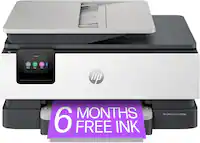
A:AnswerThe printer automatically goes into sleep mode, but an led always stays on. Here is a link to the User Guide: http://h10032.www1.hp.com/ctg/Manual/c06584213
A:AnswerCheck to see if you installed the ink cartridges correctly. Pull them out and insert them properly ensuring that the are flush in unit. Also, same with ensuring that the paper tray is flush and inserted correctly. Turning printer off by pulling plug out for a few seconds and inserting in a sense resetting worked for me.
A:Answer7.64 high × 17 inches wide
13.6 LBS
I don't know the depth i got these dimensions from the specifications on line and mine hasn't been opened yet.
A:AnswerYes, you can scan documents through the feeder as long as they are of average thickness (typical printer/letter paper). Anything thick like card stock or laminate would probably be easier to scan using the flatbed.
A:AnswerThe HP Envy Pro 6455 printer does not have duplex scanning. We recommend looking at the HP Officejet Pro 9015 or 9025 printers which do have duplex scanning. The HP Officejet Pro 9025 printer can scan both sides in one pass.