No content
Questions & Answers
- Model:
- TE01-1114
- |
- SKU:
- 6428090
Highly rated by customers for: Speed, Performance, Ease of use
Page Showing 61-73 of 73 questions
Q: QuestionCan this computer be used with a touch screen monitor?
Asked by Jeffrey309.
- A:Answer yes, you can hook up any monitor
Answered by HPEnvyDesktop
Q: QuestionHow can I connect a graphics card that requires external power?
Asked by PCGamer.
- A:Answer This is not a practical option. While it is possible, you would need a dual PSU adapter to turn on the other power supply. This Desktop PC has the L81008-800 - 180W power supply installed. This chassis can also use the L64961-800 - 310W power supply, and the connectors should be the same. I hope this helps you.
Answered by HP Team

Q: QuestionDoes this model include a DVDRW payer/burner?
Asked by AZAnnie.
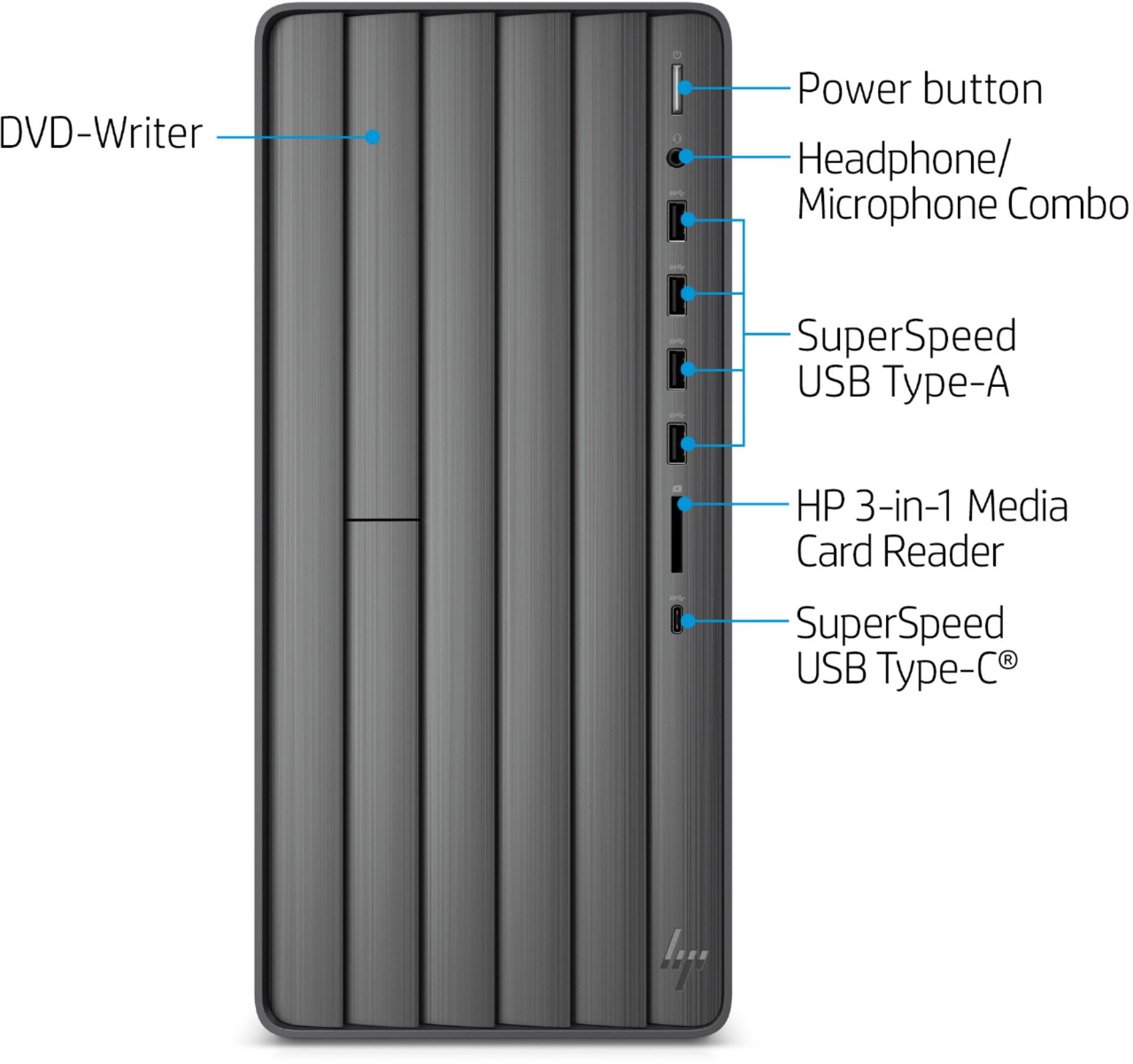
- A:Answer Yes, this desktop has a DVD reader and writer/burner.
Answered by HP Team

Q: QuestionI want to upgrade the graphics card to support 3+ monitors. I am not gaming and this is a work computer only school for family, stock trade and research ect…
Asked by Chris.
- A:Answer This is not a question but good luck with that.
Answered by Aaronhus151
Q: QuestionDo "open box" models include a warranty? If so, what are the terms? Thanks
Asked by DrMax.
- A:Answer Hello, this is the statements issued by Best Buy Geek Squad regarding Open-Box items: Geek Squad® Certified Open-Box Device Geek Squad makes no other warranties, express or implied, with respect to the Product. All warranties, including, but not limited to, any implied warranties of merchantability and fitness for a particular purpose, are limited in duration to the Warranty Period. Under no circumstances shall Geek Squad be liable for any damages in connection with the Product, including, but not limited to, any loss of data, loss of use of the Product, down-time, or any other direct, indirect, special, incidental, or consequential damages whether or not based on breach of limited warranty, contract or negligence. Some states, provinces, and jurisdictions do not allow (1) limitations on how long an implied warranty lasts or (2) the exclusion or limitation of incidental or consequential damages, so the above limitations or exclusions may not apply to you. This warranty gives you specific legal rights, and you may also have other rights which vary by state. © 2013 BBY Solutions." Thank you for being an HP customer!
Answered by HP Team

Q: QuestionI want to upgrade from 512gb to 2tb, is this possible and what brand/drives would be the best?
Asked by Jon.
- A:Answer Thanks for your question Jon! It is possible to upgrade your hard drive on this HP Envy Desktop. We recommend contacting Best Buy Geek Squad to see what hard drives they recommend.
Answered by HP Team

Q: QuestionHi team... I just purchased the Envy Desktop and would like to upgrade with a graphic card that provides HDMI and DVI ports. What type of graphic card is suggested for this unit?
Asked by Jose.
- A:Answer Hello, this device has an Integrated UHD Graphics 630 graphics card. You can add an additional graphics card if you want to. The motherboard for this device is called Baker with SSID: 8767. You will need to confirm which graphics card you'd like to purchase and then check the specifications of the graphics card regarding the power supply. Each graphics card has different specifications, the new ones with HDMI and DVI, and would be a personal choice. Thank you for being an HP customer.
Answered by HP Team

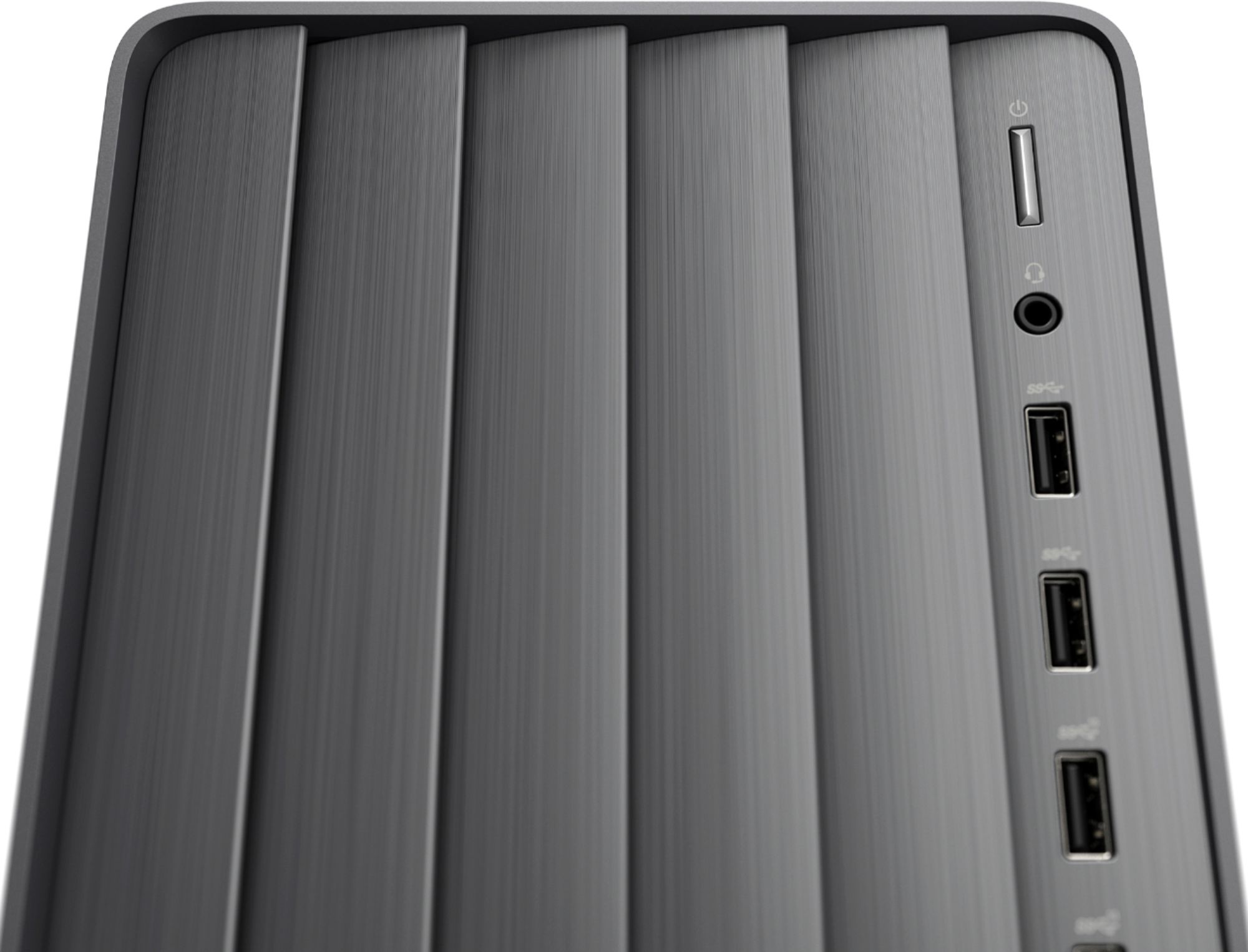
Q: QuestionThe specs on this computer show that there are 8 type A USB ports (4 USB 2.0 Ports and 4 USB 3.0 Ports). It looks like there are two 3.0 and two 2.0 the front. On the back they all appear to be 2.0. What am I missing?
Asked by SteveK.
- A:Answer Hi SteveK, thank you for the question. The HP product specification for the Envy TE01-1114 desktop indicates that it includes 1 SuperSpeed USB Type-C®, 4 SuperSpeed USB Type-A and 4 USB 2.0 Type-A ports located on the front and back of the unit. We regret any confusion.
Answered by HP Team

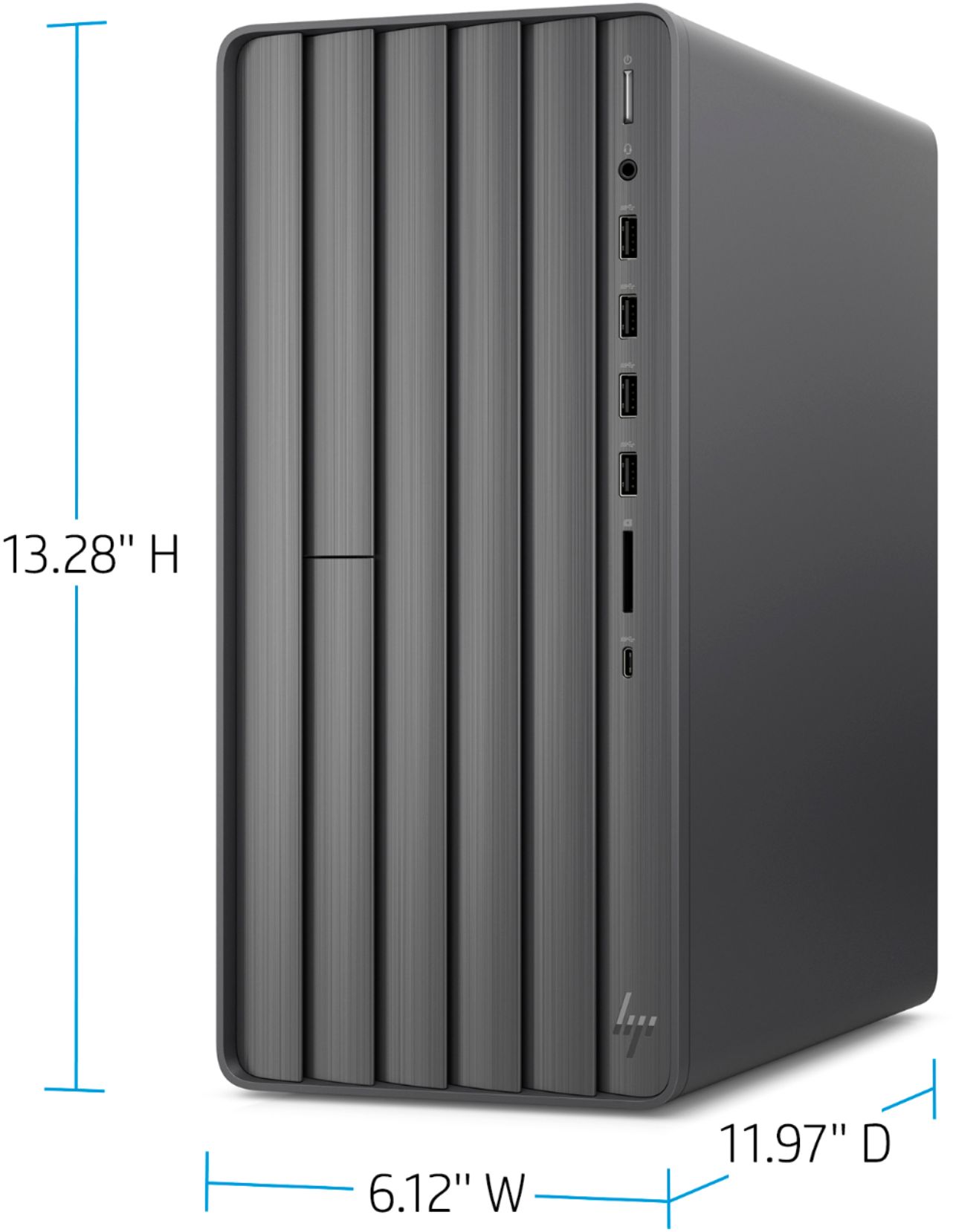
Q: QuestionCan this computer de used horizontally.
Asked by Joe.
- A:Answer Yes, you can lay down this desktop horizontally.
Answered by HP Team

Q: QuestionDoes the computer have an internal speaker or do I have to connect a speaker for sound?
Asked by David.
- A:Answer No speaker. You might have one on your monitor, but if not you will need to do external speakers.
Answered by Sconnie
Q: QuestionWill this computer read DVD ROM, I take guitar lessons from such, and n3ed a computer that will read the disk
Asked by Rick.
- A:Answer This model does have a DVD drive.
Answered by HP Team

Q: QuestionIs this computer customizable? What could I change if I decided that I wanted to? What are the limits of customization with this desktop?
Asked by Jordan.
- A:Answer Hi Jordan. There are upgrades you can make after purchase. Here is a link to the upgrading and service guide: http://h10032.www1.hp.com/ctg/Manual/c06425327 You can upgrade the RAM, the SSD, add a HDD, and upgrade the processor. Here is a link to the datasheet. If you click on the motherboard link you will find upgrade information. I see that this Desktop PC has the L81008-800 - 180W power supply installed. This chassis can also use the L64961-800 - 310W power supply, and the connectors should be the same. I hope this helps you.
Answered by HP Team

Q: QuestionDoes Microsoft Word and Excel come loaded, or do I have to purchase? A general list of other programs loaded already would be helpful. Thank you.
Asked by Jarilo.
- A:Answer No. you have to purchase separately.
Answered by longbeachgary
Most-viewed items
- Tech Fest Deal$99.99