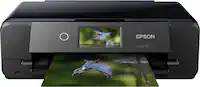
A:AnswerThank you for the question. To resize a document with the Envy Inspire 7955e, place the document face-down on the scanner glass, select "copy" from the printer control panel, navigate to resize or scale. You can enlarge a document as much as 400%.
A:AnswerThanks for your question! This HP ENVY Inspire 7955e can handle photo sizes from 4 inch by 6 inch, to 5 inch by 7 inch, in the photo tray, and up to 5 inch by 14 inch in the main tray.
A:AnswerHello. Thanks for your question. The HP Envy Inspire 7955e printer comes with two input trays: one for regular paper and one for photo paper. While the main tray can handle printing checks, the photo tray is generally designed for smaller photo paper.
A:AnswerThank you for reaching out, our apologies for what you're experiencing. Your Envy Inspire 7955e carries a one-year warranty by HP. Please reach out to HP Support. They may be able to walk you through clearing a jam that is not within the paper path, or arrange for the printer to be replaced.
A:AnswerHello and thank you for your question! You can factory reset your HP Envy Inspire 7955e printer through the control panel on the printer. Swipe down on the printer screen, select the Gear Icon to go to settings, swipe down until you see the option Printer Maintenance. Select that option, then swipe down to Restore, and select that. Then you will see an option marked Restore Factory Defaults. A confirmation screen will then populate, click confirm, and your printer will reset to factory default settings, deleting your information.

A:AnswerHello and thank you for asking. I am unable to assist you with this. Please contact HP Support. They can give you expert help with your question.

A:AnswerThank you for your question. Yes, the HP ENVY Inspire 7955e can work without Alexa. While it is compatible with Alexa for voice control, it is not required for the printer to function.


A:AnswerKris, thank you for your question about this HP printer! You can add the ink and paper plan to it in your Instant Ink account! Be sure to remove the old printer from it afterwards!
A:AnswerHi Steve! Cartridge yield is based on printed page volume, not time. HP 64 standard cartridges will print up to 200 pages from black and up to 165 pages from tri-color, while the high-yield 64XL cartridges will print up to 600 pages from black and up to 415 pages from tri-color. Standard HP 67 cartridges will print up to 120 pages from black and up to 100 pages from tri-color, while the high-yield 67XL cartridges will print up to 240 pages from black and up to 200 pages from tri-color. Your results may vary depending on the complexity of the document being printed.

A:AnswerHello, Steve. Thank you for your question! The HP 64 ink cartridges generally last longer than the HP 67 cartridges. The standard HP 64 black cartridge yields up to 200 pages, while the high-yield HP 64XL black cartridge can produce up to 600 pages. In comparison, the standard HP 67 black cartridge yields up to 120 pages, and the high-yield HP 67XL black cartridge yields up to 240 pages. These yields are based on 5% coverage, with full-page photos being 100% coverage. The HP ENVY Inspire 7955e Printer is compatible with HP 64 and 64XL cartridges, but not with HP 67 or 67XL ink cartridges. For longer print life, opt for the HP 64XL cartridges.