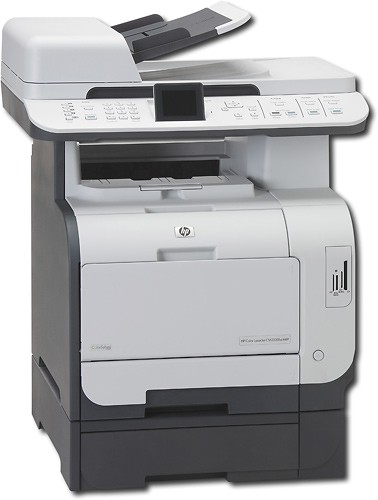
A:AnswerFor photos, you will have a good quality print but it will not be a lab quality print. For photos prints you would be better off to get an inkjet printer in the HP Photosmart line
A:AnswerYes, the HP CM2320FXI Network-Ready Laserjet Multifunction Printer/ Scanner/ Copier/ Fax has Scan to Email capability and can scan in many different file formats including .PDF.
A:AnswerThis printer ships with preinstalled introductory 1,200-page black, cyan, magenta, and yellow cartridges.
It has 3500-page black, and 2800-page cyan, magenta, and yellow replacement cartridges.
A:AnswerThe HP - Network-Ready Color All-in-One Laser Printer (Model: CM2320FXI) supports the following file formats: BMP, DCX, FPX, GIF, hpd, JPEG, PDF, PICT, TIFF. Yes yu may save as JPEG and TIFF.
A:AnswerNo, this printer is wired network ready. A wireless printer will be referred to as being wireless.
HP does not currently offer a similar multifunction Color LaserJet with wireless connectivity.
A:AnswerToner is a powder used in laser printing. Inkjet printers use liquid ink in printing. A “cartridge” is the housing that contains either toner or ink.
Thus the terms, “ink cartridge”, or “toner cartridge”.
A:AnswerThe HP - Network-Ready Laserjet CM2320FXI Multifunction Printer/ Scanner/ Copier/ Fax is designed to handle up to 40,000 pages per month, so it should not have a problem printing 200 to 300 pages per day.
A:AnswerThe HP Color LaserJet CM2320fxi All-In-One (AIO) Printer (CC435A) is capable of handling media from 3" x 5" to 8.5" x 14". This printer will not copy or print 11" x 17".
A:AnswerA network ready printer can be put on a network with a LAN IP address. A wireless printer can be accessed from a PC that has wireless capabilities (802.11).