A:AnswerBenchmarking Scores are always different even with like build systems. You already have a good idea what the GPU GTX 1660ti should score but it is the other parts of you pc that affects it too. Memory and the Motherboard and your UEFI Bios setup/ configuration. Programs installed and what programs are running in the background. Other people likely have different manufactured components / hardware like the CPU and memory modules of better Timing and Clock Speed. Also the motherboard. Did you check for updates to your BIOS and also the Driver for the GTX 1660 ti Graphics card. Also what 3DMark Fire Strike version you used and how you configured it, including the screen resolution you selected. Very time you run the benchmark .. your score will be above or below "vary" from your previous score, the results are never consistent but should be close. Oh! Benchmarking doesn't often tell the truth, if you play games and they run smoothly and other regular computer programs. Don't worry about what you score... it is irrelevant.
A:AnswerGo to your Best Buy Store and check for availability. Have them enter your personal information into their Best Buy work PC. They'll ring up your bill and you pay with debit/ credit card, cash or check. Otherwise, have a close friend or relative log onto Best Buy and add it into their Cart using your personal info to pay for it then go pick it up at Best Buy or have them deliver it to your home mailing address.
A:AnswerA lot of people mistake this as a sd card reader
But it’s actually a computer software media reader
It will help manage files on the computer etc
A:AnswerEasily. The HP Desktop is above the minimum requirements to play RUST.
These are the Rust system requirements
(minimum) INTEL system
Memory:8 GB
Graphics Card:AMD Radeon R9 280
CPU:Intel Core i7-3770
Rust File Size:20 GB
OS:Windows 7 64bit
These are the Rust system requirements
(recommended) AMD system
Memory:16 GB
Graphics Card:AMD Radeon R9 Fury
Rust CPU:AMD Ryzen 5 1600
File Size:20 GB
OS:Windows 10 64bit
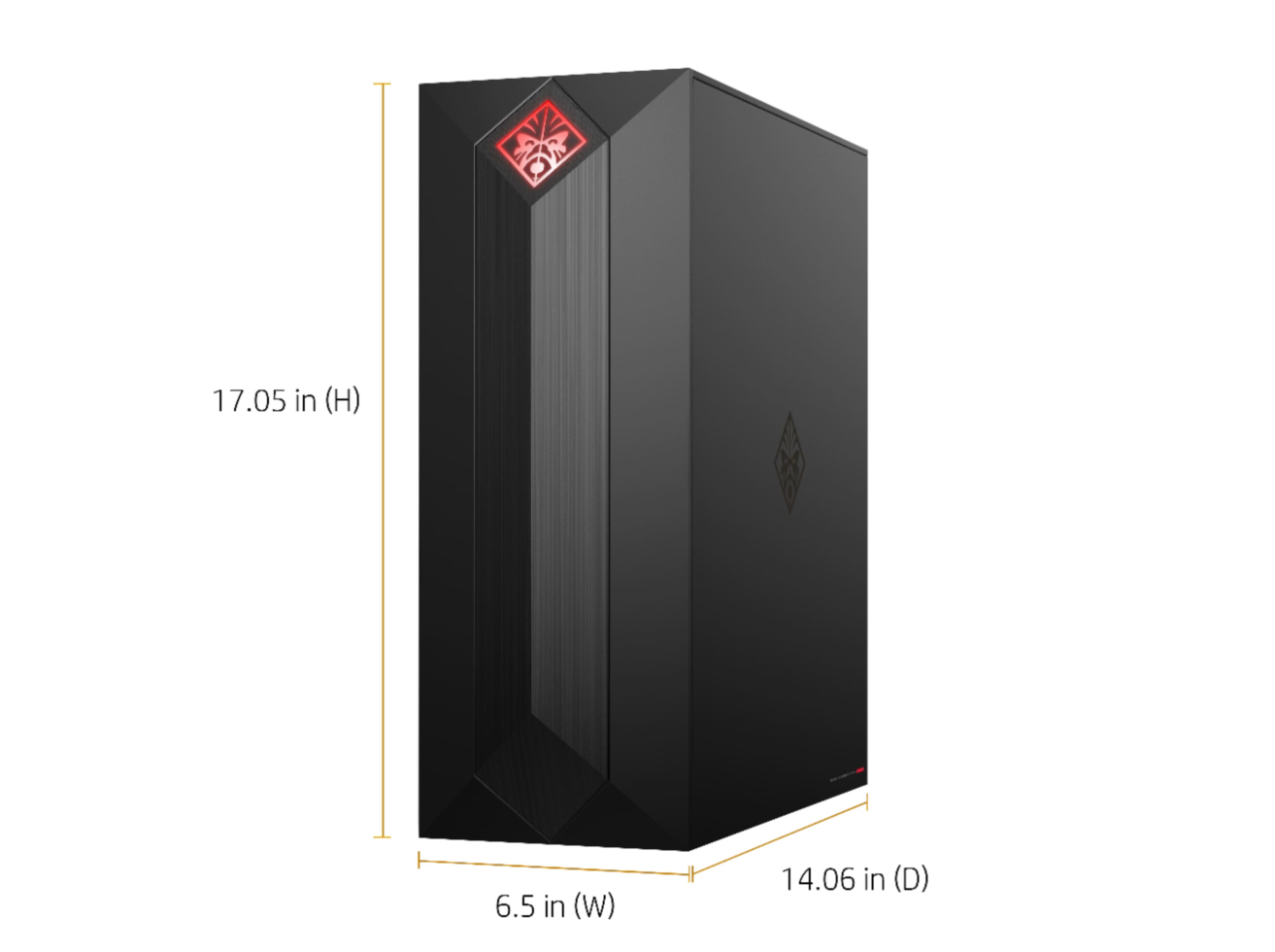
A:AnswerThat depends if the HP case / tower where the ventilation port / intake-exhaust vents are. If there is a fan mounted to the bottom of the case, you can consider using a long piece of wood about 1/4 inch thick, cut just a bit larger than the desktop bottom chassis measurement or use a plastic tote lid if you wish. If the carpet is short weave might be okay to set desktop on. Air flow is IMPORTANT so the computer components don't get too hot (overheat) and cause permanent non-repairable damage. Typically every 3 months or at least 4 to 6 times a year. Use canned air on the internal components to blow out the dust as your PC will love you for it and last much longer.
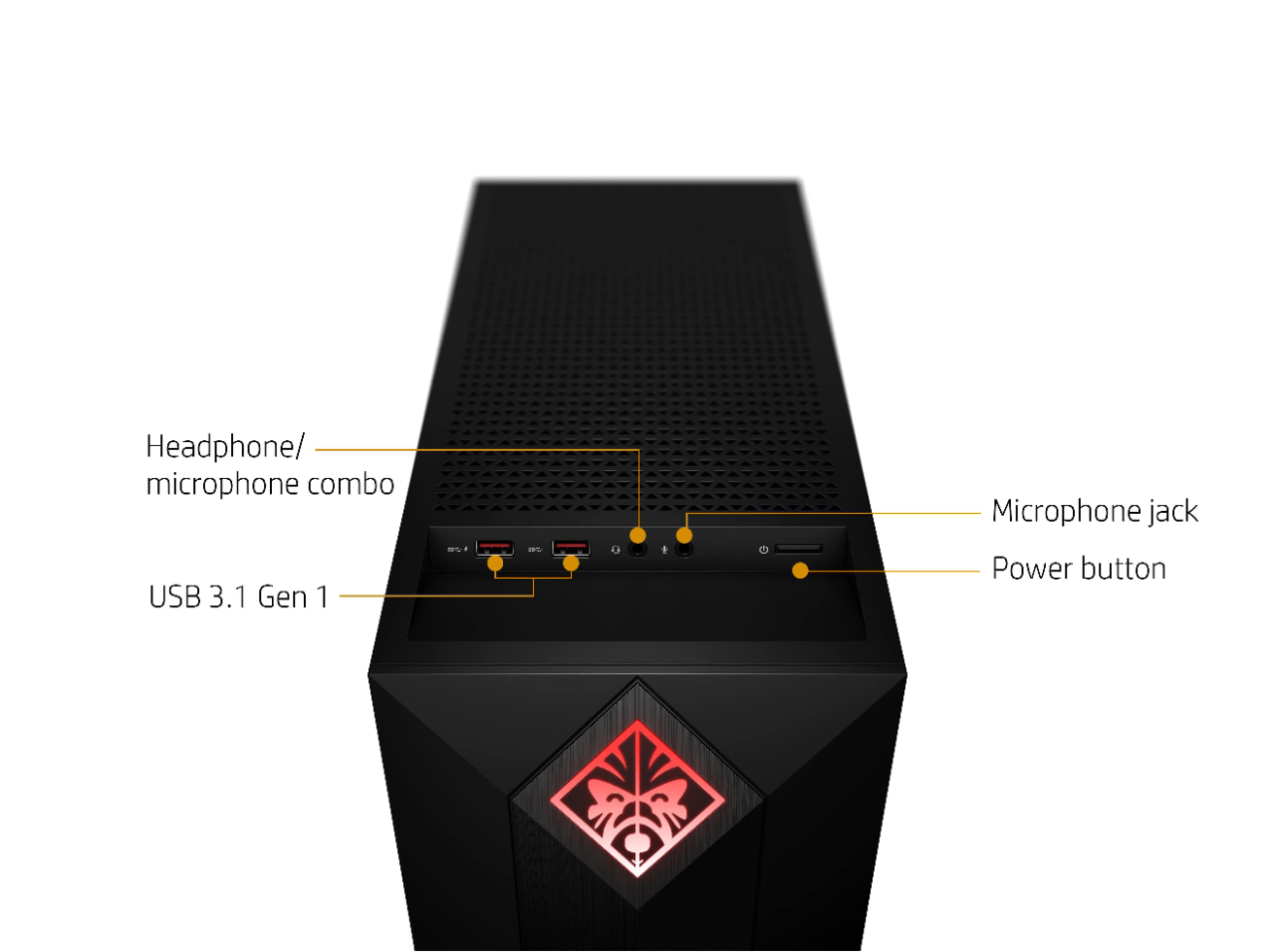
A:AnswerThis Omen gaming desktop includes the following top, front ports:
USB Type-A 3.1 Gen 1 charging port
USB Type-A 3.1 Gen 1 port
And on the rear:
USB Type-A 3.1 Gen 2: 1
USB Type-C 3.1 Gen 2: 1
USB Type-A 3.1 Gen 1: 4