“How can I get this desktop to display to two monitors via the vga and hdmi ports”
Answer This Question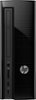
1-1 of 1 Answer
One or both of the monitors needs VGA And HDMI available as connectors to the computer. The VGA connector will come with the monitor but you may need to purchase an HDMI connector. You connect one monitor via VGA to the VGA port on the back of the computer and the other monitor via the HDMI port in the computer. When in Windows desktop, right click and select Display Settings. When the Display Settings open you will see Display 1 and Display 2 and you can then set what they will display.
Sorry, there was a problem. Please try again later.
