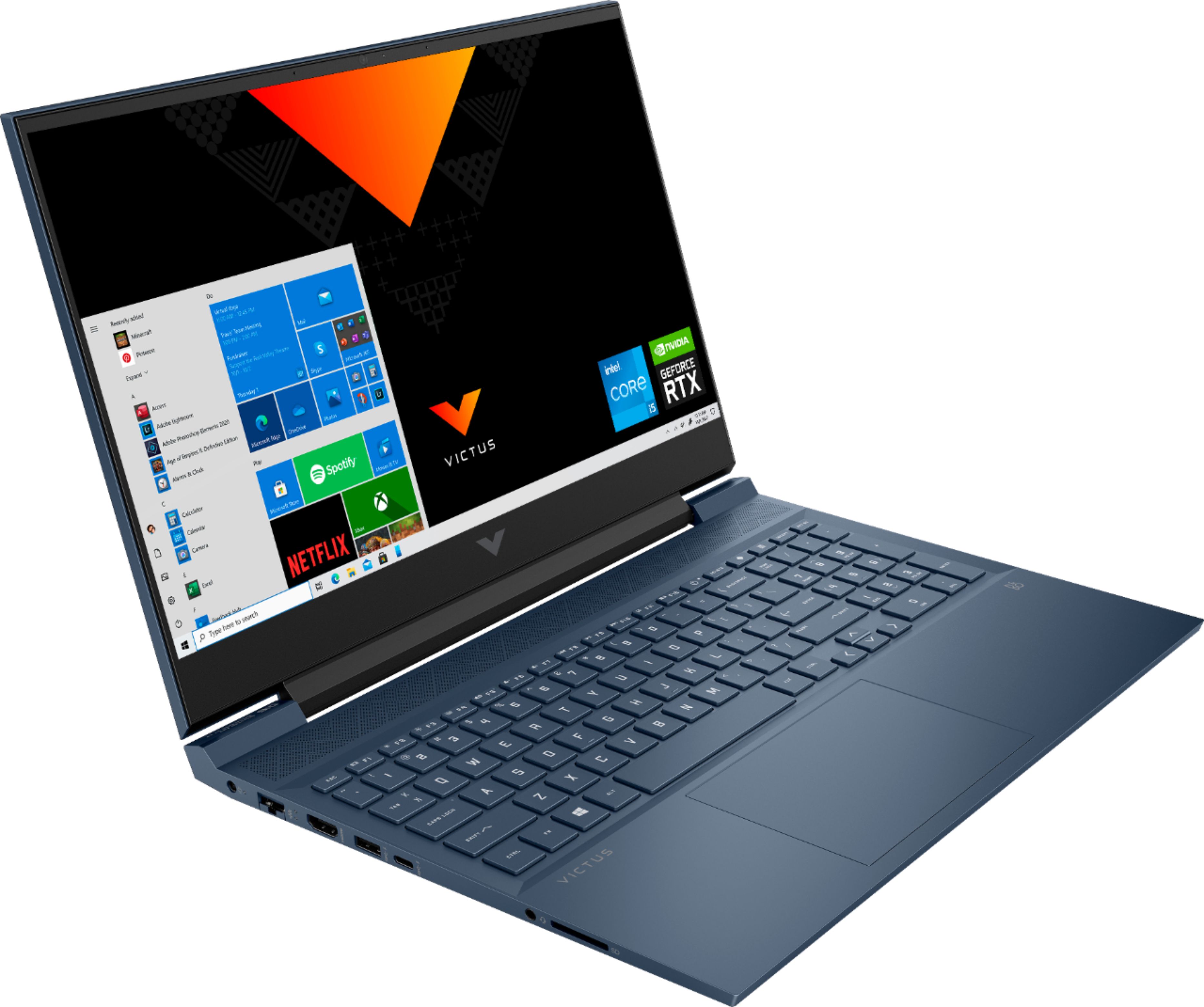
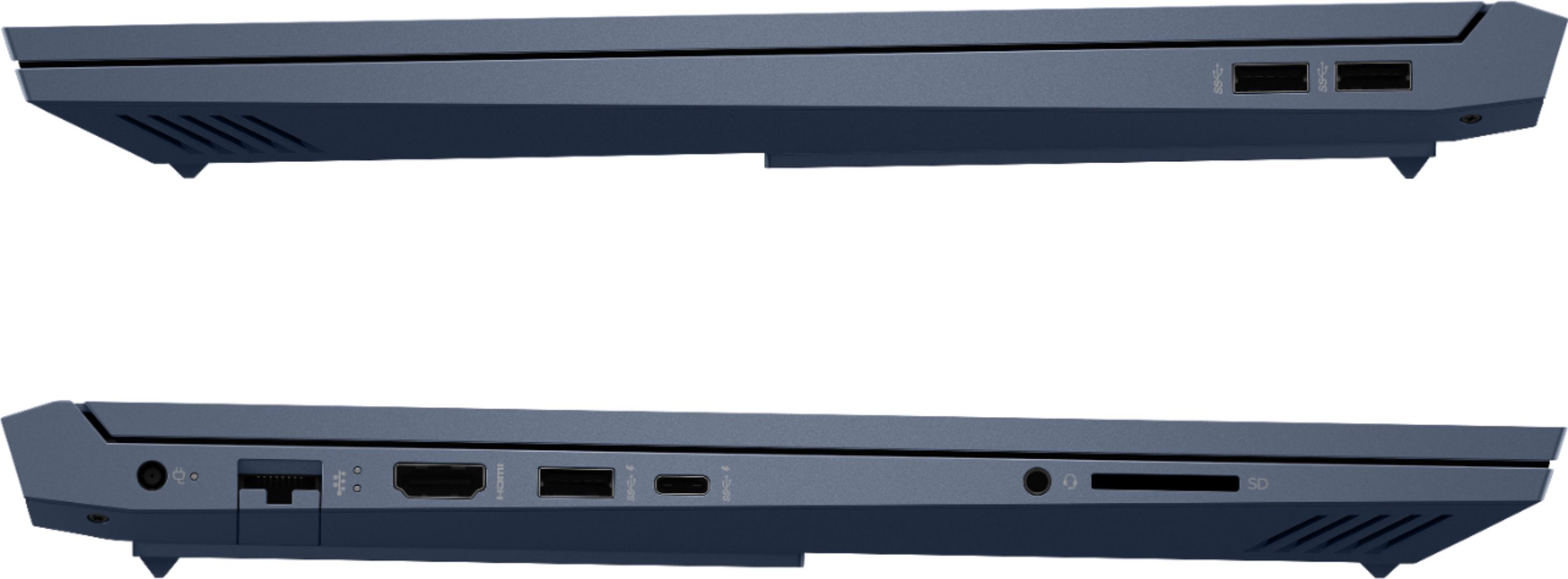
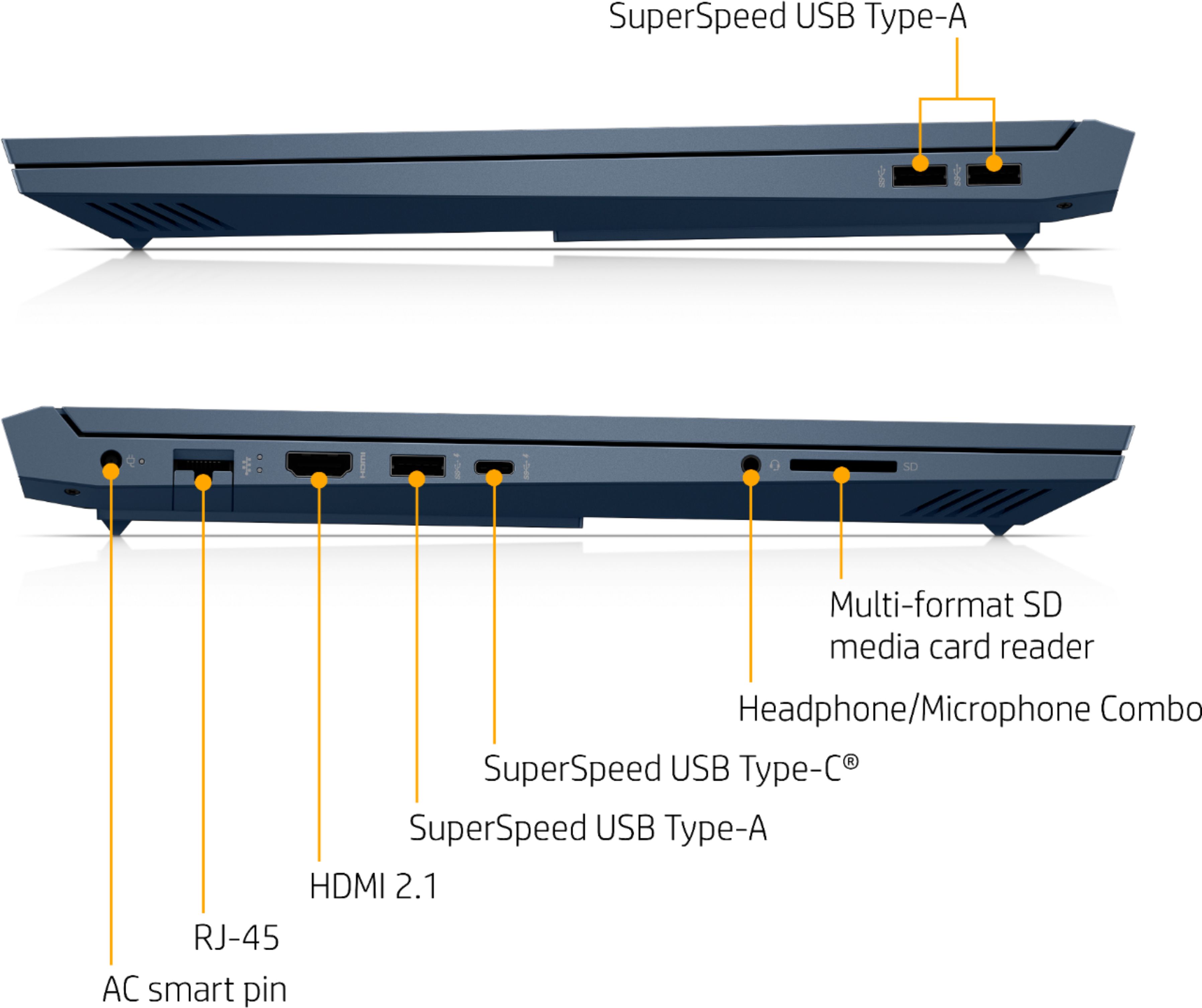
A:AnswerYes, it does, according to HP it uses the DP 1.4 standard. I would not recommend using the type c port to output video for gaming, however, as the type c port is wired to the igpu in this laptop and not the RTX 3050 laptop gpu. Therefore the type c port doesn't bypass optimus and you will not get a slight speed boost in games as a result as the igpu will also have to process the frames.
A:AnswerYes, you can add a second monitor using the type c port with a type c to HDMI adapter. However, the type c port is wired to the igpu, and does not disable optimus unlike the HDMI 2.1 port on this laptop.
A:AnswerYou certainly can replace the existing NVMe m.2 SSD drive with a higher capacity model. For recommendations about which one to get, contact the Geek Squad at your local Best Buy. They'll be able to quote you a price and will know what's available to them.
A:AnswerYou would need to talk to seller about the added expandable hard drive. It does not come stocked with one. I do not have recommendations for 1TB. I imagine you could. Sorry.
A:AnswerOn Steam you have the ability to see the spec requirements for the games you wish to download and play. I would also recommend going to the developer's site for the individual titles as updates can change the system requirements for a game. The minimum to max requirements will also tell you if can just run it or if you can run it well.
A:AnswerIf you are curious about other models, it would be recommended that you go to the Best Buy store and talk with the computer team staff as they can get more information and give you options that might best suit your needs. You could also look into upgrades for this unit as an option by contact either HP Support or Geek Squad. Geek Squad can even do the upgrades without voiding the warranty, but HP would not cover the new parts.
A:AnswerIt might generate more heat and use a little more power than because of the graphics card, but other than that, no real concerns for using this laptop for something besides gaming. Gaming models just tend to have a GPU and software that helps show temperature, fans, GPU performance, CPU performance and often light controls for the keyboard. Great features to have in general on a Desktop or a Laptop that can you keep an eye on how the unit is doing.
A:AnswerCorrect, there is no optical drive on this Gaming Laptop so you would need to either download the games needed or purchase an external optical drive to load from a DVD.