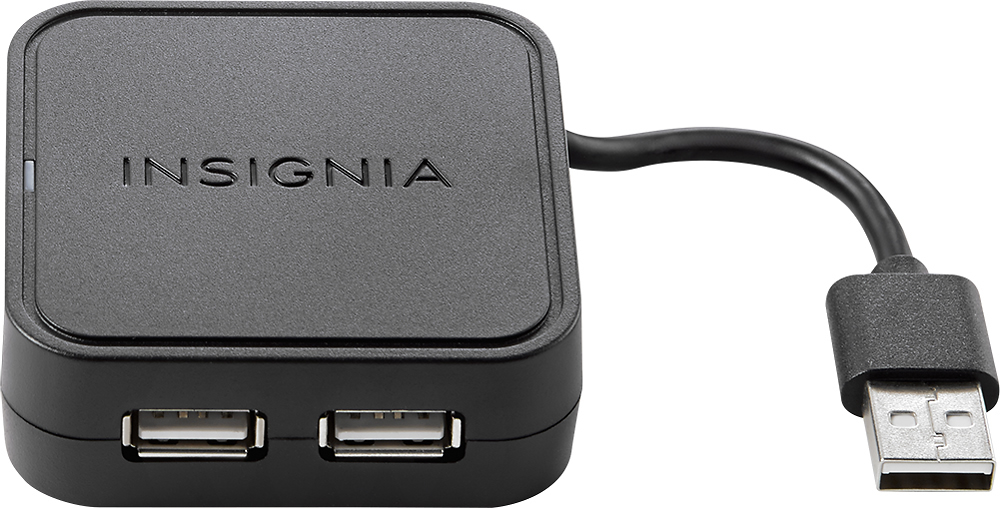
A:AnswerIm not sure what if you can use it with android auto. I use it as extra ubs drives for the new computer I got. and the power source for it is using the computer itself
A:AnswerHP Download has WiFi software for that 8600 series printer and set up the printer to be seen from your switches WiFi connection. Then all home computers and even hp software on cell phones can find your printer on your home WiFi network and print to it. Note: each computer or device will have to have HP’s WiFi printer software which you can easily search and find on HP’s main web site. Be careful to to use other companies software as they just want to download software and trackers on your device.
A:AnswerNO! This unit expands the standard large USB port on your computer to allow use of more USB accessories. It is not a charger unit. Many new laptops may have only one USB A port and need this accessory to handle more than one legacy USB accessory to connect. If there is a USB outlet on the wall, you probably could use this unit to charge several devices.
A:AnswerNo. Literally two different connections. This won't work in any form or fashion. You need an HDMI splitter if you're trying to connect your cable box to 2 displays.
A:AnswerI am assuming you are taking your laptop computer and phone on your travels. If your computer has wi-fi, you should be able to get a wi-fi hub from your cell phone carrier that will allow you to connect to the internet through the cell phone system. This is not the cheapest way to operate but may be your only choice unless you can be patient enough to conduct your internet activities at a local business that provides free wi-fi.
A:AnswerI've had absolutely no issues. Used it to plug in a cd drive that had two USB connectors. Also used mouse directly into laptops USB port and never glitches. I uploaded my entire music collection over the course of about 5 days. No issues. I even bought it refurbished.
A:AnswerThe problem is going to lie within the power output of the hub. It is A 5V, 500 mA/port. 500mA is nothing. By today's standards it's extremely slow for charging. When buying a hub, use one that is externally powered (separate cord that plugs into the wall). Or use a hub that has a higher power output. The problem is these hubs that connect to your laptop usb port are very underpowered. USB ports on your laptop are not supposed to carry a high power output anyway so the hub that connects to a usb port only (and not plugs into a wall) will not be spectacular either.
A:AnswerI don’t know the answer to that however I do know there is a 3.0 out there and I believe this question could be answered by an expert at Best Buy. You couldn’t ask for better customer service.
I would get on their website and ask their opinion of the 3.0 I know if I was going to do that I would use the faster speed for sure, but I don’t know if it works with the TV
A:AnswerAnna;
I promise you that this one has enough POWER to get the job done. A printer and a wireless keyboard/mouse combo USB plug should be fine. I don't see any issues with it. Go ahead and purchase this. It's a winner.
Best of luck.