A:Answer Hi BobR69,
- Turn off the TV off and unplug it from power.
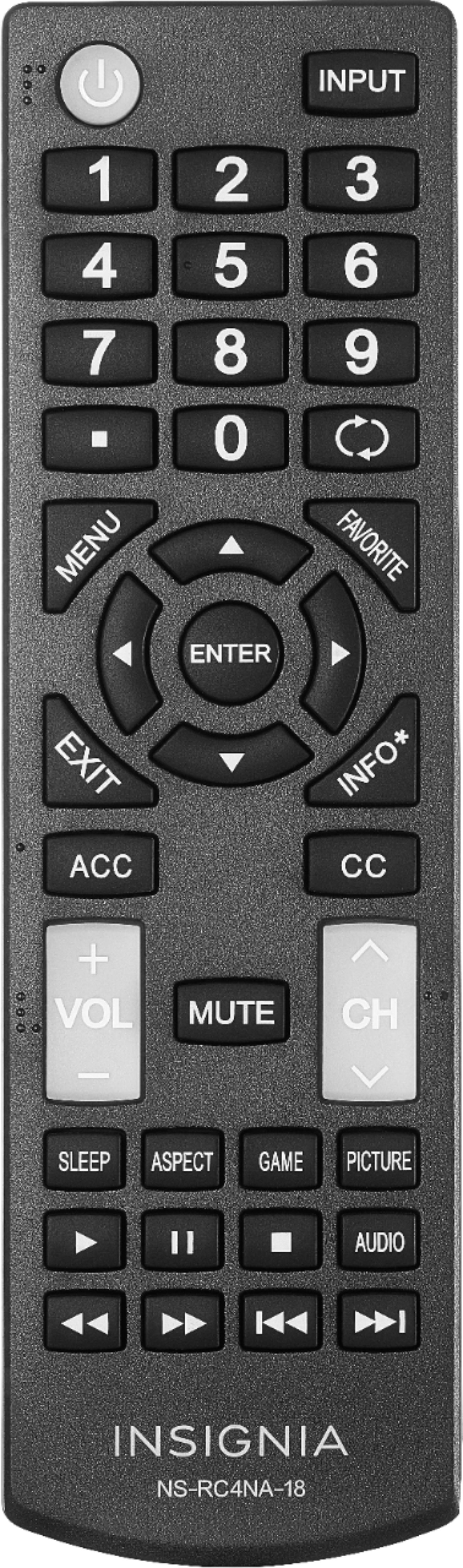
- While the TV is off, press and hold the "MENU" button, "BACK" button, and the "LEFT" side of the navigation ring at the same time for 12 seconds.
NOTE: This process just clears the pairing information from the remote. It does not reset the TV.
- Remove the batteries from the remote, then plug in and turn on the TV with the power button on the TV.
- Wait for the Home screen to appear, then replace the batteries in the remote.
- Wait for one minute for the remote to pair with the TV.
- Try new set of batteries.
If you have any questions or concerns, please use the link below to reach us and also you can contact this phone number 877-467-4289 for further assistance.
Insignia Products
Nikki
Please visit https://www.bestbuy.com/site/brands/best-buy-brands/pcmcat1596746025285.c?id=pcmcat1596746025285