A:Answer Sure, to assist you in resolving this issue, follow these steps:
1. **Disable Accessibility Feature:**
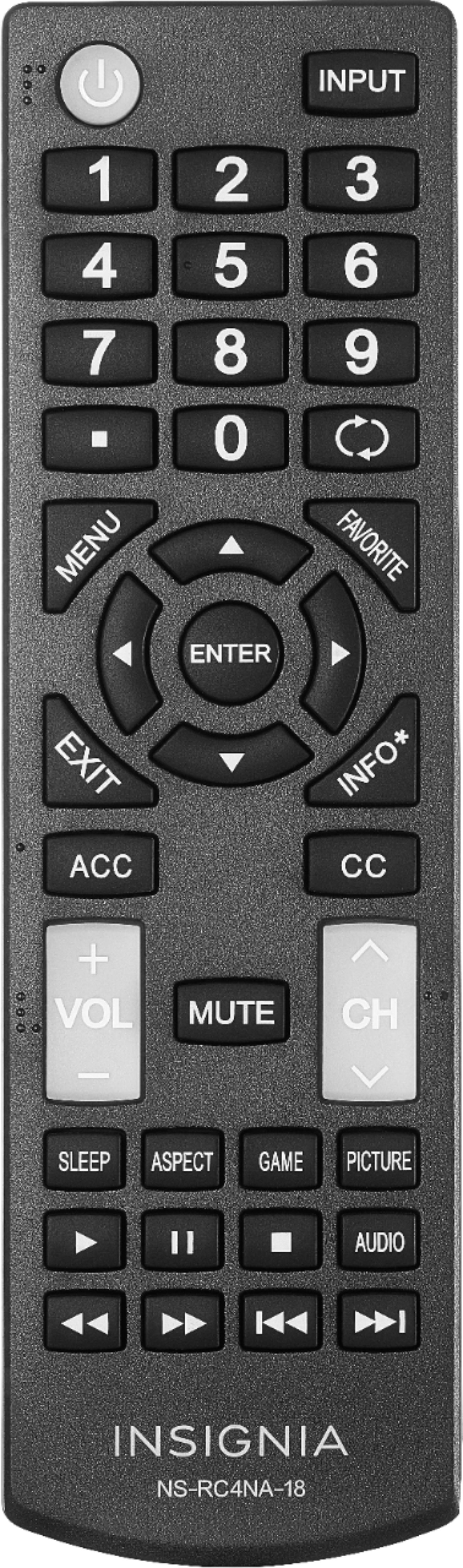
To resolve this, you need to turn off the accessibility feature. Follow these steps using your remote:
- Press the "Menu" button.
- Use the Right arrow on the remote to navigate until you reach the "Accessibility" option.
- Press the Down arrow once to highlight the "Voice guide" option.
- Press the Enter button on the remote.
- Use the Down arrow to select and turn off the "Voice guide."
These steps should help you disable the accessibility feature and resolve the issue.