Main Content

Questions & Answers

$49.99
Page Showing 61-80 of 261 questions
  • QuestionIs it compatible with MacBook computers?

    Asked by Knocka.

    • Answer Thank you for your inquiry! Yes, the Insignia™ HDMI Audio Extractor with 4K @ 60Hz / HDR Support is compatible with MacBook computers. It allows you to extract audio from an HDMI source and send it to your speakers, headphones, or other audio devices via 3.5mm stereo or optical outputs. Keith | Insignia Support

      Answered by InsigniaCustomerSupport

  • QuestionCan a TV be the input for this switch?

    Asked by twhite.

    • Answer Hello twhite, Thank you for your question about the Insignia™ HDMI Audio Extractor with 4K @ 60Hz / HDR Support in Black. We're happy to assist you! Yes, a TV can be the input for this switch. The HDMI Audio Extractor is designed to convert HDMI audio signals to analog outputs, including RCA and optical. This means you can connect your TV to the extractor and then route the audio to your desired output device, such as speakers or headphones. If you have any more questions or need further assistance, feel free to reach out. We're here to help! - Emman | Insignia Products

      Answered by InsigniaCustomerSupport

  • QuestionIf I have an eArc input will it still output an eArc signal as well as a 3.5 mm? My TV only has eArc but I need a 3.5 mm and an eArc for a sound bar.

    Asked by Matt.

    • Answer Hi Matt, thank you for reaching out. Our HDMI Audio Extractor is not eARC compatible, nor is the 3.5mm port. To maximize the eARC port's functionality, please connect your sound system directly to the eARC port on your TV. I hope this information is helpful, and if you have any further questions, please feel free to ask! - Carl | Insignia Support

      Answered by InsigniaCustomerSupport

  • QuestionCan I use this to connect a Bose Lifestyle v35 to a Samsung UD 7200 TV? The Bose has optical ports but the TV uses HDMI eArc for sound and has no optical port.

    Asked by BeeBee.

    • Answer Yes, you can use the Insignia™ HDMI Audio Extractor to connect your Bose Lifestyle v35 to your Samsung UD 7200 TV. This device will allow you to extract audio from the HDMI eARC port on your TV and output it to the optical port on your Bose system. Here’s how you can set it up: 1. Connect the HDMI cable from your TV's HDMI eARC port to the HDMI input on the Insignia HDMI Audio Extractor. 2. Connect an optical cable from the optical output on the extractor to the optical input on your Bose Lifestyle v35. 3. Power on the extractor and select the appropriate audio output mode (stereo or 5.1 channels) using the switch on the device. This setup should enable you to enjoy audio from your TV through your Bose sound system. If you have any other questions or need further assistance, feel free to ask!

      Answered by InsigniaCustomerSupport

  • Questionwhat is max conversion/sampling rate of DAC to 2 channel analog audio?

    Asked by mark.

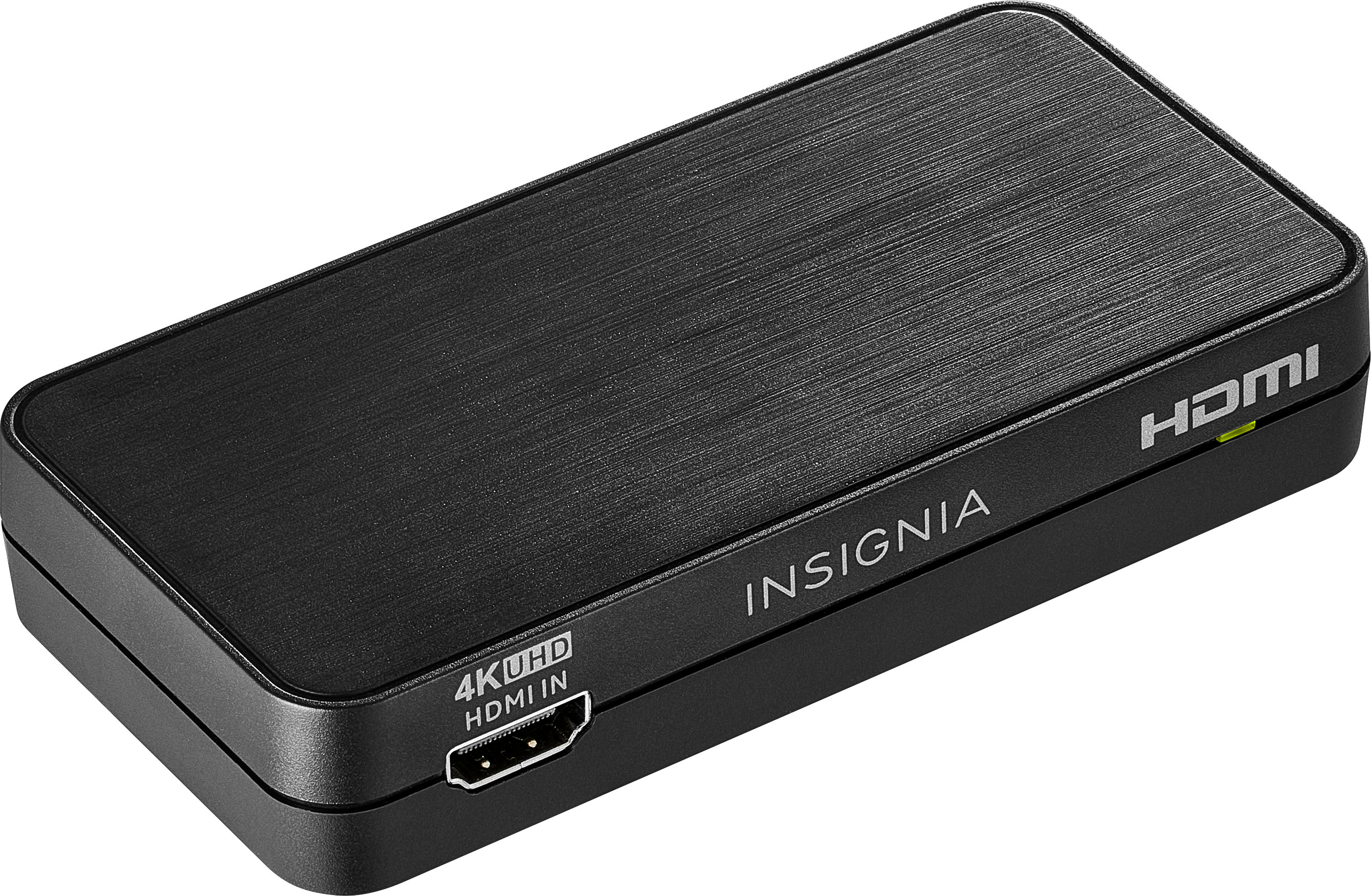
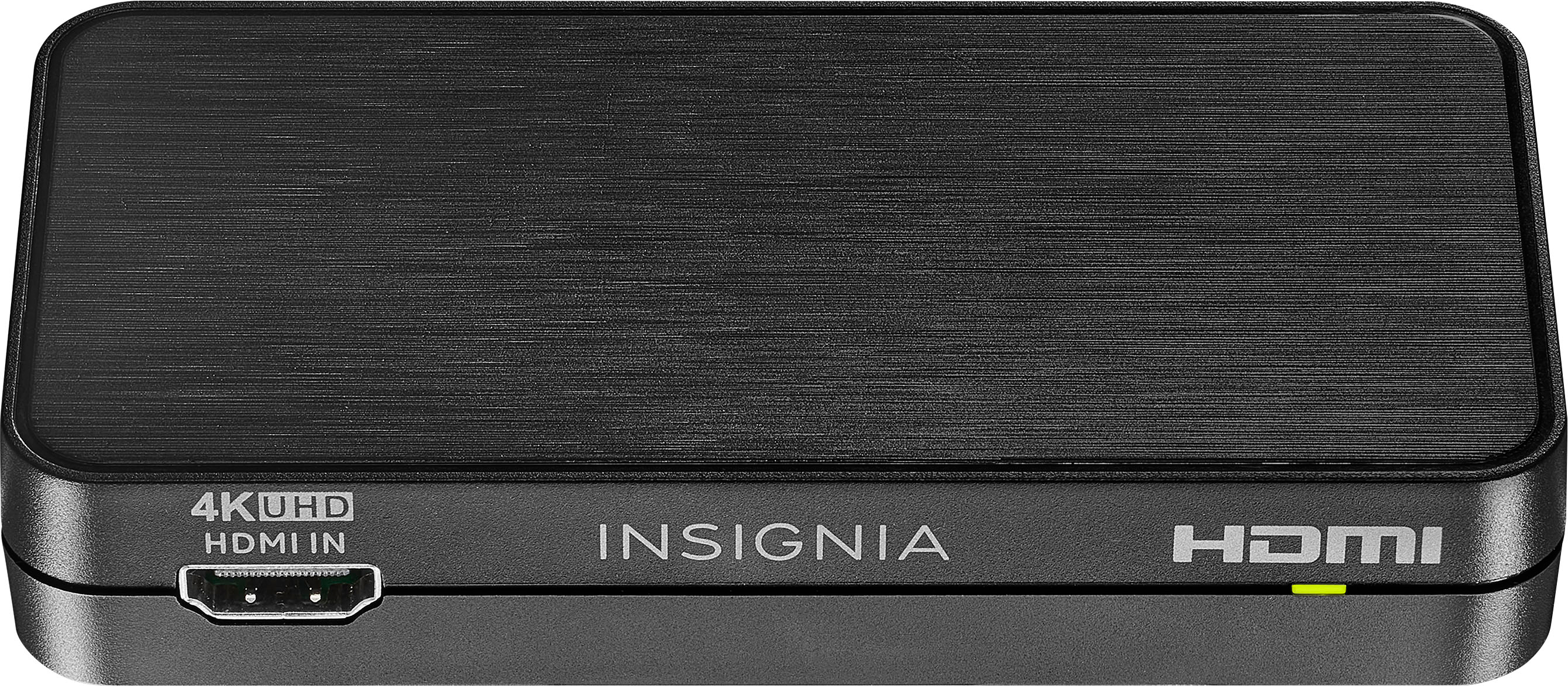
    • Answer Thank you for your inquiry! The Insignia™ HDMI Audio Extractor with 4K @ 60Hz / HDR Support has a DAC that supports a maximum conversion/sampling rate of 48 kHz for 2-channel analog audio. Keith | Insignia Support https://www.bestbuy.com/site/insignia-hdmi-audio-extractor-with-4k--60hz-hdr-support-black/6324750.p?skuId=6324750
      Answered by InsigniaCustomerSupport

  • QuestionI'm trying to connect hdmlArc to optical input on Polk soundbar Do I need to toggle on hdmi Arc on my Samsung du7200b tv before connecting to extractor

    Asked by Anonymous.

    • Answer It wont work if you havent figured it out yet purchase this on amazon. HDMI ARC Audio Extractor 4K@60Hz, HDMI to HDMI + Optical Toslink SPDIF + 3.5mm AUX Jack Stereo Audio Adapter, HDMI Audio Converter Splitter Inserter Embedder Support HDCP2.2 Digital PCM DTS 5.1

      Answered by WillS

  • QuestionI just bought a samsung smart tv , can I use this Audio Extractor to hook up the early ( RCA plug Type ) stereo receiver for sound ? I tried a different Insignia brand HDMI to rca converter , but it will not recognize my early receiver .

    Asked by ted.

    • Answer Yes, you can use the Insignia™ HDMI Audio Extractor with 4K @ 60Hz / HDR Support to connect your Samsung Smart TV to an older stereo receiver with RCA plugs. This audio extractor is designed to convert HDMI audio signals to analog outputs, including RCA. Here are a few steps to help you set it up: 1. Connect the HDMI Cable: Plug one end of the HDMI cable into your TV's HDMI output and the other end into the HDMI input on the audio extractor. 2. Connect the RCA Cables: Use RCA cables to connect the audio extractor's analog output to your stereo receiver's RCA input. 3. Power Up: Ensure the audio extractor is powered on and properly connected to a power source. 4. Select Audio Mode: Use the audio mode selector switch on the extractor to choose the appropriate audio output (stereo sound). If you encounter any issues, make sure all connections are secure and the correct input is selected on your stereo receiver. If the problem persists, it might be worth checking if the audio extractor is functioning correctly with another device. Feel free to reach out if you need further assistance!

      Answered by InsigniaCustomerSupport

  • QuestionIf I run the HDMI out to my TV (that has speakers) and the optical audio output to a 5.1 receiver, can I choose to NOT turn on my receiver and still get audio through my TV speakers?

    Asked by Ellert.

    • Answer Yes, you can set up your Insignia™ HDMI Audio Extractor to achieve this. Here’s how: 1. Connect the HDMI Output: - Connect the HDMI output from the extractor to your TV. This will allow the video and audio to pass through to your TV. 2. Connect the Optical Audio Output: - Connect the optical audio output from the extractor to your 5.1 receiver. 3. Audio Mode Selector: - Use the audio mode selector switch on the extractor to choose between stereo sound (for TV speakers) and 5.1-channel digital output (for the receiver). When you want to use your TV speakers, simply leave the receiver turned off. The audio will still pass through the HDMI connection to your TV speakers. When you want to use your 5.1 receiver, turn it on, and the audio will be routed through the optical connection to your receiver. This setup allows you to switch between using your TV speakers and your 5.1 receiver without needing to change any physical connections. If you have any other questions or need further assistance, feel free to ask!

      Answered by InsigniaCustomerSupport

  • QuestionIs this audio extractor compatible with comcast cable and a receiver?

    Asked by Tank.

    • Answer Yes, the Insignia™ - HDMI Audio Extractor with 4K @ 60Hz / HDR Support is compatible with Comcast cable boxes and receivers. It allows you to extract audio signals from HDMI sources and output them to analog or digital audio devices, such as receivers. This means you can connect your Comcast cable box to the extractor and then route the audio to your receiver for enhanced sound quality. If you have any specific setup questions or need further assistance, feel free to ask!

      Answered by InsigniaCustomerSupport

  • QuestionI am trying to connect optical audio from surround sound system to new Samsung tv with hdmi ports will this work?

    Asked by Shayleeb.

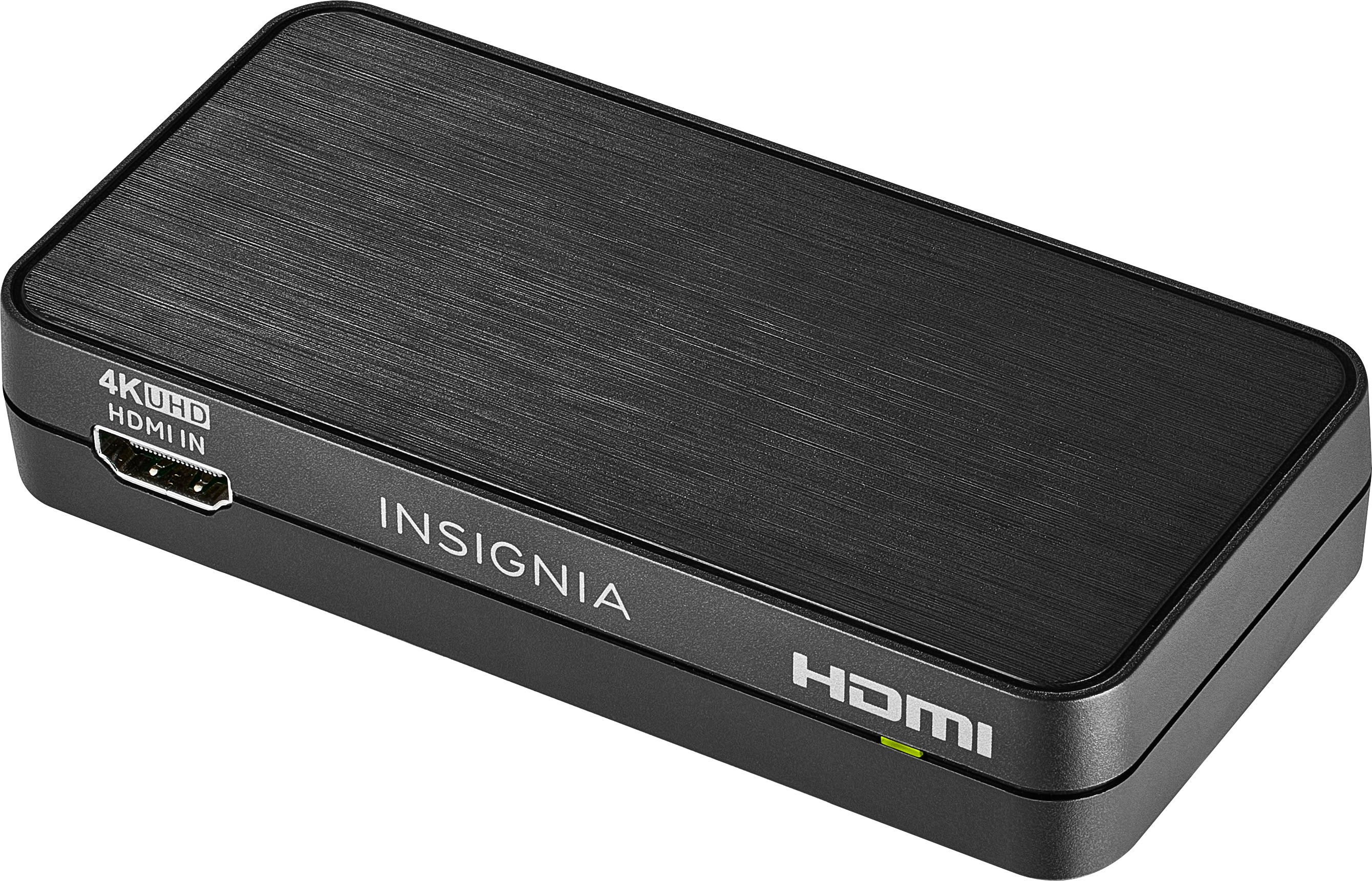
    • Answer Hello Shayleeb! Yes, the Insignia™ HDMI Audio Extractor (NS-HZ340) should work for your setup. This device allows you to extract audio signals from an HDMI source and output them through an optical audio port. Jeth | Insignia Support. https://www.bestbuy.com/site/insignia-hdmi-audio-extractor-with-4k--60hz-hdr-support-black/6324750.p?skuId=6324750
      Answered by InsigniaCustomerSupport

  • QuestionWill this work with astro mixamp pro tr for ps5 like the astro hdmi adapter

    Asked by warnerxx08.

    • Answer Thank you for your inquiry! The Insignia™ HDMI Audio Extractor should work with the Astro MixAmp Pro TR for your PS5, similar to the Astro HDMI adapter. To set it up, connect the HDMI output from your PS5 to the HDMI input on the audio extractor. Then, use another HDMI cable to connect the HDMI output of the extractor to your TV or monitor. Next, connect an optical cable from the optical output of the extractor to the optical input on your MixAmp Pro TR. Finally, plug your headset into the MixAmp Pro TR and adjust the settings as needed. Ensure that the extractor supports the resolution and features you require, such as 4K @ 60Hz and HDR, to match your PS5 setup. If everything is connected correctly, you should be able to enjoy audio through your MixAmp Pro TR while maintaining video output to your display. Keith | Insignia Support https://www.bestbuy.com/site/insignia-hdmi-audio-extractor-with-4k--60hz-hdr-support-black/6324750.p?skuId=6324750
      Answered by InsigniaCustomerSupport

  • Questionmy sonos playbar does not seem to be connecting the the Samsung TV. Is this device non compatable

    Asked by SonosHatah.

    • Answer Thank you for your inquiry! The Insignia™ HDMI Audio Extractor with 4K @ 60Hz / HDR Support - Black is designed to extract audio signals from an HDMI source and send them to an external audio device, such as a soundbar, while passing the video signal to the TV. If your Sonos Playbar is not connecting to your Samsung TV, there could be several reasons. Ensure all cables are securely connected, with the HDMI source connected to the extractor's input, the extractor's HDMI output connected to the TV, and the optical output from the extractor connected to the Sonos Playbar. Check your TV settings to ensure the audio output is set to external speakers via optical output and make sure the Sonos Playbar is on the correct input mode. Power cycle all devices and ensure they have the latest firmware updates. Verify that the audio signal being sent to the Sonos Playbar is in a compatible format, like Dolby Digital. If these steps don't resolve the issue, there may be a specific compatibility problem, and contacting Sonos or Samsung support may be necessary. Keith | Insignia Support https://www.bestbuy.com/site/insignia-hdmi-audio-extractor-with-4k--60hz-hdr-support-black/6324750.p?skuId=6324750
      Answered by InsigniaCustomerSupport

  • QuestionI have a new LG TV and a Sonos sound bar. The sound bar connects to the TV's hdmi arc port. The TV disables its optical output port if the arc port is active. I need an optical connection to feed my hearing aid transmitter. Will this work?

    Asked by Sonosconnection.

    • Answer You could be me asking this question. I am trying to solve the exact same problem: new LG TV, existing Sonos sound bar, new Phonak (hearing aids) TV Connector. I don't have a complete answer but here is my experience so far. I was in Best Buy yesterday and they advised me to purchase this device, and use the HDMI output for the sound bar and the optical output for the Phonak TV Connector. I already had an HDMI ARC cable, so I purchased another to make all the connections. Everyone assisting me missed the note on the extractor box that the extractor is not compatible with ARC. I called support today to find this out. However, support also said the extractor will only output one audio signal. That seems to defeat the purpose, so I'm planning to buy two basic HDMI cables (one for TV to extractor, one for extractor to sound bar), then try all of it again before I give up on the Phonak TV Connector. I also called Phonak and they said yes, I need a splitter, but had no additional advice to offer.

      Answered by Anonymous

  • QuestionDoes this device used for blue tooth connecting with a sound bar and hearing aids

    Asked by Joe.

    • Answer Hi Joe! This device does not support Bluetooth. It has to be wired connection. JC | Insignia Support

      Answered by InsigniaCustomerSupport

  • QuestionIs this compatible with Apple TV 4K? I can’t get it to work.

    Asked by VC.

    • Answer Hi VC, it will compatible with all streaming devices. Please try to check if the connector connected properly. Mariepel C.| Insignia Products https://www.bestbuy.com/site/brands/best-buy-brands/pcmcat1596746025285.c?id=pcmcat1596746025285

      Answered by InsigniaCustomerSupport

  • QuestionI want to have the audio from my Roku 4K KD television play through my old Pioneer receiver. The Roku has both HDMI and Optical outputs. My Pioneer has only RCA cables. Am I able to do this? if so, Which converter will enable me to do this? Thank you.

    Asked by Vinny.

    • Answer Hi Vinny, You can connect the reciever to the television derictly using the rca cable at the back of the television it is a composite port. Insignia Products Marites www.bestbuy.com/site/brands/best-buy-brands/pcmcat1596746025285.c?id=pcmcat1596746025285

      Answered by InsigniaCustomerSupport

  • QuestionIf I plug my Roku stick into the HDMI in port of this extractor will the optical out port allow 5.1 audio from the Spectrum app to my receiver?

    Asked by John.

    • Answer Hi there, Yes, it will allow 5.1 audio from the Spectrum app to the receiver. Rudson S.| Insignia Support. https://www.bestbuy.com/site/brands/best-buy-brands/pcmcat1596746025285.c?id=pcmcat1596746025285

      Answered by InsigniaCustomerSupport

  • QuestionDoes this support 120hz at 1080p?

    Asked by Jeff.

    • Answer Hi Jeff, Yes, This device supports 1080p @ 120 Hz and 4K @ 60 Hz. Insignia Support Shella https://www.bestbuy.com/site/brands/best-buy-brands/pcmcat1596746025285.c?id=pcmcat1596746025285

      Answered by InsigniaCustomerSupport