A:AnswerYou will need the following:
AC input voltage : 100 ~ 240V 50 ~ 60 Hz
DC output : 20 Volts at about 2.25 Amps
Power: around 45W (Volts * Amps = Watts)
Connecter size: 4.0 X 1.7MM (Round Tip)
You might be able to find a universal charger using the above specs. If not, I included the part numbers for the power adapters listed in the maintenance manual. I checked BestBuy and found 2 chargers that had the right voltage, but wrong connectors. Found another with the right connector but wrong voltage. I recommend you search for one by using the part numbers below in a google search (I found several options just on 1 part number).
According to the manual, all these part numbers will work.
01FR122 01FR130 01FR154 01FR123 01FR110 01FR036 01FR131 01FR137 01FR152 01FR121 01FR146 01FR148 01FR115 01FR114 01FR128 01FR157 01FR155 01FR140 01FR111 01FR120 01FR138 01FR113 01FR126 01FR160 01FR156 01FR147 01FR151 01FR136 01FR118 01FR153 01FR145 01FR037 01FR144 01FR143 01FR135 01FR125 01FR109 01FR134 01FR139 01FR129 01FR158 01FR133 01FR150 01FR141 01FR116 01FR112 01FR142 01FR159 01FR149 01FR132 01FR124 01FR117 01FR119 01FR127
A:Answer320 is 7th generation processor
330 is 8th generation processor
The 330 is the newest released version.
The 320 is the previous released version.
You want the 330!
A:AnswerDon't get the warranty. Instead use the money saved to replace the hard drive with a ssd. You will be so much happier and would not buy unless you plan to do so. Replacing is easy to do yourself. Make sure you have the cables to do the transfer. You should be able to find a video online showing how. Or best buy can do for free if you buy from them? I see they have some on sale. Make sure to keep the old drive as a backup. The battery is as advertised or maybe a little less. I am not seeing it as a problem. I purchased when it was $100 off and it is a good deal at that price. Can't help with game question. I see it working just fine with any school work.
A:AnswerThat will depend on the requirements and compatibility of the Respondus LockDown Browser. We recommend you check with the browser software publisher's web site for their compatibility with Windows 10 Home 64-bit operating system and the minimum/recommended hardware requirements (Is a Graphics card required, the processor speed and the minimum required system RAM and the minimum available hard drive space) to run their program, then compare those requirements to this system's configuration.
A:AnswerYes, here is a link to tips for disabling a web cam within Windows 10: https://www.howtogeek.com/210921/how-to-disable-your-webcam-and-why-you-should/
A:AnswerThe date of manufacture of the device is on the product specification label on the original box the device is shipped in. Additionally, you can call Lenovo Tech Support and provide your device serial number and Tech Support can provide your date of manufacture. Yes, the Best Buy Geek Squad are certified Technicians and are authorized to work on Lenovo Products. There may be issues that require sending the device back to Lenovo for specialized repairs. The date of manufacturer is the official start date of the limited 1-year manufacturer's warranty.
A:AnswerNot 'darn near complete disassembly' to access the one stick of RAM for replacement. I just did it, and I'm not a technician. The laptop comes with two 4GB sticks of RAM-one is not replaceable, the other one is IMHO easily replaced by removing the 15 screws, the DVD drive (just to get it out of the way and not fall on the floor), and splitting apart the case. If you add an 8GB stick, you will have 12 GB total. If you add a 16GB stick, you will have 20 GB total. Those are the only options. I did the 8GB stick and subjectively feel the laptop is a bit smoother.
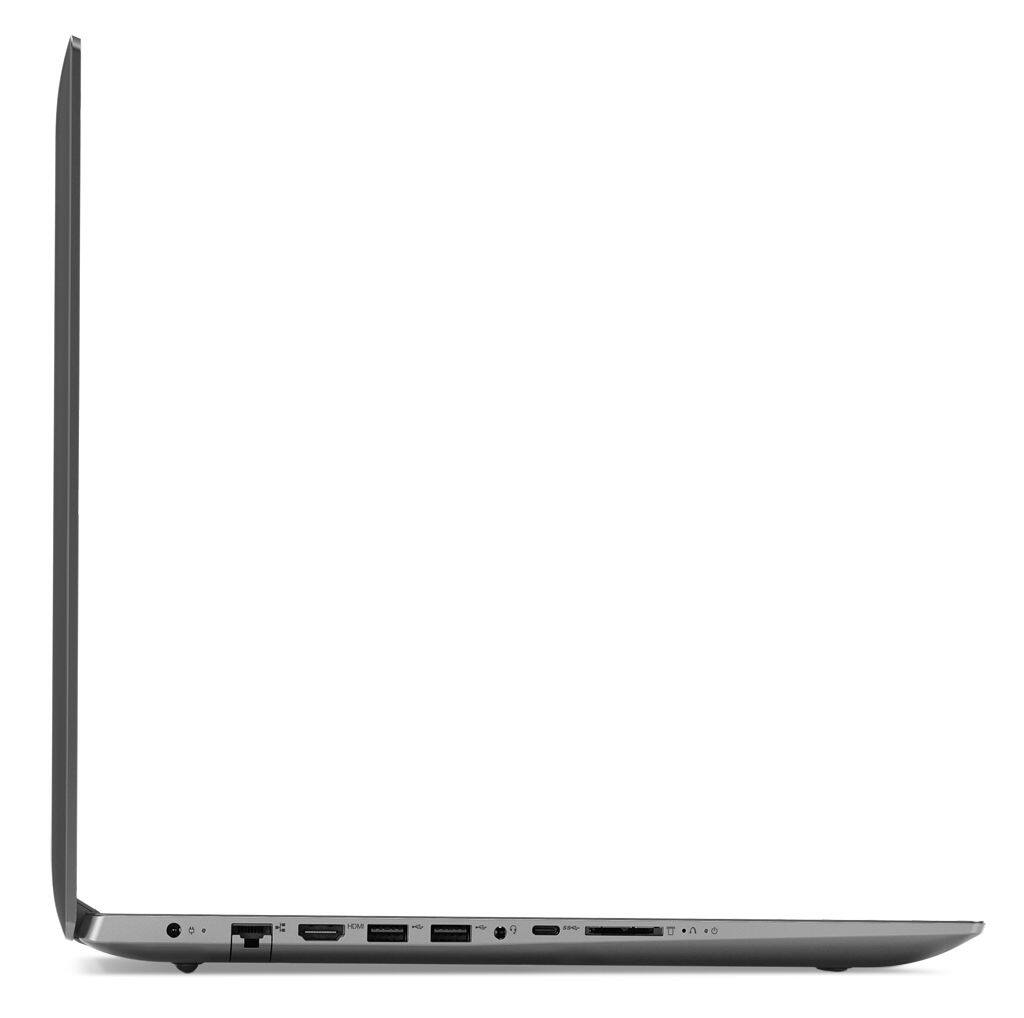
A:AnswerWe are sorry to hear that you are having issues with the boot up of your Lenovo IdeaPad 330-17 laptop. This may be due to a software compatibility issue. Be sure all of the software you have installed on the device is compatible with Windows 10. There is no need to install Microsoft Office software. The software is already part of the operating system, you just need to activate the software with a purchased product key. If you have installed a copy of Microsoft Office, this is conflicting with the existing copy on the system and this will slow your system down. If you have installed a 3rd party anti-virus program, be sure that Windows Defender is turned off and that the trial version of McAfee Anti-Virus software is uninstalled. There can only be one anti-virus program on the system. You may need to restore your system to original factory default settings if any of the programing errors have occurred. Because you are unable to boot up your device, you will need to use OneKey Recovery. This system is equipped with OneKey Recovery System. There is a very small pin hole on the left side of the device, right near the Micro-SD card slot on the device. You will need a pin to push this reset button. Plug the device in. Let the battery charge for about 15 minutes. Push the reset button. The system should boot to a choice screen where you can choose "Restore To Factory Default". Select this. It will delete everything from the hard drive except the original factory install of the operating system. You will need to reinstall all programs and files after the reset. If you don't have copies of the files, try to make one before you restore by selecting "Boot to desktop" and trying to back up your files. If the problem persists, we recommend you call Lenovo Tech Support at: 877-453-6686.