“How do I add bluetooth speakers? HELP!!! Thanks in advance.”
Answer This Question
1-2 of 2 Answers
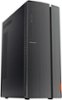
The Lenovo IdeaCentre 510A Desktop, model number 90HV0005US, has Bluetooth 4.1 capability build in. Here is a link to instructions for turning on the Bluetooth capability within this computer: https://support.microsoft.com/en-us/help/4027630/windows-10-turn-bluetooth-on-or-off. Pair the compatible Bluetooth 4.1 speakers to this computer based on the pairing instructions provided by the speaker manufacturer.
Sorry, there was a problem. Please try again later.On bottom right, click up arrow, will display icon Bluetooth, click Bluetooth, click Open Settings, click Add Bluetooth or other device (+) plus sign, Add a device will open/display, click Bluetooth then it will start connecting your Bluetooth speaker.
I would recommend:
Sorry, there was a problem. Please try again later.