“do I plug in tv then get Yankees on Lenovo computer”
Answer This Question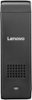
1-2 of 2 Answers
You plug Lenovo device into tv USB port and change port setting on your tv to pick up device land then use a wireless keyboard for approx. $20.00 to controls tv screen as if it was a computer
Sorry, there was a problem. Please try again later.Plug in the Stick 300 to the TV. Plug the power cord in to the Stick 300. Make sure the TV is set to the HDMI port the Stick 300 is installed in as the "source". Turn on the Stick 300. Set up Windows 10 for the first time. During this process connect the Stick 300 to your WiFi network. Once Windows 10 is finished setting up, connect to the internet via the Internet Explorer Browser. Go to the site that has the programing you are looking for.
Sorry, there was a problem. Please try again later.