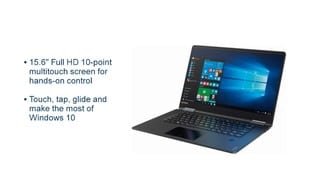
A:AnswerTry turning off the auto brightness settings to see if that makes a difference. Also make sure to run the Lenovo software and install any and all updates..
A:AnswerThis device is a high performance system with its Intel Core I-5 processor, 8GB of RAM and its 256GB solid state hard drive. Browsing the internet, checking internet based email and streaming movies via the internet will depend on the speed of your internet connection. The resources of this device can handle internet browsing and movie streaming if there is a fast internet connection. This device has an internal fan. You will hear it when the fan runs. This is normal for all high performance laptops similarly configured.
A:AnswerThere is a 30-day trial of Microsoft Office 365 included as part of the Windows 10 operating system. In order to keep the program active after the trial period, you will need to purchase a product key. You will not need to download any additional software.
A:AnswerI believe that as a consumer, customer has a 1 Year of Manufacturers Insurance on laptop, that an individual may have bought at the store. For Any Additional Insurance—that would have been presented or offered to a purchaser at the time of the completion of the purchase by salesman/saleswoman at Best Buy.
A:AnswerThat will depend on the requirements of the specific software she will use. We recommend you check with the software publisher's web site for their compatibility with Windows 10 Home 64-bit operating system and the minimum/recommended hardware requirements (Is a Graphics card required, the processor speed and the minimum required system RAM and the minimum available hard drive space) to run their program, then compare those requirements to this system's configuration.
A:AnswerThis laptop has worked great for me. I do battery-intensive stuff like graphic design and run multiple apps like Gimp and Inkscape as well as MS Office and Firefox for hours with no problems. Some say this laptop has about 4 hours of battery life but I have gotten as much as 6 and more with the work I do. IMHO, the Yoga 710 would be awesome for what you said you would use it for!
A:AnswerThat will depend on the programs and software that the student will need to use. Check with the school's web site for recommendations and/or minimum requirements for a computer used by students in the engineering college. If you can get a list of the programs the student will need to install and use on their personal computers, we then recommend you check with the software publisher web sites for their compatibility with Windows 10 Home 64-bit operating system and the minimum/recommended hardware requirements (Is a Graphics card required, the processor speed and the minimum required system RAM and the minimum available hard drive space) to run their program, then compare those requirements to this system's configuration.
A:AnswerI purchased an LG Slim Portable DVD Writer model # SP80NB80. I'm sure there are many others available but this model was available when I purchased the laptop and it was on sale.
A:AnswerGenerally speaking, for any demanding software, you would be better off with 16 GB of memory, and a dedicated, higher performance graphics card rather than standard video built on to a basic motherboard.
There is no cheap way to get good performance, except that you probably can go with i5 Intel rather than i7 processor. On most laptops, to keep the heat down, you don't get the full blown i7 performance because it would generate too much heat, so it is throttled.
Avoid Celeron processor for your described needs.