A:AnswerAbsolutely. I recommend a bluetooth mouse, that way you don't have to plug any kind of USB receiver into the side of the laptop and ruin the nice lines, also it won't get snagged when you try and put it in your laptop bag. Modern laptops already have a bluetooth radio built in, so you just need a bluetooth mouse and you are good to go.
A:AnswerIn addition to the Windows 10 Home 64-bit Operating System, Lenovo Vantage Utilities and Alexa capability, The Lenovo Yoga 7i 14 model number 82BH0006US ships with just two adware programs, a 30-day trial of Microsoft Office 365 (as part of Windows 10 operating system) and a 30-day trial of McAfee virus protection. Lenovo computers ship with one of the cleanest factory software installs within the consumer computer industry.
A:AnswerFirst, be sure any software you installed is compatible with Windows 10. There is no need to install Microsoft Office software. The software is already part of the operating system, you just need to activate the software with a purchased product key. If you have installed a copy of Microsoft Office, this is conflicting with the existing copy on the system and this will slow your system down. If you have installed a 3rd party anti-virus program, be sure that Windows Defender is turned off and that the trial version of McAfee Anti-Virus software is uninstalled. There can only be one anti-virus program on the system. You may need to restore your system to original factory default settings if any of the programming errors have occurred. You can do that by typing "restore" in the Cortana search window. Just click on the magnifying glass icon at the bottom left of your Windows 10 Desktop. Click on "Reset This PC" Then click on "Get Started" and follow the on screen directions to restore to factory defaults. If there is not incompatible software installed, then check to be sure you have the latest version of Windows 10 on the computer. Then update all of the BIOS files and drivers up to that latest version of Windows 10. You can easily accomplish this by scanning the computer with the Lenovo Utility software available on this computer. This system has Lenovo utilities installed to help maintain the health of the device and keep the operating system software up to date. Type "Lenovo Vantage" in the Cortana Search window (if Lenovo Vantage is not installed on your device, you can download the APP and install it now). Select Lenovo Vantage from the list. In the window that opens, click on "Health and Support". In the expanded menu, select "Hardware Scan" In the window that opens, select "Run Quick Tests". This will scan your entire system for errors. Follow any directions that may pop up. If the problem continues after this scan, now click on "System Update". First select Windows update from the menu. Scan your system to be sure you have the latest version of Windows 10. Once that scan is complete, select "Additional Updates". This will scan your device to be sure there are no new BIOS/Driver updates needed. Follow any instructions that may pop up. If the issue still continues after these updates, we recommend you call Lenovo Tech Support at: 877-453-6686 for additional help.
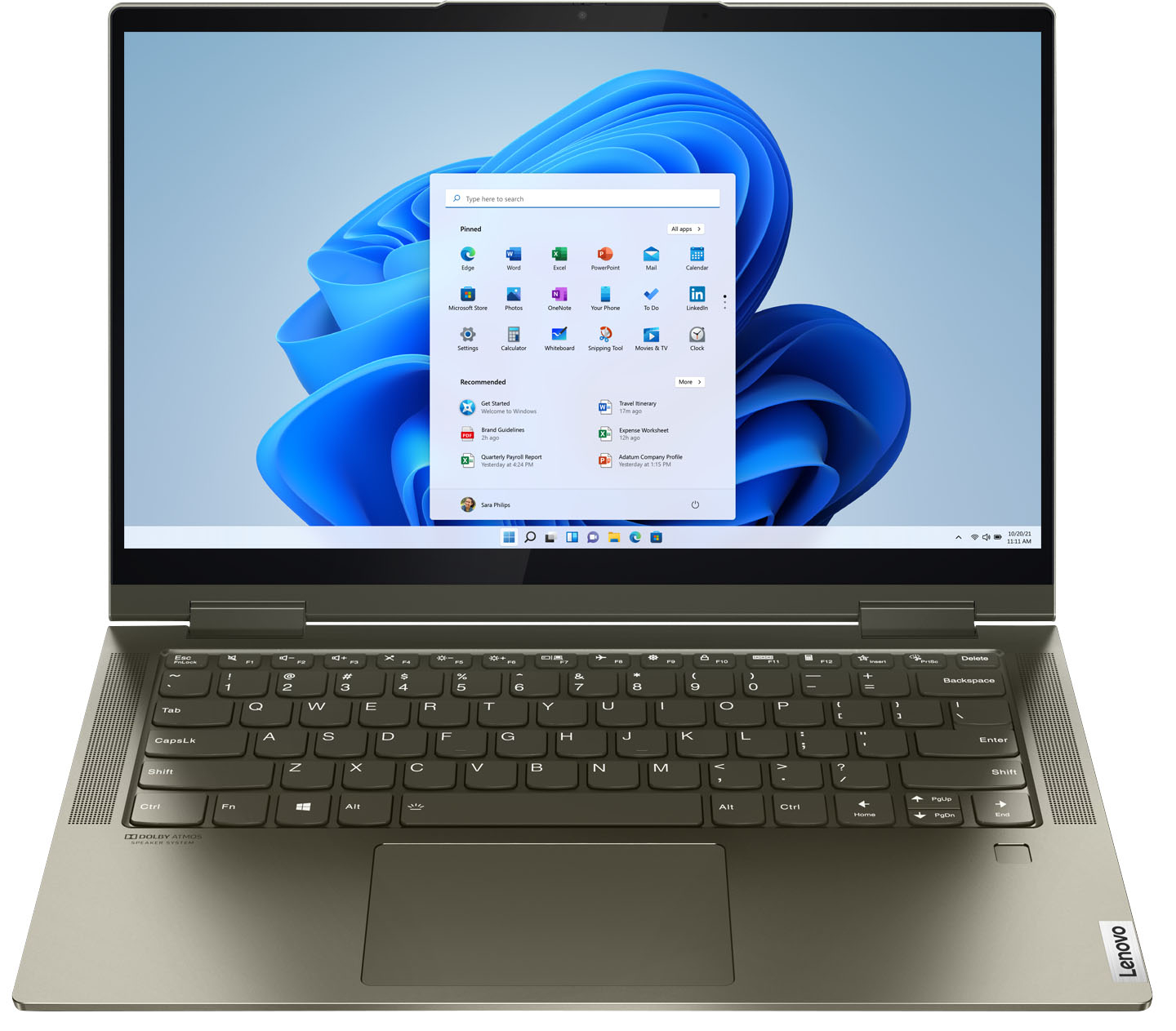
A:AnswerThe Lenovo Yoga 7i 14 model number 82BH0006US, ships with one standard USB Type A version 3.1 port and two Thunderbolt 4.0 ports, one with video out capability for an external monitor.
A:AnswerRight-click on the Windows logo in the lower left corner and click on "shut down or sign out". Or, if you hold the power button in for at least 4 seconds, the laptop will turn off on most models. What you are doing is just putting it to sleep. It still uses a little power in sleep mode but not much. The blinking light indicates sleep mode. You might want to download the user guide from Lenovo's website. It would save you from having to ask questions here.
A:AnswerThis Intel Evo-Certified, Lenovo Yoga 7i 14, model number 82BH00DQUS, is a 110V device. It does ship with a Dual Voltage, 65W USB-C - device side (3-pin, USA compatible wall side plug) AC adapter/charger, supports PD 3.0, 100-240V, 50-60Hz. To use this device outside the USA, you will need to add a compatible wall side plug adapter, compatible with the Country where this computer will be used. This wall side adapter is sold separately.
A:AnswerThis Intel Evo-Certified, lenovo Yoga 7i 14 model number 82BH00DQUS, ships with a Integrated 71Wh, Lithium-Polymer Battery, which within this model configuration, has a battery life of up to 16 hours, depending on the work the device is performing.
A:AnswerThe ultra-portable 2 in 1 convertible configuration of the Intel Evo-Certified, Lenovo Yoga 7i 14 Series does not ship with a built in CD/DVD drive, but you can use an external, USB-based Windows compatible CD/DVD drive with this laptop, like this one: https://www.bestbuy.com/site/lg-8x-external-usb-double-layer-dvdrw-cd-rw-drive-black/5852919.p?skuId=5852919
A:AnswerYes it has the extended desktop Setting. In windows 11 Select Start > Settings > System > Display >scroll down to "Multiple Displays" drop down menu and from there you should find what you need.
NOTE: This model has no HDMI port so you will have to connect to monitors that connect wirelessly or you will need a USB C to HDMI adapter in order to make a wired connection and have the functionality you are looking for.
A:AnswerAlthough there is no built in CD/DVD drive within this Intel Evo-Certified, Lenovo Yoga 7i 14, you can use an external USB-based, Windows compatible CD/DVD drive with this laptop, like this one: https://www.bestbuy.com/site/lg-8x-external-usb-double-layer-dvdrw-cd-rw-drive-black/5852919.p?skuId=5852919
A:AnswerNo. The Intel Evo-Certified, Lenovo Yoga 7i 14 model number 82BH0006US, ships with 12GB Soldered DDR4-3200MHz RAM, Memory soldered to systemboard, no slots, dual-channel and is not upgradeable.
A:AnswerI can tell you my last one is going on 12 years old and runs like a top. I don't see why this one won't do the same I really mean that. It's the main reason I bought this new one.
A:AnswerA looooong time. I have a Lenovo T420s that is 6 years old. If 6 years is a long time, this one will last longer because it has an SSD (better battery).
The thing that does not last so long is the battery life. And my T420 still has a good charge left in it.
I like Lenovos. Hoping to use this for a long time because I don't like to spend much on tech replacement.
A:AnswerThe Intel Evo-Certified, Lenovo Yoga 7i-15 model number 82BH0006US, is compatible with an AES Protocol Active/Digital Pen, which is sold separately. Here is a link to an example of a compatible Active Pen, there are several varieties available, this is just one example: https://www.bestbuy.com/site/wacom-bamboo-ink-smart-stylus-for-windows-ink-2nd-generation-gray/6374981.p?skuId=6374981
A:AnswerI do a lot of photography, and its great! Colors look way better than my last computer, and it processes them faster too. Even exporting them seems to be much quicker!