A:AnswerBest Buy offers free "delivery" - that is - shipment and placement of the box into your house or apartment by a local freight hauling company specifically contracted, and often bearing the Best Buy logo on the delivery truck - only on TVs 49" or larger.
At the time of purchase, whether in-store or on-line, the delivery date can be chosen, along with a three or four "window" of time for delivery. A person from Best Buy or the shipper will typically call the day before delivery to remind the purchaser on the upcoming delivery.The delivery person(s) will bring the box just inside the house, but not open the box, nor do any assembly of the legs/pedestal, nor mount it on a floor console or a wall mount bracket, if needed,
If the buyer wants to have the TV mounted onto a wall bracket, they need to contact the Geek Squad folks at the local store, and set up a convenient time for a GS technician to come over to the residence and mount a wall bracket, at extra cost. Often, if the installation of a wall mounting bracket is requested, the Geek Squad team will bring the TV along with the mounting bracket, all in one delivery.
TVs less than 49" diagonal will be "shipped" to your residence by a package delivery service, such as UPS, FedEx, DHL, for example, and the box will be given to the resident, if they are home, at the time of delivery, or the package will be placed on the front stoop, by the front door, if no one is home to accept the package, often like deliveries from Amazon.com. The problem with that sort of shipment is that a TV box sitting by the front door, typically labeled with the manufacturer's name and logo would be a likely target for theft by a neighbor or passer-by.
TVs 43 inches and smaller can usually be placed in the back seat of even a small car, such as a Ford Focus, Chevy Cruze or Toyota Corolla, or possibly a vehicle even smaller. employees at the local store will load it into the car, if possible, and you will be able to enjoy the new TV the same day.
A:AnswerCall your local store to make sure they have them in stock . If they do, ask them to put one aside for you. They're going fast.
Got mine at my local store yesterday.
A:AnswerWhen I purchased my television I was recommended by bestbuy.com to purchase the rocketfish 4in Ultra UHD 4K HDMI Cable to plug it from my cable box to television. And it cost $30 at the time. It works wonderfully. You get what you pay for. You buy cheap you get cheap results. You buy the correct product that may be more expensive. It always pays out with a more positive outcome.
A:AnswerThank you to both who answered. The problem was with the DISH receiver and not the TV. I called LG, they said the problem was with the DISH receiver so I called DISH. Problem solved!
A:AnswerDepends on the mount you use, mine sticks out about 5" but it doesn't look tacky at all!! In fact I mounted an LED light strip on the back and it looks awesome!!
A:AnswerThere is a button labeled "CAPTION" immediately under the power button on the remote. This will take to the the CC options where you can toggle them off. Hope this helps.
A:AnswerRight now I'm running audio out from my cable box to audio in on my Onkyo receiver. Funny when I first tried it i was getting the sound of the Live TV signal but not the regular HDMI connection. That cable box was defective and Spectrum replaced it and now i get the sound of the regular TV but not the live TV input. I'm going to buy an optical to RCA audio converter to run the line straight from the back of the TV to my stereo. I'll report the results!
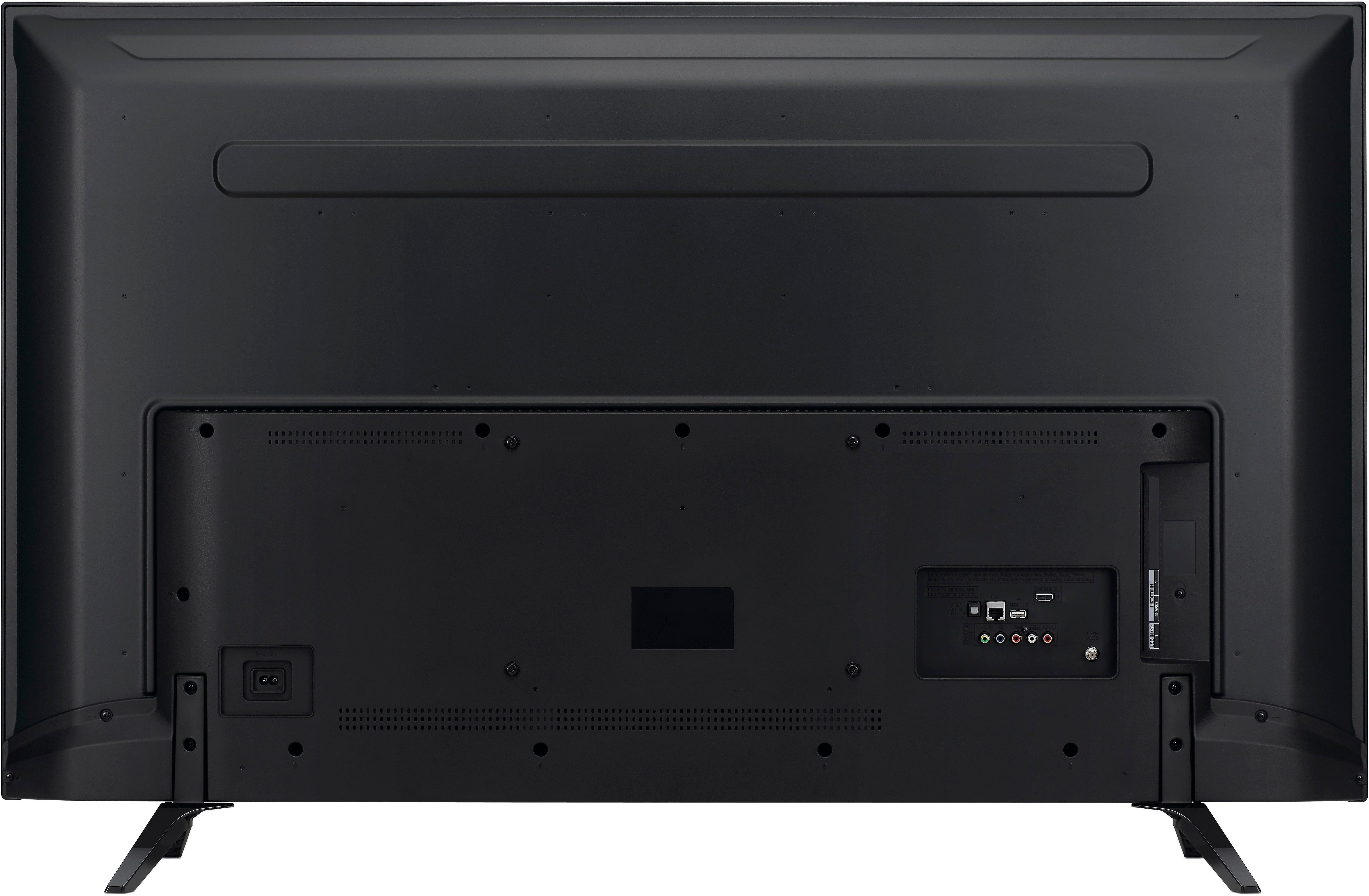
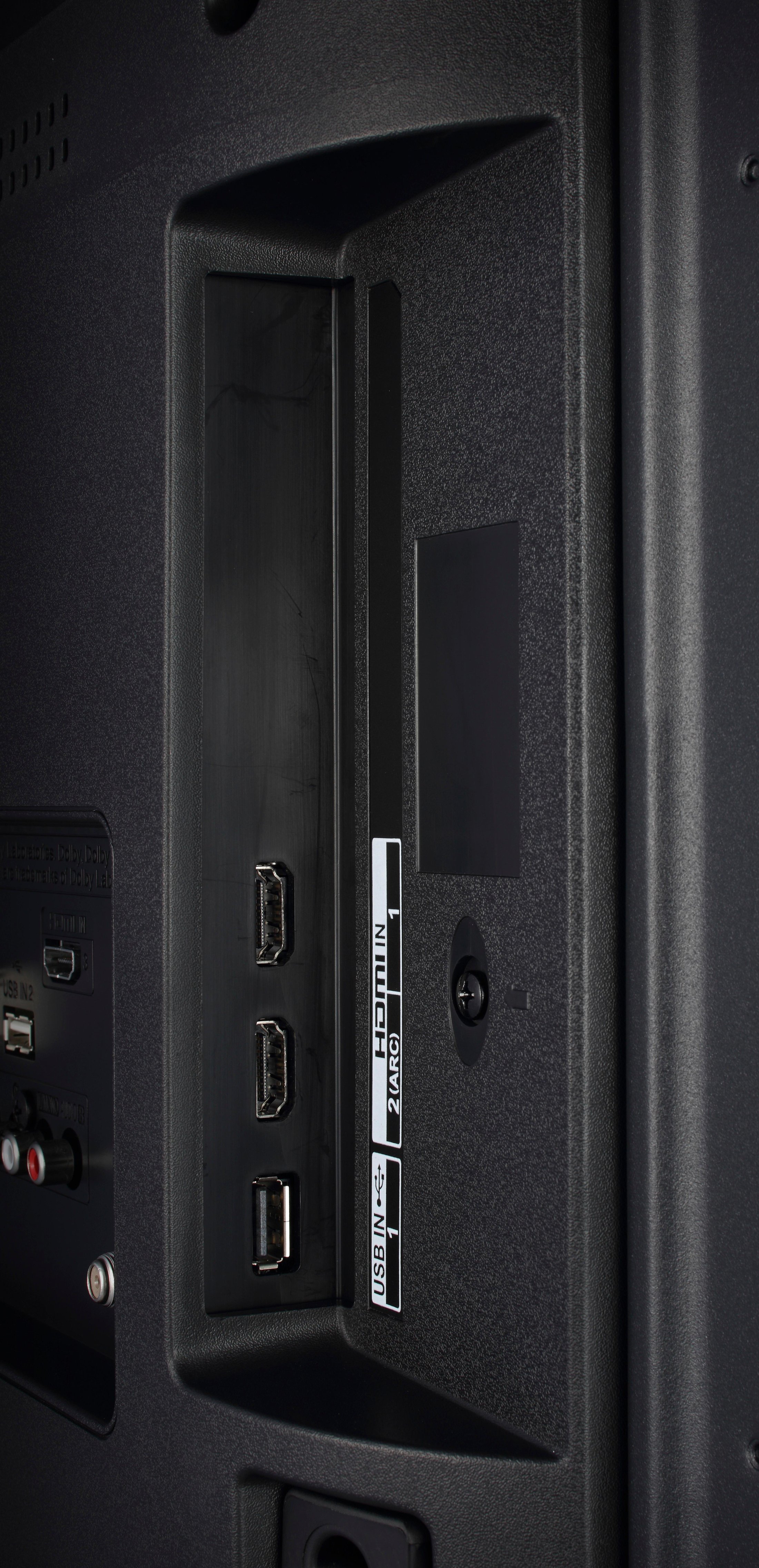
A:AnswerThe only other things you may need are the newer generation of HDMI 2 cables. which are rated to carry a 4K UHD signal, to connect your outboard devices to your new TV. It is a good idea to buy and install the new HDMI 2 cables at the same time as the purchase of the TV, as it will be easier to plug them into the TV while the HDMI jacks are easily accessible.
If you have cable-TV service, most persons plug the converter box into HDMI input #1. A Blu-ray or a newer 4K HD Blu-ray player typically plugs into HDMI input #2, and if you have a console gaming system, such as an X-Box or a PlayStation, it will plug into HDMI input #3. If there is a fourth HDMI input, which often is on the side of the TV, that is a great place to hook in a camcorder, to watch home videos.
Although most cable TV converter boxes are only 1080p Full HD capable at this time, newer 4K 2180p units are currently being engineered, and are likely to offered by the cable-TV companies to their users within a year or so. The newer 4K UHD Blu-ray players are able to play old DVDs and Blu-ray discs, as well as the latest UHD 4K discs. Since their release about two years ago, the prices for 4K UHD Blu-ray players have fallen dramatically and are now retailing, in many cases for only slightly more than $100.00, and are expected to drop well below that price in time for Christmas, 2018. So it is likely that one's Blu-ray or DVD player could be replaced with a newer 4K machine within the life of a new 4K UHD TV.
The latest generations of X-Box and PlayStations are already 4K capable, as long as one buys the new games which are encoded in 4K.
A:AnswerOur remote control's can be programmed to operate certain cable boxes however we cannot guarantee the remote control to work with all cable boxes. ^CP