Questions & Answers
- Model:
- 43UQ7590PUB
- |
- SKU:
- 6501937
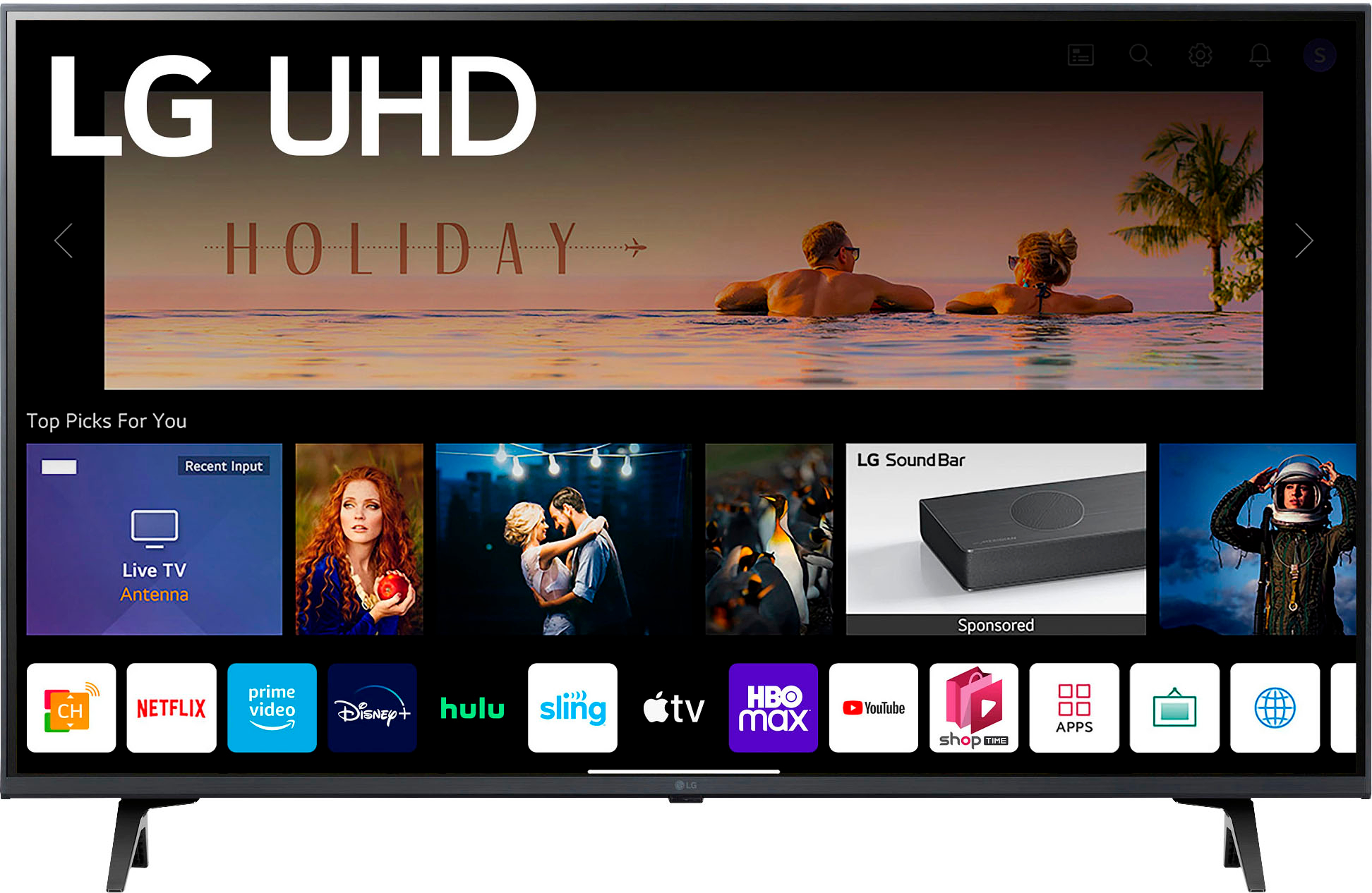
Q: QuestionAm I able to get the Spotify app on this tv to listen to music?
Asked by TeeVeeViewer.
- A:Answer Thank you for reaching us regarding LG Smart webOS TV. Yes, you can install the Spotify app on your LG 43UQ7590PUB TV. Just follow these steps: 1. Turn on your TV and press the home button on your remote. 2. Select the "LG Content Store" icon. 3. Use the search bar to find "Spotify" and click on it. 4. Hit "Install" to download the app. 5. Once it's installed, open the Spotify app and log in to start streaming music. You can download its owner's manual through this link for more information: https://www.lg.com/us/support/product/lg-43UQ7590PUB.AUS. For additional assistance, please reach out to us on social media @LGUSSupport so we can help you further. ^Cris
Answered by LG Digital Customer Care

Q: QuestionAm I able to organize the apps on the home screen to be able to select the apps I use most often?
Asked by Chnairb.
- A:Answer Yes
Answered by LorettaG
Q: QuestionDoes this have Bluetooth?
Asked by TarsaM.
- A:Answer Thank you for reaching us regarding LG Smart webOS TV. Yes, the LG 43UQ7590PUB is Bluetooth compatible. You can download its owner's manual through this link for more information: https://www.lg.com/us/support/product/lg-43UQ7590PUB.AUS. For additional assistance, please reach out to us on social media @LGUSSupport so we can help you further. ^Cris
Answered by LG Digital Customer Care

Q: QuestionWhat is operating wattage?
Asked by Anonymous.
- A:Answer Output power on wireless says 17 dbm on wireless
Answered by LGCombo
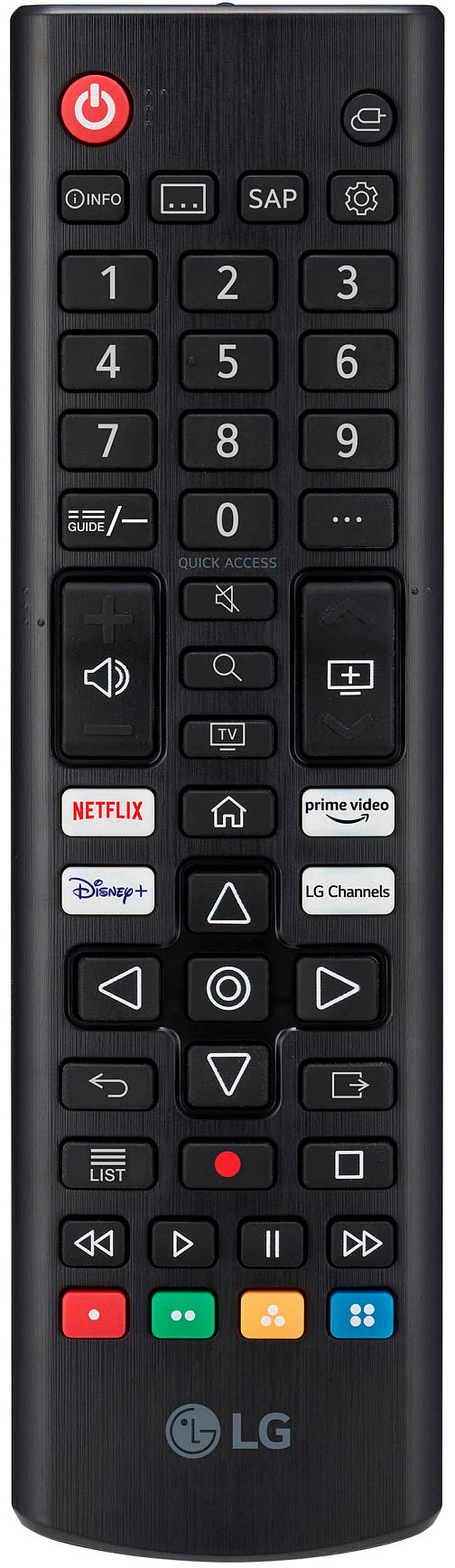
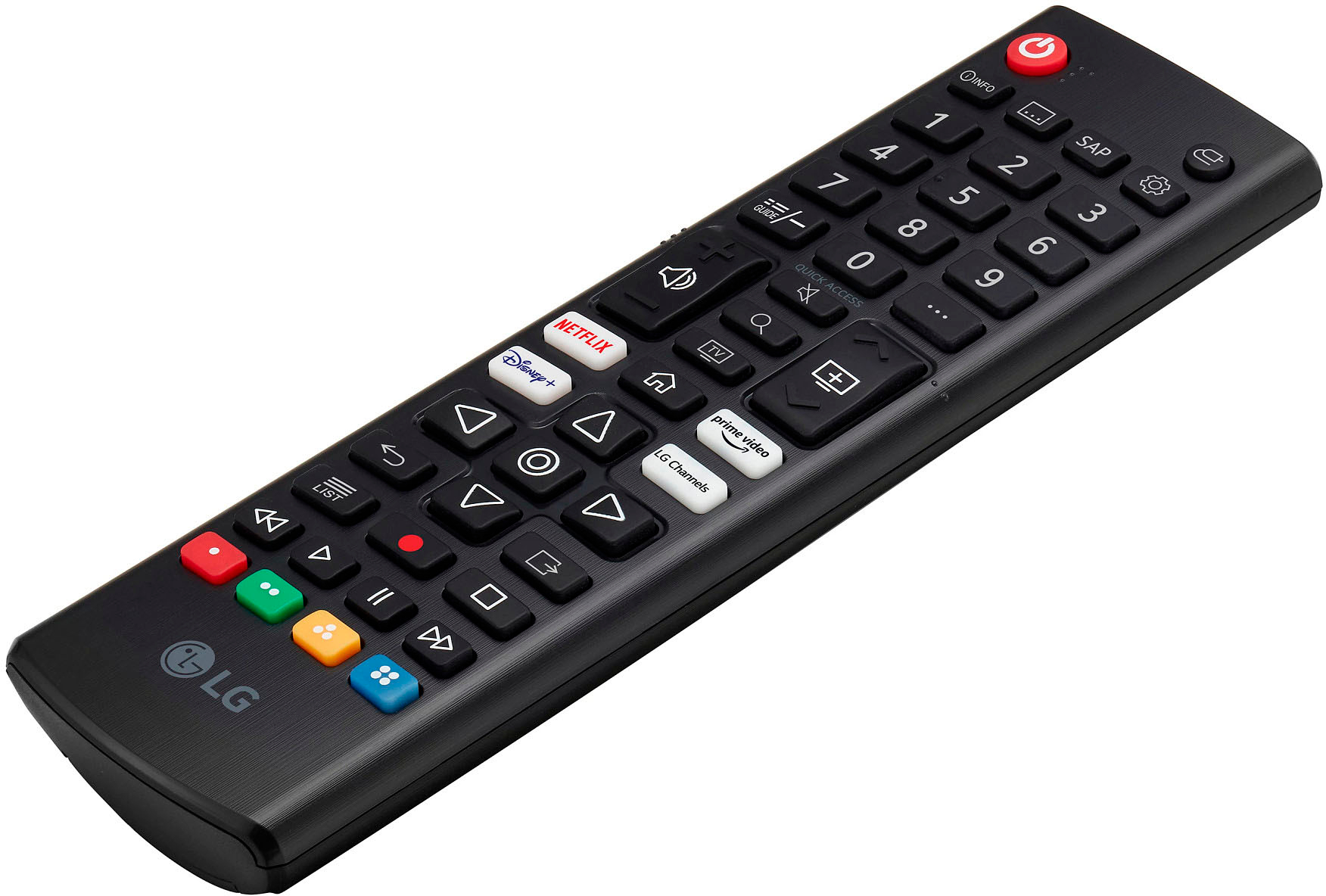
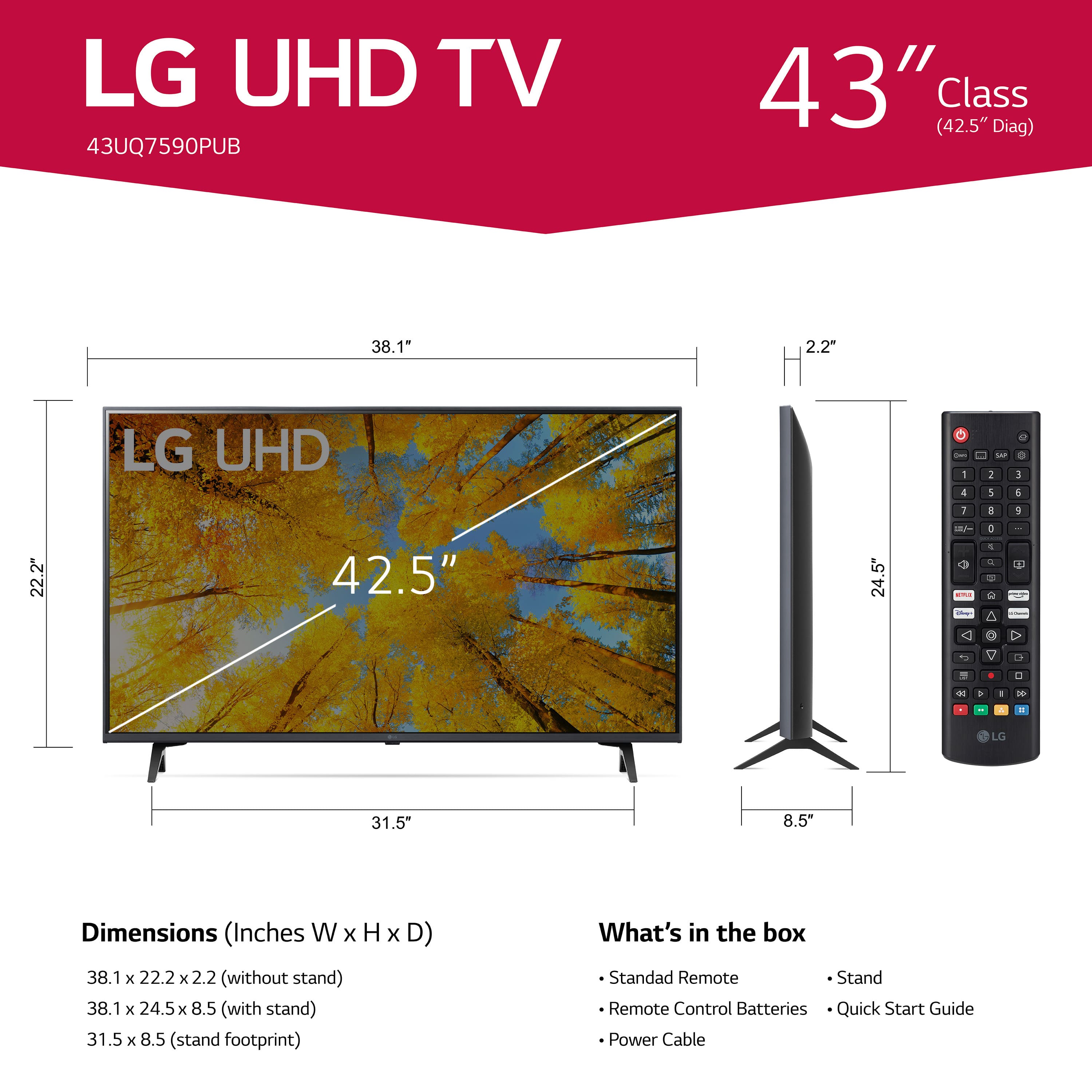
Q: QuestionWhat do all the buttons on my remote mean
Asked by Anonymous.
- A:Answer Still trying to figure them out, too many in my opinion that I will never use.
Answered by LorettaG
Q: QuestionIs there an option to show subtitles in English?
Asked by Anonymous.
- A:Answer Thank you for reaching us regarding LG Smart webOS TV. To turn on English subtitles on your LG 43UQ7590PUB TV, follow these simple steps: 1. Press the Settings Button: Use your remote to click the [Settings] button. 2. Go to All Settings: Select [All Settings] from the menu. 3. Access Accessibility: Click on [General], then scroll to [Accessibility]. 4. Turn on Closed Captioning: Find [Closed Caption] and switch it to [On]. If available, choose English as your subtitle language. You can download its owner's manual through this link for more information: https://www.lg.com/us/support/product/lg-43UQ7590PUB.AUS. For additional assistance, please reach out to us on social media @LGUSSupport so we can help you further. ^Cris
Answered by LG Digital Customer Care

Q: Questioncan I gfet installation assistance ??
Asked by Anonymous.
- A:Answer Yes you can.
Answered by Jaymin
Q: QuestionDoes this tv allow for a screensaver like a family photo? Any custom options for sleep mode?
Asked by FurbabyMama.
- A:Answer NO
Answered by LG4KTV
Q: QuestionCan I use this tv with an indoor antenna. We don’t have cable
Asked by Treb.
- A:Answer Yep, set up with the antenna was super easy
Answered by KaJoWo
Q: QuestionDoes this tv have AV syn feature which synchronize audio and video?
Asked by Research.
- A:Answer Sin with my soundbar was automatic so think the answer is yes
Answered by LGCombo
Q: Questionwhat is the current sale price?
Asked by cc.
- A:Answer I paid $279, plus tax.
Answered by DonaldW
Q: QuestionHow can I claim the warranty on my TV? , I bought it 6 months ago and from one moment to the next only lines appear on the screen.
Asked by Julioalcantara.
- A:Answer Thank you for raising your concern regarding LG Smart webOS (43UQ7590PUB) model. To claim the warranty for your LG 43UQ7590PUB TV, which is experiencing display issues, follow these simple steps: 1. Online Claim: - Visit the LG support page. - Click on "Request a Repair." - Enter your product type and model number. - Explain the issue and follow the instructions to schedule a repair. 2. Phone Claim: - Call LG at (800) 243-0000. - Inform the representative about the issue and provide the necessary warranty details. - Follow their guidance to initiate the repair process. 3. Email Form: - If you prefer not to call, submit a claim by filling out an online email form on LG's official website. 4. Contact LG Support: - Reach out to LG's customer support through chat, phone, or social media for assistance with the warranty claim. If problem persist, please reach out to us on social media @LGUSSupport so we can help you further. ^Cris
Answered by LG Digital Customer Care

Q: QuestionWhat type if manufacturers warranty comes with this tv?

Asked by S.
- A:Answer This TV comes with a 1-year warranty.
Answered by Armadillo1982
Q: QuestionThe screen keeps glitching and freezing. Sometimes it starts jumping on the menu screen, freezes and won't allow us to do anything. Others it has blacked out areas or it pixels the picture. Is there a fix for this or did we just get a bad TV?
Asked by PaceFamily5.
- A:Answer Hello there! It sounds like your 43UQ7590PUB TV is having some issues with glitching and freezing. To troubleshoot, ensure all cables are securely connected, check for any software updates in the settings, and consider performing a factory reset if problems persist. If these steps don’t help, it may be best to contact LG Customer Support for further assistance, as your TV may require service. We appreciate your patience as we work to resolve this matter! —Avril
Answered by LG Digital Customer Care

Q: QuestionDOES THI DEVICE HAVE MULTILE DISPAY PORTS AND/OR AN INPPUT SWITCH/
Asked by CARL.
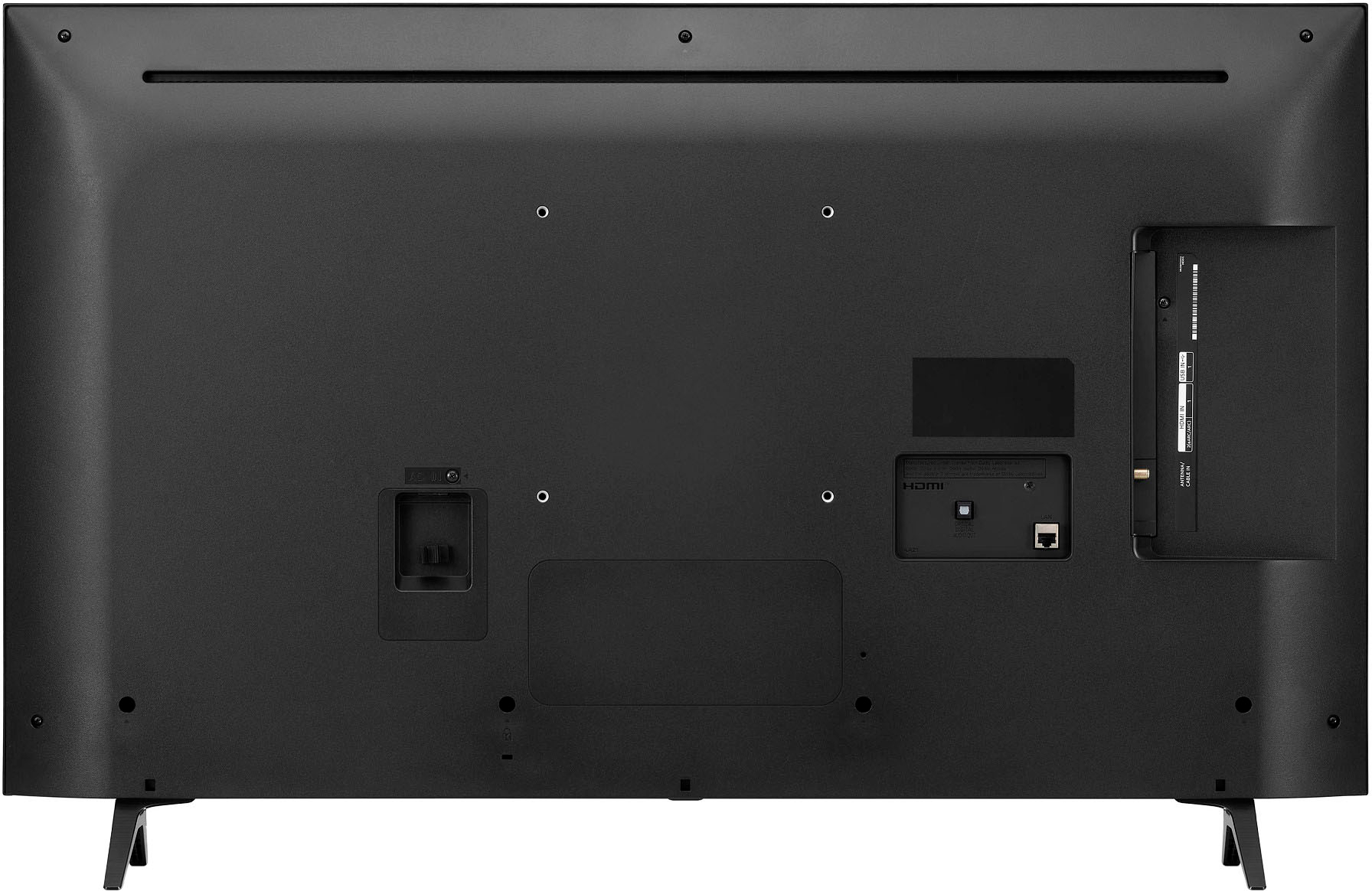
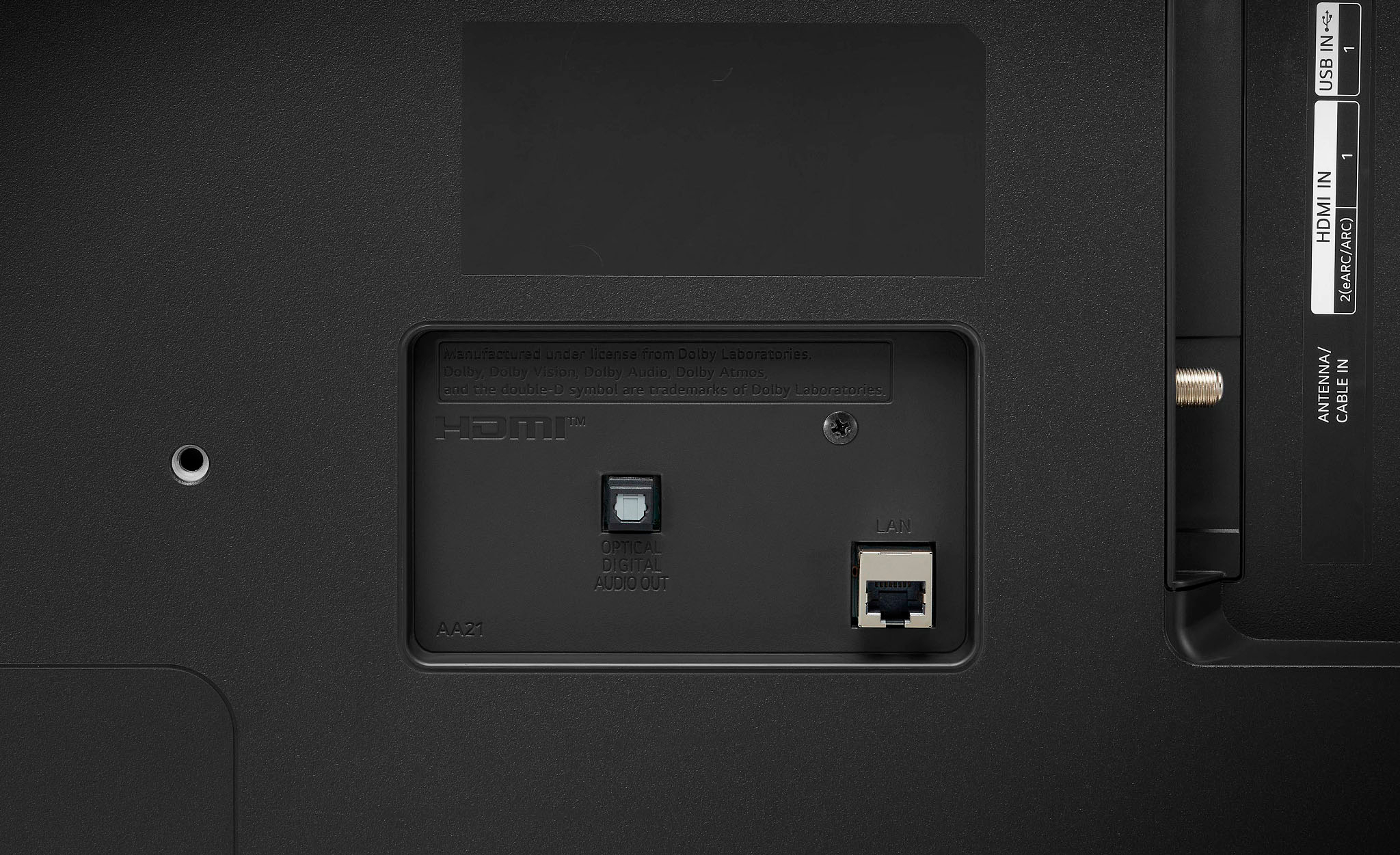
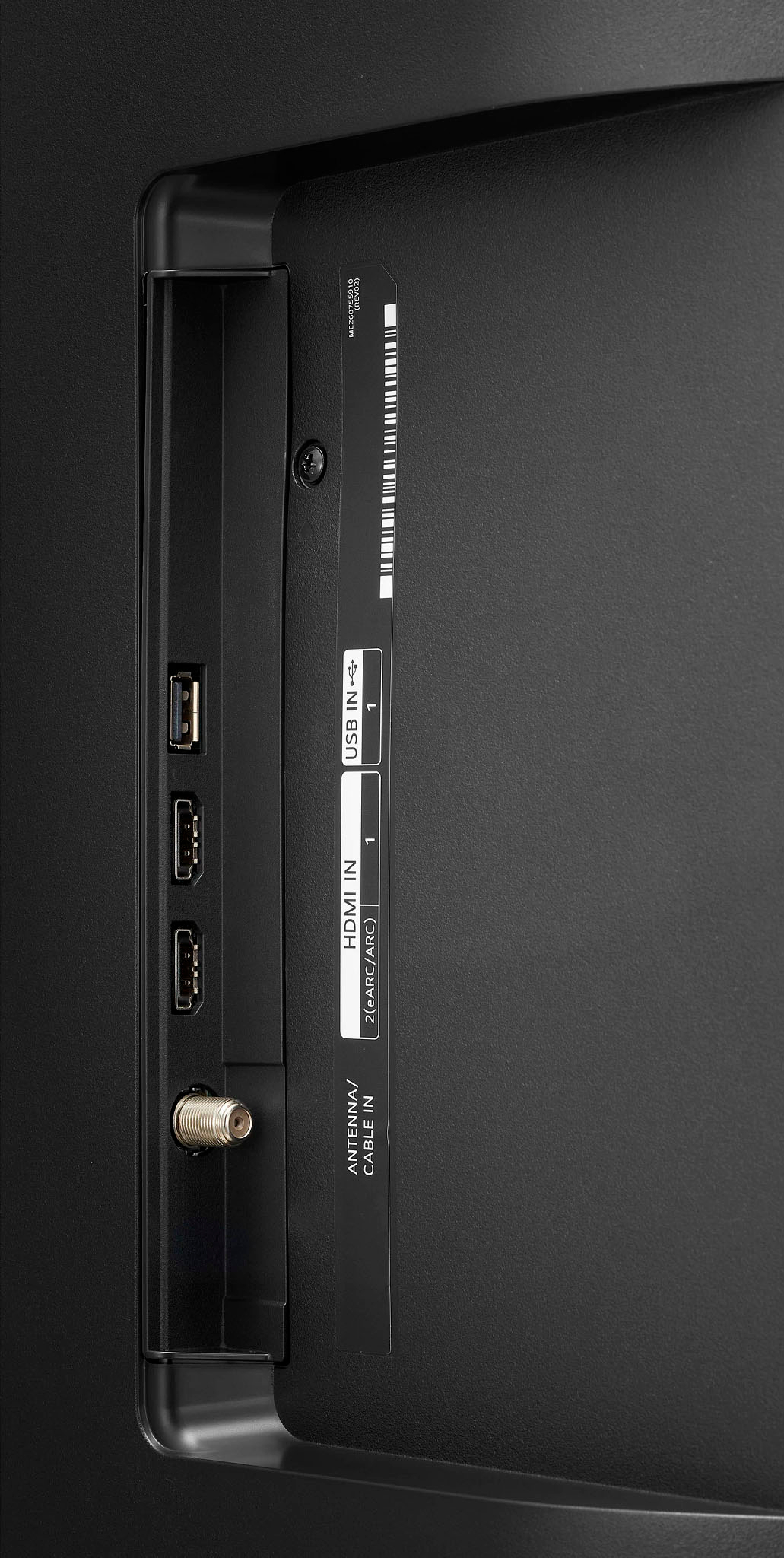
- A:Answer Two hdmi earc. One usb. One optical output.
Answered by BryanS
Q: QuestionIf this is a smart TV how come you can't give verbal commands to the remote?
Asked by Sid.
- A:Answer Mine came with a smart remote and I can issue verbal commands through it. It is my understanding that some variants come with the basic remote.
Answered by Armadillo1982
Q: QuestionWould this tv work well with ps5.
Asked by Dave.
- A:Answer Yes ,100%! This TV is great for gaming! 80 fps!
Answered by ScottyH
Q: QuestionDoes this TV support Hulu Live T.V.?
Asked by MB.
- A:Answer Yes so far it seems to be capable of most if not all streaming platforms.
Answered by Penny
Most-viewed items
- $119.99Your price for this item is $119.99$229.99The comparable value for this item is $229.99
- $249.99Your price for this item is $249.99$379.99The comparable value for this item is $379.99
- $69.99Your price for this item is $69.99$79.99The comparable value for this item is $79.99
- Black Friday Deal$169.99Your price for this item is $169.99
- Black Friday Deal$399.99Your price for this item is $399.99
- Black Friday Deal$189.99Your price for this item is $189.99
- Black Friday Deal$999.99Your price for this item is $999.99
- Black Friday Deal$1,399.99Your price for this item is $1,399.99
- $349.99Your price for this item is $349.99$489.99The comparable value for this item is $489.99
- $649.99Your price for this item is $649.99$1,299.99The comparable value for this item is $1,299.99
- $479.99Your price for this item is $479.99$649.99The comparable value for this item is $649.99
- $229.99Your price for this item is $229.99$379.99The comparable value for this item is $379.99
- $949.99Your price for this item is $949.99$1,999.99The comparable value for this item is $1,999.99
- Black Friday Deal$229.99Your price for this item is $229.99
- Black Friday Deal$74.99Your price for this item is $74.99
- Black Friday Deal$599.99Your price for this item is $599.99
- $459.99Your price for this item is $459.99$549.99The comparable value for this item is $549.99
- $379.99Your price for this item is $379.99$469.99The comparable value for this item is $469.99
- Black Friday Deal$699.99Your price for this item is $699.99