Early Black Friday DealsNew Doorbusters every Friday.Shop now

Skip to content
Gift Ideas
26 Cypress St
Williston, VT 05495
Open until 9 pm
Find Another Store
Main Content

Questions & Answers

Your price for this item is $299.99
The comparable value price is $399.99
Page Showing 21-40 of 78 questions
  • QuestionDoes this soundbar support legacy/uncommon forms of surround sound? (Examples: Linear PCM 5.1 used by Nintendo Switch 1 and 2, Dolby Pro Logic 2 used by Nintendo GameCube, and Dolby Surround used by the Super Nintendo and Nintendo 64)

    Asked by CrazyCaps.

    • Answer The supported Audio formats on the LG 5.1-Channel S60TR Home Theater Soundbar with Wireless Subwoofer and Rear Speakers, Dolby Audio, WOW Orchestra - Black are: AAC / AAC+, Dolby Digital, DTS Digital Surround, LPCM, MP3, WAV C4A / USB, and WMA...^Ivan.

      Answered by LG Digital Customer Care

  • QuestionWhat is the sound output

    Asked by Anonymous.

    • Answer Hi there. We understand your inquiry about the sound output of the LG S60TR soundbar. The total power output for this 5.1-channel system is 440W. This power is distributed across the soundbar, wireless subwoofer, and rear speakers to provide a clear and immersive audio experience. We'd like to assist you further. Please send us a private message on Social Media @LGUSSupport and our team will be more than happy to explore possible solutions. https://www.bestbuy.com/product/lg-5-1-channel-s60tr-home-theater-soundbar-with-wireless-subwoofer-and-rear-speakers-dolby-audio-wow-orchestra-black/JJ8VPZHJLK We appreciate your patience. —Renzo

      Answered by LG Digital Customer Care

  • QuestionWhen we're watching a movie with the Soundbar on, it will start to make a popping sound every few minutes.

    Asked by Smitty.

    • Answer Hello there, Smitty. Thank you for sharing your experience with the LG S60TR Home Theater Soundbar. We understand that you are hearing a popping sound when watching movies. This issue may be caused by interference with other wireless devices. We recommend trying to move the soundbar and the wireless subwoofer a few feet away from other electronics like a Wi-Fi router or cordless phone. Your feedback is important, and we'd like to assist you further. Please send us a private message on Social Media @LGUSSupport and our team will be more than happy to explore possible solutions. https://www.bestbuy.com/product/lg-5-1-channel-s60tr-home-theater-soundbar-with-wireless-subwoofer-and-rear-speakers-dolby-audio-wow-orchestra-black/JJ8VPZHJLK We appreciate your patience. —Renzo

      Answered by LG Digital Customer Care

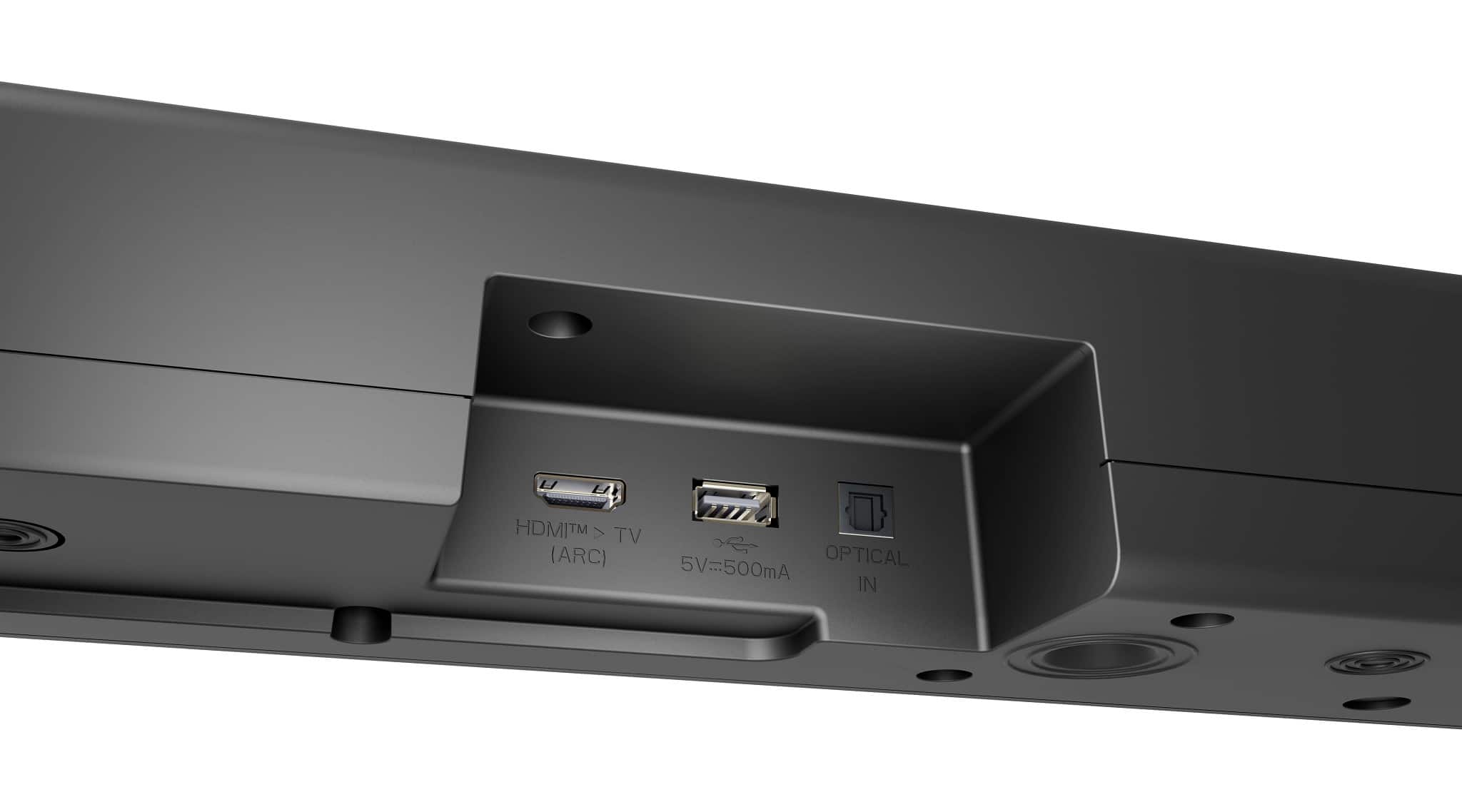
  • QuestionDoes this soundbar have HDMI connectivity

    Asked by Frank.

    • Answer If you have HDMI

      Answered by OmarL

  • QuestionIs the soundbar compatible with Xfinity remote control?

    Asked by TerribleT.

    • Answer Hello there. Thank you for sharing your inquiry with us. We understand you're asking about the compatibility of your LG S60TR soundbar with an Xfinity remote control. Generally, Xfinity remotes are designed to be programmable to control various audio devices, including soundbars. While LG soundbars are typically compatible, you will need to program your Xfinity remote to recognize and control your specific LG S60TR model. This usually involves entering a manufacturer-specific code for LG soundbars into your Xfinity remote. Common steps to program an Xfinity remote for a soundbar include: Turning on your soundbar. Holding down a "Setup" button (or specific button combination, depending on your Xfinity remote model) until an LED light changes color. Entering a specific code for LG soundbars (a common one seen is "31293," but it's always best to check the Xfinity remote support website or your remote's manual for the most accurate and up-to-date codes for your specific Xfinity remote model). Testing the volume and power buttons to confirm successful programming. https://www.bestbuy.com/site/lg-5-1-channel-s60tr-home-theater-soundbar-with-wireless-subwoofer-and-rear-speakers-dolby-audio-black/6579924.p?skuId=6579924 Please send us a private message on Social Media @LGUSSupport if you have any further questions or encounter any difficulties during the programming process. We appreciate your patience. —Renzo

      Answered by LG Digital Customer Care

  • Questionwill this work with a 43UM6910PVA? The TV appears to have optical port.

    Asked by Anonymous.

    • Answer Hi there. Thank you for reaching out to us about the LG S60TR Home Theater Soundbar. We understand your inquiry about its compatibility with your LG 43UM6910PUA TV. Yes, the LG S60TR soundbar should work with your LG 43UM6910PUA TV. The S60TR soundbar is equipped with an optical audio input, and the 43UM6910PUA TV has an optical digital audio output. This means you can connect the two devices using an optical cable, which is included with the S60TR soundbar. To connect them, you'll simply plug one end of the optical cable into the "Digital Audio Output (Optical)" port on the back of your TV and the other end into the "OPTICAL IN" port on the soundbar. After connecting, you may need to go into your TV's sound settings and select "Optical" or "External Speaker" as the audio output. https://www.bestbuy.com/site/lg-43-class-6-series-led-4k-uhd-smart-webos-tv/6363867.p?skuId=6363867 Please send us a private message on Social Media @LGUSSupport if you need any further assistance with the connection or have additional questions. We appreciate your patience. —Renzo

      Answered by LG Digital Customer Care

  • QuestionIs this compatible with Roku televisions?

    Asked by Jake.

    • Answer Yes

      Answered by Caessrmslone

  • QuestionWhat is the output wattage?

    Asked by Lou.

    • Answer Hello there, Lou. Thank you for sharing your experience with us. We understand your inquiry about the output wattage of the LG 5.1-Channel S60TR Home Theater Soundbar, model S60TR. The total output wattage for this soundbar system is 440W. This power is distributed across its channels: the front speakers are 40W x 2, the center speaker is 40W, the rear speakers are 50W x 2, and the wireless subwoofer is 220W. https://www.bestbuy.com/site/lg-5-1-channel-s60tr-home-theater-soundbar-with-wireless-subwoofer-and-rear-speakers-dolby-audio-black/6579924.p?skuId=6579924 Your feedback is important, and we'd like to assist you further. Please send us a private message on Social Media @LGUSSupport and our team will be more than happy to explore possible solutions. We appreciate your patience. —Renzo

      Answered by LG Digital Customer Care

  • QuestionCan you attach the sound bar to the bottom of an LG TV that is wall mounted?

    Asked by GM.

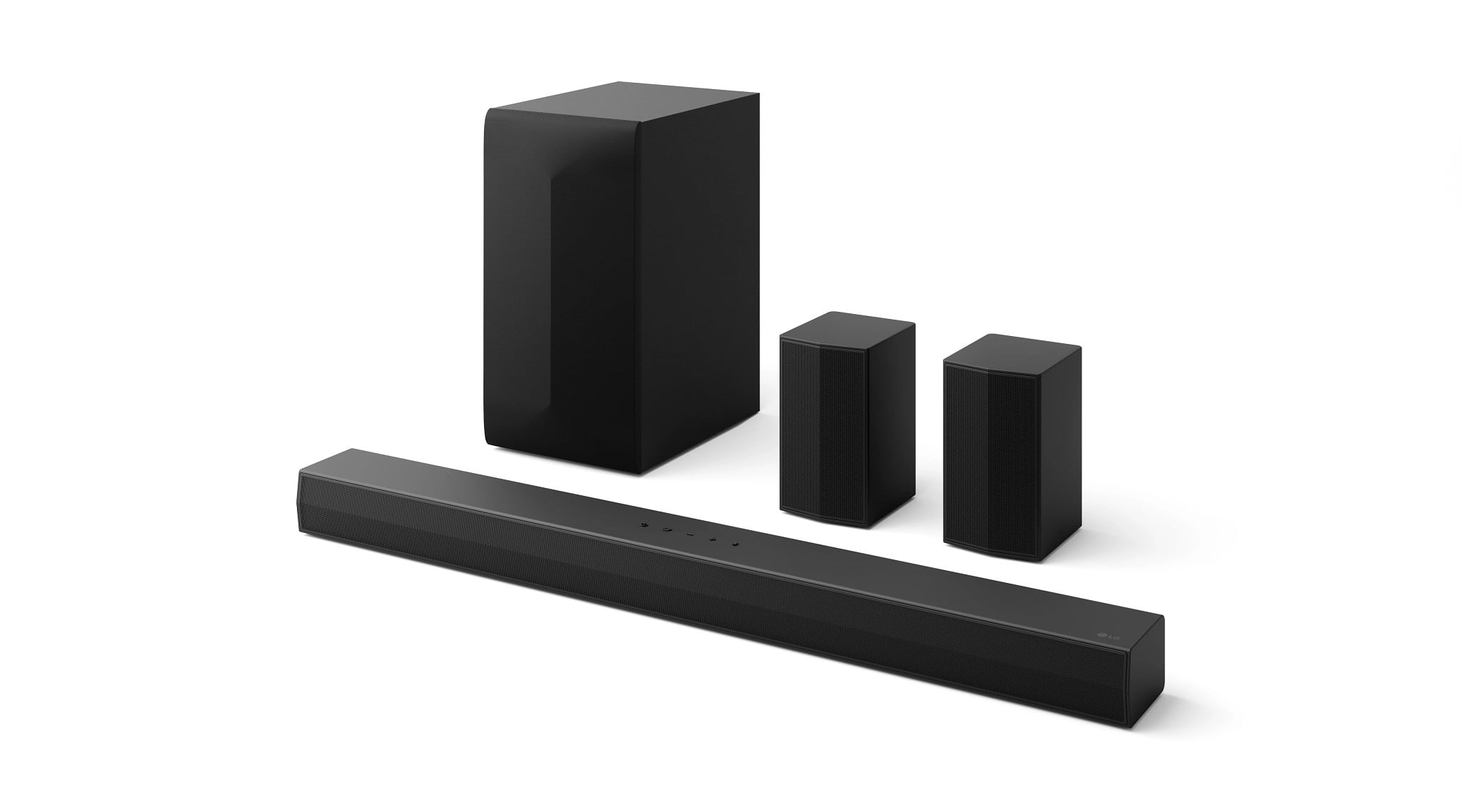
    • Answer The LG 5.1-Channel S60TR Home Theater Soundbar with Wireless Subwoofer and Rear Speakers, Dolby Audio - Black, Model # S60TR comes with wall brackets and a wall bracket installation guide that allow you to mount it on your wall below an LG TV. It does not have a special bracket that allows you to mount it to the bottom of an LG TV like the SC9S LG Soundbar C for TV with Dolby Atmos® and Synergy Bracket 3.1.3 channel that comes with an exclusive LG OLED Synergy Bracket can be used as a TV stand or mounted with your LG OLED evo C Series TVs on the wall (LG 55”, 65”, and 77” OLED evo C2, C3, and C4 models)...^Ivan.

      Answered by LG Digital Customer Care

  • QuestionHow many watts is this LG sound bar ?

    Asked by DaddyTony.

    • Answer Hi, Tony. Thank you for reaching out. The LG Soundbar (S60TR) model has a total power output of 300 watts, which provides clear, powerful sound to enhance your audio experience. For more information about the product, you may visit https://www.lg.com/us/soundbars/lg-s60tr-home-theater-soundbar. If you need more details about setting it up or any other inquiries, feel free to send us a private message on social media @LGUSSupport. We're ready to assist you further. ^Juvy

      Answered by LG Digital Customer Care

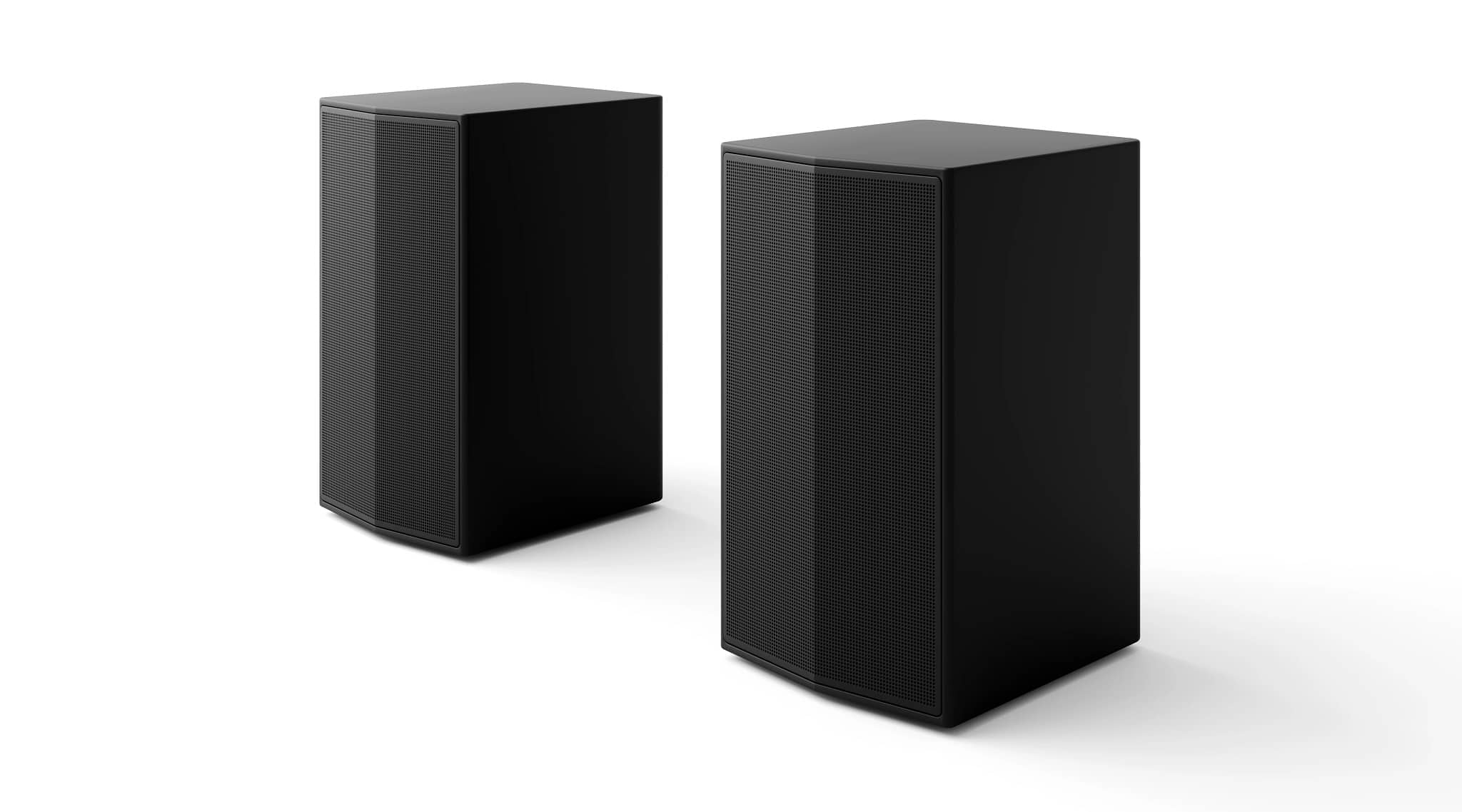
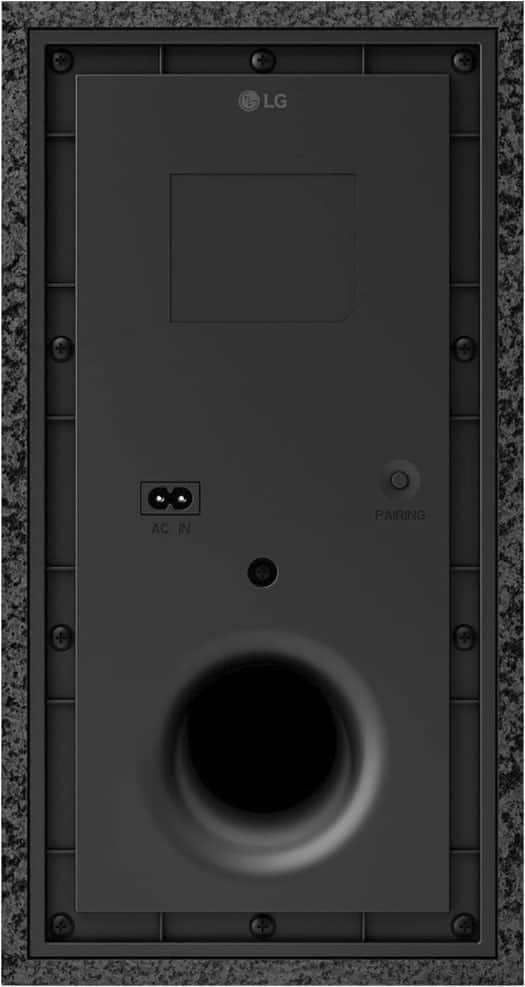
  • QuestionHow are wireless speakers powered?

    Asked by wireless.

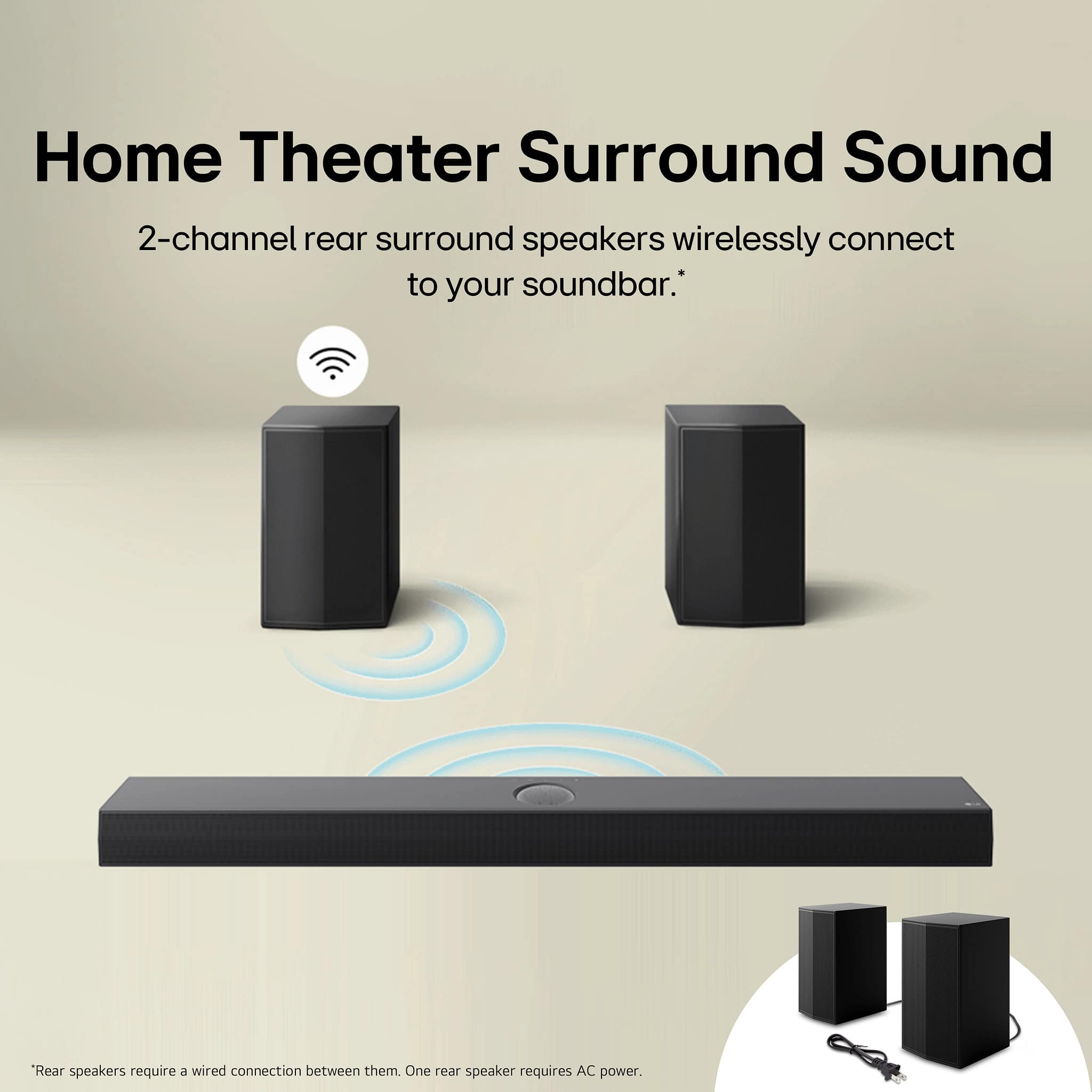
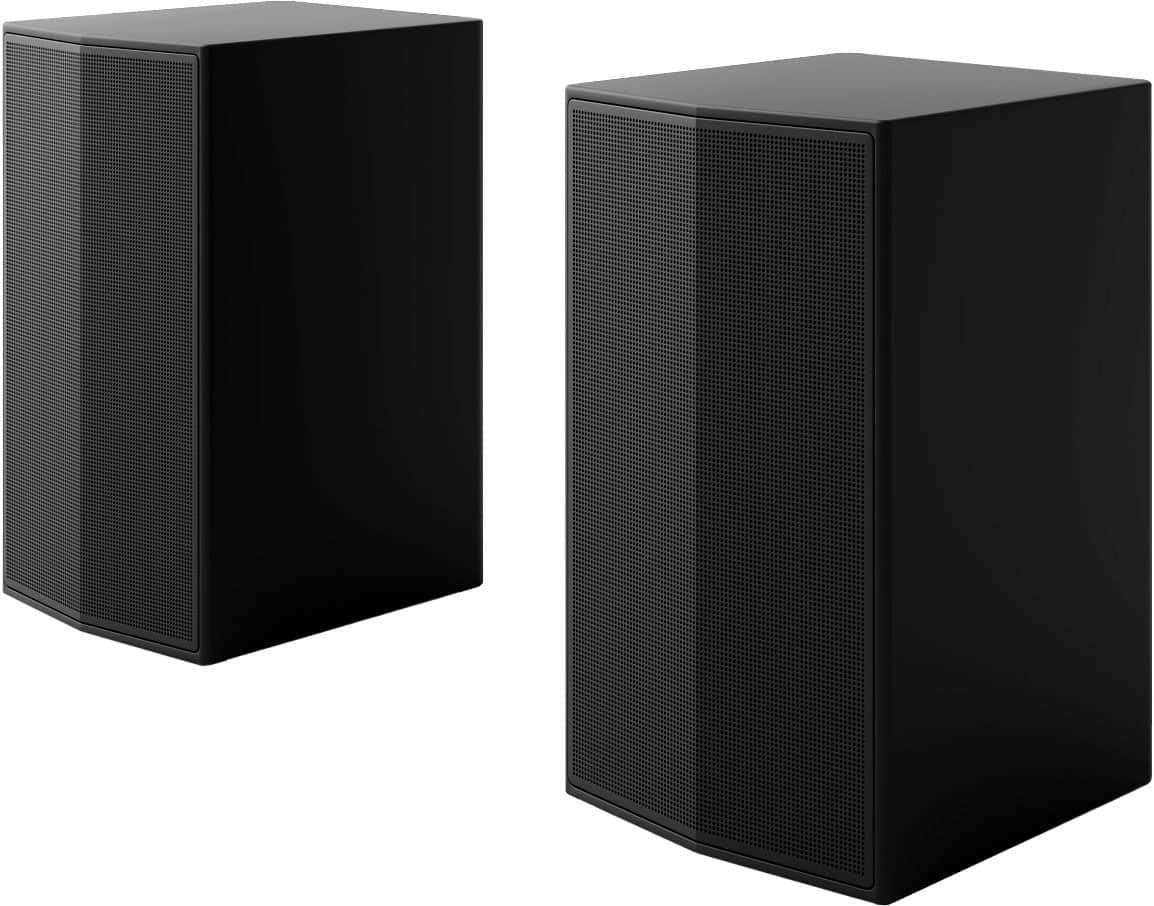
    • Answer The wireless rear speakers for the LG 5.1-Channel S60TR Home Theater Soundbar with Wireless Subwoofer and Rear Speakers, Dolby Audio - Black must be plugged into an outlet for power...^Ivan.

      Answered by LG Digital Customer Care

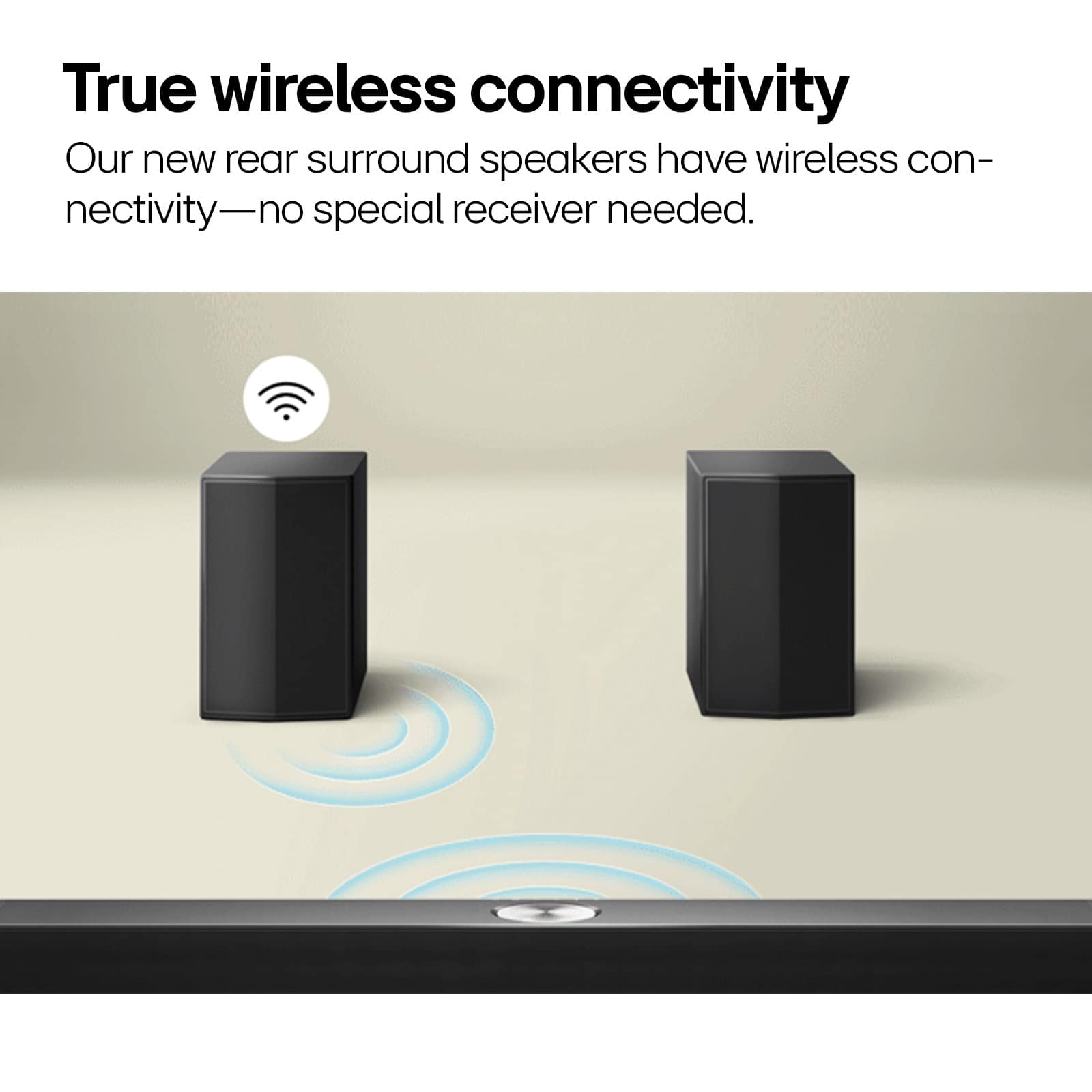
  • QuestionAssuming that the back speakers connect to the soundbar, What is the maximum distance between the back speakers and the soundbar to reach the signal?

    Asked by Bert.

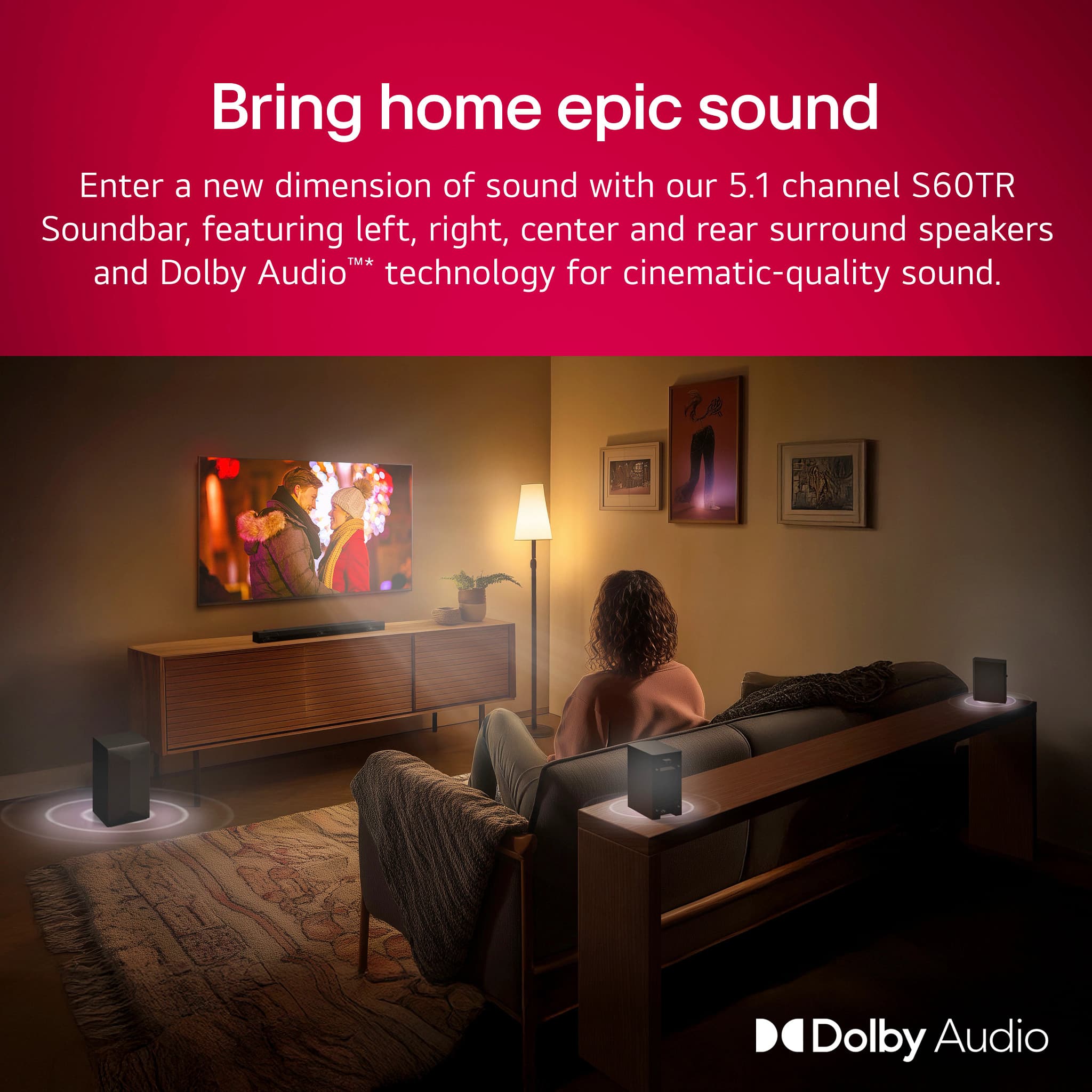
    • Answer The rear speakers for the S60TR LG Home Theater Soundbar with Dolby Audio ® and Rear Speakers, 5.1 channel, have wireless connectivity and do not require a special receiver, so to prevent wireless interference, you should maintain a distance of at least 1 m (3.3 Ft) between the soundbar, or the wireless speakers and the wireless subwoofer and any peripheral devices that generate strong electromagnetic waves (ex. wireless routers, microwave ovens, etc.). The closer the distance between the soundbar and the wireless subwoofer and rear speakers, the better the sound quality. The rear speakers need to be plugged into an outlet for power so that may dictate the maximum distance they can be from the soundbar, but it should not exceed 1 m (3.3 Ft) which is the maximum distance for a Class II Bluetooth® device...^Ivan.

      Answered by LG Digital Customer Care

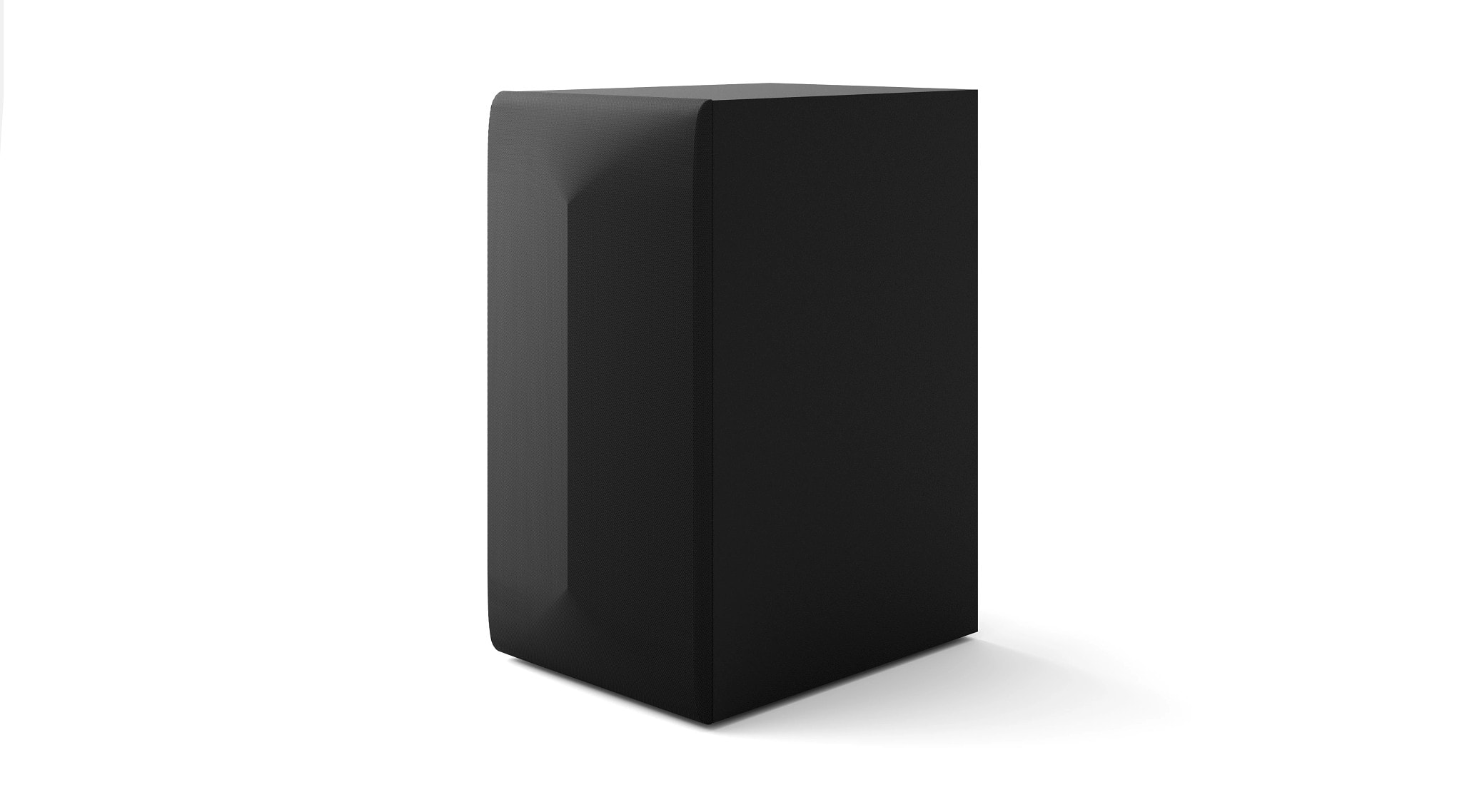
  • QuestionWhat size speaker is the subwoofer?

    Asked by Ronnie.

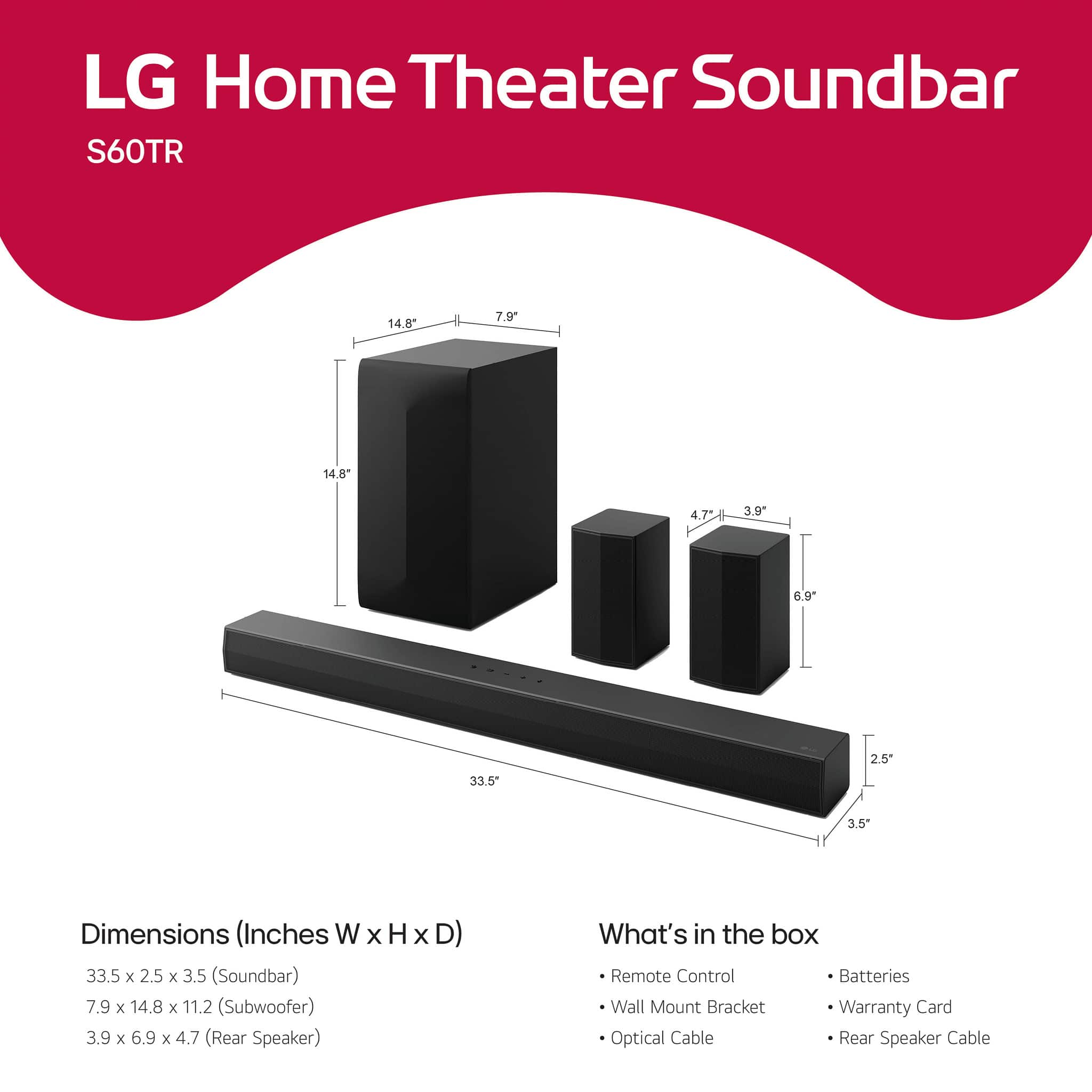
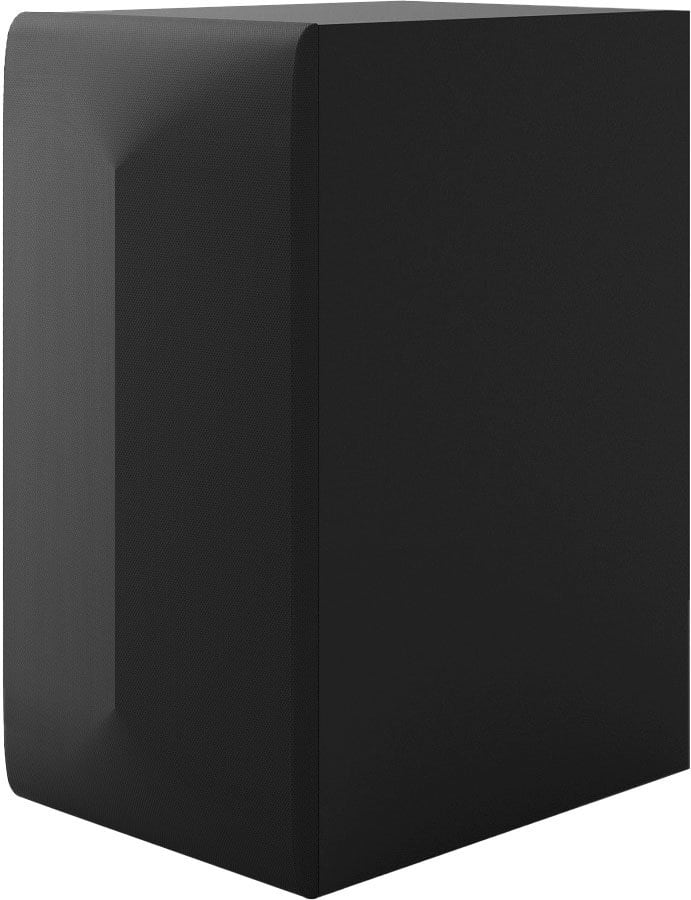
    • Answer Hello there! Thank you for reaching out with your question about the LG 5.1-Channel S60TR Home Theater Soundbar (Model: S60TR). The subwoofer for this unit has the following dimensions: Height: 14.8 inches Width: 7.9 inches Depth: 11.2 inches https://www.bestbuy.com/site/lg-5-1-channel-s60tr-home-theater-soundbar-with-wireless-subwoofer-and-rear-speakers-dolby-audio-black/6579924.p?skuId=6579924 If you have any further questions or need assistance, feel free to send us a private message on Social Media @LGUSSupport, and we’ll be more than happy to assist you! —Renzo

      Answered by LG Digital Customer Care

  • QuestionCan this sound bar be mounted on the top of a console under a 55 oled model OLED55C4PUA with the hardware supplied

    Asked by CharlesB.

    • Answer Hi there, CharlesB. We understand your inquiry about placing your LG 5.1-Channel S60TR Home Theater Soundbar on a console under your 55″ OLED (Model OLED55C4PUA) using the hardware supplied. The S60TR does include mounting hardware, but those brackets and screws are specifically designed for wall-mount installations—attaching the soundbar directly to a wall surface. If you’d like to position the soundbar on top of your console, you actually do not need to use the wall-mount brackets. Instead, you can simply rest the soundbar on the console shelf beneath your OLED TV. Here’s one troubleshooting step to ensure optimal performance and safety when doing so: Troubleshooting Step – Ensure Proper Clearance & Stability: Stable Surface: Place the S60TR on a flat, level section of your console that is at least 34″ wide (the soundbar itself is 33.5″). This gives it enough space so it won’t overhang or risk tipping. Ventilation & Heat Clearance: Leave at least 1″ of space between the top of the soundbar and the bottom edge of your TV. OLED TVs like the OLED55C4PUA can exhaust a little heat from their bottom vents, and the soundbar also vents heat from its top and rear panels. That 1″ gap prevents heat buildup. Speaker Alignment: Center the soundbar directly beneath the TV so that its left and right channels align with the edges of the OLED screen. This ensures balanced acoustics and maintains the intended soundstage. Cable Management: Use the rear-firing wire-clips on the S60TR to keep your HDMI (ARC/eARC), optical, or power cable neatly routed behind the console. Avoid pinching or bending cables at tight angles to prevent signal loss or damage. By following these steps, you’ll have the soundbar positioned securely and at the correct height for clear audio, without using the wall-mount hardware. If, at any point, you decide to attach it to the wall instead—say, below your TV—you can use the supplied wall-mount brackets and screws; just locate wall studs and fasten the brackets at a height that leaves a 1″ clearance above the soundbar so it doesn’t press against the OLED’s bottom edge. Should you encounter any stability concerns—such as the soundbar shifting when the rear speakers shake the floor—you could optionally place small non-slip rubber pads (available at most electronics or hardware stores) under the soundbar’s feet. These will prevent slipping without affecting its acoustic performance. https://www.bestbuy.com/site/lg-5-1-channel-s60tr-home-theater-soundbar-with-wireless-subwoofer-and-rear-speakers-dolby-audio-black/6579924.p?skuId=6579924 If you have any further questions about mounting options or want guidance on the best cables to connect your OLED55C4PUA to the S60TR for Dolby Atmos or eARC, please send us a private message on social media @LGUSSupport. Our team would be happy to walk you through every detail and ensure your home theater setup is both safe and sounds incredible. We appreciate your patience and look forward to helping you enjoy the full power of your S60TR soundbar and OLED TV together. —Renzo


      Answered by LG Digital Customer Care

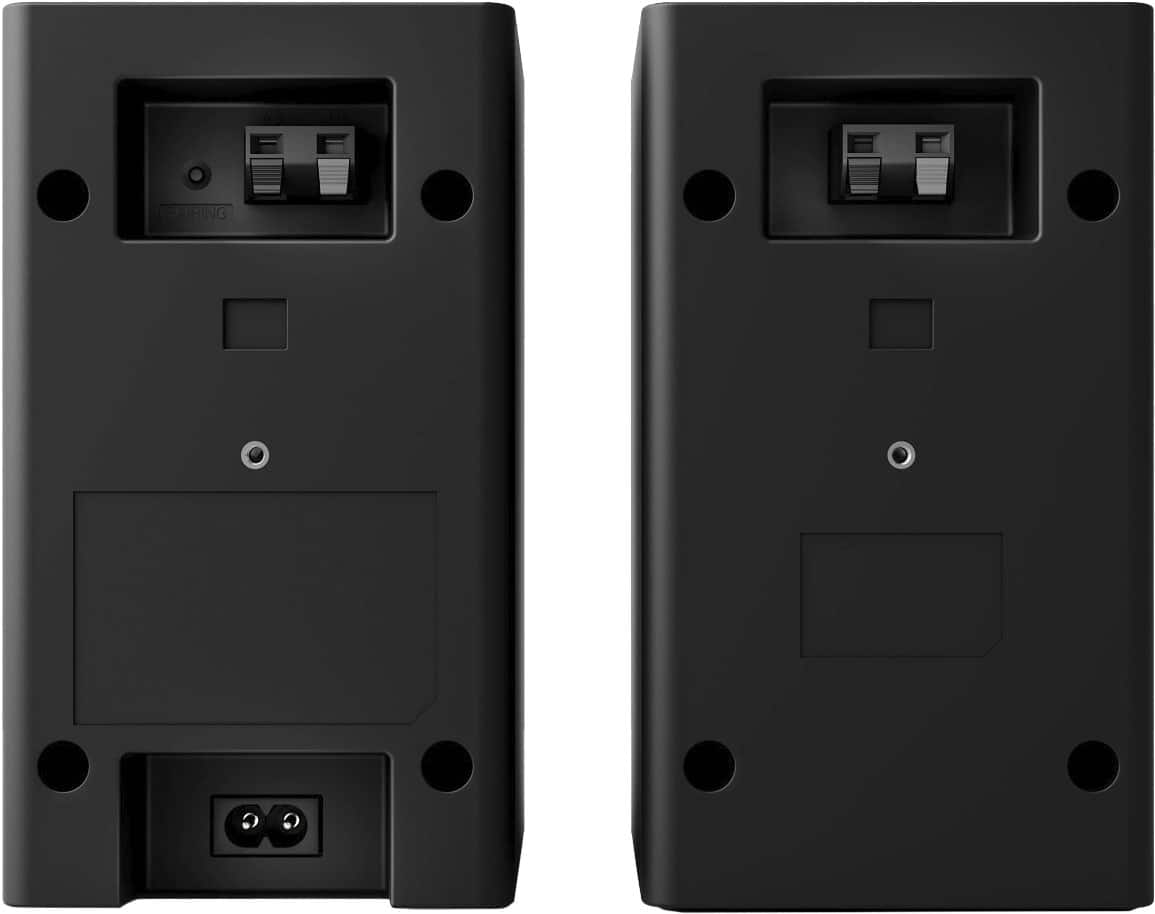
  • QuestionDo the rear speakers require AC power? and can they connect wired to the soundbar?

    Asked by taylormannin.

    • Answer Only one speaker needs to have AC power. The other rear speaker is connected by auxiliary chord from the other speaker requiring AC power.

      Answered by DavidLM

  • Questiondoes this LG soundbar work with Insignia tv?

    Asked by Anonymous.

    • Answer Hello there! We understand your inquiry. You’re asking if the LG 5.1-Channel S60TR Home Theater Soundbar (Model S60TR) will work with your Insignia TV. Great news—it’s fully compatible: • HDMI ARC Connection If your Insignia TV has an HDMI ARC port (often labeled “ARC” on the HDMI inputs), simply connect the soundbar’s HDMI output to the TV’s ARC port using a high-speed HDMI cable. On your TV’s settings menu, enable HDMI ARC or External Speaker, then select the soundbar as the audio output. You should hear your TV audio through the S60TR immediately. Troubleshooting Tip: If you don’t get sound right away, check that CEC (Consumer Electronics Control) is also enabled on your Insignia TV—this lets ARC control power and volume between devices. • Optical Digital Audio If your TV lacks ARC, use the included optical cable: plug one end into the TV’s optical audio output and the other into the soundbar’s Optical In. Then set the TV’s audio output format to PCM or Stereo in the sound settings. • Bluetooth Streaming For wireless audio, put the S60TR into Bluetooth pairing mode by pressing and holding the Bluetooth button on the remote until the LED flashes. On your Insignia TV, open Bluetooth settings, select “LG S60TR,” and confirm. https://www.bestbuy.com/site/lg-5-1-channel-s60tr-home-theater-soundbar-with-wireless-subwoofer-and-rear-speakers-dolby-audio-black/6579924.p?skuId=6579924 For any additional guidance or to walk through the setup process together, please send us a private message on social media @LGUSSupport and our team will be more than happy to explore possible solutions. We appreciate your patience as we help you enjoy immersive sound with your new LG soundbar. —Renzo

      Answered by LG Digital Customer Care

  • QuestionAre the 2 wall mountable speakers truly "wireless" or do they need to be plugged into a power source? Asking because I don't want to run power up a wall if I don't have to.

    Asked by John.

    • Answer One needs to be plugged into a power source, the second gets attached to the first.

      Answered by AustinC

  • QuestionDo both wireless rear speakers need a power

    Asked by Jd.

    • Answer Just one they plug into each other

      Answered by Waterfilterguy

  • QuestionWhat kind of rear speaker stands do you recommend purchasing?

    Asked by SmallTownGrl.

    • Answer Lg

      Answered by Michele1957

  • QuestionHow long do the wireless speakers stay on?

    Asked by Bet1.

    • Answer As long as I have it hooked up to the TV, Until TV goes off.

      Answered by WillisL