Year-End SaleEnds 1/1/26. Limited quantities. No rainchecks.

Main Content

Questions & Answers

Page Showing 21-27 of 27 questions
  • Questionis the LG 50 or the Hisense 50 Roku Ready? Connect with Direct Tv dish. Not the same as smart tv

    Asked by larz.

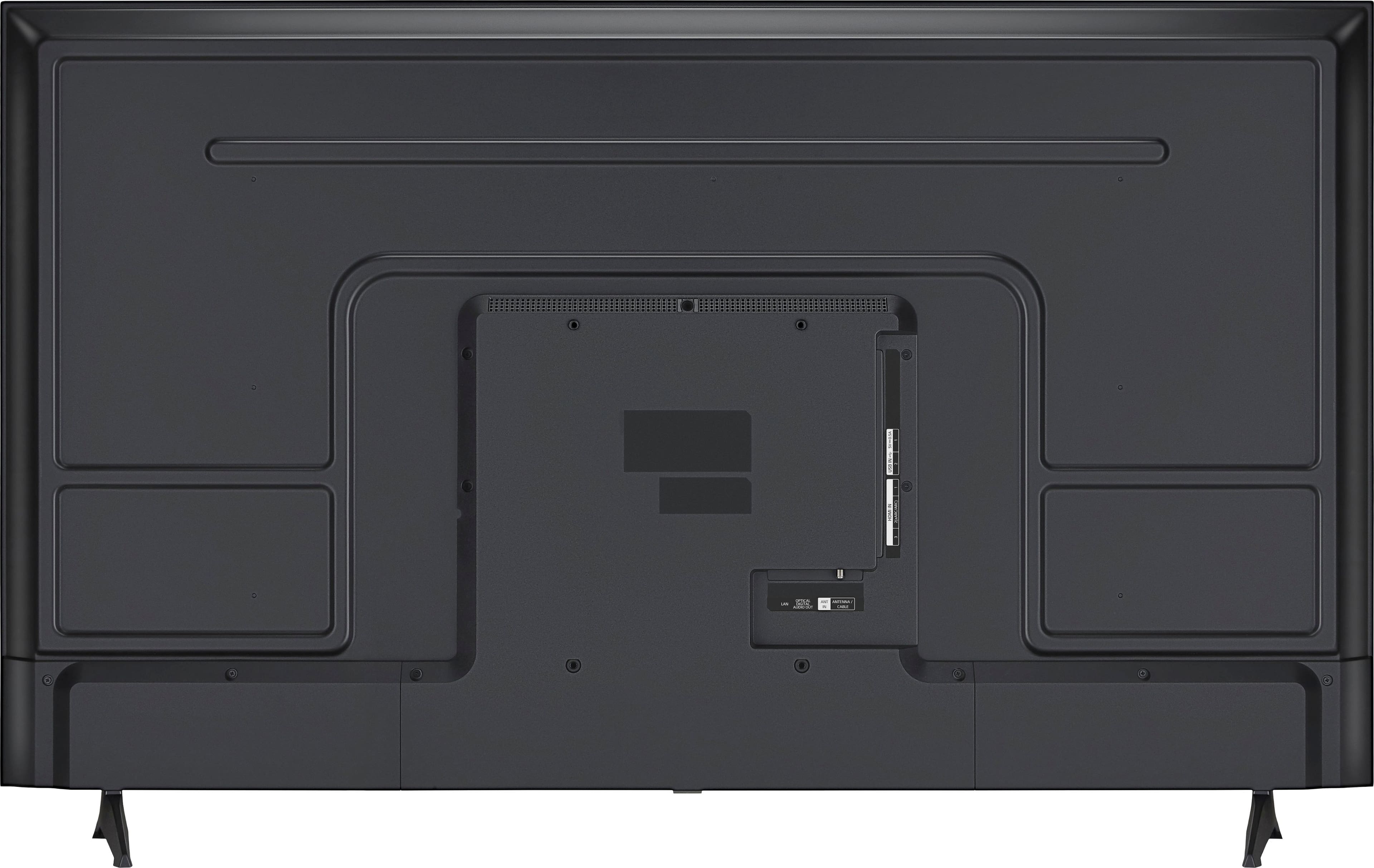
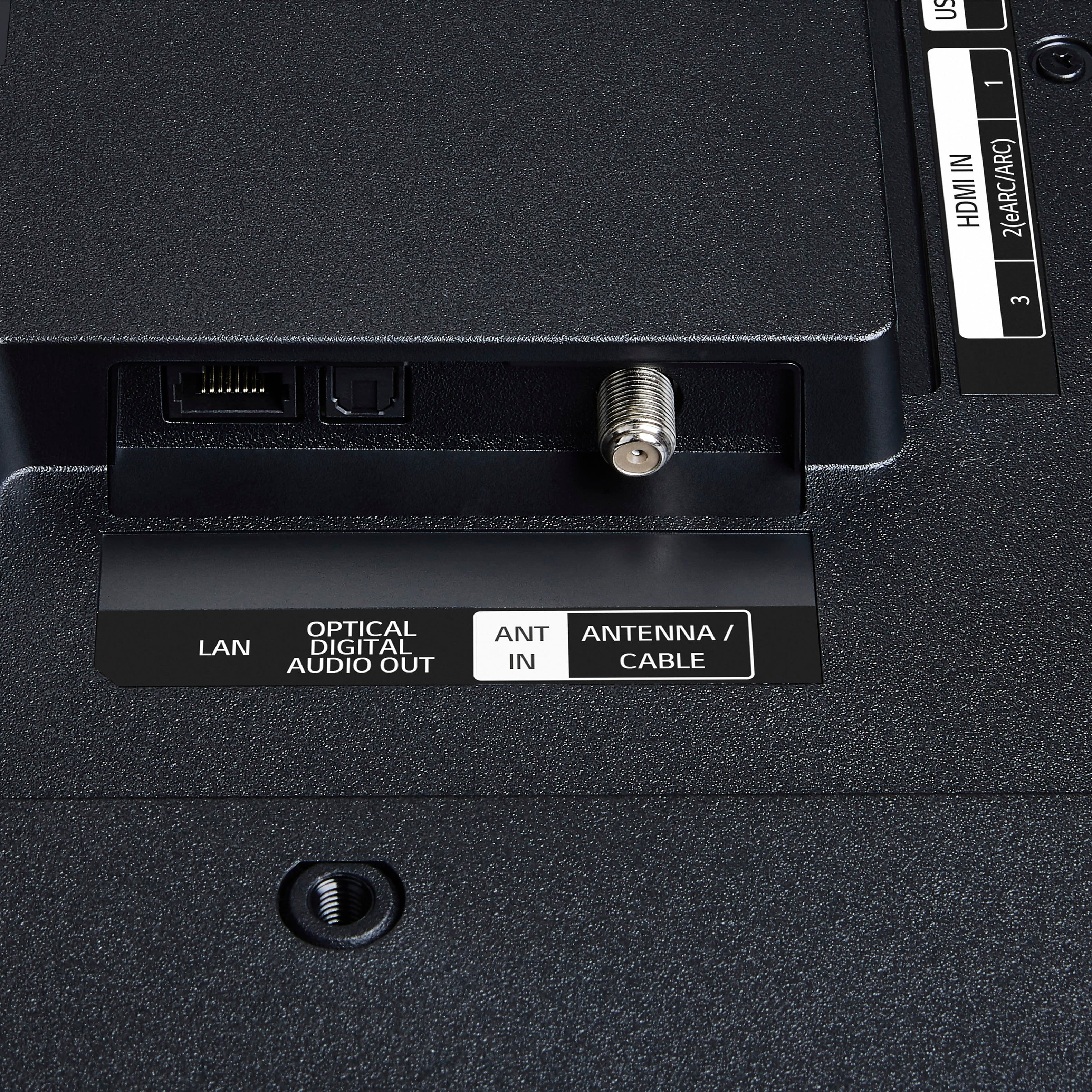
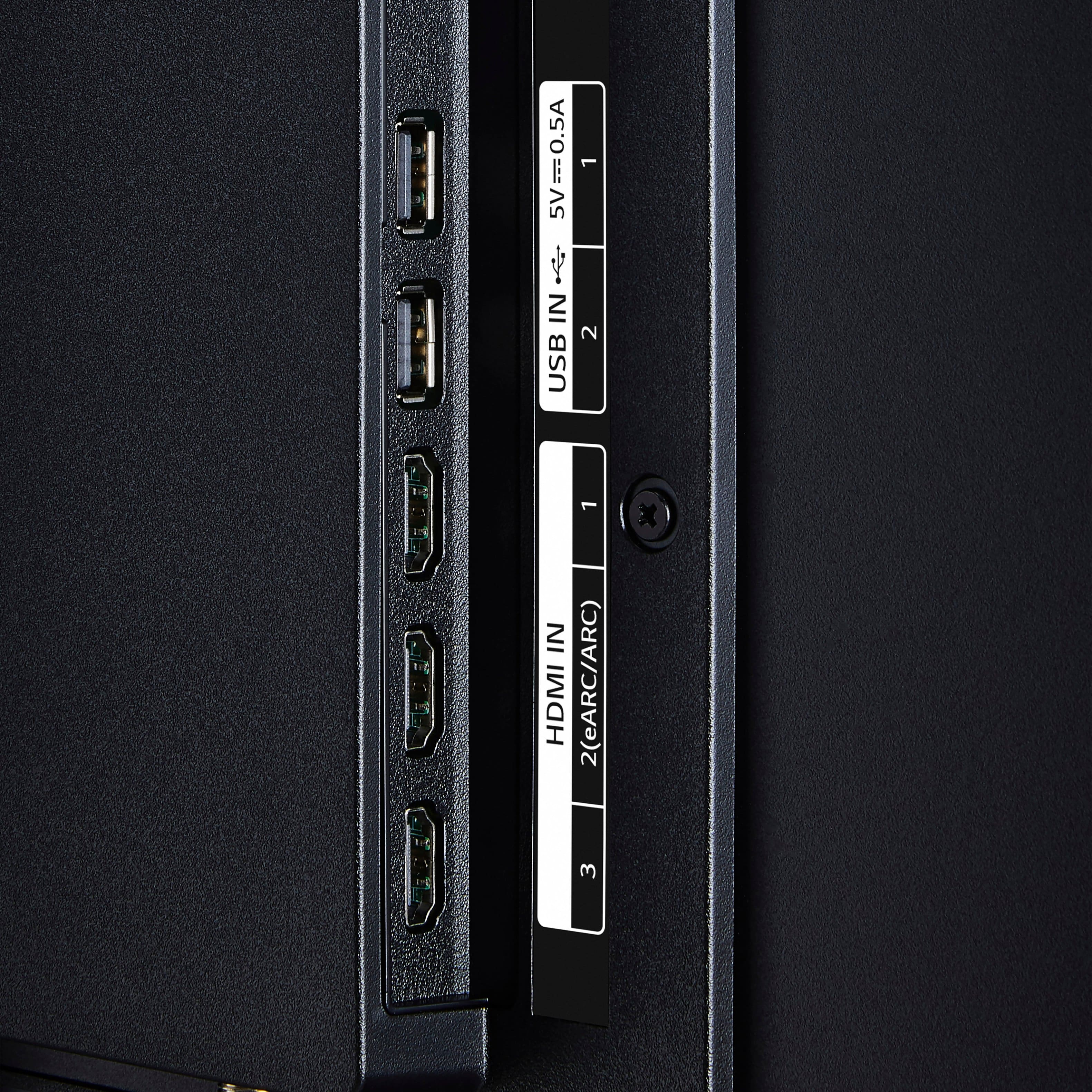
    • Answer The LG 50” Class UA77 Series LED AI 4K UHD Smart webOS TV (2025), Model # 50UA7700PUB, is not a 'Roku Ready' TV. It runs on LG's webOS TV Platform as indicated in its header. A DirecTV dish connects to TVs via HDMI inputs so you can connect it to any of the three HDMI inputs on the TV. HDMI 2 is an HDMI eARC port so you may want to reserve that for connection to another device with an HDMI eARC port, but it will still work with the dish...^Ivan.

      Answered by LG Digital Customer Care

  • QuestionWhat is the distance between the feet that it stands on? I need to know if they are less than 40" apart.

    Asked by KarenTK.

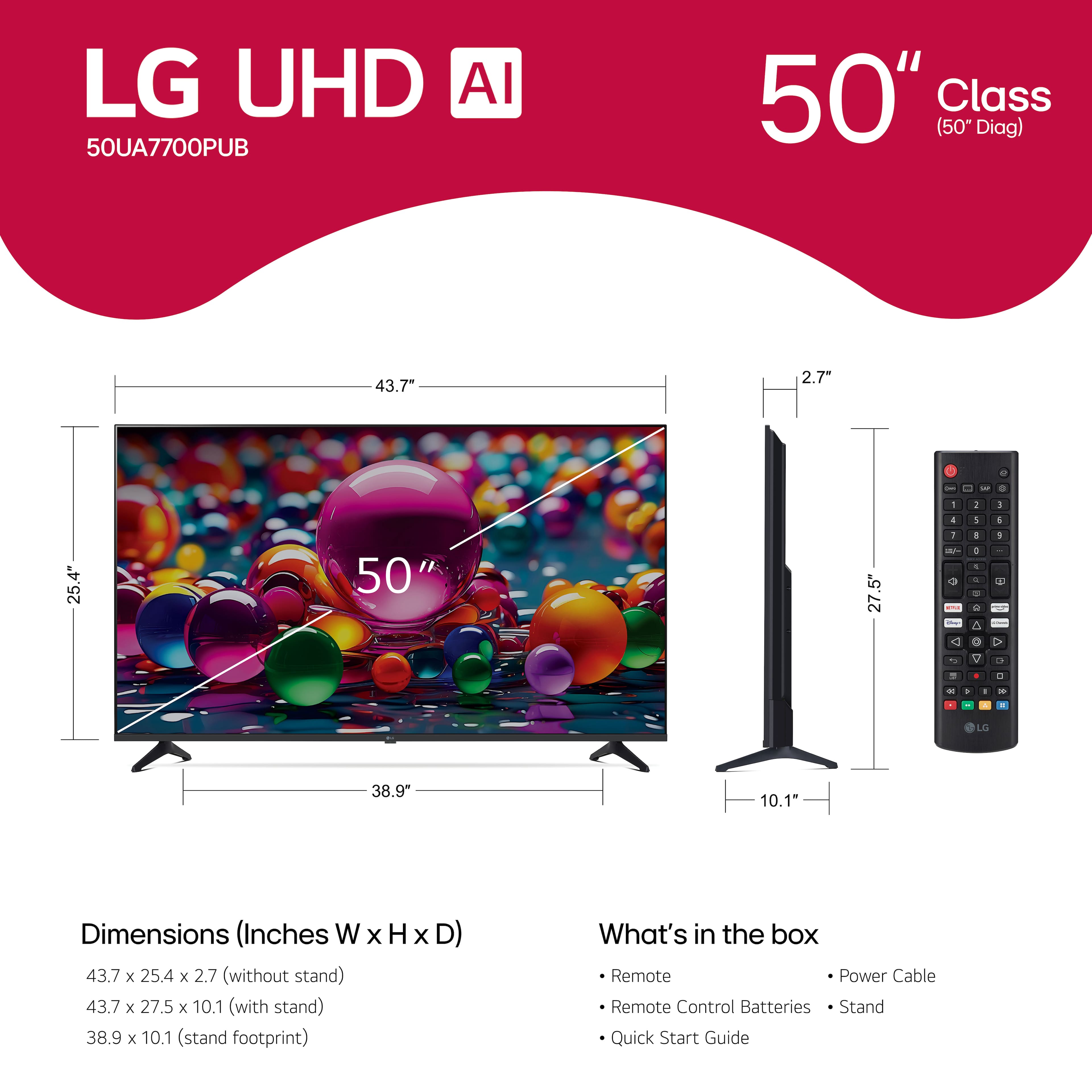
    • Answer The third thumbnail image with a ruler icon for the LG 50" Class UA77 Series LED AI 4K UHD Smart webOS TV (2025), Model # 50UA7700PUB, shows 38.1" for the stand width, and under Dimensions in the specifications for the TV...^Ivan.

      Answered by LG Digital Customer Care

  • QuestionDoes the LG 50" UA77 have Auracast built in and supported and if so, does it require anything that is not included in the box to make it operational?

    Asked by Pax.

    • Answer Hi there, Pax. Thank you for sharing your inquiry with us. We understand you're asking if the LG 50" Class UA77 Series LED AI 4K UHD Smart webOS TV (2025), model 50UA7700PUB, has Auracast built-in and supported, and if it requires anything additional for operation. Based on the specifications for the LG 50UA7700PUB, Auracast is not listed as a built-in or supported feature. The TV does support Wi-Fi and Bluetooth 5.1 for wireless connectivity. https://www.bestbuy.com/site/lg-50-class-ua77-series-led-ai-4k-uhd-smart-webos-tv-2025/6621683.p?skuId=6621683 Please send us a private message on Social Media @LGUSSupport and our team will be more than happy to explore possible solutions. We appreciate your patience. —Renzo

      Answered by LG Digital Customer Care

  • Questioncan it be wall mounted

    Asked by Anonymous.

    • Answer Hello there. Thank you for sharing your inquiry with us. We understand you're asking about wall mounting the LG 50UA7700PUB TV. Yes, the LG 50UA7700PUB TV can be wall mounted. The specifications confirm its compatibility with a VESA Wall Mount Standard of 200mm x 300mm. This information will help you select the correct wall mount for your TV. https://www.bestbuy.com/site/lg-50-class-ua77-series-led-ai-4k-uhd-smart-webos-tv-2025/6621683.p?skuId=6621683 Your feedback is important, and we'd like to assist you further. Please send us a private message on Social Media @LGUSSupport and our team will be more than happy to explore possible solutions. We appreciate your patience. —Renzo

      Answered by LG Digital Customer Care

  • Questionis the LG UA77 an energy star product?

    Asked by Sherry.

    • Answer Hello there, Sherry. We understand your inquiry about the LG 50UA7700PUB and ENERGY STAR certification. This model does not carry ENERGY STAR certification at this time. To help you optimize energy usage, you can enable Eco Mode on your TV: simply go to Settings > All Settings > General > Eco Mode, and select a power-saving option (for example, “Power Saving” or “Minimum Backlight”) to reduce screen brightness and lower overall power consumption. https://www.bestbuy.com/site/lg-50-class-ua77-series-led-ai-4k-uhd-smart-webos-tv-2025/6621683.p?skuId=6621683 If you’d like further assistance or have additional questions about energy-saving features, please send us a private message on Social Media @LGUSSupport and our team will be more than happy to explore possible solutions. We appreciate your patience. —Renzo

      Answered by LG Digital Customer Care

  • QuestionIs this an IPS panel?

    Asked by Anonymous.

    • Answer Hello there. Thank you for sharing your experience with us. We understand your inquiry regarding the panel type for the LG 50" Class UA77 Series LED AI 4K UHD Smart webOS TV (2025), model # 50UA7700PUB. While the product specifications confirm it has an LED display with direct backlighting, it do not explicitly state whether it is an IPS panel. LG uses various panel technologies across its TV lineup, and specific panel types can sometimes vary even within the same series depending on the screen size. https://www.bestbuy.com/site/lg-50-class-ua77-series-led-ai-4k-uhd-smart-webos-tv-2025/6621683.p?skuId=6621683 Please send us a private message on Social Media @LGUSSupport and our team will be more than happy to explore possible solutions. We appreciate your patience. —Renzo

      Answered by LG Digital Customer Care

  • QuestionWhere does the power cord plug in ?

    Asked by Anonymous.

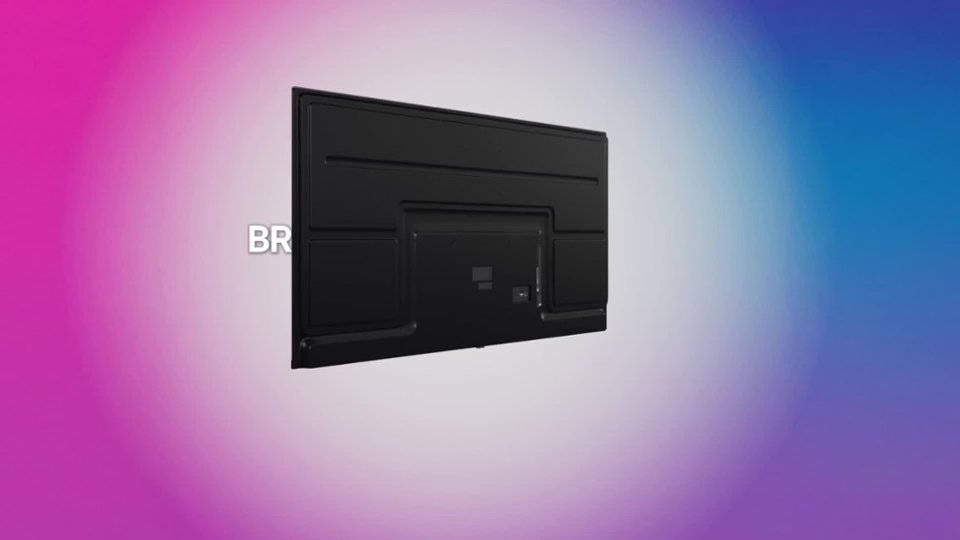
    • Answer Hello there. We understand your inquiry regarding your LG 50UA7700PUB TV and where to plug in the power cord. The AC power inlet is located on the back of the TV, usually near the connection panel where HDMI, USB, and other inputs reside. On the 50UA7700PUB, you’ll find the “AC IN” port on the lower rear section—look for a rectangular socket labeled “AC IN” or showing a small power icon. Gently insert the power cord connector straight into this port until it sits firmly in place. For best practice, ensure the TV is positioned face‑down on a soft, flat surface (as described in the setup guide) when connecting cables during initial installation, so you can clearly see and reach the rear panel. Once the power cord is connected, route it safely to a nearby wall outlet without pinching or stretching. If you need further guidance, you can refer to the Quick Start Guide or User Manual available on the LG support website, which includes diagrams showing the port location for your model. https://www.bestbuy.com/site/lg-50-class-ua77-series-led-ai-4k-uhd-smart-webos-tv-2025/6621683.p?skuId=6621683 If you have any difficulty locating the inlet or need additional assistance with setup, please send us a private message on Social Media @LGUSSupport and our team will be more than happy to walk you through the steps or provide further instructions. We appreciate your patience as we help get your TV up and running. —Renzo

      Answered by LG Digital Customer Care