



Main Content

Questions & Answers

$2,496.99
Save $903
The comparable value is $3,399.99
Page Showing 1-20 of 56 questions
  • QuestionWhat smart platform does this TV use?

    • Answer This TV uses the webOS smart platform.
    This question and answer was generated by AI based on customer and product data.
  • QuestionDoes this TV have built-in speakers?

    • Answer Yes, it has built-in downward-firing speakers.
    This question and answer was generated by AI based on customer and product data.
  • QuestionIs this LG TV compatible with G-SYNC?

    • Answer Yes, this TV is compatible with NVIDIA G-SYNC (Adaptive Sync).
    This question and answer was generated by AI based on customer and product data.
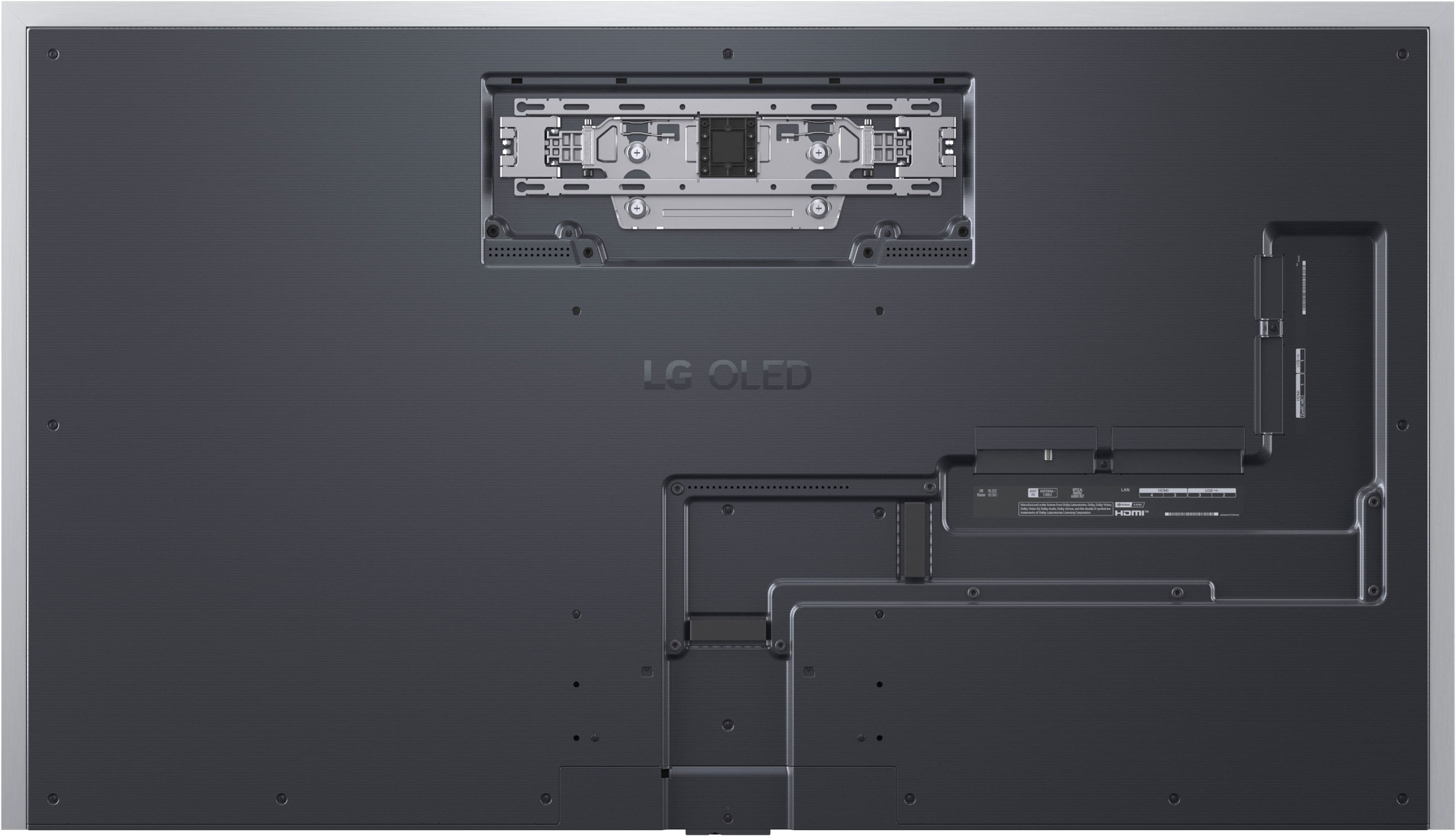
  • QuestionHow many HDMI inputs does this LG TV have?

    • Answer This TV has a total of 4 HDMI inputs.
    This question and answer was generated by AI based on customer and product data.
  • QuestionWhat is the refresh rate of this LG TV?

    • Answer The refresh rate is 120Hz.
    This question and answer was generated by AI based on customer and product data.
  • QuestionWhat type of HDR format does the LG TV support?

    • Answer This TV supports Dolby Vision HDR format.
    This question and answer was generated by AI based on customer and product data.
  • QuestionDoes this TV include a stand?

    • Answer No, a stand is not included but a wall mount is included with the TV.
    This question and answer was generated by AI based on customer and product data.
  • Questioncan i purchase a stand for this tv

    Asked by majestic61.

    • Answer You should be able to purchase a stand directly from LG; however, I recommend a stand from Sanus.

      Answered by Rick24C

  • QuestionI'm planning on mounting this TV inside of a cabinet opening. Would it be possible to find out the location of the top VESA holes relative to the top of the TV or the bottom VESA holes relative to the bottom of the TV? Thank you

    Asked by Anonymous.

    • Answer The LG 65" Class G5 Series OLED evo AI 4K UHD Smart webOS TV with One Wall Design (2025), Model # OLED65G5WUA has two sets of wall mounting holes. The upper mounting holes are for the special flush mount that comes with the TV. The top row of VESA-Compliant Wall mount holes that can be used with third-party VESA-compliant wall mounts, is 307 mm (12.087") from the top of the panel, and 519 mm (20.43") from the bottom of the panel. The bottom row of VESA mount holes is 219 mm (8.62") from the bottom of the panel, and 6078 mm (23.898") from the top of the panel. For the mount holes for the special flush mount, the top row of mount holes is 150 mm (5.91") from the top of the panel, and 676 mm (26.61") from the bottom of the panel, and the bottom row of mount holes is 205 mm (8.07") from the top of the panel, and 621 mm (24.45") from the bottom of the panel...^Ivan.

      Answered by LG Digital Customer Care

  • QuestionWhat does the plug look like on this TV? Is it a basic plug or is it "flat" so that it could be used in a standard outlet behind the TV without having the TV stick out from the wall too much?

    Asked by 10schick.

    • Answer Hello there. Thank you for reaching out to us with your inquiry about the OLED65G5WUA G5 Series TV's power plug design. We understand your inquiry, especially since this model features the "One Wall Design" for a flush mount. The power cable for the LG G5 Series, model OLED65G5WUA, is designed to support a near-zero gap installation. For this specific Gallery series model, the power cable's plug is designed as a flat, right-angle, or low-profile plug. This design is intentional and critical to ensuring the TV can sit flush against the wall using the included wall mount, without the plug preventing the unit from achieving that signature, seamless "One Wall" look. Additionally, the port section on the back of the TV is recessed to help manage cables, including the power cable, as efficiently as possible for a clean, flush-to-the-wall installation. https://www.bestbuy.com/product/lg-65-class-g5-series-oled-evo-ai-4k-uhd-smart-webos-tv-with-one-wall-design-2025/JJ8VPZW8F4 If you have any further questions about the "One Wall Design" installation or cable management, please send us a private message on Social Media @LGUSSupport, and our team will be more than happy to assist you. —Renzo

      Answered by LG Digital Customer Care

  • QuestionHow deep are the 300x300 VESA holes for the M6 screws? I’m looking to use the correct M6 screw length for my mount.

    Asked by Dave.

    • Answer Hello there, Dave. We appreciate you reaching out to us. We understand your inquiry about the OLED65G5WUA TV. While we do not have the specific VESA hole depth, we can advise that the screw length needed for the wall mount is M6 x 10mm. If you need any further assistance, please send us a private message on Social Media @LGUSSupport and our team will be more than happy to explore possible solutions. https://www.bestbuy.com/site/lg-65-class-g5-series-oled-evo-ai-4k-uhd-smart-webos-tv-with-one-wall-design-2025/6621810.p?skuId=6621810 We appreciate your patience. —Renzo

      Answered by LG Digital Customer Care

  • QuestionDoes it Upscale OTA content?

    Asked by Charlie.

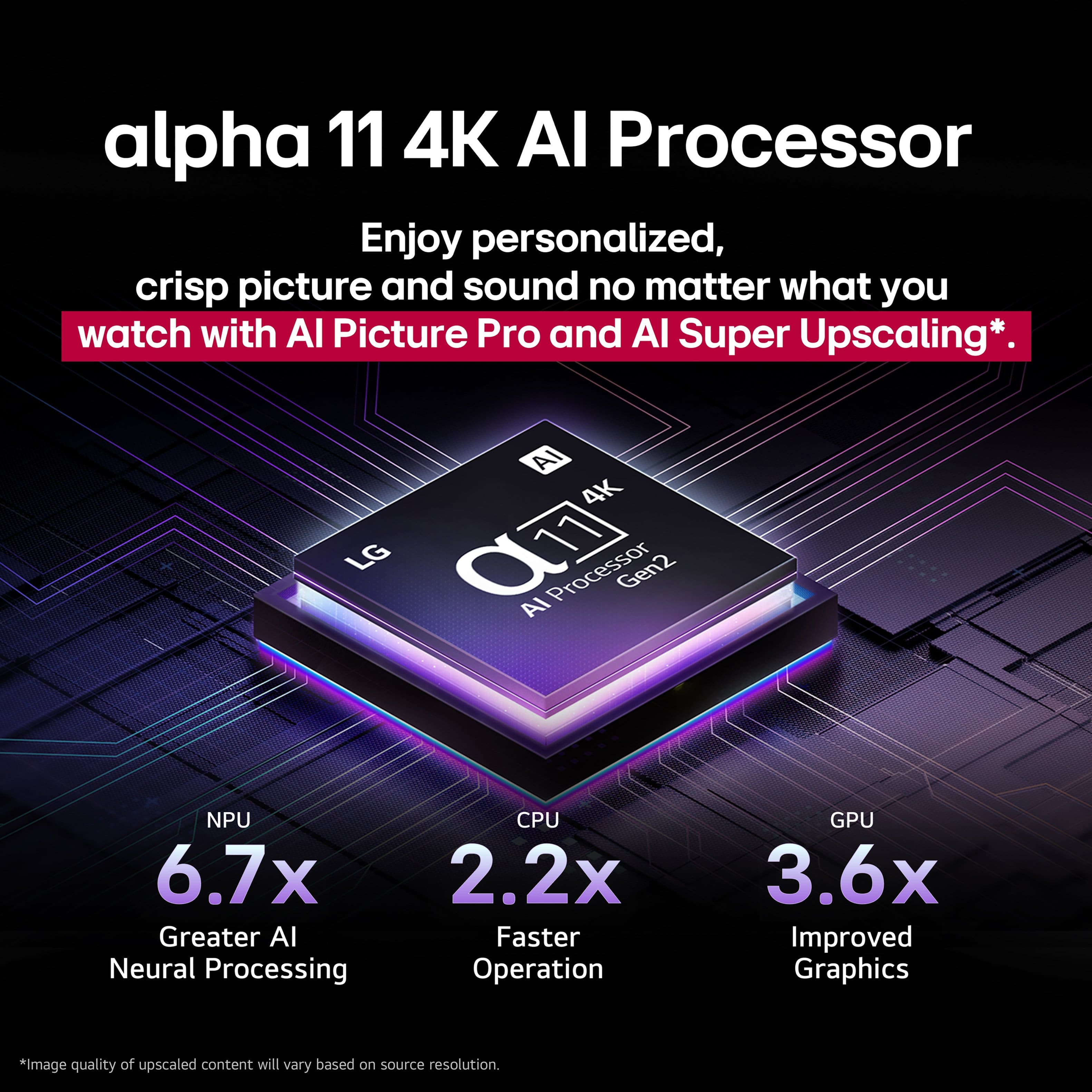
    • Answer The LG 65-inch Class LG OLED evo AI G5 4K Smart TV 2025 with Supplied Wall Mount, Model # OLED65G5WUA has a native 4K (3840 x 2160) resolution and it has a α11 AI Super Upscaling 4K that will upscale any incoming video signal to its native resolution, or as close as it can get the signal depending on how much data the signal has if the signal has a lower resolution, regardless of whether the signal is an OTA signal or from a cable set top box...^Ivan.

      Answered by LG Digital Customer Care

  • QuestionIs there a tilting wall mount that works with this tv?

    Asked by Anonymous.

    • Answer There are a lot of generic wall mounts that tilts; I recommend Sanus.

      Answered by Rick24C

  • QuestionHow much does it cost for a TV stand for this TV?

    Asked by Rickc.

    • Answer Prices varies. I recommend Sanus SSTV2 which, cost approx. $120 (USD).

      Answered by Rick24C

  • QuestionI am looking at this tv, but I will need a stand. I know that the LG stand is SA-G5SN65, this is not available and does not give an in-stock date. What specific tv stand from other manufacturers will work?

    Asked by Tommyt.

    • Answer TV manufacturers generally do not officially support accessories from competing brands for their televisions, encouraging a "brand lock-in" approach to maximize the use of proprietary features. The TV Accessory - LG OLED evo G5 TV Stand - OLED55G5WUA - Black, Model # SA-G5SN55 is the only stand LG makes for the LG 65" Class G5 Series OLED evo AI 4K UHD Smart webOS TV with One Wall Design (2025), Model # OLED65G5WUA, and while devices like VESA wall mounts, HDMI cables, and standard USB accessories usually work across brands, brand-specific accessories (remotes, stands, One Connect boxes) often lack support for other models. TV stands are usually designed specifically for single models and are rarely interchangeable, even within the same brand. You can contact Best Buy's Customer Support to inquire if they have an ETA for when the stand will be back in stock. That is proprietary information that only Best Buy can provide...^Ivan.

      Answered by LG Digital Customer Care

  • QuestionCan BB Atlanta deliver a new LG 65” OLED TV, wall mount using existing bracket, set up, and haul away the old LG 65” TV

    Asked by Horizuns.

    • Answer I cannot speak for BB Atlanta, but 1) BB will deliver for free--they even carried my TV down to my basement for me. If they mount the TV, that is an extra charge. 2) I was able to use my existing tilting wall mount. I purchase a new wall mount when I purchased the TV, just in case, but I returned the new mount because my old mount (~10 years old) worked just fine. 3) I cannot speak to whether BB Atlanta will haul away your old TV. You can ask them.

      Answered by ThomasO

  • Questiontv opening is around 67 1/4 inches will it fit?

    Asked by mike.

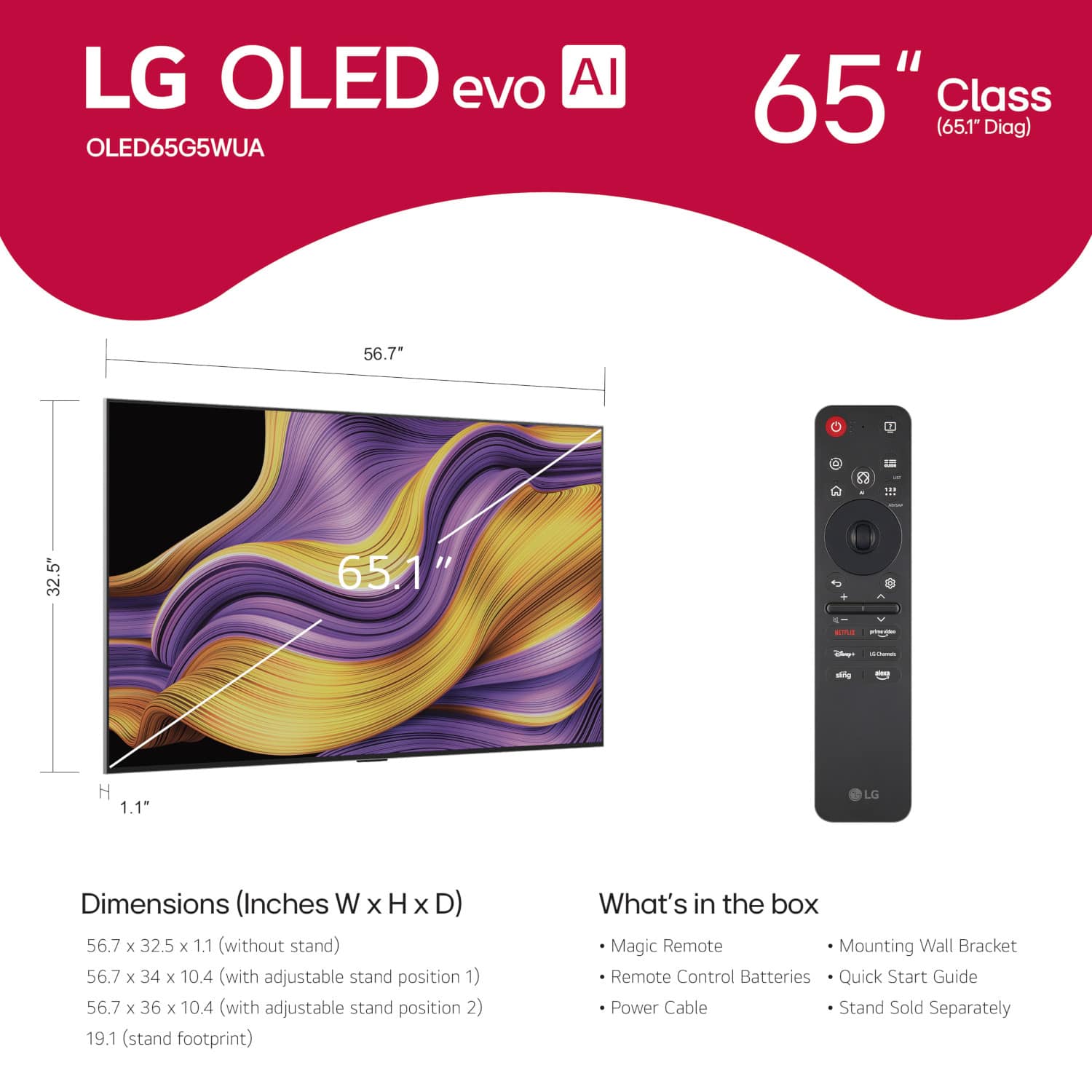
    • Answer The TV is approximately 57" wide and 32.5" tall without a stand. These are the more pertinent measurements. Check your vertical and horizontal space availability. If you are using a stand, check for the height measurement with the stand. Remember you need a few inches to move the TV into place. For a wall mount, I figured I need about 3 additional inches clear to set the TV on the wall mount. 5-6" additional space in the horizontal direction will make for easier placement. Mounting a TV is not a difficult task if 1) you are reasonably handy with knowledge of how to find studs in a studded wall (because that's where the TV mount needs to be anchored), and 2) you have assistance to lift the TV--each party needs to be comfortably able to lift ~ 35 lbs. If your answer is no or unsure to either of these items, your should probably seek assistance from someone. I hope this was helpful.

      Answered by ThomasO

  • QuestionDoes it come with legs to.attach to.bottom of tv so you can stand it up on my tv stand

    Asked by Anonymous.

    • Answer This TV does not come with a TV Stand, It comes with a slim flush wall mount with instructions and hardware.

      Answered by CJR1

  • QuestionWhat is included in the box?

    Asked by Anonymous.

    • Answer This information is included on the Best Buy web site, but here goes 1) the TV, 2) the remote), 3) a steel flush wall mount to install on the wall. The TV has tabs that interface with the mount and then are locked in. 4) a bunch of styrofoam molding :). 5) Installation instructions--more by pictures than by written explanation. There is no manual.

      Answered by ThomasO

  • QuestionIs there a way to have the art gallery running and not have the tv be a black screen when it’s off? Got this tv installed for my grandfather’s new home and he wants to have the tv display artwork when it’s not in use

    Asked by JonathanB.

    • Answer The LG G5 series, which runs on the newer webOS, features "Gallery+" with over 4,000 images, including fine art, photography, and game-inspired scenes. To display the Art Gallery on your LG - 65" Class G5 Series OLED evo AI 4K UHD Smart webOS TV with One Wall Design (2025), Model # OLED65G5WUA, you can use the built-in Gallery application or activate the "Always Ready" feature to show art when the TV is in standby mode. You can add it to your Quick Access menu by long-pressing the '0' button on the supplied LG Magic Remote, and navigate to Edit Quick Access, click the jog wheel on the remote to add a new quick menu access item, then scroll down to Art Gallery, and click on the jog wheel to add it as a quick access menu item...^Ivan.

      Answered by LG Digital Customer Care