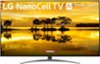
“I like the 65inch Nano 9 Series , BUT am extremely nervous about its stability. This TV would be on top of an entertainment center. I'd like to find a way to fix the "wobble". Can smaller TV legs be added on the back to help? (no wall mounting)”
Answer This Question
1-6 of 6 Answers
Clarification - This particular TV does not have "legs". The main TV stand is in the middle and branches out to the sides. However, they do not branch out far enough to support the TV from the wobble. The original question/answer seems to indicate there is no way to put smaller "legs" near the outside in order to help with stability. I suppose I'll have to find a universal stand that reaches outwards , providing the support, and or anti-tipping straps that are able to brace it. That's unfortunate as I would really have liked to get this TV without having to worry about stability. Of all things.
Sorry, there was a problem. Please try again later.I have this TV and have no issues with any wobbling. First of all, I know that I've installed the stand properly and securely. I made quite sure of that as I was concerned about it's sturdiness. My youngest of 8 grandchildren is 16 months old and into and onto everything so stability and safety was of utmost priority for me. I didn't want this 65" television mounted on my wall, so believe me, I researched this before purchasing. My entertainment center is SOLID and made of study quality products. My console does not move or wobble at all with walking by, bumping into it, bumping it with the vacuum, opening the drawers/cabinets or slamming doors, or grand girl hanging on the sides, etc. If your entertainment center/ console wobbles without this TV on it, than it surely will with this TV on it. Lastly, make sure that your tv stand is mounted properly. Even off my entertainment center this TV on the floor was solid and secure. I am from California and earthquakes are not uncommon, so again, I did my research. This tv stand for the size of this television is a well made design. I believe the key is to make sure you set it on a stable surface for great results. If you are expecting "stable" results on an unstable surface, then that is not LG's flaw.
I would recommend:
Sorry, there was a problem. Please try again later.I was considering this TV as well but that wobbly stand is a deal breaker.
Sorry, there was a problem. Please try again later.@Anonymous, you obviously don't have little kids or grandkids. I haven't purchased this tv yet, but have been reading reviews and want to purchase it. When I was looking at one at Best Buy, it wasn't mounted to the wall like most. I barely pushed on the top of one corner of the tv and it shook. So even if someone walks by the tv, it will wobble. I plan to mount it to the wall if I purchase it.
Sorry, there was a problem. Please try again later.My question to this customer would be why is the tv “wobbling” even after being put on a stand? Are people bumping into the stand or walking by it making the whole thing wobble. The tv itself clearly doesn’t move so why would it wobble once on a tv stand?
Sorry, there was a problem. Please try again later.No, we do not produce any different legs for this TV. We would recommend taking the legs off the TV and then re-installing them to see if this fixes the wobble you are experiencing. If you are still experiencing an issue, you can contact our Customer Support by any of the below options: Phone: 1-800-243-0000 LiveChat: https://www.lg.com/us/support/chatbot Email: https://www.lg.com/us/support/email-appointment Facebook Messenger: https://www.facebook.com/LGUSA/ Twitter: @LGUSSupport The LG Community Forum is also a great resource for getting help from other LG customers: https://lgcommunity.us.com/
Sorry, there was a problem. Please try again later.