Winter SaleEnds 1/19. Limited quantities. No rainchecks.Shop now

Main Content

Questions & Answers

Page Showing 81-100 of 309 questions
  • QuestionCan this play back cd's

    Asked by JJ.

    • Answer Yes, This Drive like most DVD and Bluray drives can read cds

      Answered by AidenS

  • QuestionI got this drive not long ago and it can no longer detect blu ray disks. It can detect dvds fine but recently it stopped being able to detect any blu ray disks that I put into the drive. Is there any suggestions for how to fix this?

    Asked by disk.

    • Answer Hi there. Thank you for sharing your experience with us. We understand your inquiry regarding the SP80NB80 not detecting Blu-ray discs. To assist with this, we recommend ensuring your firmware is up-to-date and trying a laser lens cleaner, as this can often resolve playback issues specific to one disc format. Your feedback is important, and we'd like to assist you further. Blu-ray Disc/DVD Playback Issues or Disc Stuck - Blu-ray - https://www.lg.com/us/support/help-library/bluray-discdvd-playback-issues-or-disc-stuck-bluray--1430839720368 If the issue persists, please contact us on [email protected], and our team will be more than happy to assist you. —Renzo

      Answered by LG Digital Customer Care

  • QuestionIs this device compatible with Windows 11?

    Asked by Eric.

    • Answer Yes

      Answered by Syscon2

  • QuestionWill it work with Gateway and Dell laptops and what cables are needed to connect to laptops

    Asked by Gforce.

    • Answer It depends on the connectivity options you have on the laptop. The cable that it comes with has the end the plugs into the drive and the other end is requires 2 USB A ports. If you don't have 2 USB A ports on your laptop you may have to use a USB hub, potentially a powered HUB to get it to work. I've used it with an older Dell laptop running windows 10 that has multiple USBA ports and it's worked great.

      Answered by FatherFrog

  • QuestionWhat Rewards can I apply to a $93. ,BluRay player using my Best Buy Visa card?

    Asked by RichardG.

    • Answer Hello there, RichardG. Thank you for your inquiry regarding the LG External DVD Writer, Model # SP80NB80. We understand your inquiry regarding the application of rewards using your Best Buy Visa card. As this relates to a specific retailer's loyalty program and payment method, we recommend contacting Best Buy Customer Support directly for the most accurate assistance. https://www.bestbuy.com/product/lg-8x-external-usb-2-0-blu-ray-disc-double-layer-dvdrw-cd-rw-disc-rewriter-black/JXTZZL27X9 If you have any further questions about its features, please send us a private message on Social Media @LGUSSupport, and our team will be more than happy to assist you. —Renzo

      Answered by LG Digital Customer Care

  • QuestionWill this work with Windows 11?

    Asked by Preston.

    • Answer Yes, it will work without issues

      Answered by Anonymous

  • QuestionWill i be able to copy tracks from a blue ray disc and put those onto a cd r or CD-RW so i can play the music from a very expensive blu ray disc we mistakenly bought for car use on a CDR using this?

    Asked by Qqqq.

    • Answer The LG 8x External USB 2.0 Blu-ray Disc Double-Layer DVD±RW/CD-RW Disc Rewriter - Black Model # BP50NB40, will write (burn) to DVD+R (DL), DVD+R (SL), DVD+RW, BD-R (LTH), BD-R (SL), BD+R (TL), BD-R (DL), BD-R (QL), BD-RE (SL/DL/TL), CD-R, CD-RW, DVD-R (DL), DVD-R (SL), DVD-RAM, DVD-RW, M-Disc BD (BD-R SL), and M-Disc DVD (DVD+R SL) discs. Depending on the type of car stereo you have, some car stereos, especially newer models, may have a DVD player built-in, which can play music from DVD-Rs. However, these stereos are relatively rare, and most car stereos are designed to play CDs or digital music from auxiliary inputs. If you have a car stereo that can play MP3 files from a CD or USB drive, you can burn MP3 files onto a DVD-R and play them in your car, but with some limitations. Some car stereos may be able to play MP3 files from a DVD-R, but the compatibility may vary depending on the stereo and the DVD-R. Additionally, the DVD-R may need to be formatted in a specific way to be compatible with your car stereo. You can burn MP# files on CD-RW discs and play those in your car if it compatible with your car stereo. There are many software programs available that can help you burn music onto a DVD-R., but b efore you start burning your music files onto a DVD-R, make sure they are in a compatible format. Most DVD-Rs can play MP3 files, but you may need to convert your files to MP3 format if they are in a different format. Create a playlist of the music files you want to burn onto the DVD-R. You can do this using your software program or by creating a folder with all the music files. Insert a blank DVD-Ror CD-RW into the BP50NB40, and follow the instructions in your software program you use to burn the music files onto the DVD-R or CD-RW. If you have a car DVD player or that supports DVD-R playback, it may not support all types of audio formats, so you may need to burn your music in a different format, such as WAV or AAC, for it to be compatible with your car’s DVD player or CD Player...^Ivan.

      Answered by LG Digital Customer Care

  • QuestionWhat software comes with it?

    Asked by JohncK.

    • Answer A Blu-ray Drive Install Disc for Windows, Media Espresso, Power 2 Go, Power DVD, Power Producer are included with the LG 8x External USB 2.0 Blu-ray Disc Double-Layer DVD±RW/CD-RW Disc Rewriter - Black, Model # BP50NB40...^Ivan.

      Answered by LG Digital Customer Care

  • QuestionCan it play HD DVDs?

    Asked by Poesekie.

    • Answer No HDDVDS are their own thing separate from Bluray, you would need a HDDVD drive for that. This can play DVDs, CDs, and Blurays

      Answered by AidenS

  • QuestionAny special software driver needed to read Blu-ray discs?

    Asked by Ninja60.

    • Answer no - none were needed for my up-to-date Windows 11 Home edition of windows.

      Answered by GMadd33

  • QuestionIs this device compatible with iPad?

    Asked by Anonymous.

    • Answer Hello there. Thank you for asking about the compatibility of the LG BP50NB40 external Blu-ray drive with an iPad. We understand your inquiry. The BP50NB40 drive is designed to be compatible with Windows and Mac operating systems, as noted in its specifications. It is not compatible with an iPad. https://www.bestbuy.com/site/lg-8x-external-usb-2-0-blu-ray-disc-double-layer-dvdrw-cd-rw-disc-rewriter-black/9243009.p?skuId=9243009 If you have any other questions or would like to explore alternative solutions, please send us a private message on social media @LGUSSupport and our team will be more than happy to assist you further. We appreciate your patience. —Renzo

      Answered by LG Digital Customer Care

  • QuestionIn the name it says LG - 8x External USB 2.0 Blu-ray Disc Double-Layer DVD±RW/CD-RW Disc Rewriter - Black --- In the specifications it says Dual Layer Media Supported No. Isnt Double layer and Dual layer the same thing? And which is it? Yes or Not?

    Asked by Obscenewordgoeshere.

    • Answer Thank you for pointing out that entry error in the specifications for the LG - 8x External USB 2.0 Blu-ray Disc Double-Layer DVD±RW/CD-RW Disc Rewriter - Black, Model # BP50NB40. We will alert Best Buy and have them correct it. The drive will read DMV (AACS Compliant Disc) (SL/DL), BD-R (SL/DL), BD-R (TL/QL), BD-RE (SL/DL), BD-RE (TL), BD-ROM (SL/DL), DVD-R (SL/DL), DVD-ROM (SL/DL), and DVD-Video (CSS Compliant Disc) (SL/DL) discs, and it will write to DVD+R (DL), BD-R (LTH), BD-R (DL), BD-R (QL), BD-RE (SL/DL/TL), and DVD-R (DL) discs...^Ivan.
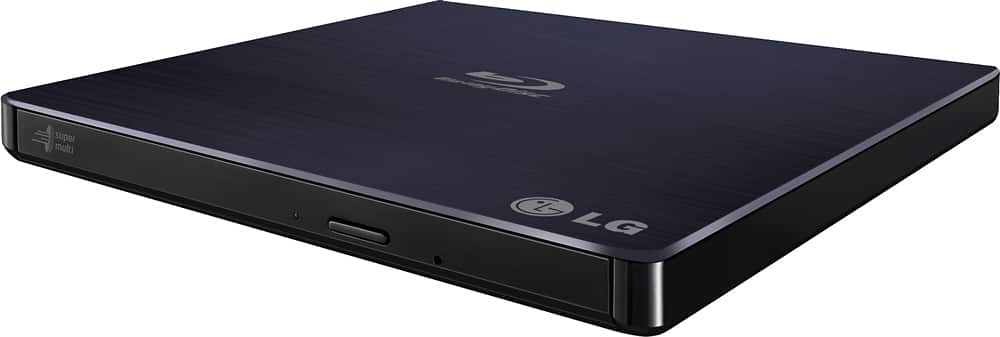
      Answered by LG Digital Customer Care

  • QuestionCan I choose the speed to burn a CD?

    Asked by Amber.

    • Answer Hi, Amber. Thanks for reaching out and sharing your question about the LG Blu-ray Disc (BP50NB40) model. We’re glad to help clarify this for you. Yes, you can select the burn speed with the BP50NB40 external writer, depending on your burning software. Most programs allow you to set the write speed before starting. We suggest using LG’s bundled software or compatible ones like Nero or Power2Go for speed selection. For optimal performance and to prevent errors, choose a moderate speed instead of the maximum, especially for audio CDs or important data. If you need more help, message us on social media @LGUSSupport, and we’ll gladly assist you. ^Juvy

      Answered by LG Digital Customer Care

  • QuestionWill this play the CD layer of a SACD?

    Asked by notasimpleman.

    • Answer Yes.

      Answered by Tormato

  • QuestionCan I record music to a CD-R with this ?

    Asked by Paula.

    • Answer Hello there, Paula. Thank you for sharing your inquiry with us. We understand your inquiry regarding the LG BP50NB40 external drive. Yes—you can record music to a CD-R with this model, as it supports up to 24× CD-R write speeds. Simply insert a blank CD-R, launch your preferred CD-burning software (such as Windows Media Player or iTunes), select your audio files, and start the burn process. https://www.bestbuy.com/site/lg-8x-external-usb-2-0-blu-ray-disc-double-layer-dvdrw-cd-rw-disc-rewriter-black/9243009.p?skuId=9243009 If you need any further assistance—like tips on formatting the disc or troubleshooting software settings—please send us a private message on social media @LGUSSupport and our team will be more than happy to explore possible solutions. We appreciate your patience and look forward to helping you get your music recorded smoothly! —Renzo

      Answered by LG Digital Customer Care

  • QuestionWill this copy music to the computer along with title of songs and art work ?

    Asked by Tttt.

    • Answer Music will be copied, yes, and it will extract the metadata necessary for the software you use to rip that data, to retrieve song titles, and artwork. Those two elements are not stored on the cd but retrieved by such software. To be fair, most software can do that, if you have Windows, for example, the Windows Media Player will do it.

      Answered by Tormato

  • QuestionWill this play on the Windows 11 platform

    Asked by BlackBeard007.

    • Answer Yes!

      Answered by James

  • QuestionI'm aware this comes with Power/Cyber DVD to play Blu-ray but do I need to buy the program as well or is it bundled together?

    Asked by Liz.

    • Answer I did not need to buy anything additional to play Blu-ray discs.

      Answered by MarkS

  • QuestionDoes this one play and burn music cd's?

    Asked by don.

    • Answer Yes.

      Answered by FabioT

  • Questiondo this bluray external drive rip videos to mp4. for example, I had bluray dvds player and want to rip or convert it mp4 . does this work on all bluray dvds and plzz xplain 8 layers. and software . I just need a bluray external dvd drive usb to Rio or Co

    Asked by Anonymous.

    • Answer Yes and no. You can use this to rip bluray videos, but it's your software the one that makes the conversion to MP4. So, if you have the proper software, this unit will do.

      Answered by Tormato










