A:AnswerHi there, Zuke. Thank you for your question about the BP50NB40 external Blu-ray drive. Yes, this model is compatible with Windows operating systems, allowing you to play Blu-ray discs, DVDs, and CDs on your Windows computer. Make sure to install the necessary software for optimal performance. If you have any further questions or need assistance with anything else, please feel free to send us a private message on social media @LGUSSupport, and our team will be happy to help. We appreciate your time! —Avril
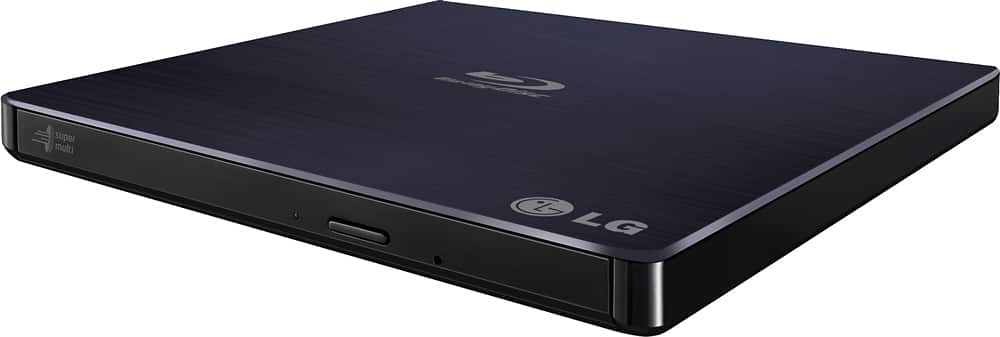
A:AnswerHello there! Thank you for sharing your experience with us. We understand your inquiry regarding the LG - 8x External USB 2.0 Blu-ray Disc Double-Layer DVDRW/CD-RW Disc Rewriter.
https://www.bestbuy.com/product/lg-8x-external-usb-2-0-blu-ray-disc-double-layer-dvdrw-cd-rw-disc-rewriter-black/JXTZZL27X9
Regarding your question, this drive does not feature LightScribe technology for etching images or titles directly onto the top of discs. However, it is fully compatible with Windows 10 for all your reading and writing needs. For further assistance and any specific concerns you may have, please contact us on lgdigitalcare@lg.sprinklrsupport.com. —Renzo
A:AnswerHi there. Thank you for sharing your experience with us. We understand your inquiry regarding the LG External USB 2.0 Blu-ray Disc Rewriter. Your Intel Core i5-10400 processor exceeds the minimum requirements for this drive, and it will work seamlessly for data tasks; however, for Blu-ray movie playback, we recommend ensuring your system has a compatible graphics card and authorized playback software.
https://www.bestbuy.com/product/lg-8x-external-usb-2-0-blu-ray-disc-double-layer-dvdrw-cd-rw-disc-rewriter-black/JXTZZL27X9
For further assistance and any specific concerns you may have, please contact us on lgdigitalcare@lg.sprinklrsupport.com, and our team will be more than happy to assist you. —Renzo
A:AnswerHi there, thank you for your question about the BP50NB40 external DVD drive. Yes, this model is compatible with your HP All-In-One desktop running Windows 11. It will allow you to create a Windows "Recovery Disk," store documents on writable CDs or DVDs, and play older CDs and DVDs without any issues. If you have any further questions or need assistance, please feel free to send us a private message on social media at @LGUSSupport. We’re here to help!
Thank you for your patience!
—Avril
A:AnswerHello there! We understand your inquiry regarding the LG 8x External USB 2.0 Blu-ray Disc Double-Layer DVDRW/CD-RW Disc Rewriter.
https://www.bestbuy.com/product/lg-8x-external-usb-2-0-blu-ray-disc-double-layer-dvdrw-cd-rw-disc-rewriter-black/JXTZZL27X9
To answer your question, this specific unit is designed to support standard Blu-ray, DVD, and CD formats; however, it does not support 4K UHD playback or writing. For further assistance and any specific concerns you may have, please contact us on lgdigitalcare@lg.sprinklrsupport.com, and we will be happy to help. —Renzo
A:AnswerHello there, Mike. We understand your inquiry regarding the recording capabilities of the LG External USB 2.0 Blu-ray Disc Rewriter. This drive is capable of recording video files onto compatible Blu-ray, DVD, and CD media when connected to a computer with the appropriate recording software.
https://www.bestbuy.com/product/lg-8x-external-usb-2-0-blu-ray-disc-double-layer-dvdrw-cd-rw-disc-rewriter-black/JXTZZL27X9
For further assistance and any specific concerns you may have, please contact us on lgdigitalcare@lg.sprinklrsupport.com. —Renzo
A:AnswerHello there Zimm. Thanks for reaching out. To connect your Blu-ray Player using USB: Plug the USB cable from your USB device into the Blu-ray Player. Use Smart Share to access and play your media files. `Jai.
A:AnswerHi there! Thank you for your question about the BP50NB40. This external Blu-ray drive is designed to play Blu-ray and DVD formats, so it is compatible with PS3 games. However, please note that the actual compatibility may depend on the specific software or emulation used on your PC or device when trying to play PS3 games.
If you have any more questions or need further assistance, please don’t hesitate to send us a private message on Social Media @LGUSSupport. Our team is here to help you with any inquiries you may have. We appreciate your interest in our products! —Avril