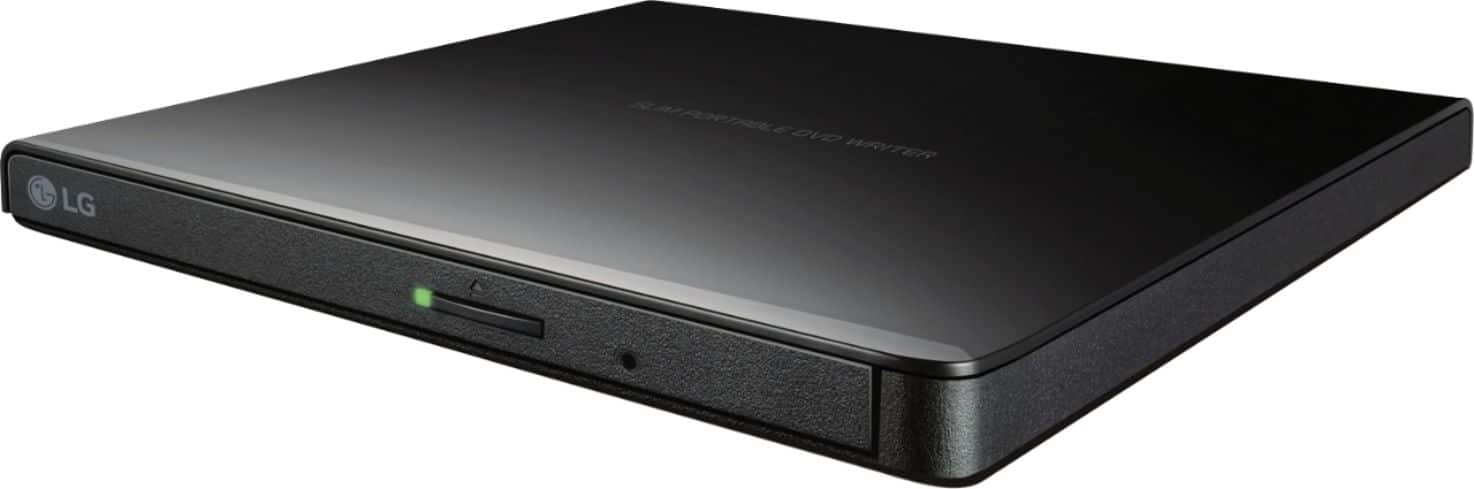
A:AnswerThe LG Ultra-Slim Portable DVD Burner & Drive with M-DISC™ Support, Model # GP65NB60 supports reading and writing to DVD±RW, DVD±R, DVD±R (DL), DVD-RAM, CD-R, CD-RW, CD-ROM and CD-DA media discs. ^Daphane
A:AnswerIf you are able to transfer the files to the computer you can burn them to a CD. The drive cannot read files from the USB to burn to a disc. ^Daphane
A:AnswerYes, you can install software with this drive and not use the drive after.
Be careful with games though, some may require you to have the disk in to play the game, then you would need to have the drive connected.
A:AnswerThis drive only reads the discs, it cannot decode them. you would need something to decode the information, such as a computer or other video device. I doubt the media headrests have anything to do with decoding the info (it would be rare if it did) they are most likely just displays. To be 100% sure, you would have to look up the specs for your specific media headrests.
A:AnswerSince I didn’t need my dvd right away I didn’t open the box until I passed the return date. It had the DVD player and media cd. I received nothing else even though “Contents” also listed power2go, power backup and label print. No cables listed.
A:AnswerYes, this will work with MacBook Air. This drive is compatible with the following operating systems: Windows 8.1, Windows 8, Windows 7, Windows Vista, Windows XP, Windows Server 2008, Windows Server 2003, Mac OS X(10.7.5). ^Daphane
A:AnswerYes, the LG Ultra-Slim Portable DVD Burner & Drive with M-DISC™ Support, Model # GP65NB60 supports reading and writing to DVD±RW, DVD±R, DVD±R (DL), DVD-RAM, CD-R, CD-RW, CD-ROM and CD-DA media discs. ^Daphane
A:AnswerAs mentioned in a previous response. When you connect the LG - 8x External USB 2.0 Double-Layer DVD±RW/±R/-RAM/CD-RW Drive - Black, Model # GP65NB60 to your laptop via USB, your laptop will recognize the drive then you will need to install the software CD that comes with the drive that has the Power2Go, PowerBackup, YouCam, LabelPrint, and Norton internet Security (60 days) on it before using the drive...^IFV
A:AnswerPlease reach out to our support team via private message on Facebook @LGUSSupport and use #VOC in your first message to our social media support team or call at 800-243-0000. Also, be sure to provide your contact information, model/serial numbers and date of purchase. ^Daphane
A:AnswerThe LG - 8x External USB 2.0 Double-Layer DVD±RW/±R/-RAM/CD-RW Drive, Model # GP65NB60 is compatible with Windows 8.1, Windows 8, Windows 7, Windows Vista, Windows XP, Windows Server 2008, Windows Server 2003 Operating Systems and it connects to a laptop via the USB port. USB 2.0 is the version number for the USB port on the optical are an drive. USB ports on different devices have version numbers. System Requirements for the optical drive are an Intel Pentium4 2.4GHz or Higher CPU. The recommended CPU is an Intel Pentium4 3.2GHz or Higher. Recommended RAM is 1GB or higher and a Graphic Card of 64 MB or higher (128 MB recommended). The Hard Drive should have 20GB or more of available space...^IFV
A:AnswerThe LG - 8x External USB 2.0 Double-Layer DVD±RW/±R/-RAM/CD-RW Drive - Black, Model # GP65NB60 is compatible with Mac OS X v.10.7.5 or Higher, Direct X 9.0 or Higher Operating Systems...^IFV