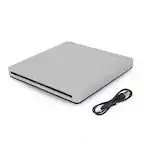
A:AnswerThe short answer is yes, you can use an external USB CD/DVD drive with a Chromebook, but there are some major limitations to using a Chromebook with an external DVD or CD drive. External devices are limited to storage of readable files. Chromebooks can read files on CD, CD-RW, DVD and DVD-RW discs if they are supported file formats. This means you can easily open image or audio files in ChromeOS from files on a CD or DVD. However,Chromebooks do not have the necessary codecs to plays DVD files. You can connect a CD or DVD player on a Chromebook and use it read read data files if you have a disk written in data format. You cannot play an audio CD or a movie on a DVD and you cannot write anything to a CD, DVD or Blu-ray disk. Chrome OS does not support optical disks to let you play music or movies. The primary reason for this is that Chrome OS doesn’t come with codecs. Codecs are necessary to compress and decompress large files like DVD videos. External DVD drives aren’t officially supported on Chrome OS...^IFV

A:AnswerThe DVD Player with USB Direct Recording, Model # DP132H is not designed to work with a PC/Laptop. The USB port on the unit will not recognize a computer when one is connected to it....^IFV
A:AnswerYes it does, to play movies you may have to download a codec from the terminal for the media player you are using. I found the code to use on the Terminal somewhere on the Ubuntu forums.
A:AnswerCompatible operating systems include Windows 10/8.1/8/7/Vista/XP(SP3), Mac OS X v.10.7.5 or Higher. Yes you can use a USB-C TO USB adapter. ^Daphane
A:AnswerThe main difference between this LG Slim Portable DVD Writer DVD Disc Playback & DVD M-DISC™ Support, Model # SP80NB80 and a drive that comes installed on a PC or laptop is that one is internal while this unit is an external device that connects to your computer via the USB ports. You can download word documents or excel documents that have been saved on a CD to your computer the same way you would if you had an optical drive installed in your computer. Just find the drive on your computer, open it, select the documents you want to transfer or copy to your computer, choose a file or where on your computer you want to save the selected documents to and you're done!...^IFV
A:AnswerWell it all depends on the software you are using on your computer. Any of the external cd/dvd drives are devices only and do not come with a software. If you have a software then yes. If not you can always buy or get free software for that depending on what quality you're looking for.
A:AnswerThe LG Slim Portable DVD Writer DVD Disc Playback & DVD M-DISC™ Support, Model # SP80NB80 is compatible with the Windows 10, Windows 8.1, Windows 8, Windows 7, Windows Vista, Windows XP, and Mac OS X. It has a TV Connectivity function that allows you to enjoy videos, pictures and music by connecting this product to the USB port on your TV. ^CP
A:AnswerLG Super Multi Compatibility optical drives can read and write different types of disc formats in one convenient package. : 1. DVD+R 2. RW DVD-R 3. RW DVD-RAM This gives you the option to choose the media best suited for each task. For assistance with using the disc drive, please give our computer specialists a call at 800-243-0000. ^CP
A:AnswerHi Ledzepp. That will depend on if the USB ports on the PC/Laptop that you have the LG Slim Portable DVD Writer DVD Disc Playback & DVD M-DISC™ Support, Model # SP80NB80 connected to deliver enough power to drive it.Not all systems meet USB power requirements so you may need to use a USB "Y" cable with the unit if the USB port doesn't meet the requirements...^IFV