Questions & Answers
- Model:
- 920-013133
- |
- SKU:
- 6599037
Highly rated by customers for: Build Quality, Responsiveness, Typing Experience
$149.99$149.99
Save $40
The comparable value is Comp. Value: $189.99
Page Showing 21-25 of 25 questions
Q: QuestionWhat is the length of the cable included with the keyboard?
- A:Answer The cable included with the keyboard is 6 feet long.
This question and answer was generated by AI based on customer and product data.Q: QuestionIs this keyboard offering an 8000hz polling rate?
Asked by Tenchi.
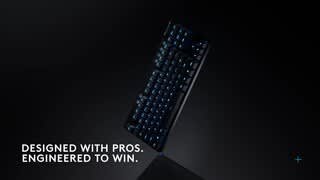
- A:Answer Yes! The PRO X TKL RAPID supports a polling rate of up to 8,000Hz when connected via its wired connection. This provides a 0.125ms report rate for the fastest possible response time.
Answered by Logitech
Q: QuestionWhat material is the keyboard case?
Asked by John.
This question was asked about the related product: Logitech - PRO X TKL RAPID Wired Hall-Effect Gaming Keyboard with Magnetic Analog Switch and Customizable RGB Lighting for PC - Black
- A:Answer The PRO X TKL RAPID keyboard case is typically made of durable plastic with a protective finish.
Answered by Logitech
Q: QuestionCan you recommend a keyboard that will work with my older KVM set up. Thank you Paul
Asked by PaulSnow.
This question was asked about the related product: Logitech - PRO X TKL RAPID Wired Hall-Effect Gaming Keyboard with Magnetic Analog Switch and Customizable RGB Lighting for PC - Black
Q: QuestionWill this work keyboard be compatible with an older model wired KVM switch I use on 2 computers?
Asked by PaulSnow.
This question was asked about the related product: Logitech - PRO X TKL RAPID Wired Hall-Effect Gaming Keyboard with Magnetic Analog Switch and Customizable RGB Lighting for PC - Black
- A:Answer While the Logitech PRO X TKL RAPID is a high-performance gaming keyboard designed for PC, it's not directly compatible with older wired KVM switches. Manufacturers implement Keyboard support in various and non-standard ways. KVM switches, in particular, may affect the functionality of your Logitech Keyboard. Other third-party devices that may interfere with the communication between your Logitech webcam and your computer are: - KVM switch boxes - Port Replicators - Docking Stations - USB Hubs
Answered by Logitech
Page 2, Showing 21-25 of 25 questions
Most-viewed items
- Black Friday in July Deal$299.99$299.99
- Black Friday in July Deal$79.99$79.99
- Black Friday in July Deal$169.99$169.99
- Black Friday in July Deal$159.99$159.99
- Black Friday in July Deal$34.99$34.99
![G CAPS LOCK H HI 1 2 3 4 5 6 7 8 9 0 I I = + INS HOME PG TAB Q W E R T Y U I O P [ { ] ) / I DEL END PG CAPS A S D F G H J K L ; : F SHIFT Z X C V B N M / ? SHIFT CTRL ALT ALT FN CTRL](https://pisces.bbystatic.com/image2/BestBuy_US/images/products/eb479c4d-9a13-47c7-b7a6-6f3cd731d691.jpg;maxHeight=54;maxWidth=54;format=webp)


![KEY PRIORITY Desktop Select key priority. Please be aware that Key Priority functions are prohibited for use in certain games, including Counter-Strike 2. Consult your game's documentation before using this feature. Key travel priority i F9 F10 Last input priority i 1 Absolute priority key A .. : I = Absolute priority key D i [ { ] } Neutral i : Alternative fully pressed behavior. To make it feel natural, press both keys simultaneously, and the system will recognize both inputs as normal. / ? FN CANCEL CONFIRM Type to test.](https://pisces.bbystatic.com/image2/BestBuy_US/images/products/f7a00797-eecf-4cbf-b733-836e30152d37.jpg;maxHeight=54;maxWidth=54;format=webp)