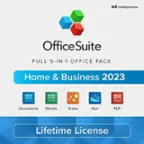
User rating, 4.5 out of 5 stars with 11213 reviews.
Show only Answered Questions
Include AI Generated Q&A
Asked 1 year ago by DanaivysR.
Answered 11 months ago by JosephC
Asked 1 year ago by Anonymous.
This question was asked about the related product: Microsoft - Office 365 Family (Up to 6 People) (12-Month Subscription-Auto Renew) - Windows
Answered 1 year ago by Waiguoren
Asked 1 year ago by Kmwquilt.
Asked 1 year ago by ty.
Answered 1 year ago by NoNameVerified Purchase
Asked 1 year ago by CEG76.
Answered 1 year ago by JOJOVerified Purchase
Asked 1 year ago by BottomLineMS365.
This question was asked about the related product: Microsoft - 365 Family, 1-year subscription, 5 PCs/Macs (Product Key Card)
Answered 11 months ago by MohamedSoliman
Asked 1 year ago by Les.
Answered 1 year ago by AT01Verified Purchase
Asked 1 year ago by Mac.
Asked 1 year ago by warbert.
Asked 1 year ago by Trish.
Asked 1 year ago by Rita.
Asked 1 year ago by Jeffrey.
Asked 1 year ago by Sharo.
Asked 1 year ago by CatPerson.
Asked 1 year ago by Insignia.
Asked 1 year ago by mrstrixiz.
Answered 1 year ago by JamesW
Asked 1 year ago by Office365.
Answered 1 year ago by Silvia
Asked 1 year ago by Joel.
Asked 1 year ago by Bev.
User rating, 4.5 out of 5 stars with 38484 reviews.
User rating, 4.3 out of 5 stars with 3 reviews.
User rating, 4.6 out of 5 stars with 5746 reviews.
User rating, 4.4 out of 5 stars with 434 reviews.
User rating, 3.8 out of 5 stars with 225 reviews.
User rating, 4.2 out of 5 stars with 6 reviews.
User rating, 4 out of 5 stars with 1 review.
User rating, 1.8 out of 5 stars with 5 reviews.
User rating, 4 out of 5 stars with 14 reviews.
User rating, 2.5 out of 5 stars with 8 reviews.
Not yet reviewed
User rating, 3.7 out of 5 stars with 25 reviews.
User rating, 4.4 out of 5 stars with 532 reviews.
User rating, 4.6 out of 5 stars with 27 reviews.
User rating, 4.7 out of 5 stars with 26 reviews.