A:AnswerIt picks up easily from any distance and even low voice. It does display pick up call and hang up the call. It links to Zoom and to Duo you can save the phone number in which she doesn't need to speak to make call. I also bought it for my elderly mother with language barrier so I learned all features to help her out.
A:AnswerNest Hub Max comes with a 30 Watt adapter with an auto-volt Input voltage of 100V-240V and output voltage of 24V. Take a look at this link for the specifications: https://support.google.com/googlenest/answer/7072284
A:AnswerUnfortunately, this feature is not supported by Nest Hub Max, nonetheless we'd still like to thank you for finding the time to share your feedback with us. We´ll make sure this is passed on to the concerned team. After all, we´re always looking for ways to improve our products and services.
A:AnswerYes. ADT Pulse SmartHome is supported on your Nest Hub. Check this link for more details about setting up smart home devices using Google Nest and Home speakers and displays: https://support.google.com/googlenest/answer/9159862
A:AnswerHi there, JohnG. Thank you for asking about the Nest Hub Max. No, you can only view one camera at a time using this device. If you want to view all of your cameras at the same time, we suggest trying out the Google Home for web. This lets you view the live streams of multiple cameras at once. To know more, please check out this Google Nest Help article: https://support.google.com/googlenest/answer/9241220
A:AnswerHi there! Thanks for your inquiry. Although you can use an iOS phone or tablet to set up the Nest Hub Max, using Facetime to make video calls is not supported. Thankfully, you can use Google Meet (previously known as Duo) to make video calls on the Nest display. This link can help: https://support.google.com/messages/answer/12387460
A:AnswerThere aren’t any ads on this device. However, if you use an app like youtube, you will still get ads unless you have the premium version. However, just like youtube, you do not have to sit through them. You can skip the ad or choose another video.
A:AnswerHey there! Thanks for choosing Google Nest devices, and for your inquiry! You can cast live video to your Nest display with your voice, from your Nest camera and doorbell consequential. To start streaming, say "Ok Google" or "Hey Google," then:
- "Show [camera name]."
- "What's on [camera name]?”
- "[Camera name] on [speaker name]."
- "Play [camera name] on [speaker name]."
- "Show [camera name] on [speaker name]."
To stop streaming, say "Ok Google" or ""Hey Google," then "Stop [speaker name]."
Also, you can connect a Google speaker or display and set up visitor announcements if you want to get notified when someone rings your doorbell when you’re home. You'll only get visitor announcements on your speakers and displays if they are set up in the same home as your doorbell in the Home app. Learn more about how to get doorbell visitor announcements on a speaker or display by visiting the Google Nest Help center.
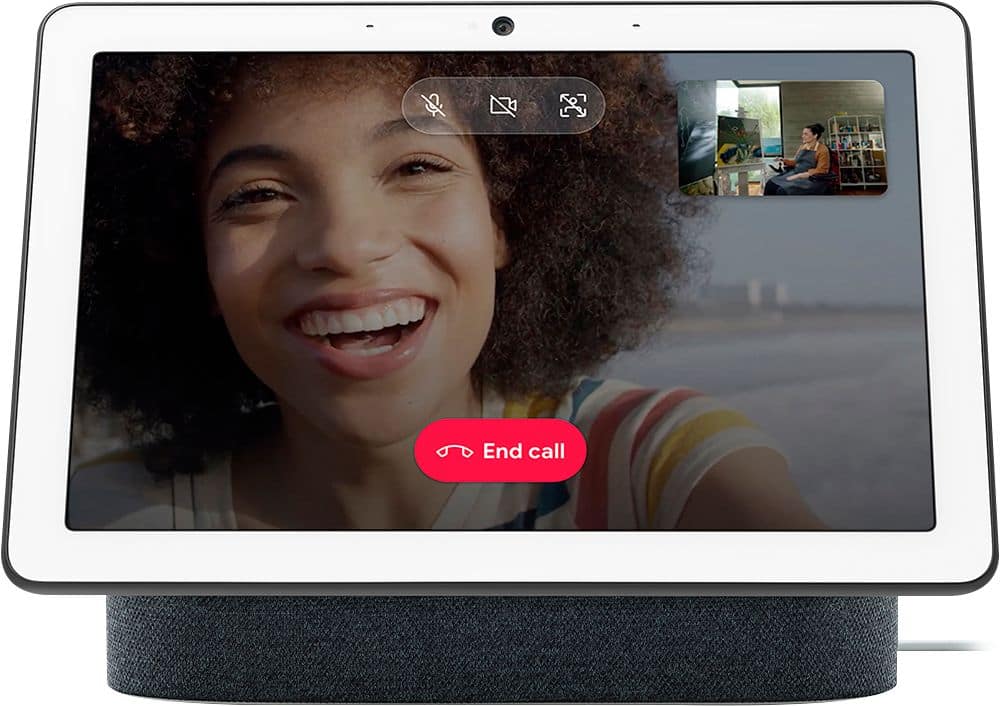
A:AnswerThere's only one Nest Hub Max. There's a 2nd gen of the regular Nest Hub which is very similar, just a smalller screen and a couple less features.
A:AnswerThere is no generation 2 of the Nest Hub Max. The hardware in the Max is better than the gen 1 Nest Hub and roughly equal to the Nest Hub gen 2.
A:AnswerUnfortunately, Eufy Security Camera isn’t on the list of compatible cameras for Nest Hub. You can visit this link for more information: https://support.google.com/chromecast/answer/9137164
Nest Hub Max comes with a 30 W adapter with an auto-volt input range voltage of 100V - 240V.
A:AnswerThanks for your expression of interest. Unfortunately, Nest Hub Max must be plugged into a wall outlet to work. Please see the technical specifications here: https://support.google.com/googlenest/answer/7072284
A:AnswerYes. You can add calendar events or get your schedule for the day with your Google Assistant on your Nest Hub Max. Check this link for more info: https://support.google.com/googlenest/answer/7029002