“I have a house built in 1930 and it is 1000 sq. ft. up and 1000 sq. ft. basement. I have 2 wifi extenders because of the solid brick and plaster walls to pick up better signal in dead areas. I currently have a Netgear 55 router. Would this work better?”
Answer This Question
1-10 of 10 Answers
I replaced a high end Netgear router with an extender in my 4500 sq ft home with these, and I have much better connectivity now. Plus, it is 1 network now, instead of having to switch between the main network and the extender network. Much easier!
Access Denied
You don't have permission to access "http://www.bestbuy.com/%7eassets/bby/_img/int/plsvgdef-frontend/svg/Alert_Triangle_Line_Sm.svg" on this server.Reference #18.1decc017.1779247789.5c69daa
https://errors.edgesuite.net/18.1decc017.1779247789.5c69daa
Sorry, there was a problem. Please try again later.This may work better, simply because the Orbi uses a separate radio for communication between the router and the extenders, instead of having to use the same radio to talk to phones/tablets/laptops and to the extender. My house is 150yrs old and has plaster walls, and the Orbi has no trouble getting signal from the base unit to the extender.
Access Denied
You don't have permission to access "http://www.bestbuy.com/%7eassets/bby/_img/int/plsvgdef-frontend/svg/Alert_Triangle_Line_Sm.svg" on this server.Reference #18.1decc017.1779247789.5c69daa
https://errors.edgesuite.net/18.1decc017.1779247789.5c69daa
Sorry, there was a problem. Please try again later.The Orbi was designed to break through traditional WiFi barriers like walls, stairs, and doors and can cover approximately 4,000 sq. ft., so it’s possible.
Access Denied
You don't have permission to access "http://www.bestbuy.com/%7eassets/bby/_img/int/plsvgdef-frontend/svg/Alert_Triangle_Line_Sm.svg" on this server.Reference #18.1decc017.1779247789.5c69daa
https://errors.edgesuite.net/18.1decc017.1779247789.5c69daa
Sorry, there was a problem. Please try again later.I would say yes based on my results. Before I installed the Orbi I ran 5 separate speed tests on my laptop in various parts of our home. (3 story house - 2700 sq. ft). I ran tests from each floor on my existing router (TP Link WR1043ND - a 300Mbps Wireless N Gigabit Router). Speeds averaged 43.76Mbps down and 4.35Mbps upload. After I installed the Orbi, I re-ran the same speed tests in the same locations and speeds now average 62.83Mbps down and 5.80Mbps upload. Significantly faster! The 2 spots in the house - top floor and basement both went from 28.56Mbps and 21.72 to 64.33 and 63.46 - so much better coverage and the Orbi's base + satellite coverage now provides equal coverage thoughout the entire home.
Access Denied
You don't have permission to access "http://www.bestbuy.com/%7eassets/bby/_img/int/plsvgdef-frontend/svg/Alert_Triangle_Line_Sm.svg" on this server.Reference #18.1decc017.1779247789.5c69daa
https://errors.edgesuite.net/18.1decc017.1779247789.5c69daa
Sorry, there was a problem. Please try again later.I am going through brick to the outside patio and getting great signal strength
Access Denied
You don't have permission to access "http://www.bestbuy.com/%7eassets/bby/_img/int/plsvgdef-frontend/svg/Alert_Triangle_Line_Sm.svg" on this server.Reference #18.1decc017.1779247789.5c69daa
https://errors.edgesuite.net/18.1decc017.1779247789.5c69daa
Sorry, there was a problem. Please try again later.I have 1500 up and down. The orbit gives me my full 200 maps at the farthest point from my router
Access Denied
You don't have permission to access "http://www.bestbuy.com/%7eassets/bby/_img/int/plsvgdef-frontend/svg/Alert_Triangle_Line_Sm.svg" on this server.Reference #18.1decc017.1779247789.5c69daa
https://errors.edgesuite.net/18.1decc017.1779247789.5c69daa
Sorry, there was a problem. Please try again later.Yes this should work much better.
Access Denied
You don't have permission to access "http://www.bestbuy.com/%7eassets/bby/_img/int/plsvgdef-frontend/svg/Alert_Triangle_Line_Sm.svg" on this server.Reference #18.1decc017.1779247789.5c69daa
https://errors.edgesuite.net/18.1decc017.1779247789.5c69daa
Sorry, there was a problem. Please try again later.I would think that it would almost definitely would. I can cover 2300 sqft with maximum signal in every room.
Access Denied
You don't have permission to access "http://www.bestbuy.com/%7eassets/bby/_img/int/plsvgdef-frontend/svg/Alert_Triangle_Line_Sm.svg" on this server.Reference #18.1decc017.1779247789.5c69daa
https://errors.edgesuite.net/18.1decc017.1779247789.5c69daa
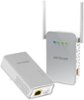
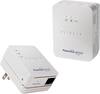
Sorry, there was a problem. Please try again later.Not sure whether you have tried using Netgear's Powerline Wireless Access Points (below links), but it might work out well as well. Essentially you plug one adapter to a regular power outlet with ethernet cable going from this adapter to back of your regular wifi Router. Other adapter you plug it in the power outlet where you would want to have your wifi extended. This particular adapter has ethernet jack as well as creates a new wifi. This new wifi could be named same as original one, so that you don't have to keep on switching wifi names on your devices. I have used it in my house and am happy with it. Band width is little bit better than range extenders, since it is now an "Access Point" (kind of hard wired range extender). Btw, band width depends upon how the copper wiring is done within your residence, home, apartment etc. Hope this solution works, if haven't tried already.
I would recommend:
Access Denied
You don't have permission to access "http://www.bestbuy.com/%7eassets/bby/_img/int/plsvgdef-frontend/svg/Alert_Triangle_Line_Sm.svg" on this server.Reference #18.1decc017.1779247789.5c69daa
https://errors.edgesuite.net/18.1decc017.1779247789.5c69daa
Sorry, there was a problem. Please try again later.Not necessarily. I'm not familiar with Netgear 55, the whole idea in this router is that it comes with a range extender. Also, has multiple antennas and covers AC band (if your laptop has a adapter, you might see the difference). You need to reposition your router and range extenders so that the range extenders have >90% signal from the router, for the minimum loss. Also, remember, that most antennas on the router are omni-directional, signal spreads all around it, like a sphere.
Access Denied
You don't have permission to access "http://www.bestbuy.com/%7eassets/bby/_img/int/plsvgdef-frontend/svg/Alert_Triangle_Line_Sm.svg" on this server.Reference #18.1decc017.1779247789.5c69daa
https://errors.edgesuite.net/18.1decc017.1779247789.5c69daa
Sorry, there was a problem. Please try again later.