A:AnswerThe Built-In WIFI on the COOLPIX S3700 works directly with the Nikon Wireless Mobile Utility APP - available for, both, iOS and Android-based smart devices. It will transfer directly to a smart device or you can use the APP to control the camera's shutter. It will not transfer directly to a PC.
A:AnswerAll Nikon Coolpix cameras have an auto switching (from 100v to 240V 50hz/60hz) battery charger that will work in most countries around the world. You would need to get a plug adapter to adapt the plug for European outlets. We would recommend only using the charger that came with your COOLPIX S3700 and a plug adapter.
A:AnswerThe COOLPIX S3700 features numerous photo-editing options in the Playback Menu! Options include Quick Effects, Quick Retouch, D-Lighting, Red-eye Correction, Glamour Retouch, Small Picture, and Crop. Options like Fisheye, Miniature Effect,and Photo Illustration can be found in Quick Effects. While Glamour Retouch features skin softening and the ability to add cosmetic effects.
A:AnswerTo use the WiFi feature on the Nikon COOLPIX S3700 digital camera you first need to download the Wireless Mobile Utility (WMU) application to a compatible smart device. To learn more about installing the WMU app on your smart device please check out page 28 of the S3700 Quick Start Guide that was provided in the box with your camera or contact Nikon Support.
A:AnswerThe Nikon COOLPIX S3700 is not a waterproof camera. If you are interested in a waterproof camera try the Nikon COOLPIX AW130 digital camera which is freezeproof, waterproof and shockproof. As for child-friendly cameras, Nikon does not make any cameras that meet the guideline regulations for children's use at this time.
A:AnswerThe Nikon COOLPIX S3700 digital camera has an internal memory of approximately 25MB. Memory cards can be purchased separately for additional storage. The highest capacity memory card you can use is an SDXC 128GB. This camera takes SD, SDHC and SDXC memory cards. Memory cards with class 6 or faster are recommended for movie recording. A list of approved memory cards can be found in the manual that is provided with the camera.
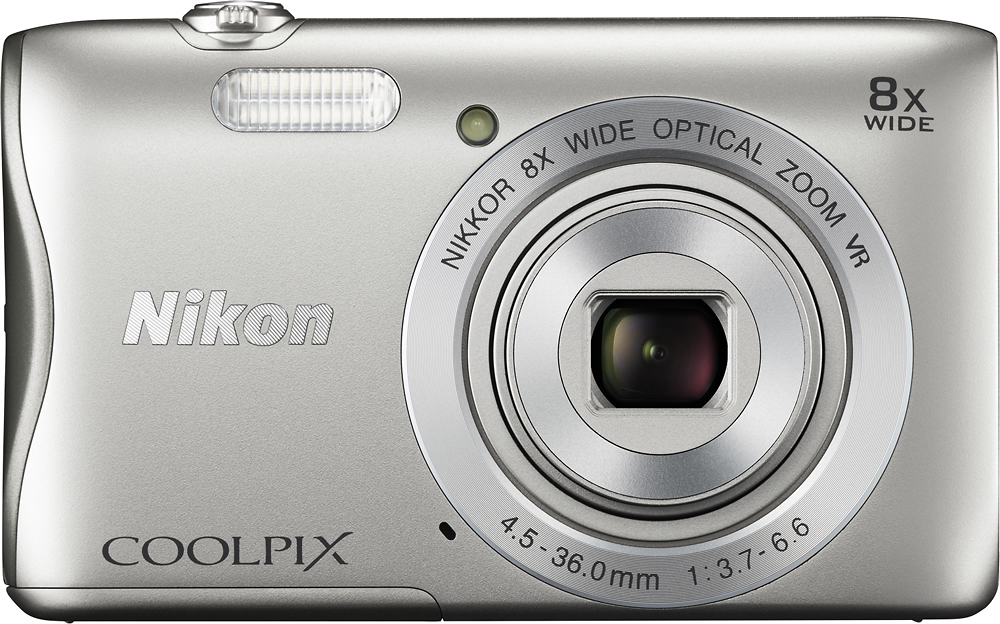
A:AnswerThe Nikon COOLPIX S3700 digital camera is great for closeups of sports, concerts, nature and more. With features like Smart Portrait, Target Finding AF, Best Shot Selector and a variety of Scene Modes your subjects will always be in focus and looking their best. This camera has vibration reduction to reduce blur and a zoom that will get you 8x closer to the action.
A:AnswerThe Coolpix S3700 has a lens that can zoom from 4.5mm to 36mm (referred to as optical zoom), as well as a 4x digital zoom. At its widest, the lens has an angle of view of approximately 85 degrees. When zoomed the full extent of the lens, the angle of view narrows to approximately 12 degrees. It is this narrowing of the angle of view that gives your subject the appearance of moving closer. You should not see a reduction of quality when using the optical zoom. The zoom indicator changes to blue when the digital zoom is activated, and changes to yellow when the zoom magnification is increased further. There may be cases in which image quality is noticeably reduced when the zoom indicator changes to yellow. To reduce the blur that may come from hand shake and a longer zoom ratio, be sure to set Vibration Reduction to "on".
A:AnswerNikon has archived the Nikon COOLPIX S4300 digital camera. If you would like a downloadable manual it can be found on Nikon’s website. The Nikon COOLPIX S3700 digital camera is not a touchscreen. If you are looking for a up-dated touchscreen camera that is similar to the Nikon COOLPIX S4300 you may want to look into the Nikon COOLPIX S6900 digital camera.
A:AnswerThe Nikon COOLPIX S3700 Digital Camera is compatible with the Nikon EN-EL19 Rechargeable Li-ion Battery. Any use of third-party rechargeable batteries not bearing the Nikon holographic seal could interfere with normal operation of the camera or result in the batteries overheating, igniting, rupturing or leaking.











