“Why is my gpu running so hot? I’m playing ESO and the temps vary from 85-80 degrees Celsius. Any suggestions for improvement?”
Answer This Question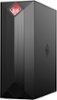
1-4 of 4 Answers
Most likely because there is only 2 fans. One on the cpu, the other on the back panel. In the review Luis posted here, he said there is room for a 120mm fan to mount on the top inside of the case. That is what I plan to do when mine arrives. Also, make sure your unit is not in a confined area.
Sorry, there was a problem. Please try again later.80-85 Celsius is not bad. That is if under load. Better cooling can help more. As said, make sure you have room around the desktop. If you start to go above 85, then be more concerned. Most have a fail safe that will shut down Pc between 95-105.
Sorry, there was a problem. Please try again later.The reason is actual the default Nvidia Driver fan control settings. This issue is common on many PC's. Not Just HP. Why Nvidia removed the GPU fan control ark is beyond me. SOLUTION: Download MSI Afterburner (Free) Install: THen Run On the control panel for after burner click the Cogwheel under FAn Speed (3 buttons) New Panel opens: Click the FAN tab Check Enable User defined Software Automatic Fan Control In the black square area is a curve you make. Bottom numbers is the temp that triggers what fan speed (left row of numbers) Raise the dot over the temp for 80c raise dot up to match the 70 percent speed or 80 percent on left colum. You can click and curve areas to adds dots to adjust it in a mor fine tuned area. Goal is at 75c it shoudl be no less then 40 percent super cool is 55 percent. at 80c about 65 and 85c about 70 percent percent at 90c 90 percent to cool it fast. Adjust as you find works well when you look at HP temp monitor. I play games ultra 4k on the rtx2080 super model and it has never gone over 72c under full load. it usually stays about 65c
Sorry, there was a problem. Please try again later.These temps are not outside of the normal operating range so there should be no concern.
Sorry, there was a problem. Please try again later.

