“I recently bought a Coolermaster Masterfan MF220R A-RGB and was wondering if I am able to hook it up anywhere?”

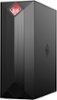
1-2 of 2 Answers
Yes you can.I mounted a 120mm fan on the inside to of the case to vent out the heat generated from the CPU and the video card. The first thing you need to do is make sure your computer is unplugged. I recommend that you place the computer on it's side, with the open side facing up. Then you'll need to remove a bracket on the top inside of the case that's held on by two tiny screws. This bracket is there if you wanted to install a radiator for liquid cooling of the CPU. Once the bracket is out, you'll need to drill 4 small holes to secure the fan, just make sure not to over tighten the screws or the fan may not work as the fan blades are touching the fan housing.. Look at my picture I provided of my extra fan.. It's small on Best Buys site, but actually it's a large picture. OK, look to where the fan for the CPU is hooked up to the motherboard. Just to the right of that is a 4 pin connector, plug your fan into that and you'll be all set to go. BUT, if you want to make sure you case is really cool, do as I did. On the bottom inside if the care is an air intake with a removable metal mesh dust guard. Buy another 120mm fan and also a Y splitter fan cable. This way you hook up both fans to the Y splitter cable, then plug the other end of that Y cable into the 4 pin power connector on the motherboard. My Noctua NF-S12A PWM fans came with the splitter as well as longer extension power cable so I did not need Y splitter or extension cables. Y splitter cable https://www.amazon.com/gp/product/B07F8LV1BY/ref=ox_sc_saved_title_3?smid=A1ETV44NZFW6S6&psc=1 Read my review listed as sdmarsh and was posted on December 30 or 31, 2018 I believe. Good luck.
Sorry, there was a problem. Please try again later.Thank you for reaching out. HP does not test third party components in their products. I recommend reaching out to the product manufacturer to make sure it is compatible.
Sorry, there was a problem. Please try again later.


