“How do I install this? I would like to know before I buy it. I have an HP laptop, do you just sinply plug it in, or will I have to crack open my laptop to install it? And is it good? Will it improve my gaming experience? Thank you.”
Answer This Question
1-8 of 8 Answers
Yes you will have to physically remove your old drive and install the new one. You will see an overall improvement of your pc's performance.
Sorry, there was a problem. Please try again later.You may not need to crack open the laptop. There may be full access via removable panel on the bottom of your laptop often next to where you can insert memory chips. You should be able to just remove the old one and drop in this much faster item. I think I would go for at 250 gigabytes SSD, however. You will be amazed at the increase in speed since the SSD has no moving parts. If you take your laptop to Best Buy Geek Squad, they can advise you what you need and even do the install.... for a price, of course.
Sorry, there was a problem. Please try again later.You will have to crack open the computer to put this drive in.
Sorry, there was a problem. Please try again later.You will have to remove the old hard drive/caddy and replace the old SATA hard drive with the new PNY Solid state drive. A good thing to do is watch a few YouTube presentations on replacing your spinning SATA drive with a new Solid State Drive. Some older drives are thicker than the newer thinner Solid State Drives and the PNY SSD has a plastic spacer in the box to make is fit securely.
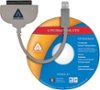
Sorry, there was a problem. Please try again later.Depends on the laptop. Some have a cover that you remove and the HDD is readily accessible, and some are a bit harder. Search your make and model of laptop along with hard drive removal, and there's got to be a video out there for it. If it's replacing a 2.5" drive already in a laptop it'll drop right in. Keep in mind there's no data on this, so you'll need a USB to SATA/Power adapter if you want to clone your current drive. I'll include the one I use in the recommended area below. Otherwise it's easy: 1) Clone drive 2) Remove old drive 3) Install new (cloned) drive 4) boot up and all should be the same. It's not going to improve your gaming experience, unfortunately. Everything is going to load faster, especially the OS, but the only way you're going to see a noticeable framerate improvement in games is a new CPU, GPU, or both. Kinda stuck with what you have in a laptop though.
I would recommend:
Sorry, there was a problem. Please try again later.Hey Killgore. It's bread if you install it inside your laptop. It's easy to do if you have a small Philips head screwdriver. Or you can have the Geek Squad at Best Buy do it for you. They charge though so, you might go on YouTube and pull up a video. You'll have to have a copy of Windows if you use it as a stand alone. Or you can buy a Sata USB cable for it. Hope this helps.
Sorry, there was a problem. Please try again later.Long story short 1) Take out your old hard drive (flip laptop upside down, remove drive cover) 2) place SSD where your old HDD was 3) install operating system Yes this is a lot better than an HDD Yes this will improve gaming How? Faster load times and faster booting Its over all BETTER than an HDD
Sorry, there was a problem. Please try again later.It includes software for swapping and old uds to this ssd, however, look into researching gaming.... most new set upsinclyde and for the OS and a had for storage games etc.
Sorry, there was a problem. Please try again later.