A:AnswerHi Meme,
You can connect your VCR using an HDMI cable. If your VCR does not support HDMI, you’ll need an RCA to HDMI converter like this one: https://www.bestbuy.com/site/insignia-rca-to-hdmi-converter-black/6134312.p?skuId=6134312
~Samsung Advisor
A:AnswerHi Panhead,
Your TV can absolutely be turned off. If you need help with your current TV, please give us a call at 1-800-SAMSUNG, available from 8AM - 12AM EST, seven days a week. You can also connect with a LiveChat agent by clicking the ‘Support’ link on our website.
~Samsung Advisor
A:AnswerHi K,
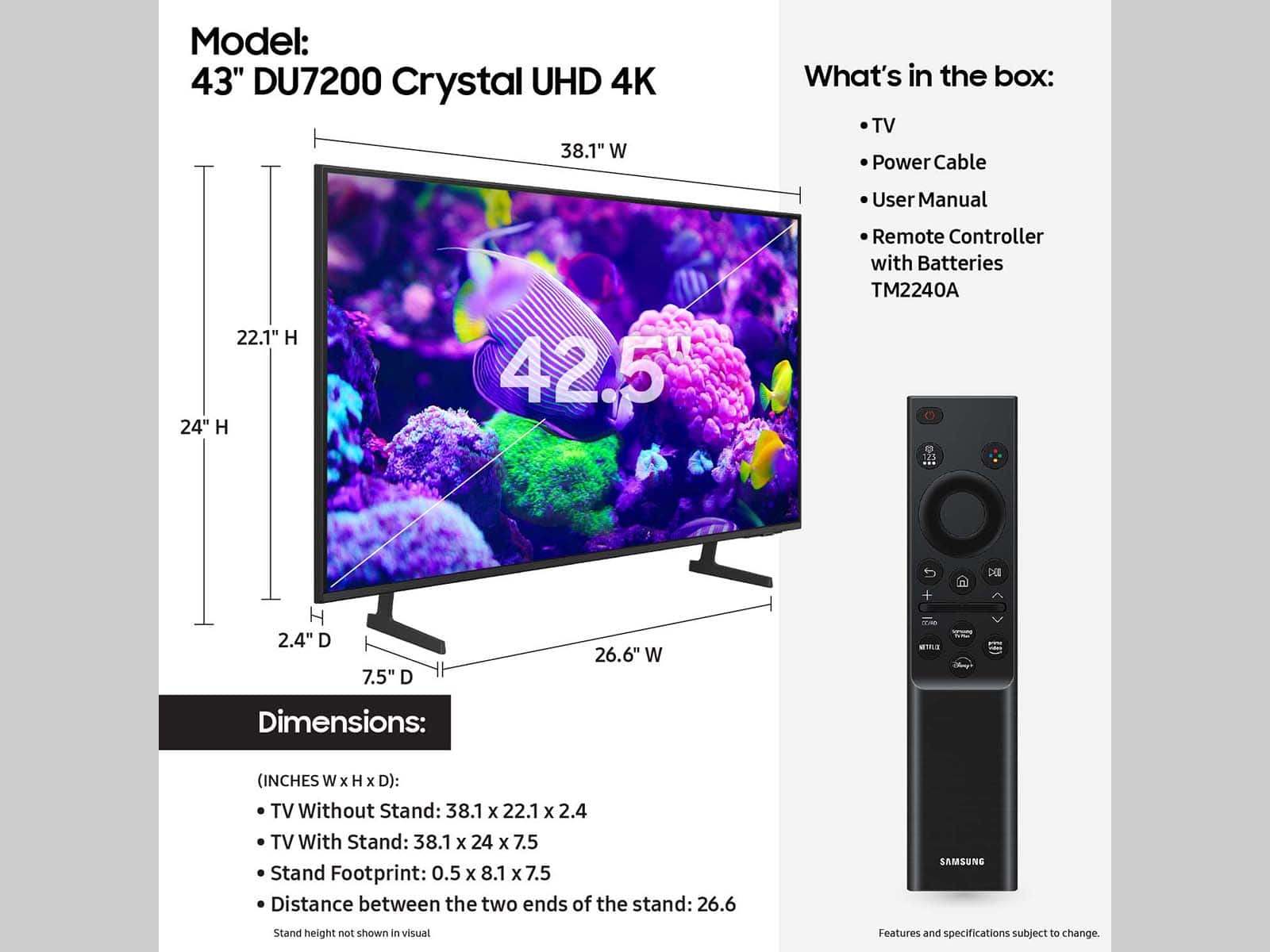
The 43" DU7200 TV dimensions in inches are 38.1 x 22.1 x 2.4 without the stand,
38.1 x 24 x 7.5 with the stand at it's lowest height and 38.1 x 25 x 7.5 at its highest (WxHxD).
~Samsung Advisor
A:AnswerHi,
To better understand your question, please contact us at 1-800-SAMSUNG, 8AM - 12AM EST, 7 days a week. Or visit us on the Samsung website and click on the ‘Support’ link for:
• LiveChat
• Manuals, Software, & Warranty Info
~ Samsung Advisor
A:Answerclick on TV speakers and you should see a choice of BT devices that are within range. Any of them will need to be "paired", which should be the neat option you are shown.
A:AnswerHi Skoog,
To help you set up your TV, we have created step-by-step guides for your use:
https://www.samsung.com/us/support/answer/ANS00062199/
~Samsung Advisor
A:AnswerHI Cesar,
To better answer your question, please give us a call at 1-800-SAMSUNG, 8 AM - 12 AM EST, seven days a week. Or visit us on the Samsung website and click on the ‘Support’ link for:
1) LiveChat
2) Manuals, Software, & Warranty Info
~ Samsung Advisor
A:AnswerHi Jakestone19,
The DU7200 has a built-in ATSC 1.0/ClearQAM tuner; when stepping up to the QN90D Neo QLED or S90D OLED, you’ll gain a built-in ATSC 3.0 tuner for receiving digital broadcasts.
~Samsung Advisor