A:AnswerYou can choose what your TV does when you turn it on by going to: Menu > Settings > All Settings > General & Privacy > Start Screen Option > Autorun Smart Hub
- Enabling Autorun Smart Hub automatically launches the Smart Hub when the TV is turned on. Navigate to this option to enable or disable the feature.
- If Autorun Last App is set to on, the last used app is automatically run when you turn on the TV. You can turn this function on or off by pressing the Select button in the current menu.
~ Samsung Specialist
A:AnswerHi Clifford,
Please try the following:
1. Press "Settings" on your Samsung Television Remote
2. Scroll down to "Connections" Tab
3. Tab down to "External Device Manager"
4. Press the "Enter/ OK" Button
5. Scroll down to "Device Connection Manager"
6. Press the "Enter/ OK" Button
7. "Access Notification" should have "First Time Only" Selected
If you need more help, please contact us at 1-800-SAMSUNG, 8 AM - 12 AM EST, seven days a week. Or visit us on the Samsung website and click on the ‘Support’ link for:
1) LiveChat
2) Manuals, Software, & Warranty Info
~ Samsung Advisor
A:AnswerHi Langle,
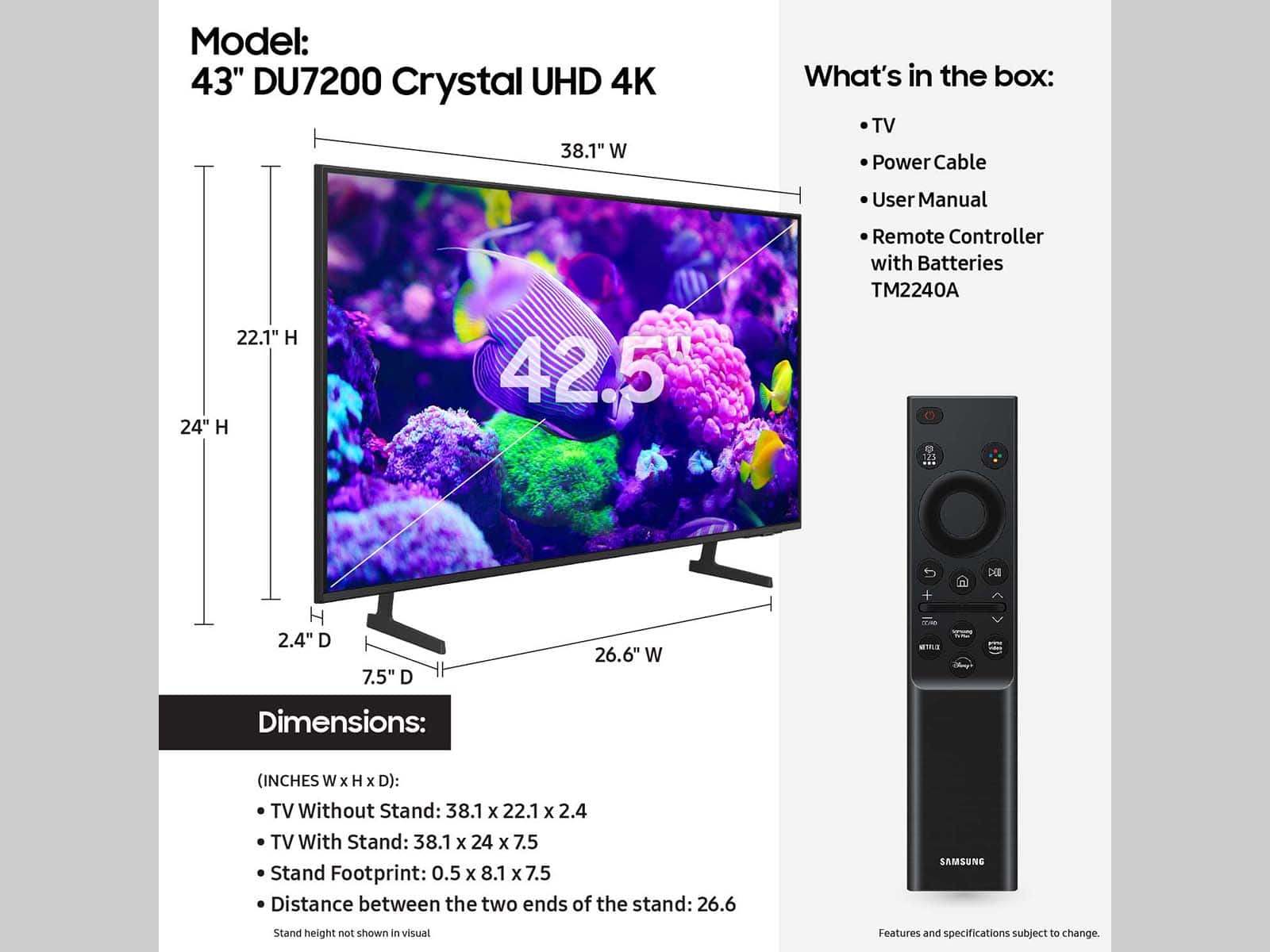
The remote that comes with the DU7200 TV is the TM2240A. You can also see a picture of the remote here at the top of the page under images. https://www.bestbuy.com/site/samsung-43-class-du7200-series-crystal-uhd-4k-smart-tizen-tv-2024/6576342.p?skuId=6576342
~Samsung Advisor

A:AnswerHi there,
The DU7200 TV does not have Alexa or Bixby built-in to the TV. You would need to add an external Alexa device to be able to control your TV through a voice assistant. The DU8000 TV and above offer voice assistants built-in, along with the ability to control your TV through the mic button on your remote.
~Samsung Advisor
A:AnswerHi renaissance,
Thank you for considering this TV. Because HDMI 2.1 is a complicated spec, we hope that focusing on TV features will be more helpful to you when deciding on the best model for your usage scenario. The DU7200 has 3 HDMI ports, both of which support HDR10+ and Auto Low Latency Mode (Auto Game Mode). The “HDMI In 2” port additionally supports eARC. If you’re looking for a TV capable of 4K@120fps (FRL), please consider the 85” DU8000 Series and above.
~Samsung Advisor