Questions & Answers
- Model:
- UN50DU7200FXZA
- |
- SKU:
- 6576368
Highly rated by customers for: Picture Quality, Ease of use, Price
Page Showing 101-120 of 134 questions
Q: QuestionCan the remote have capability?n
Asked by Anonymous.
- A:Answer Hi, To better understand your question, please call us at 1-800-SAMSUNG, 8 AM - 12 AM EST, seven days a week. Or visit us on the Samsung website and click on the ‘Support’ link for: 1) LiveChat 2) Manuals, Software, & Warranty Info ~ Samsung Advisor
Answered by Samsung

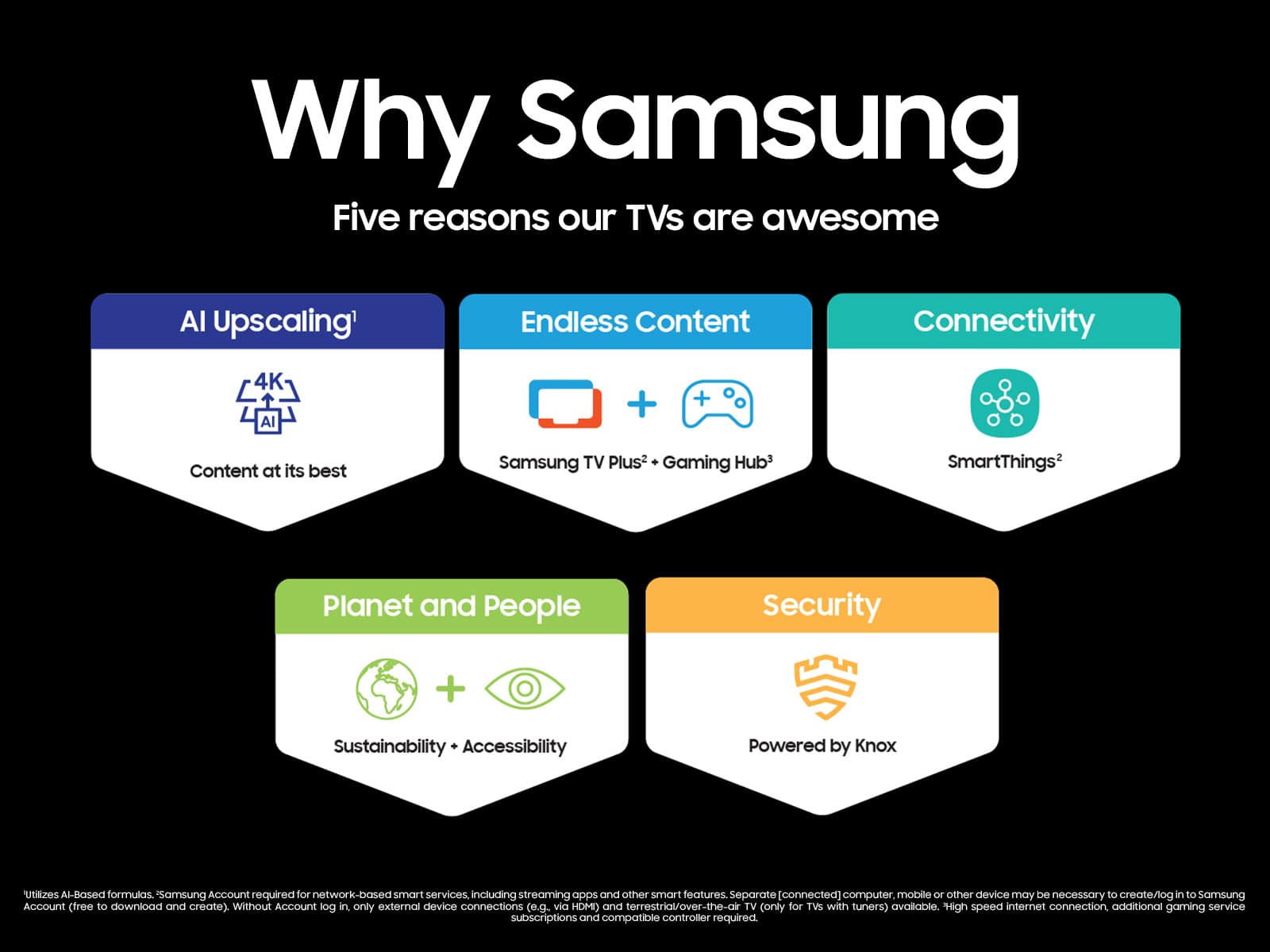
Q: QuestionDoes it have the Samsung TV plus
Asked by Pris.
- A:Answer Hi Pris, Yes, the DU7200 TV has Samsung TV Plus. ~Samsung Advisor
Answered by Samsung

Q: QuestionI am using this TV as a computer monitor. Is there any way to get it to behave as a computer monitor so when I turn on the computer or move the mouse/keyboard, it will turn on/ wake up the TV? Right now I need to manually turn on the TV every time.
Asked by cdodgela.
- A:Answer Hi cdodgela, I recommend turning off the Power Save Mode. Go to the Home button on your remote> Select Menu >Select Settings > All Settings> Navigate to General & Privacy > Power and Energy Saving> Disable the Auto Power Saving function I hope this helps! ~Samsung Advisor
Answered by Samsung

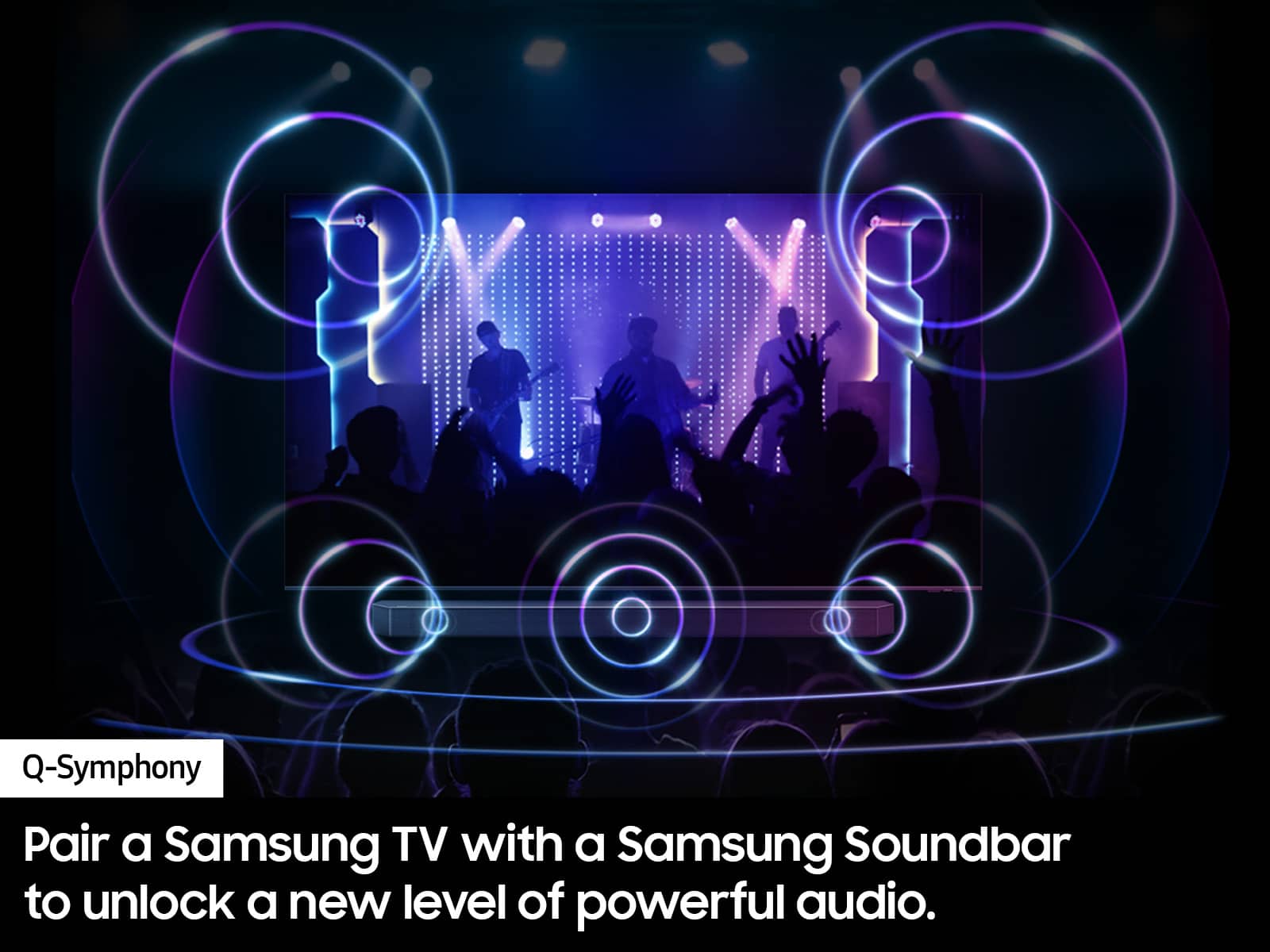
Q: QuestionIs the HW C450 Crystal surround Air Track compatible with the DU 7200 Tizen
Asked by Rosey.
- A:Answer Hi Rosey, You can connect the HW-C450 via Bluetooth. If you want to connect via digital optical cable, you will need to upgrade to the DU8000 TV Series. ~Samsung Advisor
Answered by Samsung

Q: QuestionWhat are the dimensions of the box?
Asked by CheeksMcGinty.
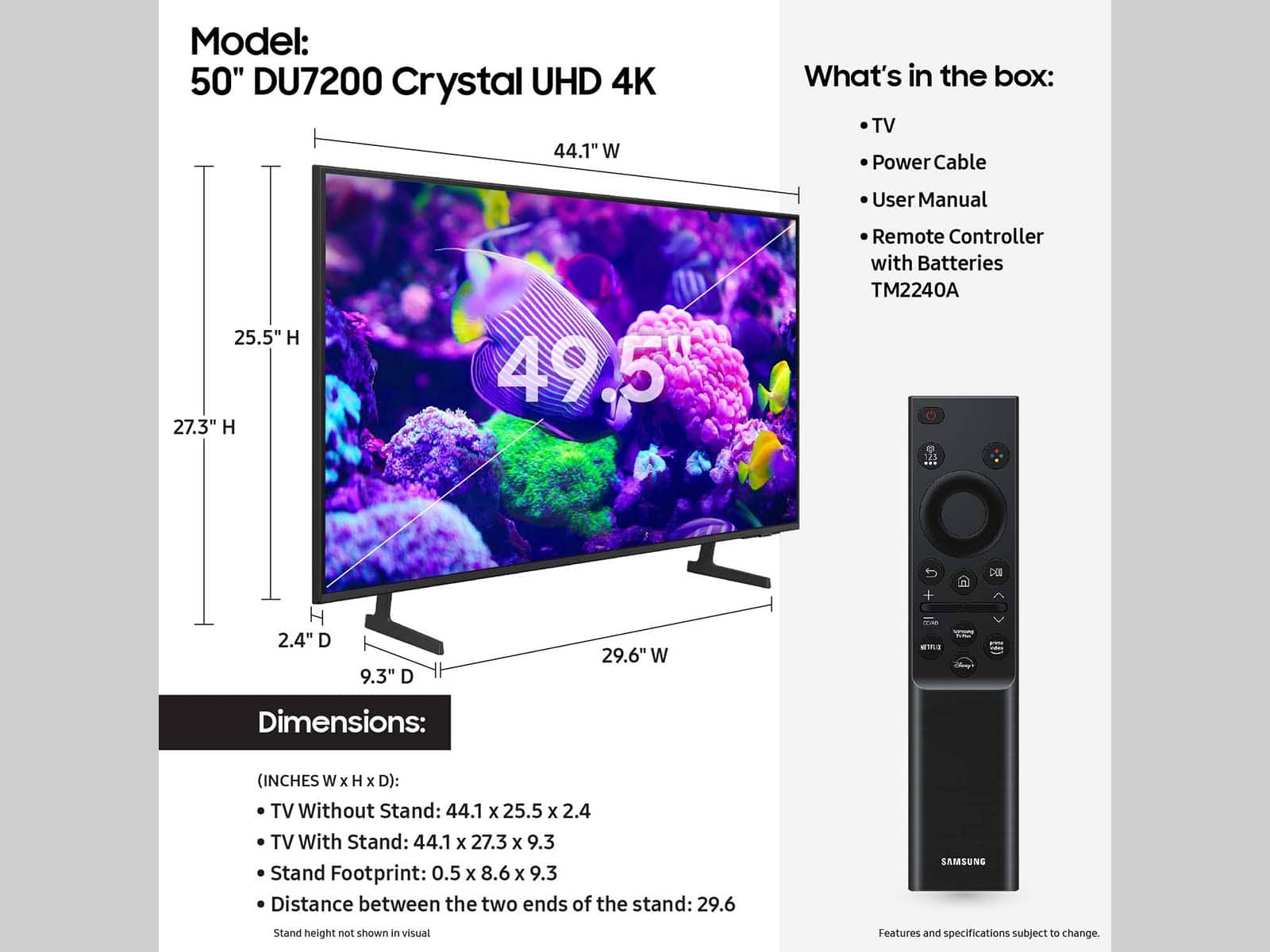
- A:Answer Hi CheeksMcGinty, The box dimensions of the 50" DU7200 TV are 49.1" x 29.9" x 6.1" (WxHxD). ~Samsung Advisor
Answered by Samsung

Q: QuestionWhat is the horizontal width of this 50 inch Samsung Smart TV?
Asked by CinB.
- A:Answer Hi CinB, The horizontal width of the 50" DU7200 TV is 44.1". ~Samsung Advisor
Answered by Samsung

Q: QuestionBuyers always complain about Samsung’s frustrating, non intuitive, confusing remotes. Why don’t you improve your remotes? It’s the only thing preventing me from buying what seems like a great tv :)
Asked by debrasanmarcosCA.
- A:Answer I agree......programed in our older Spectrum remote.
Answered by JosephJ
Q: QuestionCan this model be hooked up to a soundbar via an optical cable?
Asked by DPD.
- A:Answer Hi DPD, No, the DU7200 TV does not offer an optical cable. Instead, I recommend the DU8000 TV, which does include a digital optical cable input. ~Samsung Advisor
Answered by Samsung

Q: QuestionCan you connect the tv to your cell phone via Wii-fi or bluetooth to view apps on your phone or use your cell phone to view tv apps and/or mirror what you are viewing on your cell phone?
Asked by 4DDD.
- A:Answer Hi 4DD, Yes, the DU7200 TV offers screen mirroring and Apple Airplay. ~Samsung Advisor
Answered by Samsung

Q: QuestionHello, Im I able to connect my 2 JBL Floor speakers to this TV..if so..how to connect? Thank you for any assistance
Asked by DDNYC.
- A:Answer Hi DDNYC, Depending on your speaker's capabilities, you can connect them via HDMI or Bluetooth. ~Samsung Advisor
Answered by Samsung

Q: QuestionIs it Google compatible
Asked by Aces.
- A:Answer Hi Aces, The DU7200 is compatible with Alexa devices but is not compatible with Google Home. ~Samsung Advisor
Answered by Samsung

Q: QuestionHow difficult is this to set up as a computer monitor only?
Asked by Anonymous.
- A:Answer Hi, You can absolutely utilize the DU7200 TV as a PC monitor! While you can connect it to your PC with an HDMI cable, you also can wirelessly connect using the PC on TV feature. PC on TV allows you to connect your PC to a TV and control it while it's displaying on a bigger screen. You can access this feature under Home > Menu > Connected Devices > PC on TV. I hope this helps! ~Samsung Advisor
Answered by Samsung

Q: QuestionDoes it come with Xbox game streaming?
Asked by WallPunchKyle.
- A:Answer Hi WallPunchKyle, Yes, the XBOX Gaming app is available on the DU7200 TV. Subscription fees are not included. ~Samsung Advisor
Answered by Samsung

Q: QuestionDoes this tv have a web browser?
Asked by ChefJ.
- A:Answer You can connect it to your WiFi network, it comes with Apps.
Answered by Chron437
Q: Questionwhen can this be delivered and installed
Asked by kenn.
- A:Answer Hi Kenn, For more information on delivery services, please contact your local Best Buy or visit https://www.bestbuy.com/site/help-topics/home-and-business-delivery/pcmcat204400050032.c?id=pcmcat204400050032. ~Samsung Advisor
Answered by Samsung

Q: QuestionWhere can I order a remote replacement for this TV??
Asked by Mano.
- A:Answer Remotes are not sold on Samsung.com; they are instead available on our parts website, samsungparts.com. There are many models of remotes (all with slight variations), but you can find the exact remote your TV/projector came with by searching for your model number and then scrolling through the list until you see the remote. If you need help finding your model number, you can use the model number tool on our Support Site or check out our guide to TV model numbers. Purchase an alternative remote Remotes can vary in price for different models; however, our IR remotes work with all of our TVs and projectors. In other words, you can pick any IR remote you like and it will work, even if your model isn't listed as compatible with that remote. Because of this, we recommend BN59-01301A as a replacement remote. This is one of the newer and cheaper models (around 15 dollars on samsungparts.com) and offers basic functionality, if that's all you need. Purchase a universal remote Most universal remotes will work with your Samsung TV or projector as well, such as those found on Amazon or possibly even the remote that was included with your cable or satellite box. If you buy a universal remote, make sure the remote says it is compatible with Samsung before you buy it
Answered by bkatb
Q: QuestionDoes it have Bluetooth
Asked by Anonymous.
- A:Answer Yes, I can connect to it from my PC via Bluetooth.
Answered by BelindaW
Q: QuestionDoes it have audio optical out port?
Asked by Scott.
- A:Answer No! None of the traditional audio connectors are present
Answered by FrederickO
Q: QuestionIs this android compatable
Asked by elbee.
- A:Answer Hi Elbee, Yes, you can screen share to the DU7200 with your Android 8.1 or later device. ~Samsung Advisor
Answered by Samsung

Best-selling TVs
- Black Friday Deal$189.99Your price for this item is $189.99
- $89.99Your price for this item is $89.99$149.99The comparable value for this item is $149.99
- Black Friday Deal$99.99Your price for this item is $99.99
- Doorbuster$169.99Your price for this item is $169.99
- $249.99Your price for this item is $249.99$379.99The comparable value for this item is $379.99
- Black Friday Deal$329.99Your price for this item is $329.99
- Black Friday Deal$74.99Your price for this item is $74.99
- Black Friday Deal$129.99Your price for this item is $129.99
- Black Friday Deal$349.99Your price for this item is $349.99
- Black Friday Deal$169.99Your price for this item is $169.99
- Black Friday Deal$229.99Your price for this item is $229.99
- Black Friday Deal$449.99Your price for this item is $449.99
- Black Friday Deal$329.99Your price for this item is $329.99
- Black Friday Deal$999.99Your price for this item is $999.99
- Black Friday Deal$399.99Your price for this item is $399.99
- Black Friday Deal$1,399.99Your price for this item is $1,399.99
- Black Friday Deal$499.99Your price for this item is $499.99
- $549.99Your price for this item is $549.99$1,299.99The comparable value for this item is $1,299.99
- $59.99Your price for this item is $59.99$79.99The comparable value for this item is $79.99
- Black Friday Deal$69.99Your price for this item is $69.99